1
VFX software and V-Machine firmware requirements
This updated bundle at least requires this version of the VFX software and V-Machine
firmware:
2.0.20101204
In any lower version the bundle won't work correctly!
So before you install make sure your vfx software and V-Machine firmware at least has
this version. The 2.0. prefix means it's the 2.0 software and the numbers afterwards is
the date of release (year/month/day).
You can check the current software version like this:
VFX application:
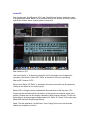
Click on „MENU“ in the top bar of the VFX application. This will show the software
version below „Menu:System Info“
V-Machine:
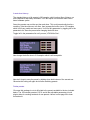
Depress the two buttons of the highest row (labeled „MENU“ on the right) at the same
time which will show the firmware version below „Menu:System Info“.
How to update:
If the version and release date is lower than 2.0.20101204 then please first on update
your vfx software and then too the V-Machine firmware. The newest vfx software version
can be downloaded from SM Pro Audio:
http://www.smproaudio.com/
Once the vfx software is updated you also can upgrade the V-Machine firmware.
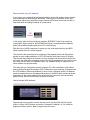
For this start VFX, click on the small white vfx icon in the top left corner and in the menu
choose „V-MACHINE -> update V-MACHINE firmware“ and follow the instructions. Note
that this could change in later versions so always too be sure to read the user manual
provided by SM Pro audio.
Owners of the former version VM Bundle please note that the radio button sample
preset selections will be reset since Stringer has been slightly updated in this area for
clean functionality in the 2.0 software. So either re-initialize those and save the presets
again or use the new and updated Stringer bank.