1
Advanced Stimulus Techniques
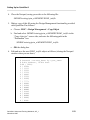
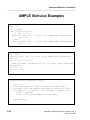
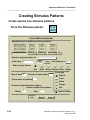
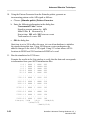
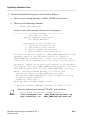
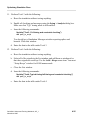
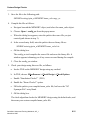
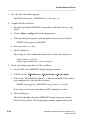
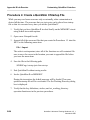
10. Using the Pattern Generator from the Stimulus palette, generate an
incrementing pattern on the AIN signal as follows:
a. Choose: [Stimulus palette] Pattern Generator
b. Enter the following information in the dialog box:
“Incremented Value” button
Signal to generate pattern for AIN
Initial Value 0 Increment by 1
Start at time 100 with 100 between events
Total number of events 512
c. OK the dialog box.
Start time is set to 100 to allow the mem_init waveform database to initialize
the signals during this time. Using 100 between events synchronizes the
address changes to the clock (CIN) signal. Using 512 events allows all 256
locations in ROM1 and 256 locations in ROM2 to be read.
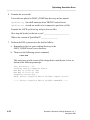
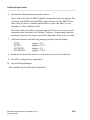
11. Run the simulation for 51300 nsec.
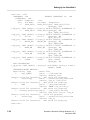
Examine the results in the List window to verify that the data read corresponds
to information from your ASCII initialization files:
0.0
0.1
0.2
50.0
50.1
. . .
1750.1
. . .
3250.0
3250.1
. . .
25700.2
. . .
27250.0
27250.1
. . .
51250.0
Time(ns)
2-50
1 FFFF 1 FFFF 000
1 FFFF 1 FFFFz 000
1 FFFF 1 XXXX 000
0 FFFF 1 XXXX 000
0 FFFF 1 FFFF 000
. . . . . . . . . . .
0 FFFF 1 0000 010
. . . . . . . . . . .
0 FFFF 1 EEEE 01F
0 FFFF 1 FFFF 01F
. . . . . . . . . . .
1 FFFF 1 0000 100
. . . . . . . . . . .
0 FFFF 1 EEEE 10F
0 FFFF 1 0000 10F
. . . . . . . . . . .
0 FFFF 1 0000 1FF
^/CIN
^/W_R
^/AIN(9:0)
^/DIN(15:0)
^/MOUT(15:0)
QuickSim II Advanced Training Workbook, 8.5_1
November 1995