1
ASSET MANAGEMENT SYSTEM FOR
PRIMARY AND SECONDARY EQUIPMENT
DIgSILENT
StationWare 4
User Manual
DIgSILENT StationWare
Version 4
User Manual
Online Edition
DIgSILENT GmbH
Gomaringen, Germany
August 2014
Publisher:
DIgSILENT GmbH
Heinrich-Hertz-Straße 9
72810 Gomaringen / Germany
Tel.: +49 (0) 7072-9168-0
Fax: +49 (0) 7072-9168-88
Please visit our homepage at:
http://www.digsilent.de
Copyright DIgSILENT GmbH
All rights reserved. No part of this
publication may be reproduced or
distributed in any form without permission
of the publisher.
August 2014
XXXX
Contents
I
General Information
1
1 About this manual
3
1.1
Introduction . . . . . . . . . . . . . . . . . . . . . . . . . . . . . . . . . . . . . . . . . . . .
3
1.2
Contents of the user manual . . . . . . . . . . . . . . . . . . . . . . . . . . . . . . . . . .
3
1.3
Used conventions in the manual . . . . . . . . . . . . . . . . . . . . . . . . . . . . . . . .
3
1.4
Web interface and hyperlinks . . . . . . . . . . . . . . . . . . . . . . . . . . . . . . . . . .
4
2 Contact us
5
2.1
General information . . . . . . . . . . . . . . . . . . . . . . . . . . . . . . . . . . . . . . .
5
2.2
Technical support . . . . . . . . . . . . . . . . . . . . . . . . . . . . . . . . . . . . . . . .
5
3 Documentation and help system
7
4 StationWare overview
9
4.1
StationWare concept . . . . . . . . . . . . . . . . . . . . . . . . . . . . . . . . . . . . . .
4.2
StationWare data structure . . . . . . . . . . . . . . . . . . . . . . . . . . . . . . . . . . . 10
4.3
9
4.2.1
Location hierarchy . . . . . . . . . . . . . . . . . . . . . . . . . . . . . . . . . . . 11
4.2.2
Device hierarchy . . . . . . . . . . . . . . . . . . . . . . . . . . . . . . . . . . . . 11
4.2.3
Settings hierarchy
. . . . . . . . . . . . . . . . . . . . . . . . . . . . . . . . . . . 12
User interface . . . . . . . . . . . . . . . . . . . . . . . . . . . . . . . . . . . . . . . . . . 12
II StationWare user interface
15
5 Getting started, navigation, and searching
17
5.1
Getting started . . . . . . . . . . . . . . . . . . . . . . . . . . . . . . . . . . . . . . . . . . 17
5.1.1
Logging on to StationWare . . . . . . . . . . . . . . . . . . . . . . . . . . . . . . . 17
5.1.2
Change your password . . . . . . . . . . . . . . . . . . . . . . . . . . . . . . . . . 18
DIgSILENT StationWare 4, User Manual
i
CONTENTS
5.2
My StationWare . . . . . . . . . . . . . . . . . . . . . . . . . . . . . . . . . . . . . . . . . 18
5.3
Navigation using the tree structure . . . . . . . . . . . . . . . . . . . . . . . . . . . . . . . 18
5.4
The database navigator . . . . . . . . . . . . . . . . . . . . . . . . . . . . . . . . . . . . . 19
5.5
How to search the StationWare database . . . . . . . . . . . . . . . . . . . . . . . . . . . 20
5.5.1
How to complete an ID search . . . . . . . . . . . . . . . . . . . . . . . . . . . . . 20
5.5.2
How to complete a basic search . . . . . . . . . . . . . . . . . . . . . . . . . . . . 20
5.5.3
Search start location . . . . . . . . . . . . . . . . . . . . . . . . . . . . . . . . . . 22
5.5.4
How to complete a standard search . . . . . . . . . . . . . . . . . . . . . . . . . . 22
5.5.5
Dropdown box options for string additional attributes . . . . . . . . . . . . . . . . 22
5.5.6
How to complete an advanced search . . . . . . . . . . . . . . . . . . . . . . . . 23
6 Locations
25
6.1
About locations . . . . . . . . . . . . . . . . . . . . . . . . . . . . . . . . . . . . . . . . . 25
6.2
Location additional documents . . . . . . . . . . . . . . . . . . . . . . . . . . . . . . . . . 26
6.3
6.4
6.5
6.2.1
How to add a location additional document . . . . . . . . . . . . . . . . . . . . . . 26
6.2.2
How to view a location additional document . . . . . . . . . . . . . . . . . . . . . 26
6.2.3
How to edit a location additional document . . . . . . . . . . . . . . . . . . . . . . 27
6.2.4
Updating a location additional document . . . . . . . . . . . . . . . . . . . . . . . 27
6.2.5
Deleting a location additional document . . . . . . . . . . . . . . . . . . . . . . . 27
6.2.6
Viewing old versions of a location additional document . . . . . . . . . . . . . . . 27
Location notes . . . . . . . . . . . . . . . . . . . . . . . . . . . . . . . . . . . . . . . . . . 27
6.3.1
How to create a location note . . . . . . . . . . . . . . . . . . . . . . . . . . . . . 28
6.3.2
Deleting a location note . . . . . . . . . . . . . . . . . . . . . . . . . . . . . . . . 28
6.3.3
Viewing a location note . . . . . . . . . . . . . . . . . . . . . . . . . . . . . . . . . 28
6.3.4
Editing a location note . . . . . . . . . . . . . . . . . . . . . . . . . . . . . . . . . 28
Location links . . . . . . . . . . . . . . . . . . . . . . . . . . . . . . . . . . . . . . . . . . 28
6.4.1
Adding a location link to an internet address . . . . . . . . . . . . . . . . . . . . . 29
6.4.2
Adding a location link to a StationWare internal location . . . . . . . . . . . . . . 29
6.4.3
Deleting a location link . . . . . . . . . . . . . . . . . . . . . . . . . . . . . . . . . 29
6.4.4
Editing a location link . . . . . . . . . . . . . . . . . . . . . . . . . . . . . . . . . . 29
Location audit trail . . . . . . . . . . . . . . . . . . . . . . . . . . . . . . . . . . . . . . . . 30
6.5.1
6.6
ii
View the location audit trail
. . . . . . . . . . . . . . . . . . . . . . . . . . . . . . 30
Location actions . . . . . . . . . . . . . . . . . . . . . . . . . . . . . . . . . . . . . . . . . 30
DIgSILENT StationWare 4, User Manual
CONTENTS
6.6.1
Create a location or sub location . . . . . . . . . . . . . . . . . . . . . . . . . . . 30
6.6.2
Edit a location . . . . . . . . . . . . . . . . . . . . . . . . . . . . . . . . . . . . . . 31
6.6.3
Copy a location . . . . . . . . . . . . . . . . . . . . . . . . . . . . . . . . . . . . . 31
6.6.4
Move location . . . . . . . . . . . . . . . . . . . . . . . . . . . . . . . . . . . . . . 32
6.6.5
Detach location . . . . . . . . . . . . . . . . . . . . . . . . . . . . . . . . . . . . . 32
6.6.6
Delete location . . . . . . . . . . . . . . . . . . . . . . . . . . . . . . . . . . . . . 32
6.6.7
Create location from template . . . . . . . . . . . . . . . . . . . . . . . . . . . . . 32
6.6.8
Create process . . . . . . . . . . . . . . . . . . . . . . . . . . . . . . . . . . . . . 33
6.6.9
Create process from template . . . . . . . . . . . . . . . . . . . . . . . . . . . . . 34
6.6.10 Create device . . . . . . . . . . . . . . . . . . . . . . . . . . . . . . . . . . . . . . 34
6.6.11 Create device from template . . . . . . . . . . . . . . . . . . . . . . . . . . . . . . 35
6.6.12 Location reports
. . . . . . . . . . . . . . . . . . . . . . . . . . . . . . . . . . . . 35
7 Devices
37
7.1
About devices . . . . . . . . . . . . . . . . . . . . . . . . . . . . . . . . . . . . . . . . . . 37
7.2
Compare tab - comparing of device settings . . . . . . . . . . . . . . . . . . . . . . . . . 38
7.3
Device additional documents . . . . . . . . . . . . . . . . . . . . . . . . . . . . . . . . . . 39
7.4
7.5
7.3.1
How to add a device additional document . . . . . . . . . . . . . . . . . . . . . . 39
7.3.2
How to view a device additional document . . . . . . . . . . . . . . . . . . . . . . 39
7.3.3
How to edit a device additional document . . . . . . . . . . . . . . . . . . . . . . 39
7.3.4
Updating a device additional document . . . . . . . . . . . . . . . . . . . . . . . . 39
7.3.5
Deleting a device additional document . . . . . . . . . . . . . . . . . . . . . . . . 40
7.3.6
Viewing old versions of a device additional document . . . . . . . . . . . . . . . . 40
Device notes . . . . . . . . . . . . . . . . . . . . . . . . . . . . . . . . . . . . . . . . . . . 40
7.4.1
How to create a device note . . . . . . . . . . . . . . . . . . . . . . . . . . . . . . 40
7.4.2
Deleting a device note . . . . . . . . . . . . . . . . . . . . . . . . . . . . . . . . . 40
7.4.3
Viewing a device note . . . . . . . . . . . . . . . . . . . . . . . . . . . . . . . . . 40
7.4.4
Editing a device note . . . . . . . . . . . . . . . . . . . . . . . . . . . . . . . . . . 40
Device links . . . . . . . . . . . . . . . . . . . . . . . . . . . . . . . . . . . . . . . . . . . 40
7.5.1
Adding a device link to an internet address . . . . . . . . . . . . . . . . . . . . . . 41
7.5.2
Adding a device link to a StationWare internal location . . . . . . . . . . . . . . . 41
7.5.3
Deleting a device link . . . . . . . . . . . . . . . . . . . . . . . . . . . . . . . . . . 41
7.5.4
Editing a device link . . . . . . . . . . . . . . . . . . . . . . . . . . . . . . . . . . 41
DIgSILENT StationWare 4, User Manual
iii
CONTENTS
7.6
Device connections . . . . . . . . . . . . . . . . . . . . . . . . . . . . . . . . . . . . . . . 41
7.6.1
How to create a signal or primary connection . . . . . . . . . . . . . . . . . . . . 42
7.6.2
How to delete a signal connection . . . . . . . . . . . . . . . . . . . . . . . . . . . 42
7.6.3
How to delete a primary connection . . . . . . . . . . . . . . . . . . . . . . . . . . 42
7.7
Device assigned processes . . . . . . . . . . . . . . . . . . . . . . . . . . . . . . . . . . . 43
7.8
Device assigned tasks
7.9
Device audit trail . . . . . . . . . . . . . . . . . . . . . . . . . . . . . . . . . . . . . . . . . 43
. . . . . . . . . . . . . . . . . . . . . . . . . . . . . . . . . . . . . 43
7.10 Device actions . . . . . . . . . . . . . . . . . . . . . . . . . . . . . . . . . . . . . . . . . . 43
7.10.1 Edit a device . . . . . . . . . . . . . . . . . . . . . . . . . . . . . . . . . . . . . . 43
7.10.2 Copy device . . . . . . . . . . . . . . . . . . . . . . . . . . . . . . . . . . . . . . . 44
7.10.3 Detach device . . . . . . . . . . . . . . . . . . . . . . . . . . . . . . . . . . . . . . 44
7.10.4 Delete device . . . . . . . . . . . . . . . . . . . . . . . . . . . . . . . . . . . . . . 44
7.10.5 Compare to another device . . . . . . . . . . . . . . . . . . . . . . . . . . . . . . 44
7.10.6 Create settings . . . . . . . . . . . . . . . . . . . . . . . . . . . . . . . . . . . . . 45
7.10.7 Create settings from template . . . . . . . . . . . . . . . . . . . . . . . . . . . . . 45
7.10.8 Import new settings . . . . . . . . . . . . . . . . . . . . . . . . . . . . . . . . . . . 46
7.10.9 Device reports . . . . . . . . . . . . . . . . . . . . . . . . . . . . . . . . . . . . . 46
8 Settings
8.1
8.2
8.3
iv
47
About StationWare settings . . . . . . . . . . . . . . . . . . . . . . . . . . . . . . . . . . . 47
8.1.1
Settings structure in StationWare . . . . . . . . . . . . . . . . . . . . . . . . . . . 47
8.1.2
Static and dynamic settings . . . . . . . . . . . . . . . . . . . . . . . . . . . . . . 50
8.1.3
The device lifecycle . . . . . . . . . . . . . . . . . . . . . . . . . . . . . . . . . . . 51
Settings additional documents . . . . . . . . . . . . . . . . . . . . . . . . . . . . . . . . . 54
8.2.1
How to add a settings additional document . . . . . . . . . . . . . . . . . . . . . . 54
8.2.2
How to view a setting additional document . . . . . . . . . . . . . . . . . . . . . . 54
8.2.3
How to edit a device additional document . . . . . . . . . . . . . . . . . . . . . . 54
8.2.4
Updating a settings additional document . . . . . . . . . . . . . . . . . . . . . . . 54
8.2.5
Deleting a settings additional document . . . . . . . . . . . . . . . . . . . . . . . 54
8.2.6
Viewing old versions of a settings additional document . . . . . . . . . . . . . . . 54
Settings notes . . . . . . . . . . . . . . . . . . . . . . . . . . . . . . . . . . . . . . . . . . 55
8.3.1
How to create a settings note . . . . . . . . . . . . . . . . . . . . . . . . . . . . . 55
8.3.2
Deleting a settings note . . . . . . . . . . . . . . . . . . . . . . . . . . . . . . . . 55
DIgSILENT StationWare 4, User Manual
CONTENTS
8.4
8.5
8.3.3
Viewing a settings note . . . . . . . . . . . . . . . . . . . . . . . . . . . . . . . . . 55
8.3.4
Editing a settings note . . . . . . . . . . . . . . . . . . . . . . . . . . . . . . . . . 55
Settings links . . . . . . . . . . . . . . . . . . . . . . . . . . . . . . . . . . . . . . . . . . . 55
8.4.1
Adding a settings link to an internet address . . . . . . . . . . . . . . . . . . . . . 55
8.4.2
Adding a settings link to a StationWare internal location . . . . . . . . . . . . . . 56
8.4.3
Deleting a settings link . . . . . . . . . . . . . . . . . . . . . . . . . . . . . . . . . 56
8.4.4
Editing a settings link . . . . . . . . . . . . . . . . . . . . . . . . . . . . . . . . . . 56
Settings actions . . . . . . . . . . . . . . . . . . . . . . . . . . . . . . . . . . . . . . . . . 56
8.5.1
Edit settings . . . . . . . . . . . . . . . . . . . . . . . . . . . . . . . . . . . . . . . 56
8.5.2
Change status . . . . . . . . . . . . . . . . . . . . . . . . . . . . . . . . . . . . . 56
8.5.3
Copy settings . . . . . . . . . . . . . . . . . . . . . . . . . . . . . . . . . . . . . . 57
8.5.4
Copy settings group values . . . . . . . . . . . . . . . . . . . . . . . . . . . . . . 57
8.5.5
Delete settings . . . . . . . . . . . . . . . . . . . . . . . . . . . . . . . . . . . . . 58
8.5.6
Compare to another device . . . . . . . . . . . . . . . . . . . . . . . . . . . . . . 58
8.5.7
Compare settings group . . . . . . . . . . . . . . . . . . . . . . . . . . . . . . . . 58
8.5.8
Export settings . . . . . . . . . . . . . . . . . . . . . . . . . . . . . . . . . . . . . 59
8.5.9
Import settings . . . . . . . . . . . . . . . . . . . . . . . . . . . . . . . . . . . . . 59
8.5.10 Settings’ reports . . . . . . . . . . . . . . . . . . . . . . . . . . . . . . . . . . . . 59
8.6
Settings audit trail . . . . . . . . . . . . . . . . . . . . . . . . . . . . . . . . . . . . . . . . 60
8.7
Settings assigned tasks . . . . . . . . . . . . . . . . . . . . . . . . . . . . . . . . . . . . . 60
9 Processes and tasks
61
9.1
About processes and tasks . . . . . . . . . . . . . . . . . . . . . . . . . . . . . . . . . . . 61
9.2
Process actions . . . . . . . . . . . . . . . . . . . . . . . . . . . . . . . . . . . . . . . . . 63
9.3
9.2.1
Create process . . . . . . . . . . . . . . . . . . . . . . . . . . . . . . . . . . . . . 63
9.2.2
Assign a device to a process . . . . . . . . . . . . . . . . . . . . . . . . . . . . . 63
9.2.3
Copy a process . . . . . . . . . . . . . . . . . . . . . . . . . . . . . . . . . . . . . 64
9.2.4
Create process from template . . . . . . . . . . . . . . . . . . . . . . . . . . . . . 64
9.2.5
Delete process . . . . . . . . . . . . . . . . . . . . . . . . . . . . . . . . . . . . . 65
9.2.6
Detach process . . . . . . . . . . . . . . . . . . . . . . . . . . . . . . . . . . . . . 65
Task actions . . . . . . . . . . . . . . . . . . . . . . . . . . . . . . . . . . . . . . . . . . . 65
9.3.1
Create task . . . . . . . . . . . . . . . . . . . . . . . . . . . . . . . . . . . . . . . 65
9.3.2
Edit task . . . . . . . . . . . . . . . . . . . . . . . . . . . . . . . . . . . . . . . . . 66
DIgSILENT StationWare 4, User Manual
v
CONTENTS
9.3.3
Change task status . . . . . . . . . . . . . . . . . . . . . . . . . . . . . . . . . . . 66
9.3.4
Assign a device to a task . . . . . . . . . . . . . . . . . . . . . . . . . . . . . . . . 66
9.3.5
Assign a settings object to a task . . . . . . . . . . . . . . . . . . . . . . . . . . . 67
9.3.6
Copy a task . . . . . . . . . . . . . . . . . . . . . . . . . . . . . . . . . . . . . . . 67
9.3.7
Delete tasks . . . . . . . . . . . . . . . . . . . . . . . . . . . . . . . . . . . . . . . 67
9.3.8
Create task from template . . . . . . . . . . . . . . . . . . . . . . . . . . . . . . . 68
10 History mode
69
10.1 History mode background . . . . . . . . . . . . . . . . . . . . . . . . . . . . . . . . . . . . 69
10.2 Working with the history mode . . . . . . . . . . . . . . . . . . . . . . . . . . . . . . . . . 71
10.2.1 Accessing the history mode . . . . . . . . . . . . . . . . . . . . . . . . . . . . . . 71
10.2.2 Exiting the history mode . . . . . . . . . . . . . . . . . . . . . . . . . . . . . . . . 71
11 Library
73
11.1 About the library . . . . . . . . . . . . . . . . . . . . . . . . . . . . . . . . . . . . . . . . . 73
11.2 Accessing the library . . . . . . . . . . . . . . . . . . . . . . . . . . . . . . . . . . . . . . 74
11.3 Library actions . . . . . . . . . . . . . . . . . . . . . . . . . . . . . . . . . . . . . . . . . . 74
11.3.1 Edit library folder . . . . . . . . . . . . . . . . . . . . . . . . . . . . . . . . . . . . 74
11.3.2 Create library folder . . . . . . . . . . . . . . . . . . . . . . . . . . . . . . . . . . 74
11.3.3 Delete library folder . . . . . . . . . . . . . . . . . . . . . . . . . . . . . . . . . . . 75
11.3.4 Move library folder . . . . . . . . . . . . . . . . . . . . . . . . . . . . . . . . . . . 75
11.3.5 Search library . . . . . . . . . . . . . . . . . . . . . . . . . . . . . . . . . . . . . . 75
11.3.6 Library search syntax
. . . . . . . . . . . . . . . . . . . . . . . . . . . . . . . . . 75
11.4 Working with library folder documents . . . . . . . . . . . . . . . . . . . . . . . . . . . . . 76
11.4.1 Add a library document
. . . . . . . . . . . . . . . . . . . . . . . . . . . . . . . . 76
11.4.2 View a library document . . . . . . . . . . . . . . . . . . . . . . . . . . . . . . . . 76
11.4.3 Update a library document . . . . . . . . . . . . . . . . . . . . . . . . . . . . . . . 76
11.4.4 Delete a library document . . . . . . . . . . . . . . . . . . . . . . . . . . . . . . . 76
11.4.5 Edit a library document . . . . . . . . . . . . . . . . . . . . . . . . . . . . . . . . . 76
11.4.6 View old library document versions . . . . . . . . . . . . . . . . . . . . . . . . . . 76
11.4.7 Moving a library document . . . . . . . . . . . . . . . . . . . . . . . . . . . . . . . 77
11.5 Working with library links . . . . . . . . . . . . . . . . . . . . . . . . . . . . . . . . . . . . 77
11.5.1 Link to another library entry . . . . . . . . . . . . . . . . . . . . . . . . . . . . . . 77
vi
DIgSILENT StationWare 4, User Manual
CONTENTS
11.5.2 Link to an internet address . . . . . . . . . . . . . . . . . . . . . . . . . . . . . . . 77
12 Reports
79
12.1 About reports . . . . . . . . . . . . . . . . . . . . . . . . . . . . . . . . . . . . . . . . . . 79
III
Administration
13 Device administration
81
83
13.1 Device categories . . . . . . . . . . . . . . . . . . . . . . . . . . . . . . . . . . . . . . . . 83
13.1.1 About device categories . . . . . . . . . . . . . . . . . . . . . . . . . . . . . . . . 83
13.1.2 Create a device category . . . . . . . . . . . . . . . . . . . . . . . . . . . . . . . 84
13.1.3 Edit a device category . . . . . . . . . . . . . . . . . . . . . . . . . . . . . . . . . 84
13.1.4 Delete a device category . . . . . . . . . . . . . . . . . . . . . . . . . . . . . . . . 84
13.2 Manufacturers . . . . . . . . . . . . . . . . . . . . . . . . . . . . . . . . . . . . . . . . . . 85
13.2.1 Create a manufacturer . . . . . . . . . . . . . . . . . . . . . . . . . . . . . . . . . 85
13.2.2 Edit a manufacturer . . . . . . . . . . . . . . . . . . . . . . . . . . . . . . . . . . . 85
13.2.3 Merge existing manufacturers . . . . . . . . . . . . . . . . . . . . . . . . . . . . . 85
13.2.4 Delete a manufacturer . . . . . . . . . . . . . . . . . . . . . . . . . . . . . . . . . 86
13.3 Device types . . . . . . . . . . . . . . . . . . . . . . . . . . . . . . . . . . . . . . . . . . . 86
13.3.1 About device types . . . . . . . . . . . . . . . . . . . . . . . . . . . . . . . . . . . 86
13.3.2 Edit a device type . . . . . . . . . . . . . . . . . . . . . . . . . . . . . . . . . . . . 86
13.3.3 Delete a device type . . . . . . . . . . . . . . . . . . . . . . . . . . . . . . . . . . 87
13.3.4 Export a device type . . . . . . . . . . . . . . . . . . . . . . . . . . . . . . . . . . 87
13.3.5 Upload a device model definition . . . . . . . . . . . . . . . . . . . . . . . . . . . 87
13.3.6 Firmware . . . . . . . . . . . . . . . . . . . . . . . . . . . . . . . . . . . . . . . . 87
13.3.7 Device templates . . . . . . . . . . . . . . . . . . . . . . . . . . . . . . . . . . . . 89
13.3.8 Settings templates . . . . . . . . . . . . . . . . . . . . . . . . . . . . . . . . . . . 90
13.3.9 Settings views . . . . . . . . . . . . . . . . . . . . . . . . . . . . . . . . . . . . . . 92
13.3.10 Annotations . . . . . . . . . . . . . . . . . . . . . . . . . . . . . . . . . . . . . . . 94
13.3.11 Settings views and annotations import . . . . . . . . . . . . . . . . . . . . . . . . 95
13.3.12 Settings views and annotations export . . . . . . . . . . . . . . . . . . . . . . . . 95
13.3.13 Connections . . . . . . . . . . . . . . . . . . . . . . . . . . . . . . . . . . . . . . . 96
13.3.14 Help texts . . . . . . . . . . . . . . . . . . . . . . . . . . . . . . . . . . . . . . . . 96
DIgSILENT StationWare 4, User Manual
vii
CONTENTS
13.4 Usages . . . . . . . . . . . . . . . . . . . . . . . . . . . . . . . . . . . . . . . . . . . . . . 96
13.4.1 About usages . . . . . . . . . . . . . . . . . . . . . . . . . . . . . . . . . . . . . . 96
13.4.2 Create a usage . . . . . . . . . . . . . . . . . . . . . . . . . . . . . . . . . . . . . 97
13.4.3 Edit a usage . . . . . . . . . . . . . . . . . . . . . . . . . . . . . . . . . . . . . . . 97
13.4.4 Delete a usage . . . . . . . . . . . . . . . . . . . . . . . . . . . . . . . . . . . . . 97
13.5 Device lifecycle . . . . . . . . . . . . . . . . . . . . . . . . . . . . . . . . . . . . . . . . . 97
13.5.1 Create a lifecycle phase . . . . . . . . . . . . . . . . . . . . . . . . . . . . . . . . 97
13.5.2 Edit a lifecycle phase . . . . . . . . . . . . . . . . . . . . . . . . . . . . . . . . . . 98
13.5.3 Transitions . . . . . . . . . . . . . . . . . . . . . . . . . . . . . . . . . . . . . . . . 98
13.5.4 Lifecycle constraints . . . . . . . . . . . . . . . . . . . . . . . . . . . . . . . . . . 100
13.5.5 Rights management . . . . . . . . . . . . . . . . . . . . . . . . . . . . . . . . . . 102
13.6 Creating a device model definition (XML) . . . . . . . . . . . . . . . . . . . . . . . . . . . 103
13.6.1 About device model definition . . . . . . . . . . . . . . . . . . . . . . . . . . . . . 103
13.6.2 Model definition . . . . . . . . . . . . . . . . . . . . . . . . . . . . . . . . . . . . . 104
13.7 Settings views and annotations (XML) . . . . . . . . . . . . . . . . . . . . . . . . . . . . . 107
13.7.1 XML file definition . . . . . . . . . . . . . . . . . . . . . . . . . . . . . . . . . . . . 107
13.8 Configuration of device settings converters . . . . . . . . . . . . . . . . . . . . . . . . . . 108
14 Library administration
109
14.1 Document categories . . . . . . . . . . . . . . . . . . . . . . . . . . . . . . . . . . . . . . 109
14.1.1 How to define document categories . . . . . . . . . . . . . . . . . . . . . . . . . . 109
14.1.2 How to edit document categories . . . . . . . . . . . . . . . . . . . . . . . . . . . 110
14.1.3 How to delete document categories . . . . . . . . . . . . . . . . . . . . . . . . . . 110
14.2 Full-text search
. . . . . . . . . . . . . . . . . . . . . . . . . . . . . . . . . . . . . . . . . 110
14.2.1 Configuration files . . . . . . . . . . . . . . . . . . . . . . . . . . . . . . . . . . . 110
14.2.2 Task scheduler . . . . . . . . . . . . . . . . . . . . . . . . . . . . . . . . . . . . . 111
14.2.3 Troubleshooting . . . . . . . . . . . . . . . . . . . . . . . . . . . . . . . . . . . . . 112
14.3 Library rights . . . . . . . . . . . . . . . . . . . . . . . . . . . . . . . . . . . . . . . . . . . 112
14.3.1 About library rights . . . . . . . . . . . . . . . . . . . . . . . . . . . . . . . . . . . 112
15 Process administration
115
15.1 Process lifecycle . . . . . . . . . . . . . . . . . . . . . . . . . . . . . . . . . . . . . . . . . 115
15.1.1 Create a process lifecycle . . . . . . . . . . . . . . . . . . . . . . . . . . . . . . . 115
viii
DIgSILENT StationWare 4, User Manual
CONTENTS
15.1.2 Manage a process lifecycle . . . . . . . . . . . . . . . . . . . . . . . . . . . . . . 115
15.1.3 Delete a process lifecycle . . . . . . . . . . . . . . . . . . . . . . . . . . . . . . . 116
15.2 Process categories . . . . . . . . . . . . . . . . . . . . . . . . . . . . . . . . . . . . . . . 116
15.2.1 Create a process category . . . . . . . . . . . . . . . . . . . . . . . . . . . . . . . 116
15.2.2 Edit a process category . . . . . . . . . . . . . . . . . . . . . . . . . . . . . . . . 116
15.2.3 Delete a process category . . . . . . . . . . . . . . . . . . . . . . . . . . . . . . . 117
15.3 Process types . . . . . . . . . . . . . . . . . . . . . . . . . . . . . . . . . . . . . . . . . . 117
15.3.1 Upload a process type . . . . . . . . . . . . . . . . . . . . . . . . . . . . . . . . . 117
15.3.2 Deleting a process type . . . . . . . . . . . . . . . . . . . . . . . . . . . . . . . . 117
15.4 Creating a process type (XML) . . . . . . . . . . . . . . . . . . . . . . . . . . . . . . . . . 117
15.4.1 XML file definition . . . . . . . . . . . . . . . . . . . . . . . . . . . . . . . . . . . . 117
15.5 Process templates . . . . . . . . . . . . . . . . . . . . . . . . . . . . . . . . . . . . . . . . 118
15.5.1 Create a process template . . . . . . . . . . . . . . . . . . . . . . . . . . . . . . . 118
15.5.2 Edit a process template . . . . . . . . . . . . . . . . . . . . . . . . . . . . . . . . 118
15.5.3 Delete a process template . . . . . . . . . . . . . . . . . . . . . . . . . . . . . . . 119
15.6 Task templates . . . . . . . . . . . . . . . . . . . . . . . . . . . . . . . . . . . . . . . . . . 119
15.6.1 Create a task template . . . . . . . . . . . . . . . . . . . . . . . . . . . . . . . . . 119
15.6.2 Edit a task template . . . . . . . . . . . . . . . . . . . . . . . . . . . . . . . . . . 120
15.6.3 Delete a task template . . . . . . . . . . . . . . . . . . . . . . . . . . . . . . . . . 120
16 Scripts
121
16.1 Python reports . . . . . . . . . . . . . . . . . . . . . . . . . . . . . . . . . . . . . . . . . . 121
16.1.1 Create a new Python report . . . . . . . . . . . . . . . . . . . . . . . . . . . . . . 121
16.1.2 Edit an existing Python report . . . . . . . . . . . . . . . . . . . . . . . . . . . . . 122
16.1.3 Delete an existing Python report . . . . . . . . . . . . . . . . . . . . . . . . . . . 122
16.2 Python script configuration . . . . . . . . . . . . . . . . . . . . . . . . . . . . . . . . . . . 123
16.2.1 Create a Python script . . . . . . . . . . . . . . . . . . . . . . . . . . . . . . . . . 123
16.2.2 Edit an existing Python script . . . . . . . . . . . . . . . . . . . . . . . . . . . . . 123
16.2.3 Delete an existing Python script . . . . . . . . . . . . . . . . . . . . . . . . . . . . 124
16.3 Run a Python script . . . . . . . . . . . . . . . . . . . . . . . . . . . . . . . . . . . . . . . 124
16.4 How to write a Python script . . . . . . . . . . . . . . . . . . . . . . . . . . . . . . . . . . 124
16.4.1 Modules . . . . . . . . . . . . . . . . . . . . . . . . . . . . . . . . . . . . . . . . . 124
16.4.2 Functions . . . . . . . . . . . . . . . . . . . . . . . . . . . . . . . . . . . . . . . . 124
DIgSILENT StationWare 4, User Manual
ix
CONTENTS
16.4.3 Python-StationWare methods . . . . . . . . . . . . . . . . . . . . . . . . . . . . . 128
16.5 Sample Python script . . . . . . . . . . . . . . . . . . . . . . . . . . . . . . . . . . . . . . 128
17 User administration
131
17.1 Users and user groups . . . . . . . . . . . . . . . . . . . . . . . . . . . . . . . . . . . . . 131
17.1.1 About users and user groups . . . . . . . . . . . . . . . . . . . . . . . . . . . . . 131
17.1.2 Special user groups . . . . . . . . . . . . . . . . . . . . . . . . . . . . . . . . . . 131
17.1.3 Special users . . . . . . . . . . . . . . . . . . . . . . . . . . . . . . . . . . . . . . 132
17.1.4 User properties . . . . . . . . . . . . . . . . . . . . . . . . . . . . . . . . . . . . . 132
17.1.5 User group properties . . . . . . . . . . . . . . . . . . . . . . . . . . . . . . . . . 132
17.1.6 Create users . . . . . . . . . . . . . . . . . . . . . . . . . . . . . . . . . . . . . . 133
17.1.7 Create user groups . . . . . . . . . . . . . . . . . . . . . . . . . . . . . . . . . . . 133
17.1.8 Create users or user groups directly as a member of an existing user group . . . 133
17.1.9 Add users and user groups to a user group . . . . . . . . . . . . . . . . . . . . . 133
17.1.10 Remove users and user groups from a user group . . . . . . . . . . . . . . . . . 134
17.1.11 Delete users . . . . . . . . . . . . . . . . . . . . . . . . . . . . . . . . . . . . . . . 134
17.1.12 Delete user groups . . . . . . . . . . . . . . . . . . . . . . . . . . . . . . . . . . . 134
17.1.13 Edit users . . . . . . . . . . . . . . . . . . . . . . . . . . . . . . . . . . . . . . . . 134
17.1.14 Edit user groups . . . . . . . . . . . . . . . . . . . . . . . . . . . . . . . . . . . . 135
17.1.15 Unlock user account . . . . . . . . . . . . . . . . . . . . . . . . . . . . . . . . . . 135
17.1.16 Change a user password
. . . . . . . . . . . . . . . . . . . . . . . . . . . . . . . 135
17.1.17 Disable a user account . . . . . . . . . . . . . . . . . . . . . . . . . . . . . . . . . 135
17.1.18 Group data access rights . . . . . . . . . . . . . . . . . . . . . . . . . . . . . . . 135
17.1.19 Group administrative rights . . . . . . . . . . . . . . . . . . . . . . . . . . . . . . 136
17.1.20 All users with their group relation. . .
. . . . . . . . . . . . . . . . . . . . . . . . . 136
17.2 User rights example . . . . . . . . . . . . . . . . . . . . . . . . . . . . . . . . . . . . . . . 136
17.3 Technical information . . . . . . . . . . . . . . . . . . . . . . . . . . . . . . . . . . . . . . 137
18 Location Administration
139
18.1 Location categories . . . . . . . . . . . . . . . . . . . . . . . . . . . . . . . . . . . . . . . 139
18.1.1 About location categories . . . . . . . . . . . . . . . . . . . . . . . . . . . . . . . 139
18.1.2 Create a location category . . . . . . . . . . . . . . . . . . . . . . . . . . . . . . . 139
18.1.3 Edit a location category . . . . . . . . . . . . . . . . . . . . . . . . . . . . . . . . 140
x
DIgSILENT StationWare 4, User Manual
CONTENTS
18.1.4 Delete a location category . . . . . . . . . . . . . . . . . . . . . . . . . . . . . . . 140
18.2 Location types . . . . . . . . . . . . . . . . . . . . . . . . . . . . . . . . . . . . . . . . . . 140
18.2.1 About location types . . . . . . . . . . . . . . . . . . . . . . . . . . . . . . . . . . 140
18.2.2 Create a location type . . . . . . . . . . . . . . . . . . . . . . . . . . . . . . . . . 141
18.2.3 Edit a location type . . . . . . . . . . . . . . . . . . . . . . . . . . . . . . . . . . . 141
18.2.4 Delete a location type . . . . . . . . . . . . . . . . . . . . . . . . . . . . . . . . . 141
18.2.5 Location hierarchy . . . . . . . . . . . . . . . . . . . . . . . . . . . . . . . . . . . 142
18.2.6 Device compatibility . . . . . . . . . . . . . . . . . . . . . . . . . . . . . . . . . . 142
18.2.7 Location templates . . . . . . . . . . . . . . . . . . . . . . . . . . . . . . . . . . . 142
18.2.8 Sub locations in location templates . . . . . . . . . . . . . . . . . . . . . . . . . . 143
18.2.9 Devices in location templates . . . . . . . . . . . . . . . . . . . . . . . . . . . . . 144
18.2.10 Processes in location templates . . . . . . . . . . . . . . . . . . . . . . . . . . . . 146
18.3 Location rights . . . . . . . . . . . . . . . . . . . . . . . . . . . . . . . . . . . . . . . . . . 147
18.3.1 About location rights . . . . . . . . . . . . . . . . . . . . . . . . . . . . . . . . . . 147
19 Administrative data maintenance
149
19.1 Data management . . . . . . . . . . . . . . . . . . . . . . . . . . . . . . . . . . . . . . . . 149
19.1.1 About data management . . . . . . . . . . . . . . . . . . . . . . . . . . . . . . . . 149
19.1.2 Delete an object . . . . . . . . . . . . . . . . . . . . . . . . . . . . . . . . . . . . 149
19.1.3 Detach an object . . . . . . . . . . . . . . . . . . . . . . . . . . . . . . . . . . . . 150
19.1.4 Reattach an object . . . . . . . . . . . . . . . . . . . . . . . . . . . . . . . . . . . 150
19.2 Administrative data move . . . . . . . . . . . . . . . . . . . . . . . . . . . . . . . . . . . . 150
20 Table views administration
151
20.1 Table view definitions . . . . . . . . . . . . . . . . . . . . . . . . . . . . . . . . . . . . . . 151
20.1.1 About table views . . . . . . . . . . . . . . . . . . . . . . . . . . . . . . . . . . . . 151
20.1.2 Create a table view . . . . . . . . . . . . . . . . . . . . . . . . . . . . . . . . . . . 152
20.1.3 Edit a table view . . . . . . . . . . . . . . . . . . . . . . . . . . . . . . . . . . . . 153
20.1.4 Manage columns in a table view
. . . . . . . . . . . . . . . . . . . . . . . . . . . 153
20.1.5 Delete a table view . . . . . . . . . . . . . . . . . . . . . . . . . . . . . . . . . . . 154
20.2 Location table view assignments . . . . . . . . . . . . . . . . . . . . . . . . . . . . . . . . 154
20.2.1 To add a table view . . . . . . . . . . . . . . . . . . . . . . . . . . . . . . . . . . . 154
20.2.2 To remove a table view . . . . . . . . . . . . . . . . . . . . . . . . . . . . . . . . . 154
DIgSILENT StationWare 4, User Manual
xi
CONTENTS
20.2.3 To change the display order of multiple table views . . . . . . . . . . . . . . . . . 154
20.3 Search table view assignments . . . . . . . . . . . . . . . . . . . . . . . . . . . . . . . . . 155
20.3.1 To add or replace a table view . . . . . . . . . . . . . . . . . . . . . . . . . . . . . 155
20.3.2 To remove a table view . . . . . . . . . . . . . . . . . . . . . . . . . . . . . . . . . 155
21 Additional Attributes
157
21.1 About additional attributes . . . . . . . . . . . . . . . . . . . . . . . . . . . . . . . . . . . 157
21.2 Additional attribute definitions . . . . . . . . . . . . . . . . . . . . . . . . . . . . . . . . . 158
21.2.1 Create additional attribute container . . . . . . . . . . . . . . . . . . . . . . . . . 158
21.2.2 Add additional attributes to a container . . . . . . . . . . . . . . . . . . . . . . . . 159
21.2.3 Add additional attributes of one container to another . . . . . . . . . . . . . . . . 160
21.2.4 Edit additional attribute container . . . . . . . . . . . . . . . . . . . . . . . . . . . 160
21.2.5 Edit additional attributes within a container . . . . . . . . . . . . . . . . . . . . . . 160
21.2.6 Delete additional attribute container . . . . . . . . . . . . . . . . . . . . . . . . . . 160
21.2.7 Delete additional attributes within a container . . . . . . . . . . . . . . . . . . . . 161
21.2.8 Remove additional attributes of one container from another . . . . . . . . . . . . 161
21.2.9 Change the display order of additional attributes in a container . . . . . . . . . . 161
21.3 Additional configuration options . . . . . . . . . . . . . . . . . . . . . . . . . . . . . . . . 161
21.3.1 Enumeration values . . . . . . . . . . . . . . . . . . . . . . . . . . . . . . . . . . 161
21.3.2 Propagate attributes . . . . . . . . . . . . . . . . . . . . . . . . . . . . . . . . . . 162
21.3.3 Overall status rules . . . . . . . . . . . . . . . . . . . . . . . . . . . . . . . . . . . 162
21.3.4 Revision number rules . . . . . . . . . . . . . . . . . . . . . . . . . . . . . . . . . 164
21.4 Additional attribute assignments . . . . . . . . . . . . . . . . . . . . . . . . . . . . . . . . 164
21.4.1 Available StationWare objects . . . . . . . . . . . . . . . . . . . . . . . . . . . . . 164
21.4.2 Add additional attributes to a StationWare object . . . . . . . . . . . . . . . . . . 164
21.4.3 Delete additional attributes assigned to a StationWare object . . . . . . . . . . . 165
21.4.4 Additional attribute visualization sequence . . . . . . . . . . . . . . . . . . . . . . 165
21.5 Built-in additional attributes . . . . . . . . . . . . . . . . . . . . . . . . . . . . . . . . . . . 165
21.5.1 Assignments . . . . . . . . . . . . . . . . . . . . . . . . . . . . . . . . . . . . . . 165
21.5.2 Visualization sequence . . . . . . . . . . . . . . . . . . . . . . . . . . . . . . . . . 166
xii
DIgSILENT StationWare 4, User Manual
CONTENTS
IV
StationWare interfaces
167
22 PowerFactory interface
169
22.1 PowerFactory interface background . . . . . . . . . . . . . . . . . . . . . . . . . . . . . . 169
22.2 PowerFactory interface requirements . . . . . . . . . . . . . . . . . . . . . . . . . . . . . 170
23 Web services interface
23.1 Web services background
171
. . . . . . . . . . . . . . . . . . . . . . . . . . . . . . . . . . . 171
23.2 An example web service query using Python . . . . . . . . . . . . . . . . . . . . . . . . . 172
24 Settings converters
175
24.1 Converters background . . . . . . . . . . . . . . . . . . . . . . . . . . . . . . . . . . . . . 175
24.2 Loaded converters . . . . . . . . . . . . . . . . . . . . . . . . . . . . . . . . . . . . . . . . 176
24.3 Configuring StationWare to use the settings converters . . . . . . . . . . . . . . . . . . . 176
DIgSILENT StationWare 4, User Manual
xiii
CONTENTS
xiv
DIgSILENT StationWare 4, User Manual
Part I
General Information
Chapter 1
About this manual
1.1
Introduction
This user manual is a reference for users of the DIgSILENT StationWare software. It covers the general
idea and philosophy of StationWare, the mechanics of using the web interface, how to use reports to
obtain formatted information from the system, configuration options for the database administrator, and
additional information ways to interface with StationWare from other tools such as PowerFactory.
This chapter covers general information about the contents and the used conventions of this documentation.
1.2
Contents of the user manual
This part (Part I) of the user manual provides general information, an overview of StationWare software
and how to contact DIgSILENT for additional support.
Part II provides the main guide to the StationWare interface and information about each of the tasks
that users would be required to perform.
For information about how to configure the software, if you are an administrator of the system, refer to
Part III.
Part IV covers some examples for interfacing external tools with StationWare. This includes how to
configure settings converters, and how to interface with PowerFactory.
1.3
Used conventions in the manual
Conventions to describe user actions are as follows:
Menus, actions and links Menus and actions are referenced using Italics. For example, refer to the
main menu Start region “North” and select the action Edit.
Objects and data “Speech marks” are used to indicate objects in StationWare or data to be entered
by the user. For example, Change the name of the region “North” to “East”.
Buttons Buttons to click are indicated in Bold underlined font. For example, click Create to generate
the new settings.
DIgSILENT StationWare 4, User Manual
3
CHAPTER 1. ABOUT THIS MANUAL
1.4
Web interface and hyperlinks
StationWare is web based software. This means that the majority of actions and objects within the
software are presented as clickable hyperlinks within a standard web browser interface. Clicking on a
hyperlink within StationWare causes one of the following actions:
• Some property of the page or object is changed. For instance when changing a lifecycle phase of
a relay settings object.
• Navigating to another page. For example, when clicking on a device within a substation location.
• Editing the properties of the current page. Usually this is achieved by clicking the Edit action after
which the page will refresh and the editable fields of the object will become apparent.
• A new sub-window appears. For example when adding additional documents, or using the Navigator.
In contrast to a traditional windows application, information that is entered into fields in the StationWare
interface is not automatically saved by software. To save the information you need to submit it to the
software for processing by clicking Submit or some other button depending on the context.
4
DIgSILENT StationWare 4, User Manual
Chapter 2
Contact us
For further information about the company DIgSILENT , our products and services please visit our web
site, or contact us at:
DIgSILENT GmbH
Heinrich-Hertz-Strae 9
72810 Gomaringen / Germany
www.digsilent.de
2.1
General information
For general information about DIgSILENT or your StationWare license, contact us via:
Phone: +49-(0)7072-9168-0
Fax: +49-(0)7072-9168-88
E-mail: [email protected]
DIgSILENT has many local representatives around the world and users are encouraged to contact
their local regional representative in the first instance should they have any queries. Please refer to
http://www.digsilent.de/index.php/company-international.html for the latest contact information for the
local representatives.
2.2
Technical support
DIgSILENT experts offer direct assistance to StationWare users with valid maintenance agreements
via:
E-Mail: [email protected]
For users that are outside of Europe, it may be more convenient to contact you local DIgSILENT representative in the first instance. Should they not be able to answer your query they can forward your
question directly to technical assistance in Europe.
DIgSILENT StationWare 4, User Manual
5
CHAPTER 2. CONTACT US
6
DIgSILENT StationWare 4, User Manual
Chapter 3
Documentation and help system
DIgSILENT StationWare is provided with a complete help package to support users at all levels of
expertise from beginner to system administrator.
StationWare offers the following help resources:
Installation manual: StationWare installation guide, describes the procedures followed to install and
setup the program in a standalone PDF. It is available for download from the DIgSILENT StationWare download area.
User manual: This document. Access via Help link in StationWare. The current manual (PDF files)
can also be found on the DIgSILENT StationWare download area. Note beginning and less experienced users are encouraged to first refer to Part II for the basics of using the program and its
functionalities, while more experienced users who are after more detailed information on configuring the software are encouraged to refer to Parts III and IV.
Settings converter manual: Each settings converter (for importing/exporting relay manufacturer settings’ files) is issued with a corresponding manual. These are available DIgSILENT StationWare
download area.
Release notes: For all new versions and updates of the program Release Notes are provided. These
document the changes in the software from previous versions. They are available in the DIgSILENT StationWare download area.
Website: www.digsilent.de
DIgSILENT StationWare 4, User Manual
7
CHAPTER 3. DOCUMENTATION AND HELP SYSTEM
8
DIgSILENT StationWare 4, User Manual
Chapter 4
StationWare overview
This chapter introduces StationWare and provides a primer for the general aspects of the software
including the software concept, the software data structure, and the user interface.
4.1 StationWare concept
The idea of StationWare is to provide a tool that meets the following needs:
• A data repository for relay settings files supporting historical, current, and proposed new versions
of settings.
• Organisation of additional documentation associated with devices and settings, including relay
manuals, application guides, instrumentation diagrams, and settings calculations.
• Easy access to information. Furthermore, it must be straightforward for users to modify information
in the database.
• Workflow processes and settings processes unique to an organisation should be supported and
the software should make this a fundamental feature that is deeply integrated into the settings
management process.
• It should be manufacturer agnostic such that it supports in principle all devices regardless of manufacturer, and hence provides a unifying interface for the management of settings from multiple
different vendors.
• It should allow for import and export of settings information from third party vendors and also
integration with specialised analysis software that is used as an aid to settings development.
The preceding aspects are discussed in more detail in the following paragraphs.
The first requirement is that a settings management system should be a data repository. This stems
mostly from the complexity of modern relays which has increased dramatically since the first numerical
relays were introduced.
Modern multifunction numerical devices often have several settings groups each of which contain many
hundreds or even thousands of individual settings. Typically such settings are stored within a proprietary
electronic format specific to the relay manufacturer. This is known as a settings file and depending on
the manufacturer can be stored in many different electronic formats, including ASCII, XML, and binary.
Although, in principle such settings could be printed in entirety, and stored in a non-electronic system,
because of the number of settings, it is generally not practical nor desirable to maintain a paper based
DIgSILENT StationWare 4, User Manual
9
CHAPTER 4. STATIONWARE OVERVIEW
system. A further complicating factor that adds to the management burden, is the common practice
of having many versions of settings for a particular device. Such versions might include temporary
settings for emergencies, historical versions from previous network configurations, design settings, and
the currently applied settings.
Secondly, in addition to the relay settings files, it is a common need to store other related documentation
that is useful for those concerned with the management of the protection relay. Such documentation
might include design documents, test reports, substation single line diagrams, relay manuals, and application notes. It is convenient to have such documents organised along with the relay settings such
that they are easy to find and access.
A third requirement for settings management is that the information should be easily accessible. Furthermore, the way the data is accessed must support collaboration between personnel, and support
multiple people using the software simultaneously. Such information should also be easily updated to
reflect the most up to date and accurate information about the real system. Since the advent of the
internet, the most logical way to meet this need is with a web based system.
The fourth requirement of the settings management system is the implementation and support of the
organisation’s settings process workflow. This is known as the device lifecycle in StationWare. A device
lifecycle defines the current state of every setting within a device allowing a user at a glance to determine
what settings are current, in development, historical, or used for other purposes such as emergencies.
By defining and managing transitions between different states, the settings workflow can be established
and enforced. In its most basic form, a settings’ lifecycle might consist of only three states: a planning/design state where proposed settings are developed, a review state where settings are checked
for consistency and approved, and an ’applied’ state which represents the current settings on the device.
Each of the basic states can be refined and divided into sub stages depending on the complexity of
the desired workflow. This concept of a lifecycle is deeply integrated into StationWare and settings
management.
The fifth requirement of the settings’ management system is that it should be manufacturer agnostic.
One of the challenges of settings management is to provide a repository that adequately manages the
settings from multiple different relay vendors. If this is achieved, the settings’ management system can
provides a common interface irrespective of the device type.
The final requirement of the settings’ management system is that it should support the import and export
of settings’ information from multiple vendor platforms. This is necessary for numerical relays because
the volume of settings means that it is not a realistic option for more than a handful of such settings to
be transcribed manually.
Another related aspect of the final requirement is the ability to interface with an analysis tool that supports detailed power system analytical functions. This enables the processes around settings design
and verification to be easily integrated with the settings’ database which in turn offers productivity gains
in the settings’ development and analysis process.
StationWare was developed specifically to address these six requirements and all the features within
the software can be related back to one of these.
4.2 StationWare data structure
There are three primary types of objects in StationWare, locations, devices and settings. These objects
are organised in a hierarchical database that generally mimics the physical structure where the assets
are located in the real world.
10
DIgSILENT StationWare 4, User Manual
4.2. STATIONWARE DATA STRUCTURE
4.2.1
Location hierarchy
In StationWare, the power system is represented in a hierarchy of location types which are in turn based
on several location categories. For example, there might be a location categories “Geographic Area”,
“Scheme”, and “Bay”. Location types derived from the “Geographic Area” could be “Area” and “Region”.
Likewise, there might be location types “Transformer Bay”, “Feeder Bay” and “Generator Bay”, which
would be of location category “Bay”.
Using the approach of defining different location categories and types allows for a flexible hierarchical
software model of the power system to be developed that is specific to each organisation.
Location types such as a “Region” or “Area” are arranged in a hierarchy. Rules are defined by the
system administrator that determine what dependencies exist and therefore what locations can exist
’underneath’ other locations. However, as the depth of the hierarchy increases, it is typical that the
location would narrow into a more specific area, protection scheme or bay.
A typical location type hierarchy is illustrated in Figure 4.2.1.
Figure 4.2.1: An example location hierarchy in StationWare
In StationWare, the location hierarchy is customisable to represent the most logical structure for each
particular organisation. As a user of the software, such rules are setup by the system administrator
and it is common for each organisation to produce internal documentation that describes the specific
structure. Regardless, the rules are setup within StationWare such that you cannot create a location in
a place where it should not belong.
For more information on working with locations in StationWare refer to Chapter 6. Administrators looking
for further information about customising the location categories, types, and hierarchy in StationWare
refer to Chapter 18.
4.2.2
Device hierarchy
Typical devices that are modelled within StationWare include relays, current transformers, voltage transformers, and circuit breakers. In StationWare these are known as ’device categories’. The intention is
that the software exists as a repository for those devices that require settings. However, it is often useful
to have other electrical information about associated devices in the system and therefore StationWare
allow the definition of other types of devices such as transformers.
All devices must reside within a location in the StationWare hierarchy. The locations that can hold
devices are setup by the system administrator and typically these would be location types such as
substations, feeder bays, and transformer bays.
It usually the case in a deployed StationWare system that there would be many different relays from
multiple manufacturers, and these relays are modelled as separate ’device types’. For example, it might
be the case that you wish to store settings for a SEL-351 relay and an Schneider P543 relay in the
StationWare database. The manufacturer specific variants would be known as ’device types’ but they
would both have the device category of relay.
DIgSILENT StationWare 4, User Manual
11
CHAPTER 4. STATIONWARE OVERVIEW
For more information on working with devices in StationWare refer to Chapter 7. For information regarding the administration of device categories and device types, refer to Chapter 13.
4.2.3
Settings hierarchy
In StationWare settings are always stored underneath a device, and consequently the format of the
settings is defined by the device type. The settings’ format determines such things as the number of
settings’ groups, what chapters exist within each group, and the parameters that exist within each chapter. Each settings’ parameter in StationWare allows for the flexible definition of its name, description,
unit, range and possible value.
Whether the device uses a ’static’ or ’dynamic’ device model, determines if individual settings’ parameters are defined within each group, with a pre-defined default value, or whether settings parameters
along with appropriate descriptions and ranges would be created ’on the fly’ by the device settings’
converter. It is the recommended approach for complex numerical relays with many thousands of settings, that a dynamic device model is used and settings are always imported into StationWare using the
associated converter.
For more information on working with settings in StationWare refer to Chapter 8. Administrators who
would like more information on settings converters should refer to Chapter 24.
4.3
User interface
StationWare is web based software. This means that the interface to the software is through a web
browser such as Internet Explorer, Mozilla Firefox, or Google Chrome. The web browser is responsible
for rendering the page graphics and due to slight implementation differences within each browser, the
display of StationWare of things such as colours, fonts, width of text boxes and input fields can appear
slightly different. However, in all cases the general structure and functionality will be the same.
It also means that many of the controls in the software are implemented as links rather than buttons
which are typical in a classical windows application. There are however still places in the software where
the more traditional buttons are used. For example, when selecting documents to add in the additional
documents tab of a location, device, or setting.
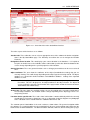
The basic layout of the interface is illustrated in Figure 4.3.1.
12
DIgSILENT StationWare 4, User Manual
4.3. USER INTERFACE
Figure 4.3.1: Overview of the main StationWare interface
The main aspects of the interface are as follows:
Section tabs These allow the user to select an appropriate area of the software for further navigation.
Start is the My StationWare page. The Hierarchy area allows the user to navigate the location
hierarchy.
Navigation/current location This row displays your current location in the database. It is helpful to
keep this in mind, because the available actions and location specific tabs down the bottom of the
screen change depending on the specific properties of the location.
General functions These are general functions such as Change password that can be accessed at all
times.
Object attributes This area shows the attributes of the object (location/device/setting) that you are
currently viewing. These will change depending on the object type that is being viewed. The object
attributes are structured in built-in attributes and additional attributes. Settings have imported
attributes as well.
Note: The basic objects (location/device/setting/process/task) have a system generated unique
ID number. This ID is displayed as first object attribute in the object header. The object ID
can be used for the general search function in the page header and for the interface between
StationWare and PowerFactory.
Actions box This box shows the available actions the can be applied to the currently viewed object.
Like the object attributes, the available actions change depending on the object type that is currently being viewed.
Location device specific tabs These tabs show ’sub-locations’ contained directly within the currently
viewed object. For instance, documents such as a substation single line diagram or a photograph
of the substation can be stored within the “additional documents” tab.
The common part of StationWare is the main section as shown above. For general navigation within
the software, it is recommended to use the navigation links (the tree and navigation row) rather than the
browser back and forward buttons. The browser buttons will work, however, due to caching of the pages
DIgSILENT StationWare 4, User Manual
13
CHAPTER 4. STATIONWARE OVERVIEW
they do not always show the latest changes, especially if another user has modified information on one
of these pages, which is quite possible when the system is accessed by many users simultaneously.
Should you use the browser back or forward buttons, pressing F5 on your keyboard at any time will
refresh the window and ensure that the latest information is shown.
The user is encouraged to refer to Part II for more detailed information about the user interface.
14
DIgSILENT StationWare 4, User Manual
Part II
StationWare user interface
Chapter 5
Getting started, navigation, and
searching
This chapter outlines the basic methods of navigating and searching the StationWare database using
the web interface. The following basic functionality is explained:
1. Getting started with StationWare. See Section 5.1.
2. What to find on the My StationWare page. See Section 5.2.
3. Navigating using the tree structure. See Section 5.3.
4. Navigating using the Navigator in an external browser window. See Section 5.4
5. How to search the database. See Section 5.5.
5.1
Getting started
5.1.1
Logging on to StationWare
Before you can begin productive work in StationWare you must login to the system.
To login:
1. Open up your browser of choice. StationWare supports all W3C standards compliant browsers.
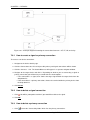
2. Enter the url for your StationWare installation. If you don’t know this, contact your system administrator. The StationWare login page should appear as illustrated in Figure 5.1.1.
3. Enter your username.
4. Enter your password.
5. Click Login.
Note: The preceding instructions only apply to cases where StationWare is not setup to use Active directory. In such cases login would be automatic based on your domain credentials. Furthermore,
many organisations also place StationWare within an additional security layer such as Citrix™ that
requires further authentication protocols. If unsure, please contact your system administrator for
further information.
DIgSILENT StationWare 4, User Manual
17
CHAPTER 5. GETTING STARTED, NAVIGATION, AND SEARCHING
Figure 5.1.1: StationWare login screen
5.1.2
Change your password
To change your password:
1. Click the Change Password link next to the
icon.
2. Enter your existing password in the current password field.
3. Enter your new password.
4. Confirm your new password.
5. Click Submit to save the change.
5.2
My StationWare
The My StationWare page is a user specific page. It opens automatically after the user login. My
StationWare includes the user specific information sorted in following tabs:
Recent Places This tab is the default tab of the My StationWare page. It displays the last 30 visited
objects including locations, devices and processes.
My Settings List of all settings that are assigned to the user as owner. Note, that expired settings are
displayed highlighted in this list.
My Tasks List of all tasks that are assigned to the user as owner. Note, that expired tasks are displayed
highlighted in this list.
Note: Owner is an attribute of the settings/task and is listed in the settings’/tasks’ header. There are
relevant and other users selectable as owner. Relevant users have ’Write’ access on the lifecycle
phase, the settings/task and location.
5.3
Navigation using the tree structure
The most common way of moving through the StationWare database is to use the tree structure. This
behaves similar to a standard file explorer that is found on most computer operating systems. The tree
structure can be accessed by clicking the Start tab. An example tree is shown in Figure 5.3.1
18
DIgSILENT StationWare 4, User Manual
5.4. THE DATABASE NAVIGATOR
Figure 5.3.1: Example tree structure in StationWare
Clicking the Start tab always returns StationWare to the default (root) view of the entire tree. To show
locations at a level below the root level, you can click the
icon to expand the tree structure below
one of the root locations. Alternatively, clicking the location name will take you to a detailed page of the
location, and sub-locations will be shown in the Sub locations tab towards the bottom of the screen.
5.4
The database navigator
Sometimes it is useful to have a view of the tree structure in a hierarchical form at all times when viewing
details of devices and locations deeper within the StationWare tree. This is possible using the dedicated
Navigator window.
How to open the Navigator
The Navigator can be started by clicking the Navigator link from the top right of the StationWare interface. A new web browser window will appear.
Closing the Navigator
The Navigator can be closed by closing the web browser window containing it.
How to use the Navigator
Clicking the
icon.
icon will expand the Navigator tree to show the sub-locations within the clicked location
Clicking the location name will take the main StationWare window to the detailed page for that location.
Maintaining the Navigator window and the main StationWare window side-by-side is a practical way of
using the StationWare system.
DIgSILENT StationWare 4, User Manual
19
CHAPTER 5. GETTING STARTED, NAVIGATION, AND SEARCHING
5.5
How to search the StationWare database
Searching is one of the most common operations, particularly in large protection settings databases
where there are typically hundreds, perhaps thousands of individual locations and devices. In many
cases searching for a location or device is faster than direct navigation, particularly if you know a device
or location name but are not quite sure where it is located in the hierarchical tree.
StationWare has four different types of searches and these are explained in this section:
1. ID search, refer to Section 5.5.1.
2. Basic search, refer to Section 5.5.2.
3. Standard search, refer to Section 5.5.4.
4. Advanced search, refer to Section 5.5.6.
5.5.1
How to complete an ID search
The ID search is used for searching for locations, devices, settings, processes, or tasks by ID. This
search function supports searching for the system generated unique ID number of an object as well as
the foreign key of an object. If an object number exists as system generated unique ID number and for
an other object as foreign key, the result depends on the configuration within the web.config file. Refer
to the StationWare installation manual for further information on the web.config file options. To search
explicit for the system generated ID it is possible to enter ”ID:” before entering the number. The prefix
”FK:” can be used to search explicit for the foreign key of an object. Wildcards such as “*” and “?” can
not be used to search for number patterns. The complete number must be entered.
Searching for the system generated unique ID number or the foreign key of an object
To search for the system generated unique ID number or the foreign key (exact match) of a location,
device, settings, process, tasks object:
1. Enter the complete system generated unique ID number or foreign key of the object in the search
field placed in the page header.
2. Click
to start the search. If an object with the entered number exists, this object’s detail page
will be opened. If not, the message ”–not found–” is displayed.
5.5.2
How to complete a basic search
The basic search is used for searching for locations, devices, settings, processes, or tasks by name.
No complex logic is supported by this search but it has the benefit of being fast. Wildcards such as “*”
and “?” can also be used to look for name patterns.
Searching for the exact name of an object
To do a basic search (exact match) for a location, device, settings, process, tasks object:
1. From a location in the database click the Search link. The ’Search for’ page will appear.
2. Enter the name of the object that you wish to search for. Note that the search is not case sensitive.
3. Click Search to start the search. Note, that depending on the level in the database where the
search began, it may take some time. After the search is finished a list of the locations, devices,
settings, processes, and tasks will appear below the search box.
20
DIgSILENT StationWare 4, User Manual
5.5. HOW TO SEARCH THE STATIONWARE DATABASE
Note: The basic search described above requires an exact (although case insensitive) match to the
entered search string. If you want to search for only part of a name refer to the instructions for the
pattern search below.
Pattern search
Often it is useful to return a set of results that match a certain pattern. For example, you might want to
list all the locations and devices that contain ’green’ as part of their name. This is known as searching
by pattern. In StationWare, the pattern delimiter is the asterisk “*” which means match zero or more
characters.
To do a basic pattern search:
1. From a location in the database click the Search link. The ’Search for’ page will appear.
2. Enter the pattern names of the object that you wish to search for. For example, to search for all
locations and devices with green somewhere in the name, enter *green* in the search field.
3. Click Search. Note, that depending on the level in the database where the search began, it may
take some time. When the search is finished, a list of the locations, devices, settings, processes,
and tasks that match the search pattern will appear below the search box.
Examples:
*green This will locate all objects with green at the end of the name. For example ’Walgreen’. It would
not match those objects with additional characters following the green, such as ’greenfield’
green* This will locate all objects with green at the beginning of the name. It would therefore match
’greenfield’ but not ’Walgreen’.
*green* This will locate all objects with green at some location in the middle of the name. It would
therefore match both ’Walgreen’ and ’greenfield.
Wildcard search
Sometimes it is useful to complete a search with only a single wildcard character. For example, you
might want to search for everything in the database with the name ’green’ but with one appended
character, such as ’green1’, ’green2’, ’greena’ etc. The symbol for a single unknown character in the
search is the question mark “?”.
To do a basic wildcard search:
1. From a location in the database click the Search link. The ’Search for’ page will appear.
2. Enter the pattern names of the object that you wish to search for. For example, to search for all
locations and devices with green in the name, and a single character afterwards, enter green? in
the search field.
3. Click Search. Note, that depending on the level in the database where the search began, it may
take some time. After the search is complete, a list of the locations, devices, settings, processes,
and tasks will appear below the search box.
Note: There is a setting in the web.config file for StationWare that allows StationWare to automatically
add wildcards for the basic search. For more information on setting the auto-wildcard parameter
in the web.config file refer to the StationWare installation manual.
DIgSILENT StationWare 4, User Manual
21
CHAPTER 5. GETTING STARTED, NAVIGATION, AND SEARCHING
5.5.3
Search start location
A search can be started from any location in the database tree by clicking the search link. Note that the
location where the search starts from is determined by the location where the search link was clicked.
This means that if is desired to start a search only in a particular branch of the tree, you should first
navigate to that location. Likewise, if it is desired to search the entire database, you should click the
search link after first clicking Start.
5.5.4
How to complete a standard search
The standard search is used for more detailed searching of the StationWare database. In particular,
when it is desired to search for objects based on their attributes, rather than just their name as is the
case for the basic search.
Standard search parameters
The standard search consists of a list of search fields which change depending on whether the target
for the search is a “Location”, “Device”, or “Setting”.
If you select a “Target” of “Location”, the following fields are available:
Location types Select the type of location to search for. Note the available types, depend on the types
defined by the system administrator. For example, “Region” or “Substation” are typical location
types. It is compulsory to select a location type.
Location Name This field is always visible. If left blank, then the search will return all locations of the
type selected. Otherwise, depending on what is entered into the field, and the dropbox selection,
the search will selectively filter objects.
Other fields The location search will display other fields depending on what additional attributes were
assigned to the location types. The meaning of the “= (exact match)”, or “Pattern (’*’ and ’?’
wildcards)” is explained in Section 5.5.5.
If you select a “Target” of “Device”, the following fields are available:
Device categories Select the device category to search for. For example, this could be ’CT’ or a
specific relay model like a SEL-321. If ’All Devices’ is specified then the results will not be filtered
based on device category.
Device name This field is always visible. If left blank, then the search will return all devices of the type
selected. Otherwise, depending on what is entered into the field, and the dropbox selection, the
search will selectively filter objects.
Other fields The device search will display other fields depending on what additional attributes were
assigned to the device types. The meaning of the “= (exact match)”, or “Pattern (’*’ and ’?’ wildcards)” is explained in Section 5.5.5.
5.5.5
Dropdown box options for string additional attributes
When completing a standard search, if any of the non compulsory fields is a string, it will by default have
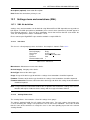
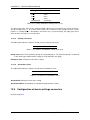
a dropdown box next to the additional attribute that will look like Figure 5.5.1 or Figure 5.5.2.
Figure 5.5.1: Standard search options when searching for an exact match of a string
22
DIgSILENT StationWare 4, User Manual
5.5. HOW TO SEARCH THE STATIONWARE DATABASE
Figure 5.5.2: Standard search options when searching for a string pattern
If you leave the field next to this blank, then this field is not considered by the standard search. However,
if you enter any text string into the field next to the dropdown box, then the search will filter all values so
that only those with an exact match will be returned from the search. This search is not case sensitive.
For example, say there are the following regions defined in the database:
• Australia
• Chile
• China
• France
• Germany
• India
• New Zealand
• South Africa
• United Kingdom
then an exact match search for regions with ’G’ entered into the field will return nothing. On the other
hand, if instead a “Pattern (’*’ and ’?’ wildcards)” search was completed then “United Kingdom” and
“Germany” would be returned. Wildcards “*” and “?” can also be used to further refine the search. It is
noted that the standard search is not case sensitive.
5.5.6
How to complete an advanced search
The advanced search is used for complex searches that cannot be achieved using the simple or standard search. For example, it might be necessary to search individual settings’ objects for particular
parameter values.
Advanced search parameters
The advanced search uses a dynamic configuration that depends on the object type that is being
searched for. To begin the search you must choose either:
• a location category. For example, “Substation”; or
• a location type. For example, “Region”; or
• a device category. For example, “Relay”; or
• a settings. In this case ’All’ is the only valid option as settings are not further sub-categorized.
After selecting one of the above fields, the search page will change to show a list of parameters relevant
to the particular class of object that has been selected. These are the attributes that appear on the
device/location/setting details page when navigating to that particular object. The drop down menus
and search fields behave in much the same way as described in the standard search parameters (Section 5.5.4), either an exact match can be searched for or wildcards can be entered to allow for a broader
pattern based search.
DIgSILENT StationWare 4, User Manual
23
CHAPTER 5. GETTING STARTED, NAVIGATION, AND SEARCHING
Advanced searches for settings’ imported attributes (Imported Attributes)
If a settings advanced search is selected the field ’Imported Attributes’ will be available. Imported
attributes are settings attributes that are imported with the import of a manufacturer specific settings
file, e.g. MLFB, DeviceLanguage, FirmwareNumber. It depends on the manufacturer specific settings
file and the converter, if imported attributes are displayed or not. Figure 5.5.3 shows an example of the
imported attributes MLFB, DeviceLanguage and FirmwareVersion.
Figure 5.5.3: Example showing the MLFB, DeviceLanguage and FirmwareVersion fields in a Siemens
device
To search for such settings parameters is possible by using the ’Imported Attributes’ field in the advanced settings search.
24
DIgSILENT StationWare 4, User Manual
Chapter 6
Locations
In StationWare there are three basic kinds of objects within the tree structure:
1. Locations, covered in this Chapter.
2. Devices, see Chapter 7
3. Settings, see Chapter 8
This chapter discusses locations and actions that can be completed on a location.
6.1
About locations
A ’location’ in StationWare is a software representation of a physical location. They are used primarily
to organise the StationWare tree in a hierarchical structure that becomes meaningful to users who are
familiar with the system being represented. Locations are also used to enforce ’location rights’ and help
control who has access and what actions are allowed in each area of the tree.
Typical examples of locations include Areas, Regions, Substations, and Bays. Although the types of
locations available in StationWare depends on the way the system is configured by the administrators.
From an administrative perspective it is useful to understand that locations are defined through the use
of location categories and location types. The latter is all that is presented to the user during regular
access of the database. More information about configuring location categories and types can be found
in Chapter 18.
When you enter the details page of a location, the screen that is presented looks typically as shown in
Figure 6.1.1. The highlighted areas include:
1. Additional documents, see Section 6.2
2. Notes, see Section 6.3
3. Links, see Section 6.4
4. Audit trail, see Section 6.5
5. Actions, see Section 6.6
DIgSILENT StationWare 4, User Manual
25
CHAPTER 6. LOCATIONS
Figure 6.1.1: Location detail page - default
6.2
Location additional documents
Location additional documents are a place to store any additional electronic documentation that is relevant to the particular location. For example, it might be useful at a substation location to have a single
line diagram schematic of the substation, and possibly some photographs. The additional documents
tab is the ideal place for this.
6.2.1
How to add a location additional document
1. Click the additional documents tab.
2. Click Add document. . . . A new window will appear.
3. Select the document category. Note the available document categories are defined by the system
administrators. For more information see Section 14.1.
4. Enter a name for the document.
5. Optional: Enter a description for the document.
6. Optional: Enter a version description. Note this is a free text field, not just a numerical field.
7. Optional: Enter a foreign key. For example, this might be a link to an internal document management system that has the latest version of the file.
8. Click Choose File and select the file. It is also possible to select multiple files at once.
9. Click Submit.
6.2.2
How to view a location additional document
1. Click the additional documents tab. A list of available additional documents for this location will be
displayed in a tabular format.
2. Either:
(a) Click the document name. The document will immediately download.
(b) Click the View. . . link in the action column. The document will immediately download.
26
DIgSILENT StationWare 4, User Manual
6.3. LOCATION NOTES
6.2.3
How to edit a location additional document
1. Click the Edit. . . link. A new window will appear showing the details of the additional document.
2. Edit the fields as desired.
3. Click Submit.
Note: Editing the additional document does not change the document itself, only the properties of the
document recorded within StationWare. To change the actual document use the Update. . . link.
6.2.4
Updating a location additional document
1. Click the Update. . . link. A new window will appear.
2. Optional: Enter new version description information.
3. Choose the update mode:
• ’Update version description only’, means that the version information for the latest version of
the document will be updated but not the document itself.
• ’Save document as new version’ means that the selected document will be saved as a new
version of the current document.
• ’Replace the last version of the document’ means that the new version will overwrite the latest
version. Note, this will destroy the previous version and you will not be able to retrieve it.
4. Select the new file (unless you are updating the version description only).
5. Click Submit.
6.2.5
Deleting a location additional document
1. Click the Delete. . . link. A confirmation dialog will appear. Note this will delete all versions of the
file.
2. Click OK.
6.2.6
Viewing old versions of a location additional document
1. Click the Versions. . . link. A new window will appear showing all the available versions in a tabular
format. Note that this link is only visible if the document has more than one version.
2. Click the View. . . link. The document will immediately download.
6.3
Location notes
Location notes are a place to create and store text notes. The notes are visible directly in the browser
window on the notes tab of the location and hence are slightly easier to access and see than additional
documents which must be downloaded first.
Notes can be used to draw attention to any special features of a location that other users should be
aware of.
After clicking the notes tab, all notes for that location are shown in table form. Only the first 256 characters of the note are displayed in the note description column.
DIgSILENT StationWare 4, User Manual
27
CHAPTER 6. LOCATIONS
6.3.1
How to create a location note
1. Select the notes tab.
2. Click Create note. . . An editing area will appear.
3. Enter a name for the note.
4. Enter the note text.
5. Click Create.
6.3.2
Deleting a location note
1. Select the notes tab.
2. Locate the note to delete.
3. Click the Delete. . . link in the actions column. A confirmation window will appear.
4. Click OK.
6.3.3
Viewing a location note
1. Select the notes tab.
2. Locate the note to view.
3. Click the View. . . link in the actions column. The full text of the note will appear.
6.3.4
Editing a location note
1. Select the notes tab.
2. Locate the note to view.
3. Click the Edit. . . link in the actions column. The full text of the note will appear and can be edited.
4. Click Submit.
6.4
Location links
Location links are used to provide a place where useful web links can be entered. These might include
links to:
1. Local intranet sites, such as the organisation asset management system.
2. Manufacturer sites, for locating additional information about devices such as manuals, technical
notes, and application guides.
28
DIgSILENT StationWare 4, User Manual
6.4. LOCATION LINKS
6.4.1
Adding a location link to an internet address
1. Select the links tab.
2. Click Create link to internet address. . . . A new window will appear.
3. Enter the target url in the Target field.
4. Optional: Enter a description to describe what the link is.
5. Click Submit.
Note: An internet address link in StationWare could also be a local intranet address, StationWare does
not distinguish between them.
6.4.2
Adding a location link to a StationWare internal location
1. Select the links tab.
2. Click Create link to StationWare object. . . . A new window will appear.
3. Navigate using the tree and select the link location.
4. Optional: Enter a description to describe what the link is.
5. Click Submit.
6.4.3
Deleting a location link
1. Select the links tab.
2. Locate the link to delete.
3. Click the Delete. . . link in the actions column. A confirmation window will appear.
4. Click OK.
6.4.4
Editing a location link
1. Select the links tab.
2. Locate the link to edit.
3. Click the Edit. . . link in the actions column. A window showing the link details will appear.
4. Modify the details as appropriate.
5. Click Submit.
DIgSILENT StationWare 4, User Manual
29
CHAPTER 6. LOCATIONS
6.5
Location audit trail
The audit trail shows the history of the location, device or settings’ object. It is therefore an useful way
of checking the historical development of attributes at a location, and if errors have occurred, it can be
used to determine exactly when the error happened.
The functionality of the audit trail with regard to settings is explained in Section 8.6. There is an important
difference in the audit trail functionality when applying it from the location level, compared to applying
it at the settings level. The audit trail does not ’drill down’ into lower levels of the database hierarchy,
consequently when selecting the audit trail at the location level, you will only see historical changes to
the location attributes, not to devices or settings within that location.
6.5.1
View the location audit trail
To view the location audit trail:
1. Navigate to the target location.
2. Click the Audit trail tab. The audit trail will automatically be visible applying the settings from the
most recent audit trail search complete.
3. Optional. Uncheck the tick boxes for types of objects/parameters that you don’t want to show in
the audit trail. For example, if you only want to show changes to the location “Attributes” then you
should only tick the box next to this option.
4. Either:
(a) Enter a date range to reduce the size of the audit trail to only show modifications within the
selected date range. Or:
(b) Select number of days, and choose an options from the selection control to show the audit
trail for a specified period prior to the current date and time.
Note: The last audit trail filter configuration is stored in the session and applies to all audit trail filters
during a session. Restarting the browser ends in the default audit trail filter configuration. This
default configuration includes all types of objects/parameters and the ’Number of days’ is set to
’30Days’.
6.6
Location actions
Various actions, depending on the rights granted by the system administrator are possible at the location
level. If you do not have permissions for a certain action it will be ’greyed out’. The following sections
discuss the possible location actions.
6.6.1
Create a location or sub location
The Create location (or sub-location) action allows you to create a new location at immediately underneath the location where you clicked the action. To create a location or sub-location:
1. Navigate to the new location parent.
2. Click the Create location. . . link (or Create sub-location. . . ).
30
DIgSILENT StationWare 4, User Manual
6.6. LOCATION ACTIONS
3. Select the Type. Note the available types depends on those configured by the StationWare administrator.
4. Enter a name.
5. Optional: Enter a description.
6. Optional: Enter a foreign key.
7. Optional: Enter an alternative ’Valid from’ date/time. The default is the current system time. The
’Valid from’ date/time can be earlier than the current time and effects the time that the location
would be visible to when in History mode.
8. Click Create.
6.6.2
Edit a location
The Edit location action allows you to alter the attributes of the location. This includes:
• The location name (compulsory);
• The location description (can be blank);
• The location foreign key (can be blank);
• Other additional attributes as defined by the StationWare administrator.
6.6.3
Copy a location
1. Click the Copy. . . action link. A new window will appear showing you the StationWare tree.
2. Enter the new location name.
3. Optional: Select the target location that will become the copy’s parent.
4. Optional: Tick ’Copy sub locations’ to also copy the sub locations of the copied location.
5. Optional: Choose which settings should be copied.
6. Optional: Select an user as owner for the settings.
7. Select the settings’ expiry date. Note that the expiry date is only available (and then mandatory),
if the ’New settings status’ includes this enabled option in the lifecycle phase definition for the
StationWare device lifecycle.
8. Optional: Select the settings status for the new settings.
9. Optional: Enter a status change date.
10. Optional: Select an user as owner for the tasks.
11. Select the tasks’ expiry date. Note that the expiry date is only available (and then mandatory), if
the location includes tasks.
12. Click Copy.
DIgSILENT StationWare 4, User Manual
31
CHAPTER 6. LOCATIONS
6.6.4
Move location
1. Click the Move. . . action link. A new window will appear showing the StationWare tree.
2. Select the new parent for the location.
3. Click Move.
Note: Locations can only be moved if they do not contain sub-locations. Administrators can move locations including sub-locations using the administrative data move function from the administration
control panel. See Section 19.2 for more information.
6.6.5
Detach location
Detach is used to temporarily make a location and its sub-locations invisible in the StationWare tree.
This could be used for decommissioning a substation for example. The behaviour of detach is subtly
different to delete, which is a permanent action and cannot be undone. By contrast, detached locations
can be ’reattached’ by the administrator at a later time.
To Detach a location:
1. Click the Detach. . . action link. A new window will appear.
2. Optional: enter a detach date. This can be earlier than the current time and effects the time that
the location would be visible to when in History mode.
3. Click Detach.
6.6.6
Delete location
1. Click the Delete. . . action link. A new window will appear.
2. Click Delete.
Note: It is only possible to delete a location if it does not have sub-locations. An administrator can delete
locations including sub-locations using the delete function in the administration control panel. See
Section 19.1 for more information.
6.6.7
Create location from template
In many cases, protection design is completed from so-called standards and templates. These enable
the rapid prototyping of new protection schemes based on already established principles and avoids the
long process of creating all settings from scratch. StationWare supports a similar concept for locations.
For instance a standard substation design including two feeders might look as shown in Figure 6.6.1.
Figure 6.6.1: Example of a simple template hierarchy in StationWare
32
DIgSILENT StationWare 4, User Manual
6.6. LOCATION ACTIONS
In the StationWare database this actually consists of 7 objects, the substation, the two feeder bays, the
two relays, and two default settings for each relay.
StationWare administrators can create such templates, see Section 18.2 for more information.
To define a new set of locations based on a template:
1. Click the Create location from template. . . link. A new page will appear.
2. Select the desired template from the list of available templates.
3. Enter a name for the parent object in the template. This would be the name of Substation ’Test’ in
Figure 6.6.1.
4. Optional: Enter a description.
5. Optional: Select an user as owner for the settings.
6. Select the settings’ expiry date. Note that the expiry date is only available (and then mandatory),
if the template includes settings with a settings status of a lifecycle phase definition including the
enabled option ’Expiry Date’.
7. Optional: Select an user as owner for the tasks.
8. Select the tasks’ expiry date. Note that the expiry date is only available (and then mandatory), if
the template includes tasks with a tasks status of a lifecycle phase definition including the enabled
option ’Expiry Date’.
9. Click Create.
6.6.8
Create process
To create a process:
1. Click the Create process. . . link in the action menu
2. Select the process type. Note that the available process types are defined by the StationWare
administrator. See chapter 15.3 for more information.
3. Enter a name for the process. For example, ’Bus zone protection testing’.
4. Optional: Enter a description.
5. Optional: Enter a foreign key for interfacing with another software.
6. Optional: Modify the ’Valid from’ date/time. The ’Valid from’ date defaults to the time you pressed
the Create process. . . link. The ’Valid from’ date/time can be earlier than the current time and
effects the time that the process would be visible to when in History mode.
7. Click Create.
Note: For more information on working with processes refer to Chapter 9.
DIgSILENT StationWare 4, User Manual
33
CHAPTER 6. LOCATIONS
6.6.9
Create process from template
To create a process from a process template:
1. Click the Create process from template. . . link in the action menu.
2. Select the process type.
3. Select the process template. Note that the available process templates are defined by the StationWare administrator. See chapter 15.3 for more information.
4. Enter a name for the process that will based on the selected template.
5. Optional: Enter a description.
6. Optional: Enter a foreign key for interfacing with another software.
7. Optional: Select an user as owner for the tasks.
8. Select the tasks’ expiry date. Note that the expiry date is only available (and then mandatory), if
the template includes tasks with a tasks status of a lifecycle phase definition including the enabled
option ’Expiry Date’.
9. Click Create.
6.6.10
Create device
In locations where devices are permitted, for example substations, the create device action is visible.
To create a device:
1. Click the Create device. . . action. The device creation page will appear.
2. Choose the the Category. For example, relay.
3. Select the manufacturer. If this is not applicable select ’*’.
4. Select the device type. For example, this would be the specific relay model if a relay was selected
as the device category.
5. Enter a name for the device.
6. Optional: Select a device usage.
7. Optional: Enter a description for the device.
8. Optional: Enter a foreign key.
9. Optional: Modify the ’Valid from’ date/time. The ’Valid from’ date defaults to the time you pressed
the Create device. . . link. The ’Valid from’ date/time can be earlier than the current time and
effects the time that the device would be visible to when in History mode.
10. Click Create.
34
DIgSILENT StationWare 4, User Manual
6.6. LOCATION ACTIONS
6.6.11
Create device from template
It is commonly the case that certain standard protection settings for various schemes exist within an
organisation. These include typical settings for each device that are used as a starting point for developing new settings. In StationWare, this is supported through the use of location, device, and settings’
templates.
A device template can be setup with default settings and attributes of the proposed functionality of the
device which in turn simplifies the settings development process and reduces the amount of manual
data entry.
The StationWare administrator can define device templates. See Section 13.3.7 for more information.
To create a device from a template:
1. Click the Create device from template. . . action. The device creation page will appear.
2. Select the device category.
3. Select the manufacturer.
4. Select the device type.
5. Choose the template. Note only available templates will show in this list. Templates are also
specific to devices.
6. Enter a name for the new device.
7. Optional: Enter a description.
8. Optional: Enter a foreign key.
9. Optional: Select an user as owner for the settings.
10. Select the settings’ expiry date. Note that the expiry date is only available (and then mandatory),
if the template includes settings with a settings status of a lifecycle phase definition including the
enabled option ’Expiry Date’.
11. Choose the status for the initial settings. Only ’planning’ phases can be selected.
12. Click Create.
6.6.12
Location reports
Reports related to locations can also be accessed directly from the location’s Actions menu. See Chapter 12 for more information on creating these reports.
DIgSILENT StationWare 4, User Manual
35
CHAPTER 6. LOCATIONS
36
DIgSILENT StationWare 4, User Manual
Chapter 7
Devices
In StationWare a device is one of the three principle object types within the database, the other two
are locations and settings. The database administrator is able to configure many different categories
of device so that all the ’real devices’ in your system can be represented by an equivalent within the
StationWare environment. However, by default the following device categories are available within the
database:
1. Relays
2. Voltage transformers
3. Current transformers
4. Circuit breakers
5. Line
Your StationWare administrator may also choose to create other device categories that have physical
counterparts in the primary or secondary system.
Of these devices, typically only relays would have settings associated with them and this is the typical
use of the protection settings management system - keeping a database of all relays and their associated settings. However, by also using the other device categories in StationWare it is also possible
to keep data and records for the other devices typically associated with the protection system. That
way, StationWare can become the complete repository for all power system protection information in
the utility.
This chapter first provides some additional background of the features of a ’device’ within StationWare
and then explains the actions that are possible at the device level.
Note for information regarding the management and configuration of the available devices within the
StationWare database, refer to Chapter 13.
7.1
About devices
A discussion of devices in StationWare must first distinguish between device categories and device
types. The former is a high level container that tells StationWare what ’kind’ of devices exist. For
example, relays, current transformers, and voltage transformers. By contrast, the device type tells
StationWare what ’types’ of each device are possible in the database. Consider the default category of
’Relay’. The StationWare database would typically contain many tens, if not hundreds of types of relays.
SEL-421, Siemens 7SA632, GE URL90, and ABB REL521 are all examples of device types.
DIgSILENT StationWare 4, User Manual
37
CHAPTER 7. DEVICES
A ’device’ in StationWare is a software representation of a physical device which is based on the device
properties specified in the device type. The majority of devices in the protection settings management
system are relays. However, as mentioned earlier, it is also possible to store information about other
primary and secondary equipment. It can be beneficial to do so for those devices that are typically
associated with the complete protection system.
The configuration of the available device categories, and types is completed by the StationWare administrator. More information about this can be found in Chapter 13.
When you enter the details page of a device, the screen that is presented looks typically as shown in
Figure 7.1.1. The highlighted areas include:
• Compare tab, see Section 7.2.
• Additional documents, see Section 7.3
• Notes, see Section 7.4
• Links, see Section 7.5
• Audit trail, see Section 7.9
• Connections, see Section 7.6
• Assigned Processes, see Section 7.7
• Assigned Tasks, see Section 7.8
• Actions, see Section 7.10
Figure 7.1.1: Device details page (note the attributes shown in your system may differ from that shown
here depending on how your system administrator has configured the software)
7.2
Compare tab - comparing of device settings
Often it is useful to compare different settings’ objects within the same device. The device “Compare”
tab is used for this purpose.
To compare device settings:
38
DIgSILENT StationWare 4, User Manual
7.3. DEVICE ADDITIONAL DOCUMENTS
1. Click the Compare tab. A list of all settings within the device will appear. Note historic settings,
and backup settings that are otherwise not visible will also appear on this tab. This allows for
comparison of the applied settings with previous applied settings.
2. Check the box next to two settings that you wish to compare. Note you cannot compare more than
two settings in the same action.
3. Click the Compare settings. . . button. The window will change to show the comparison table.
Only the settings parameter differences will be listed in the table.
7.3
Device additional documents
Device additional documents are a place to store any additional electronic documentation that is relevant
to the particular device. Note this is different from the device library that is designed to store documents
for the particular device type. Relay manuals and application guides should as a rule be stored in the
device library. More information on the device library is available in Chapter 14.
Some examples of the types of documents that could be stored in the device additional documents
include:
1. Photographs.
2. Commissioning notes.
3. Design drawings for the particular installation.
4. Device test reports.
7.3.1
How to add a device additional document
The process for adding device additional documents is identical to the process for adding location
additional documents, please refer to Section 6.2.1.
7.3.2
How to view a device additional document
The steps to view device additional documents are identical to viewing location additional documents,
please refer to Section 6.2.2.
7.3.3
How to edit a device additional document
The steps to edit device additional documents are identical to editing location additional documents,
please refer to Section 6.2.3.
7.3.4
Updating a device additional document
The steps to update device additional documents are identical to updating location additional documents, please refer to Section 6.2.4.
DIgSILENT StationWare 4, User Manual
39
CHAPTER 7. DEVICES
7.3.5
Deleting a device additional document
The steps to delete device additional documents are identical to updating location additional documents,
please refer to Section 6.2.5.
7.3.6
Viewing old versions of a device additional document
The steps to view old versions of device additional documents are identical to viewing old versions of
location additional documents, please refer to Section 6.2.6.
7.4
Device notes
Device notes are a place to create and store text notes. The notes are visible directly in the browser
window on the notes tab of the device and hence are slightly easier to access and see than additional
documents which must be downloaded first.
Notes can be used to draw attention to any special features of a device that other users should be aware
of.
After clicking the notes tab, all notes for that device are shown in table form. Only the first 256 characters
of the note are displayed in the note description column.
7.4.1
How to create a device note
The steps to create a device note are the same as the steps for creating a location note, please refer to
Section 6.3.1.
7.4.2
Deleting a device note
The steps to delete a device note are the same as the steps for deleting a location note, please refer to
Section 6.3.2.
7.4.3
Viewing a device note
The steps to view a device note are the same as the steps for viewing a location note, please refer to
Section 6.3.3.
7.4.4
Editing a device note
The steps to edit a device note are the same as the steps for editing a location note, please refer to
Section 6.3.4.
7.5
Device links
Device links are used to provide a place where useful web links can be entered. These might include
links to:
40
DIgSILENT StationWare 4, User Manual
7.6. DEVICE CONNECTIONS
1. Local intranet sites, such as the organisation asset management system
2. Manufacturer sites, for locating additional information about devices such as manuals, technical
notes, and application guides.
7.5.1
Adding a device link to an internet address
Refer to Section 6.4.1.
7.5.2
Adding a device link to a StationWare internal location
Refer to Section 6.4.2.
7.5.3
Deleting a device link
Refer to Section 6.4.3.
7.5.4
Editing a device link
Refer to Section 6.4.4.
7.6
Device connections
The connections tab shows the defined topological connections of a device. The purpose of connections
in StationWare is to allow for more convenient navigation between related objects. For example, a
distance protection scheme would typically involve two or more relays at each end of a line. In the
typical hierarchical view of StationWare, to see the relay object at each of the scheme you would have
to navigate to the containing location for each relay (probably a substation or bay). Connections allow
the creation of a direct link between the two devices, represented perhaps by a signalling connection
between them.
There are two types of connections that can be modelled in StationWare:
• Primary connections; and
• Signal connections.
An example of a primary connection is between a disconnector and a circuit breaker. If the connection
cannot be modelled with a simple one-to-one relationship, for example a transformer that connects to
multiple lines, then a connectivity node object can be created to manage the multiple connections.
An example of a signal interconnection is the connection between the voltage transformer and a relay.
Another example would be the connection/s between the relay and the circuit breaker/s that it trips. An
example signal connection diagram is shown in Figure 7.6.1.
Note: The types of connections possible for a device depend on how that device model has been configured by the system administrator. See Section 13.6.2.4 for more information.
DIgSILENT StationWare 4, User Manual
41
CHAPTER 7. DEVICES
Figure 7.6.1: Example diagram illustrating the connections between a CT, VT, CB, and relay.
7.6.1
How to create a signal or primary connection
To create a new device connection:
1. Navigate to the device details page.
2. Click the Connections tab. A list of all possible primary and signal connections will be shown.
3. Click the Connect. . . link. The StationWare tree will appear in a separate navigator window.
4. Navigate to the target device and click it. Depending on whether you are connecting a signal or
primary connection you will then be presented with one of two options:
• If the connection is a signal, then choose the target signal within the target device from the
drop down list.
• If the connection is a primary connection, choose the terminal within the primary device from
the drop down list.
5. Click Create.
7.6.2
How to delete a signal connection
1. Click . You will be prompted to confirm if you would like to delete the signal.
2. Click OK.
7.6.3
How to delete a primary connection
1. Click
42
to show the ’Connectivity Node’ which lists the primary connections.
DIgSILENT StationWare 4, User Manual
7.7. DEVICE ASSIGNED PROCESSES
2. Click . You will be prompted to confirm if you would like to delete the connection.
3. Click OK.
7.7
Device assigned processes
General information about processes can be found in Chapter 9.
To assign a device to a process refer to Section 9.2.2.
7.8
Device assigned tasks
General information about tasks can be found in Chapter 9.
To assign a device to a task refer to Section 9.3.4.
7.9
Device audit trail
The device audit trail behaves similar to the location audit trail such that it only shows historical changes
to the device itself, not to the settings contained within the device. For more information about the
settings audit trail refer to Chapter 8.6.
7.10
Device actions
Various actions, depending on the rights granted to you by the system administrator are possible at the
device level. If you do not have the appropriate permissions for a certain action it will be ’greyed out’.
The following sections discuss the possible device actions.
7.10.1
Edit a device
The Edit. . . device action allows you to alter the properties of the device. This includes:
• The device name (compulsory, must be unique at the device level);
• The device description (can be blank);
• The device foreign key (can be blank);
• The device usage (can be blank);
• Other additional attributes as defined by the StationWare administrator.
Note: When you edit a device, you lock the device details page until you release the lock by clicking
the Exit edit mode. . . action. When a device is locked, no-one else can modify the device details.
This prevents conflicts if two or more users try to modify the same device at the same time.
DIgSILENT StationWare 4, User Manual
43
CHAPTER 7. DEVICES
7.10.2
Copy device
1. Click the Copy. . . action link. A new window will appear showing you the StationWare tree.
2. Enter the new device name.
3. Select the target location that will become the device copy’s parent.
4. Optional: Select an user as owner for the settings.
5. Select the settings’ expiry date. Note that the expiry date is only available (and then mandatory),
if the device includes settings with a settings status of a lifecycle phase definition including the
enabled option ’Expiry Date’.
6. Optional: Select the lifecycle phases of the settings that will be copied with the device. Note, if
you do not check any of the boxes here, no settings will be copied with the device.
7. Choose the status for the copied settings. A “planning” lifecycle phase must be selected.
8. Optional: Enter the status change date for the copied settings. The default is the system time that
you clicked the copy device action.
9. Click Copy.
7.10.3
Detach device
Detach is used to temporarily make a device and its settings invisible in the StationWare tree. This
could be used for decommissioning a relay for example. The behaviour of detach is subtly different to
delete, which is a permanent action and cannot be undone. By contrast, detached locations can be
’reattached’ by the administrator at a later time.
To detach a device:
1. Click the Detach. . . action link. A new window will appear.
2. Optional: enter a detach date. This can be earlier than the current time and effects the time that
the device would be visible to when in History mode.
3. Click Detach.
7.10.4
Delete device
1. Click the Delete. . . action link. A new window will appear.
2. Click Delete.
Note: It is only possible to delete a device if the user is authorized to also delete the contained settings.
Applied, historic, and backup settings cannot be deleted. However, an administrator can delete
devices including such settings using the delete function in the administration control panel. See
Section 19.1 for more information.
7.10.5
Compare to another device
The Compare to another device. . . action compares the attributes of one device to another. It does not
compare settings. To compare settings use the compare settings action - see Section 8.5.6 for more
information.
To compare device attributes:
44
DIgSILENT StationWare 4, User Manual
7.10. DEVICE ACTIONS
1. Click the Compare to another device. . . action. The page will change to show the StationWare
tree.
2. Navigate to the device that you want to compare.
3. Click the device. A table will appear showing a comparison of the device details. The table is
categorised into attributes that are different and attributes that are the same, to allow you to easily
identify any obvious differences.
Note: Device attribute comparison is also allowed between different device types.
7.10.6
Create settings
To create settings for a device:
1. Click the Create settings. . . action. The settings creation page will appear.
2. Enter a name for the settings.
3. Optional: Enter a description for the settings.
4. Optional: Enter a foreign key.
5. Optional: Select a firmware version for the settings.
6. Optional: Select an user as owner for the settings.
7. Select the settings’ expiry date. Note that the expiry date is only available (and then mandatory),
if the settings status is of the lifecycle phase definition including the enabled option ’Expiry Date’.
8. Select the initial settings lifecycle status.
9. Optional: Modify the status change date if you would like the settings status change to be different
from the time you clicked the ’Create settings’ action.
10. Click Create.
Note: For complex numerical relays, it is recommended that settings be created using the device specific settings converter via the settings import action. Refer to Section 7.10.8.
7.10.7
Create settings from template
A settings template defines ’default’ settings for a device that may differ from the defaults that are
specified in the device type itself. This allows the StationWare administrator to define several different
’settings profiles’ for different possible applications of the device. For more information on creating
settings templates refer to Section 13.3.8.
To create settings from a settings template:
1. Click the Create settings from template. . . action. The settings creation page will appear.
2. Choose the template.
3. Enter a name for the new settings.
4. Optional: Enter a description.
DIgSILENT StationWare 4, User Manual
45
CHAPTER 7. DEVICES
5. Optional: Select an user as owner for the settings.
6. Select the settings’ expiry date. Note that the expiry date is only available (and then mandatory),
if the settings status is of the lifecycle phase definition including the enabled option ’Expiry Date’.
7. Select the lifecycle status for the new settings.
8. Click Create.
7.10.8
Import new settings
Settings can be imported from external files in several supported formats. This is the recommended
way of importing settings data for complex multi-function devices with potentially thousands of individual
settings. The available import formats are:
• Excel File Format (all devices); or
• The device specific settings converter.
To import settings:
1. Click the Import new settings action. The settings import page will appear.
2. Optional: Edit the name for the new settings.
3. Optional: Select the device firmware.
4. Optional: Select an user as owner for the settings.
5. Select the settings’ expiry date. Note that the expiry date is only available (and then mandatory),
if the settings status is of the lifecycle phase definition including the enabled option ’Expiry Date’.
6. Select the lifecycle phase for the new settings.
7. Optional: Modify the status change date if you wish the settings initial lifecycle status date to be a
different time to when you initiated this action.
8. Click Choose Files. A file browser dialog will appear.
9. Select the settings file from a location on your PC or network drive. If the particular settings
converter requires more than one settings file, hold CTRL and select the additional files.
10. Select the type of settings converter. Note if you don’t have specific converters installed for a
particular relay type, then the only available converter will be the StationWare XML File Format.
11. Click Import. A parameter list will appear in the window indicating the status of all imported
settings. It is recommended to check this for any errors that might have occurred during the
import process.
Note: Settings converters are not available for all device variants and are developed on request as
the need arises from customers. However, some converters are included for free within the base
StationWare installation. To obtain a license for additional converters, or to check if a specific
converter is currently available, contact DIgSILENT support.
7.10.9
Device reports
Reports related to devices can also be accessed directly from the devices’ Actions menu. See Chapter 12 for more information on creating these reports.
46
DIgSILENT StationWare 4, User Manual
Chapter 8
Settings
Settings, or more formally settings’ objects, are one of three primary object types within the StationWare
database. The other two are locations and devices.
This first part of this chapter provides some background of the features of ’settings’ within StationWare
and how they are represented internally within the software. The second part of the chapter explains
how to work with settings and the possible actions that are available.
8.1
8.1.1
About StationWare settings
Settings structure in StationWare
In StationWare a setting must belong to a device, typically a relay. Although other categories of device
can also contain settings, it is normally the relays that contain the most complicated settings and also
the majority of settings information in the protection settings management system (PSMS).
Because settings are always located within a device, the device defines the format and also the structure
of the settings. The following paragraphs explain the structure of the internal representation of settings
within StationWare.
The highest level of the setting structure within StationWare is the settings’ object. Settings’ objects
can be seen as a list of links within the device underneath the “Settings” tab as shown in Figure 8.1.1.
A settings’ object always has a ’status’ which is defined by the settings’ lifecycle phase. The settings’
lifecycle is discussed in further detail in Section 8.1.3.
DIgSILENT StationWare 4, User Manual
47
CHAPTER 8. SETTINGS
Figure 8.1.1: Settings tab within the device showing the list of settings objects and their current lifecycle
status
The settings’ object defines one or more groups that are displayed as a list of tabs across the screen
when the settings’ object link is clicked. Each group is further divided into settings chapters. Chapters
are not mandatory, although they are usually included to improve readability of the settings. Finally, the
settings’ parameters, what are typically referred to by the engineer as the ’settings’, are shown within
each chapter. A settings’ parameter has several properties:
• Name;
• Description;
• Value (the actual setting);
• Range (permitted values);
• Unit; and
• Assigned property (active/enabled)
The overall hierarchy of the settings’ object is illustrated within Figure 8.1.2.
48
DIgSILENT StationWare 4, User Manual
8.1. ABOUT STATIONWARE SETTINGS
Figure 8.1.2: The settings object hierarchy in StationWare
As an example, consider the MiCOM™ Alstom P543 distance relay. The relay has a settings’ parameter
“Line Impedance” within a group named “Group 1”. The settings’ parameter is part of a chapter named
“GROUP 1 LINE PARAMETERS”. For the purpose of this illustration, lets say that it also has a value of
17.23 Ohms.
In StationWare this would be modelled follows:
• Settings object - arbitrary name
• Group - Group 1
• Chapter - GROUP 1 LINE PARAMETERS
• Parameter Name - 30.03 (this is the internal settings property designation)
• Parameter Description - Line Impedance
• Parameter Value - 17.23
• Parameter Range - 0.05-200;0.01 (This means minimum of 0.05, maximum of 200, resolution of
of 0.01)
• Parameter Unit - Ohm
A screenshot showing the view of a StationWare settings object with a group, chapter and an parameter
highlighted is shown in Figure 8.1.3.
DIgSILENT StationWare 4, User Manual
49
CHAPTER 8. SETTINGS
Figure 8.1.3: A StationWare setting for an Areva P543 relay
Throughout the rest of this chapter the word ’settings’ means the StationWare settings’ object, whereas
parameter refers to one of the actual device settings’ parameters, for example ’Line Impedance’.
8.1.2
Static and dynamic settings
For electromechanical relays and other primary equipment where the number of individual settings is
limited to perhaps less than 50, it is practical to define the settings’ structure directly in StationWare
through the device model. In StationWare this is known as a static device model. Internally within the
software model of the relay in StationWare this means that the structure of the defined settings’ parameters is immutable - it cannot be altered by a settings’ converter during the import process. Settings
parameters values can be altered, but not what values exist.
An example of a device that would be appropriate to model with a static device model description is
the CDG family of electromechanical relays. The settings are a property of the device, rather than the
device electronics or firmware.
In contrast to electromechanical relays, modern numerical relays typically contain many thousands of
settings. Furthermore, the settings, and permitted ranges of the settings often vary for different firmware
variants of the same model. Consequently, it is not practical to define a static device model for such
relays. Of course, it can be done, but developing such a device model would introduce a high overhead
in creating the model and maintaining variants for different firmware revisions.
To simplify the process of modelling numerical relays, StationWare supports the representation of settings using a ’dynamic’ device model. Such a model does not have any permanent chapters, or settings’
parameters, rather just a set of Groups. The settings’ chapters and parameters are added ’on the fly’
by a settings’ converter specific to the relay model or relay model family..
The settings’ converter takes a relay Original Equipment Manufacturer (OEM) file, reads it, creates the
StationWare settings definition including all chapters, and settings’ parameters and then populates the
internal StationWare settings’ object with the parameter values.
Settings’ converters are licensed separately to the main StationWare application and are provided as
’add ons’ to the software. Due to the vast number of relay types currently available, converters are
not available for all devices and are developed by DIgSILENT as requested. Contact DIgSILENT (See
50
DIgSILENT StationWare 4, User Manual
8.1. ABOUT STATIONWARE SETTINGS
Chapter 2) to obtain the latest list of available converters, to obtain a license for a particular converter,
or to enquire about the development of a new converter.
More information about device settings’ converters is also available within Chapter 24.
8.1.3
The device lifecycle
A fundamental aspect of settings management is the need to keep track of multiple settings for each
device. This is because during the normal lifecycle of the device, it will have many different settings
depending on how the system changes, but more importantly to cope with emergency situations.
Beyond this need, there is a need to keep track of the historical evolution, or work-flow of how a particular
settings came to be applied to a relay. Consequently, many utilities keep historical records of ’design’
and ’review’ settings. This is particularly important because it is seldom the case that the same individual
would be responsible for developing, approving, and applying the settings in the field. Consequently if
a settings error occurs, the multiple settings records can be compared to see where the error was
introduced and steps can be taken to ensure that the risk of such errors is reduced in the future.
In StationWare, the concept of the settings workflow and settings status is enforced with the device
lifecycle. The lifecycle is implemented at the settings level where every settings object has a so-called
lifecycle phase. An example lifecycle is shown in Figure 8.1.4.
Figure 8.1.4: Example StationWare lifecycle
The lifecycle consists of a number of phases (states) that settings can have. These phases are divided
into three primary classes:
• Planning
• Review
• Applied
The following sections provide some additional information about each of these phase classes.
8.1.3.1
Planning lifecycle phase
The planning phases, coloured blue, are designed to represent the early stages of the settings development process. These could be early design settings, settings that are used for analysis purposes in
DIgSILENT StationWare 4, User Manual
51
CHAPTER 8. SETTINGS
other software packages (PowerFactory for example), or just settings that the designer wishes to have a
place-holder for. Typically these settings undergo frequent large changes and would not be considered
reliable for applying directly to a device in the field.
There is no built-in restriction on the number of planning phases that a device can have, with the exception of the PowerFactory phase for which there can be a maximum of one. However, it is possible to limit
the number of particular planning phases by creating additional lifecycle constraints. See Section 13.5.4
for more information about managing and creating lifecycle constraints.
8.1.3.2
Review lifecycle phase
The review lifecycle phases, coloured yellow, typically come after the planning stages in the settings’
lifecycle process. These are used to indicate settings that have typically passed the initial design phase
and must now undergo further quality checks. The change from a settings phase of planning to review,
often also marks the time that the settings designer hands responsibility of the settings over to a settings
reviewer. Review phase settings are seen therefore as ’candidate’ settings to be applied to the device
in the field and typically they would not undergo large modifications compared with planning settings.
All changes made to review phase settings in StationWare are logged and can be viewed through the
settings’ audit trail. Refer to Section 8.6 for more information on the audit trail.
8.1.3.3
Applied lifecycle phase
The applied phase represents settings that are active on the physical device and therefore represent
the current state of the device settings in the power system. Consequently, applied settings cannot be
modified or deleted, they can only be replaced by new applied settings. Furthermore, a device may
only have one applied settings. It is very important to keep accurate records of the applied settings, and
to maintain these records for historical purposes, hence applied settings have a special status within
StationWare.
Applied settings are always retained within the StationWare system. When a device gets new applied
settings, the old applied settings become ’Historic’. Please note that each ’Applied’ settings phase
should be followed by a ’Historic’ phase. ’Historic’ settings can be viewed through settings comparison,
or in the history mode. See Chapter 10 for more information on the history mode.
8.1.3.4
Secondary lifecycle phases
There are also some secondary lifecycle states that StationWare uses to add additional functionality to
the device lifecycle. These include the following phases:
• Initial
• Delete
• Historic
• PowerFactory
The initial phase is a placeholder to indicate to StationWare what the permitted initial states of a setting
are when first created. The ’transitions’ from initial to other (usually planning type phases) indicate the
permitted initial state of settings. For example, in Figure 8.1.4, when a settings is first created, it can
only have either the ’Planning’ (in this example planning is a specific phase as well as an overall class)
phase, or the ’PowerFactory’ phase, both of which are planning type phases. A settings can never have
the phase ’Initial’.
52
DIgSILENT StationWare 4, User Manual
8.1. ABOUT STATIONWARE SETTINGS
Because it is necessary to tell StationWare when settings are permitted to be deleted, a special ’Delete’
lifecycle phase is available. Transitions from another phase to ’Delete’ indicate that it is permitted to
delete a setting when it is in this phase. Like the ’Initial’ phase, settings cannot be assigned to the
delete phase. To enable the user to delete a setting, it must have a lifecycle transition from a planning,
review, or applied phase to the ’Delete’ phase.
Due to the special status of the applied settings, another special lifecycle phase exists called ’Historic’.
A transition from a lifecycle phase to ’Historic’, indicates that a copy of the settings will be retained
indefinitely. Essentially this indicates a backup copy of the settings will be retained when they are
replaced.
The PowerFactory lifecycle phase is actually a planning type lifecycle phase. However, it is a mandatory lifecycle phase required to enable to import and export of settings to PowerFactory. For the link
between the two software products to work correctly, there can be a maximum of one PowerFactory
lifecycle phase per device. For more information about the PowerFactory- StationWare interface refer
to Chapter 22.
Access to settings and what actions users are permitted on the settings are controlled by managing
rights that users have to each lifecycle phase, and to each lifecycle transition. For more information
about configuring lifecycle phases, and lifecycle transitions, refer to Section 13.5.
8.1.3.5
About lifecycle transitions
Transitions between lifecycle phases also take on special properties in StationWare. It is possible
to configure which users are permitted to make each transition. For example, consider the settings
designer. In Figure 8.1.4 she is responsible for making the transition of the settings from planning to
outstanding, after which the setting becomes the responsibility of the settings reviewer. It therefore
makes sense for the settings designer to be able to make the planning to outstanding transition, but
she should be restricted from making the transition to outstanding and authorized because the review
phase is not her area of responsibility. Through the management of user rights to lifecycle phase and
lifecycle transitions, the StationWare administrator can enforce the particular settings workflow process
of the organisation.
An administrator can also force the mandatory sending of email messages when a transition occurs,
which allows the next user in the process to be notified that they are now in control of the settings. For
more information about configuring lifecycle transitions, refer to Section 13.5.3.
8.1.3.6
About lifecycle constraints
It can also be useful to restrict the number of settings of a particular phase that are permitted to exist
for any given device at one time. One mandatory example of this is for applied settings. It is apparent
that a device in the field can only have one set of applied settings, and therefore StationWare has a
mandatory restriction limiting all device to maximum of 1 applied setting per device.
The administrator, in the interests of keeping the settings management system well organised and tidy,
may decide to also place restrictions on other phases such as pending. To do this StationWare allows
for the definition of so-called lifecycle constraints which define the maximum number of settings for a
specified phase.
The StationWare lifecycle is completely flexible and the idea is that it should be able to effectively match
the desired settings workflow of any organisation. For more information on the configuration of the
settings lifecycle, refer to Section 13.5.
DIgSILENT StationWare 4, User Manual
53
CHAPTER 8. SETTINGS
8.2
Settings additional documents
Settings additional documents are a place to store any additional electronic documentation that is relevant to the particular settings. In general this should be used to store only documents that relate to the
particular settings. This could include:
1. Settings calculation sheets.
2. Electronic network model files (for example PowerFactory) used to determine short circuit levels
or other design inputs.
3. Settings test records.
4. Fault recordings.
8.2.1
How to add a settings additional document
The process for adding settings additional documents is identical to the process for adding location
additional documents, please refer to Section 6.2.1.
8.2.2
How to view a setting additional document
The steps to view settings additional documents are identical to viewing location additional documents,
please refer to Section 6.2.2.
8.2.3
How to edit a device additional document
The steps to edit settings additional documents are identical to editing location additional documents,
please refer to Section 6.2.3.
8.2.4
Updating a settings additional document
The steps to update settings additional documents are identical to updating location additional documents, please refer to Section 6.2.4.
8.2.5
Deleting a settings additional document
The steps to delete device additional documents are identical to updating location additional documents,
please refer to Section 6.2.5.
8.2.6
Viewing old versions of a settings additional document
The steps to view old versions of settings additional documents are identical to viewing old versions of
location additional documents, please refer to Section 6.2.6.
54
DIgSILENT StationWare 4, User Manual
8.3. SETTINGS NOTES
8.3
Settings notes
Settings notes are a place to create and store text notes within the particular settings object. The notes
are visible directly in the browser window on the notes tab of the device and hence are slightly easier to
access and see than additional documents which must be downloaded first.
Notes can be used to draw attention to any special features of a particular setting that other users
should be aware of.
After clicking the notes tab, all notes for that setting are shown in table form. Only the first 256 characters
of the note are displayed in the note description column.
8.3.1
How to create a settings note
The steps to create a device note are the same as the steps for creating a location note, please refer to
Section 6.3.1.
8.3.2
Deleting a settings note
The steps to delete a device note are the same as the steps for deleting a location note, please refer to
Section 6.3.2.
8.3.3
Viewing a settings note
The steps to view a settings note are the same as the steps for viewing a location note, please refer to
Section 6.3.3.
8.3.4
Editing a settings note
The steps to edit a settings note are the same as the steps for editing a location note, please refer to
Section 6.3.4.
8.4
Settings links
Settings links are used to provide a place where useful web links can be entered. These might include
links to:
1. Local intranet sites, such as the organisation asset management system
2. Manufacturer sites, for locating additional information about devices such as manuals, technical
notes, and application guides.
8.4.1
Adding a settings link to an internet address
Refer to Section 6.4.1.
DIgSILENT StationWare 4, User Manual
55
CHAPTER 8. SETTINGS
8.4.2
Adding a settings link to a StationWare internal location
Refer to Section 6.4.2.
8.4.3
Deleting a settings link
Refer to Section 6.4.3.
8.4.4
Editing a settings link
Refer to Section 6.4.4.
8.5
Settings actions
Various actions, depending on the rights granted to you by the system administrator are possible at the
settings level. If you do not have the appropriate permissions for a certain action it will be ’greyed out’.
The following sections discuss the possible settings actions.
8.5.1
Edit settings
The Edit. . . settings action allows you to alter the attributes of the settings’ object. This includes:
• The settings’ name (compulsory, must be unique at the settings level);
• The settings’ description (can be blank);
• The settings’ foreign key (can be blank);
• The settings’ owner (can be blank). If a user is the owner of a setting, the link to this setting is
listed in the My Settings page of his My StationWare page.
• The settings’ firmware;
• The settings’ expiry date. Note that the expiry date is only available if the settings status is of the
lifecycle phase definition including the enabled option ’Expiry Date’.
• Other additional attributes as defined by the StationWare administrator.
Note: When you edit settings, you lock the settings’ details page until you release the lock by clicking
the Exit edit mode. . . action. When a device is locked, no-one else can modify the settings object
details or the settings’ parameters. This prevents conflicts if two or more users try to modify the
same setting at the same time.
8.5.2
Change status
Change status is used to change the lifecycle phase of the settings. Depending on your rights, this is
how you can advance or retard the status of the settings within the lifecycle.
To change the settings lifecycle status:
56
DIgSILENT StationWare 4, User Manual
8.5. SETTINGS ACTIONS
1. Click the settings object link. The settings’ detail screen will appear.
2. Click the Change status. . . action. A new status change window will appear.
3. Select the new status. Note, only those lifecycle statuses that you are permitted to change the
setting to will be visible.
4. Optional: Enter a status change date. This defaults to the time you initiated the status change
action. This can be useful for example if you wish to enter the actual time the settings were applied
to the device in the field. In many cases you won’t be able to update the status in StationWare
until you return to the office, or a place where you can access the system. The status change time
allows you to enter a restrospective time to reflect the actual time the device was updated.
5. Optional: Select an user as owner for the settings.
6. Select the settings’ expiry date. Note that the expiry date is only available (and then mandatory),
if the new settings status is of the lifecycle phase definition including the enabled option ’Expiry
Date’.
7. Check the checklist items. Checklist items are defined by the StationWare administrator. Contact
them if you are unsure what these mean. To configure checklist items refer to Section 13.5.3.7.
8. Optional: Enter a note to indicate why the status is changing.
9. Click Change.
8.5.3
Copy settings
The copy settings action is used to create a copy of any existing device settings.
To create a settings copy:
1. Click the settings object link. The settings’ detail screen will appear.
2. Click Copy. . . from the actions menu.
3. Enter a name for the new settings. It must be unique at the settings level. StationWare will suggest
a name ’Copy of <copied settings name>’.
4. Select the device where you wish to copy the settings to. Note that you are only permitted to copy
settings to devices using the identical device type.
5. Optional: Select an user as owner for the settings.
6. Select the settings’ expiry date. Note that the expiry date is only available (and then mandatory),
if the new settings status is of the lifecycle phase definition including the enabled option ’Expiry
Date’.
7. Enter the lifecycle status for the settings copy.
8. Optional: Enter a status change date.
9. Click Copy. StationWare will automatically show the detail screen of the settings copy.
8.5.4
Copy settings group values
The Copy settings group values. . . is used to copy a settings group rather than the complete settings
object. The settings group can be copied to another identical group within the same device, or to another
settings object within a different device of the same type.
To copy a settings group:
DIgSILENT StationWare 4, User Manual
57
CHAPTER 8. SETTINGS
1. Click the settings object link. The settings’ detail screen will appear.
2. Select the tab of the group that you wish to copy.
3. Click Copy settings group values. . . from the actions menu. A new window will appear.
4. Option 1, to copy to an identical settings group in a different device:
(a) Click the Another device. . . link. The StationWare tree will appear in the window.
(b) Locate the target settings object within the target device that you wish to copy the settings
group to. Hint use the to expand the locations to show the locations underneath.
(c) Click the
to show the settings groups of the settings object.
(d) Select the target settings group. It must be the same type as the group you are copying from.
The window will change to show a confirmation question.
(e) Click Copy.
5. Option 2: to copy to a settings group within the same device:
(a) Select the target group from the ’Copy to’ drop down list.
(b) Click Copy.
8.5.5
Delete settings
To delete settings:
1. Click the settings object link. The settings’ detail screen will appear.
2. Click the Delete. . . action. A settings delete window will appear.
3. Click Delete.
Note: Only settings that are not ’Applied’ can be deleted.
8.5.6
Compare to another device
Compare to another device is used to compare the currently selected settings with another device of
the same type.
To compare settings:
1. Click the Compare to another device. . . action. A new window will appear showing the StationWare tree.
2. Locate the target device.
3. Click the settings to compare. The StationWare window will show a table of differences between
the two settings.
8.5.7
Compare settings group
Click the Compare settings group. . . action is used to compare the settings from the selected group to
another group of the same type within the same settings object, or to another group within a settings
object from a different device.
To compare settings groups:
58
DIgSILENT StationWare 4, User Manual
8.5. SETTINGS ACTIONS
1. Click the Compare settings group. . . action. A new window will appear.
2. Option 1. If comparing to another settings group within the same settings object:
(a) Select the settings group from the drop down menu.
(b) Click Compare . . . . A comparison window will show a tabular view of the settings group
differences.
3. Option 2. If comparing to another device:
(a) Click the Another device. . . link. A window showing the StationWare location tree will appear.
(b) Navigate to the relay to compare. Note this could be the same device if you want to compare
to a different settings object within the same relay.
(c) Locate the target settings.
(d) Click the target group. A settings comparison window will appear.
8.5.8
Export settings
Settings can be exported to external files in several supported formats. This is the recommended way
of exporting settings data for complex multi-function devices with potentially thousands of individual
settings. The available export formats are:
• Excel File Format (all devices); or
• The device specific settings converter.
To export settings:
1. Click the Export. . . button. The export window will appear.
2. Select the groups to export.
3. Select the settings views to export. Note this is only supported by the ’Excel File Format’ converter
at the moment.
4. Select the export converter.
5. Click Export. The settings will be downloaded from your browser to your local drive.
8.5.9
Import settings
The Import. . . action is explained in Section 7.10.8.
The difference in choosing this option, rather than the import at the device level, is that the settings
will be imported and overwrite the existing settings rather than creating a settings object. Hence the
lifecycle phase is not selectable.
8.5.10
Settings’ reports
Reports related to settings can also be accessed directly from the settings’ actions menu. See Chapter 12 for more information on creating these reports.
DIgSILENT StationWare 4, User Manual
59
CHAPTER 8. SETTINGS
8.6
Settings audit trail
The audit trail is used to inspect the history of changes made to the settings. The following actions are
recorded by the audit trail:
• Settings parameters
• Settings additional attributes
• Lifecycle status changes
• Settings documents changes
• Additional documents changes
• Notes changes
• Links changes
Of the above changes, only the changes to the lifecycle phase are recorded when the settings are in a
’planning’ type phase. However, once a setting reaches a review phase, then all changes in the above
list are recorded.
To view the audit trail click the ’Audit trail’ tab when in the main settings view.
It is also possible to filter the displayed Audit trail list to only include certain categories from the above
list by unchecking the box next to the category name, and then clicking the Filter button.
The audit trail can also be restricted to a date interval by entered a from and to date in the appropriate
fields. Alternatively, the audit trail can be restricted to a period of days preceding the current date. To
do so, select the appropriate option from the ’Number of days’ list.
Note: The last audit trail filter configuration is stored in the session and applies to all audit trail filters
during a session. Restarting the browser ends in the default audit trail filter configuration. This
default configuration includes all types of objects/parameters and the ’Number of days’ is set to
’30Days’.
8.7
Settings assigned tasks
For information on settings assigned tasks, refer to Chapter 9.
60
DIgSILENT StationWare 4, User Manual
Chapter 9
Processes and tasks
This chapter discusses the application of processes and tasks within StationWare.
The first section will explain some of the background about processes and tasks and what the two
concepts mean within StationWare. An effort will be made to relate the internal representation of these
two objects within StationWare back to a ’real world’ process.
9.1
About processes and tasks
When it comes to managing the protection system, besides the settings development and management
there are usually several other types of ’processes’ that need to be managed. These include:
• Routine maintenance of relays.
• Maintenance of instrumentation transformers.
• Routine testing of relays and instrument transformers.
• Trip circuit routine testing.
• Maintenance of substation auxiliary equipment such as DC battery banks.
Attention to these items is important to guarantee the reliability of the protection system, and hence
many organisations develop detailed processes and tasks associated with each process to assist with
managing and coordinating human resources, test equipment and so forth.
StationWare already includes a detailed device lifecycle that enables the management of the device
settings work-flow process. It hence seems natural to extend this concept to also support other types
of routine processes and tasks such as those mentioned previously, where management of them would
improve overall work-flow, transparency and efficiency. Thus the concept of processes and tasks was
included within StationWare.
StationWare supports multiple separate ’process lifecycles’. These are independent from the device
lifecycle and allow for definition of complex tasks and dependencies according to internal organisation
procedures.
Processes and tasks in StationWare are setup by the system administrator. For administrators seeking
more information about how they are configured, refer to Chapter 15.
For explaining how processes and tasks are implemented in StationWare, and how to work with them,
an example process called ’Routine relay testing’ is illustrated.
DIgSILENT StationWare 4, User Manual
61
CHAPTER 9. PROCESSES AND TASKS
To illustrate with a simple example, a CDG11 earth fault relay will be used. This is an electromechanical
relay with an inverse time trip curve characteristic. The relay comes in multiple variants, and the example
will use a relay with a 20-80 % current setting and a 1.3 s time setting, although this is not important for
the example.
As part of the annual maintenance procedure for such a relay, there is an annual inspection and trip test
that must be completed by a qualified technician. The test procedure is as follows:
On site risk assessment The technician must indicate whether a risk assessment has been completed.
Personnel competency All personnel must be competent to complete the test tasks.
Confirmation of relay details The firmware version, relay model, and asset ID match the drawings
and test documentation.
Visual inspection The relay visual inspection is complete and the relay is clean and shows no obvious
signs of physical deterioration.
CT ratio check The CT ratio is checked to make sure that it matches the protection settings report.
Trip test The relay is injected with a prescribed amount of secondary current, and the trip time is
reported. This test is repeated three times to get three points on the IDMT curve, to compare with
the theoretical curve.
Curve attached A plot of the test results compared with the predicted results are attached as an additional document.
To represent such a test procedure in StationWare, there are three components:
1. An overall ’process’ container. This usually contains several overview attributes such as whether
the test passed or failed.
2. Tasks. Tasks are contained within a process and are analogous to ’settings’ for relays.
3. Task attributes. These are the specific procedures that must be followed as part of a task. Examples of these are in the preceding list.
Related to the above three components is the assignment of devices and settings to processes and
tasks. It is normally the case that a process would be associated with a device and often a particular
settings of that device, hence in StationWare, part of the ’procedure’ for configuring a process and task
involves the assignment of devices and settings to the task.
It is the responsibility of the StationWare administrator to create a ’process’ which contains the ’task’
which in turn contains the preceding procedures. The definition of such processes and tasks allows for
simple management and collection of records each time a test is completed. Each year a StationWare
task is created which represents the test procedures to be completed that year. More information on
setting up processes and tasks from an administrative perspective is presented in Chapter 15.
Every task in StationWare also has assigned a lifecycle status. The lifecycle associated with a task is
different from the lifecycle associated with settings, and in most cases would probably be simpler. The
idea is that the task lifecycle should enable users of the system to easily establish what is the current
status of the test or process task. For example, in the task example above, it would be useful to know
if the test is complete, whether it is pending, or whether it is scheduled. Such ’status’ values can be
represented in a simple process lifecycle like that indicated in Figure 9.1.1.
62
DIgSILENT StationWare 4, User Manual
9.2. PROCESS ACTIONS
Figure 9.1.1: Example process lifecycle
The process lifecycle is also configured by the StationWare administrator, and the configuration of it is
the same as for the device lifecycle. It contains ’phases’ of type ’planning’, ’review’ and ’applied’. Refer
to Chapter 13.5 for more information on the device lifecycle configuration.
9.2
Process actions
This section describes the available actions when working with processes in StationWare.
9.2.1
Create process
To create a new process:
1. Navigate to the location where you would like to create the process. Note this is usually the
location containing the device that will later be associated with the process.
2. Click the Processes tab. A table of all existing processes at this location will appear.
3. Click Create Process. . . from the actions panel. The process creation screen will appear.
4. Enter the process type. Note the administrator is responsible for configuring the available process
types. For more information refer to Section 15.3.
5. Enter a name for the process. For example ’relay annual trip test’.
6. Optional: Enter a brief description of the process.
7. Optional: Enter a Foreign Key.
8. Optional: Enter an alternative ’Valid from’ date/time. The default is the current system time. The
’Valid from’ date/time can be earlier than the current time and effects the time that the process
would be visible to when in History mode.
9. Click Create.
9.2.2
Assign a device to a process
A device can be assigned to a process. This is independent from the assignment of devices to tasks.
The procedure is however, very similar to the process for assigning devices to tasks. Refer to Section 9.3.4.
DIgSILENT StationWare 4, User Manual
63
CHAPTER 9. PROCESSES AND TASKS
9.2.3
Copy a process
To copy a process:
1. Navigate to the process page of the process to be copied.
2. Click Copy. . . from the action menu. The copy process window will appear showing the StationWare location tree.
3. Select a target location.
4. Enter a name for the new process
5. Select the type of tasks to copy by checking the lifecycle phase types.
6. Optional: Select an user as owner for the tasks.
7. Select the tasks’ expiry date. Note that the expiry date is only available (and then mandatory), if
the process includes tasks with a tasks status of a lifecycle phase definition including the enabled
option ’Expiry Date’.
8. Enter the status for any copied tasks.
9. Optional: Enter the ’status change date’. This defaults to the date and time that the ’Copy’ action
was clicked.
9.2.4
Create process from template
Administrators can define process templates that are populated with alternative default attributes from
the base process. For more information on the definition of process templates refer to Section 15.5.
To create a process from a template:
1. Navigate to the target location where you would like to add a new process.
2. Click Create process from template. . . from the action menu. The window for creating the process
from a template will appear.
3. Select the process type.
4. Select the template from the list of available templates.
5. Enter a name for the process.
6. Optional: Enter a description.
7. Optional: Enter a foreign key.
8. Optional: Select an user as owner for the tasks.
9. Select the tasks’ expiry date. Note that the expiry date is only available (and then mandatory), if
the process template includes tasks with a tasks status of a lifecycle phase definition including the
enabled option ’Expiry Date’.
10. Select the initial task status.
11. Click Create.
64
DIgSILENT StationWare 4, User Manual
9.3. TASK ACTIONS
9.2.5
Delete process
To delete a process:
1. Navigate to the target process page.
2. Click Delete. . . on the actions menu. The process delete window will appear.
3. Click Delete. The process will be deleted and the StationWare focus will return to the parent
location.
Note: It is not possible to delete processes with applied tasks.
9.2.6
Detach process
To detach a process:
1. Navigate to the target process page.
2. Click Detach. . . on the actions menu. The process detach window will appear.
3. Optional: Enter a detach date. This will default to the date and time that the ’detach’ action was
clicked.
4. Click Detach. The process will be detached and the StationWare focus will return to the parent
location.
9.3
Task actions
This section describes the available actions when working with tasks in StationWare.
9.3.1
Create task
A process without tasks is not useful. To add tasks to a process:
1. Navigate to the target process.
2. Click the Tasks tab.
3. Click Create task. . . . The task creation window will appear.
4. Enter a name for the task. For example, 2011 relay test.
5. Optional: Enter a description for the task.
6. Optional: Enter a Foreign Key.
7. Optional: Select an user as owner for the task.
8. Select the tasks’ expiry date. Note that the expiry date is only available (and then mandatory), if
the tasks’ status is of a lifecycle phase definition including the enabled option ’Expiry Date’.
9. Select the lifecycle phase for the new task. If there is only one option, it will be automatically
selected.
10. Optional: modify the Status change date. This defaults to the time that you clicked the ’Create
task’ action.
11. Click Create.
DIgSILENT StationWare 4, User Manual
65
CHAPTER 9. PROCESSES AND TASKS
9.3.2
Edit task
To alter the task attributes, the task must be edited:
1. Navigate to the target task.
2. Click the Task tab. A list of the task attributes should be visible. Note that the task attributes
are defined by the StationWare administrator. For more information on task configuration refer to
Section 15.3.
3. Click Edit. . . . The task attributes will become editable.
4. Enter text / selections as required.
5. Click Submit to save your modifications.
6. Optional: If you are finished editing, click Exit edit mode. . . to release the edit lock and allow
other users to make modifications.
9.3.3
Change task status
To change the task lifecycle status:
1. Navigate to the task page.
2. Click Change status from the actions panel. The status change window will appear.
3. Select the new status.
4. Optional: Enter the ’Status change date’. This will default to the time the ’Change status’ action
was clicked.
5. Optional: Select an user as owner for the task.
6. Select the tasks’ expiry date. Note that the expiry date is only available (and then mandatory), if
the new tasks’ status is of a lifecycle phase definition including the enabled option ’Expiry Date’.
7. Check the checklist items. Checklist items are defined by the StationWare administrator. Contact
them if you are unsure what these mean. To configure checklist items refer to Section 13.5.3.7.
8. Optional: Enter some notes or a reason for the change.
9. Click Change. The window will close.
9.3.4
Assign a device to a task
It is convenient although not mandatory to assign devices to tasks. This is useful for example if you
consider a relay testing task. It would be beneficial to have easy access to the relay within StationWare
and also to easily see the tasks associated with a particular relay within a tab from the relay view. All of
this occurs automatically after a device has been assigned to a task.
To assign a device to a task:
1. Navigate to the task page.
2. Click the Assigned devices tab. A table of the existing assigned devices (if any) should be visible.
3. Click Assign device. The device assignment window will appear, showing the StationWare location
tree.
4. Locate and click the target device in the tree. Multi-selection of devices is possible.
5. Click the Assign button.
66
DIgSILENT StationWare 4, User Manual
9.3. TASK ACTIONS
9.3.5
Assign a settings object to a task
As for devices, settings’ objects can also be assigned to tasks. The currently assigned settings are
displayed in the Assigned settings tab when viewing the task.
To assign a settings object to a task:
1. Navigate to the task page.
2. Click the Assigned settings tab. A table of the existing assigned settings (if any) should be visible.
3. Click Assign settings. The settings assignment window will appear, showing the StationWare
location tree.
4. Locate and click the target settings object in the tree. Multi-selection of settings is possible.
5. Click the Assign button.
9.3.6
Copy a task
To copy a task:
1. Navigate to the task page.
2. Click Copy. . . from the task action menu. The task copy window will appear.
3. Enter a name for the new task.
4. Select the target process within the tree. Note that you are only permitted to copy tasks to processes using the identical process type.
5. Optional: Select an user as owner for the task.
6. Select the tasks’ expiry date. Note that the expiry date is only available (and then mandatory), if
the new tasks’ status is of a lifecycle phase definition including the enabled option ’Expiry Date’.
7. Select a lifecycle phase for the task.
8. Optional: Enter the ’status change date’. This will default to the date and time that the ’copy’ action
was clicked.
9. Click Copy. The window will close and StationWare will return the focus to the new task copy.
9.3.7
Delete tasks
To delete tasks:
1. Click the tasks object link. The tasks’ detail screen will appear.
2. Click the Delete. . . action. A tasks delete window will appear.
3. Click Delete.
Note: Only tasks that are not in a phase of the type ’Applied’ or ’Historic’ can be deleted.
DIgSILENT StationWare 4, User Manual
67
CHAPTER 9. PROCESSES AND TASKS
9.3.8
Create task from template
A task template is a task definition that contains a set of default attribute values that are different from
the standard default values of the task. Administrators can create task templates. For more information,
refer to Section 15.6.
To create a task from a template:
1. Navigate to the parent process.
2. Click Create task from template. . . from the actions menu. The task creation from a template
window will appear.
3. Enter a name for the task.
4. Optional: Enter a task description.
5. Optional: Enter a foreign key.
6. Optional: Select an user as owner for the task.
7. Select the tasks’ expiry date. Note that the expiry date is only available (and then mandatory), if
the new tasks’ status is of a lifecycle phase definition including the enabled option ’Expiry Date’.
8. Select a lifecycle status for the task.
9. Click Create. StationWare will show the details screen of the newly created task.
68
DIgSILENT StationWare 4, User Manual
Chapter 10
History mode
10.1
History mode background
Often when considering the performance of the protection system it is useful to be able to understand
the historical development of the settings. For instance, the engineer might wish to know what settings
were applied to a device six months ago and compare these with the current settings. In this way
a more comprehensive management and auditing system can be developed alongside the settings
management system.
Historically, setting records for electromechanical relays were stored as hard copies and filed. This
meant the engineer could always retrieve old settings simply by retrieving the appropriate file. Of course,
with the advent of computer based numerical relays, it was no longer practical to keep hard copies of
settings and such filing systems by necessity had to become computer based. Many such computer
based systems have ’evolved’ over time and hence tend to have several problems:
• Reliance on one ’super user’ for updates to the system.
• Non rigid filing or naming system means that there is an inconsistent naming convention applied
to files.
• Difficulty controlling user access / applying user rights.
• Version control of settings not well implemented.
• Difficulty managing status of settings and implementing a settings lifecycle.
StationWare has many features that address these concerns and that are discussed elsewhere in this
manual. For addressing the need of maintaining historical versions of settings, StationWare has a
feature called ’history mode’, that is discussed in this chapter.
The StationWare history mode functions somewhat like a time machine that allows the engineer to travel
back into the past and view the applied settings of the protection system at that time. This is one of
reasons that an Applied setting can never be deleted - it is necessary to keep a permanent copy of the
settings for access by the history mode.
When in the history mode, the most obvious difference is that the StationWare colour scheme is
greyscale. This is easiest way to tell at any time if you are looking at a historical or current view of
the system. The second key difference is that all locations, devices and settings’ objects are read-only,
and there are no possible actions. The difference between the normal (current) view of StationWare
and the history mode is illustrated in Figure 10.1.1.
DIgSILENT StationWare 4, User Manual
69
CHAPTER 10. HISTORY MODE
(a) Normal mode
(b) History mode
Figure 10.1.1: Contrast in the StationWare interface when in normal mode and history mode
The other key differences in the tree are explained as follows:
StationWare location tree
The StationWare root location tree generally shows the location tree at its present state. In addition it
shows locations that are detached. The location tree has the following restrictions that apply to all kind
of objects:
• If an object was moved it will always be shown at the place where it is at present.
• Object properties like ’Name’ are always shown as they are at present. E.g. if an object was
renamed it will always be shown with its present name.
• If an object was deleted it will not be shown at all.
Location details page
When accessing a location details page, such as a substation, only devices existing at the time you
logged in are shown (regarding the above restrictions).
Device details page
When accessing a device details page, the following settings are shown:
• Applied settings. Any Applied settings at the history mode time are shown as ’Applied’. Note any
settings that were Applied after the history mode time are not shown.
• Historic settings. This includes old settings that have been replaced by new applied settings, and
also any settings where backup copies were made as part of the lifecycle process.
Settings details page
When viewing the settings detail page, you are able to see the settings as they were at the history mode
login time.
70
DIgSILENT StationWare 4, User Manual
10.2. WORKING WITH THE HISTORY MODE
10.2
Working with the history mode
10.2.1
Accessing the history mode
To access the history mode in StationWare:
1. Login. For more information on logging in refer to Section 5.1.1.
2. Click the History tab at the top of the page. The history mode login screen will appear.
3. Enter a date. There are two ways to do this:
(a) Type a date according to the date that you wish to login to the system. Note you can enter
a full date and time of the format DD/MM/YYYY HH:MM:SS (the format whether DD/MM, or
MM/DD depends on your browser date preferences), or a date of the format DD/MM/YYYY
with no time. In the latter case, the login time will be 00:00:00.
(b) Click the
button. A new window will appear with a calendar view.
i. Click the date that you wish to use.
ii. Optional: Enter the specific time that you wish to login in the text box.
iii. Click Submit to save the date and time.
4. Click Login. The screen colours will immediately change to greyscale indicating that you have
entered history mode.
10.2.2
Exiting the history mode
To exit the history mode and return to the normal (current) StationWare view, click the Start tab. The
StationWare colour scheme will return to normal.
DIgSILENT StationWare 4, User Manual
71
CHAPTER 10. HISTORY MODE
72
DIgSILENT StationWare 4, User Manual
Chapter 11
Library
This chapter explains the features of the StationWare library. The chapter begins by explaining the
functionality of the library and its purpose and then discusses the instructions for completing common
tasks within it.
11.1
About the library
The StationWare library provides a storage location for useful additional information and documents.
Normally such documentation is related to devices with manuals and application guides being common
examples of items that might be stored within the library. However, the library is also a general purpose
electronic ’filing cabinet’ and folders can be created within it to store any kind of electronic information.
The library contains a built-in folder named ’device types’. Clicking this folder shows a list of all the
available device models in your StationWare system grouped by manufacturer. Internal to each device
model is a sub-folder for each firmware version of the device, and this in turn also has a sub-folder for
each sub-version of the firmware.
Note the built in folder ’*’ is a special folder for non relay devices such as CTs and VTs.
An example of the library tree is shown in Figure 11.1.1.
Figure 11.1.1: Example library tree
DIgSILENT StationWare 4, User Manual
73
CHAPTER 11. LIBRARY
11.2
Accessing the library
The library can be accessed in several ways:
Method 1 By clicking the Library tab near the top of the StationWare window. The main library will
show. Note if this link is not visible, then you do not have rights to access the library. Contact your
StationWare administrator to enable this feature. Or,
Method 2 By clicking the
icon directly from the device details page.
Method 3 By clicking the
icon from the device model page in the Administration area.
Method 4 Clicking the link from the ’Type’, or Manufacturer column in the location details page. In the
former case, the link redirects to the library device page, and in the latter case, redirects to the
manufacturer page.
11.3
Library actions
11.3.1
Edit library folder
To edit a library folder:
1. Navigate to the target folder.
2. Click the Edit. . . link from the actions menu. The folder edit page will appear.
3. Enter a name for the folder.
4. Optional: Enter a description for the folder
5. Click Submit.
Note: You cannot edit the “Library” or “Device types” library folders. These are built-in folders.
11.3.2
Create library folder
To create a library folder:
1. Navigate to the parent library folder.
2. Click Create folder. . . from the actions menu. The library folder edit page will appear.
3. Enter a name for the folder.
4. Optional: Enter a description for the folder
5. Click Create.
74
DIgSILENT StationWare 4, User Manual
11.3. LIBRARY ACTIONS
11.3.3
Delete library folder
To delete a library folder:
1. Navigate to the target library folder.
2. Click Delete folder. . . from the actions menu. The library folder delete page will appear.
3. Click Delete.
Note: Deleting a library folder will also delete any sub-folders of that folder, and also any contained
documents.
11.3.4
Move library folder
To move a library folder to another folder within the library:
1. Navigate to the target library folder.
2. Click Move folder. . . from the action menu.
3. A new browser window will appear that shows the full library tree.
4. Select the new parent location for the library folder.
5. Click Move. The window will close and the folder will be moved to the new location.
11.3.5
Search library
The library search is used to search documents in the library. It also searches within the documents
themselves, so it is possible to search for particular documents containing a specific word or phrase.
To search the library:
1. Navigate to the library page.
2. Select Search library. . . from the actions menu. The library search screen will appear.
3. Enter the search term in the text box. See Section 11.3.6 for a description of the search terms.
4. Click Search to start the search. A list of all documents containing the search term will appear in
the window.
Note: The library search must be configured by the administrator by enabling the full text search, see
Section 14.2
11.3.6
Library search syntax
The syntax used for the library search is based on the Query Parser Syntax of Apache Lucene. For
a full description of the search syntax see http://lucene.apache.org/core/3 0 3/queryparsersyntax.html.
Note that at present the ’field:query’ syntax is not supported.
Some examples of the query parser syntax are:
DIgSILENT StationWare 4, User Manual
75
CHAPTER 11. LIBRARY
To search for documents containing a single word Type the word as the search term
To search for documents containing all words that start with a particular pattern Enter the pattern,
followed by the asterisk ’*’. For example to search for all words starting with ’SEL’ type ’SEL*’.
To search for documents containing two words Use the ’AND’ keyword between the two words. For
example to search for all documents containing SEL and AREVA, type ’SEL AND AREVA’.
To search for documents that contain one word or another word Use the ’OR’ operator between
the two words. For example to search for documents that contain the word ’SEL’ or the word
’AREVA’ type ’SEL OR AREVA’.
11.4
Working with library folder documents
Documents and links can be added to a library folder.
11.4.1
Add a library document
The process for adding a document to a library folder is the same as adding an additional document at
another location within the StationWare tree. Refer to Section 6.2.1 for further instructions.
11.4.2
View a library document
The process for viewing a document in a library folder is the same as viewing a document at another
location within the StationWare tree. Refer to Section 6.2.2 for further instructions.
11.4.3
Update a library document
The process for updating a document in a library folder is the same as updating a document at another
location within the StationWare tree. Refer to Section 6.2.4 for further instructions.
11.4.4
Delete a library document
The process for deleting a document in a library folder is the same as deleting a document at another
location within the StationWare tree. Refer to Section 6.2.5 for further instructions.
11.4.5
Edit a library document
The process for editing a library document in a library folder is the same as editing a document at
another location within the StationWare tree. Refer to Section 6.2.3 for further instructions.
11.4.6
View old library document versions
The process for viewing old versions of a library document is the same as for additional documents
elsewhere in the StationWare tree. Refer to Section 6.2.6 for further instructions.
76
DIgSILENT StationWare 4, User Manual
11.5. WORKING WITH LIBRARY LINKS
11.4.7
Moving a library document
Unlike additional documents that cannot be moved, a library document can be moved to another folder
within the library. To move a library document:
1. Navigate to the target document in the library.
2. Click the Move. . . link from the actions column. A new window will appear showing the full library
tree.
3. Select the new parent folder.
4. Click Move. The window will close and StationWare will show the new parent folder view.
11.5
Working with library links
Links can be created within every folder in the library. Two types of links can be created:
• Library entry links
• Internet address links
11.5.1
Link to another library entry
To create a link to another library location:
1. Navigate to the library location where you want to create the link.
2. Select the links tab.
3. Click Create link to library entry. . . . A new window will appear.
4. Use the tree to find and select the target library location.
5. Optional: Enter a description to describe what the link is.
6. Click Submit to save the link.
11.5.2
Link to an internet address
The procedure for adding an internet link in the library is the same described in Section 6.4.1.
DIgSILENT StationWare 4, User Manual
77
CHAPTER 11. LIBRARY
78
DIgSILENT StationWare 4, User Manual
Chapter 12
Reports
In StationWare reports are used to provide information about aspects of the protection settings database
in a several standard formats including XML, HTML, and PDF. Reports are generated from the reports
page accessed from the StationWare home page. Database administrators might also choose to define
custom reports according to the specific requirements of the organisation - these reports are developed
in Python and more information about how to develop such reports is described in Chapter 16.
This chapter provides a general overview for how to run reports in StationWare. The built-in reports in
StationWare are classified into several different types.
• Locations’ reports
• Devices’ reports
• Settings’ reports
• Additional objects’ reports
• Audit trail reports
• Search reports
• Templates’ reports
12.1
About reports
There are two ways to run a report in StationWare:
1. From the “Reports” tab; or
2. From the action menu.
The first case presents a list of all available reports, while the second case shows only reports that can
be run at that particular place in the system.
There are three possible output formats for the StationWare reports:
PDF This is the default option, and presents the report in a formatted PDF document suitable for printing, or for electronic filing.
DIgSILENT StationWare 4, User Manual
79
CHAPTER 12. REPORTS
HTML This format is useful if the report only needs to be viewed electronically. It can be viewed
by any standard web browser. Other word processing software also supports reading HTML
documents, and they can also be edited in such software. HTML reports also contain hyperlinks
to StationWare, so you can easily use these links to navigate to objects within the StationWare
interface.
Native XML This format is the StationWare native format and is useful if you need to retrieve the information in a structured format for later processing in another application. XML can also be
presented in an acceptable visual manner by some applications, however, the emphasis is on
maintaining the structure, rather than presentation for this report.
To run a report browse to its report page in StationWare, specify the report parameters and the desired
output format, and click the Execute button.
The individual reports and their parameters are described on their respective web page in StationWare.
80
DIgSILENT StationWare 4, User Manual
Part III
Administration
Chapter 13
Device administration
This chapter provides information on how to configure and administer the behaviour of any device within
StationWare. There are several related aspects that must be understood before an administrator can
manage devices and these are described in the following sections:
• Device categories - refer to Section 13.1
• Manufacturers - refer to Section 13.2
• Device types - refer to Section 13.3
• Usages - refer to Section 13.4
• Device lifecycle - refer to Section 13.5
• Creating a device model definition - refer to Section 13.6
• Creating settings views and annotations import file - refer to Section 13.7
The sections of this chapter are presented in a ’process’ order. In other words, before you can upload
a device model, you must first create the device category, followed by the manufacturer. After this is
complete, you could define additional ’Usages’. The device lifecycle can be developed at any time.
However, this section is presented last.
13.1
Device categories
13.1.1
About device categories
A device category defines the kind of device that can be created and managed within StationWare.
StationWare comes with some built-in categories like Relay, CT, VT, Line and Circuit Breaker. But
StationWare is not limited to these categories only. Administrators can define their own categories
depending upon the user requirements.
Before uploading a new device model, ensure that the category of the device being imported is defined
here.
Import of a large number of device models can be automated using the ’BatchImporter’ tool. This tool
can automatically create required device categories using the /acat command line argument switch.
Further information about using the ’BatchImporter’ tool can be found in the installation manual.
DIgSILENT StationWare 4, User Manual
83
CHAPTER 13. DEVICE ADMINISTRATION
13.1.2
Create a device category
To create a new device category:
1. Go to Administration tab > Device categories.
2. Click the Create device category. . . link under the actions pane. A new window will appear.
3. Enter a “StationWare software name”, a unique ID.
4. Enter a “Name”.
5. Optional: Enter a “Description”.
6. Optional: Click Choose File to upload a GIF image.
7. Click Create.
Note: The “StationWare software name” can contain only upper and lower case letters, numbers and
underscores, and it cannot start with a number.
13.1.3
Edit a device category
To edit an existing device category:
1. Go to Administration tab > Device categories.
2. Click the category name or the StationWare software name.
3. Edit the fields as desired.
4. Click Submit.
13.1.4
Delete a device category
To delete an existing device category:
1. Go to Administration tab > Device categories.
2. Click the category name or the StationWare software name.
3. Click the Delete. . . link under the actions pane. A confirmation dialog will appear.
4. Click Delete.
Note: If a device category is currently being referenced in any device model, then the user will not be
able to delete a device category.
84
DIgSILENT StationWare 4, User Manual
13.2. MANUFACTURERS
13.2
Manufacturers
A manufacturer, is a StationWare category used to organise device models by their original equipment
manufacturer (OEM). The definition of manufacturers is mandatory before the uploading of device models. This is because the device model specifies a manufacturer reference.
Every manufacturer has a dedicated folder in the StationWare Library (under Library / Device types).
A user with appropriate permissions can add manufacturer specific documents and/or links in these
folders.
This location can also be accessed directly via the Manufacturers page by clicking on the folder icon
next to the relevant manufacturer.
13.2.1
Create a manufacturer
To create a new manufacturer:
1. Go to Administration tab > Manufacturers.
2. Click the Create manufacturer. . . link under the actions pane. A new window will appear.
3. Enter a name in the provided text box.
4. Click Submit.
13.2.2
Edit a manufacturer
To edit an existing manufacturer:
1. Go to Administration tab > Manufacturers.
2. Click the Edit. . . link under the actions pane.
3. Edit the fields as desired.
4. Click Submit.
Note: Editing manufacturers will automatically update all the related references across StationWare.
13.2.3
Merge existing manufacturers
To merge existing manufacturers:
1. Go to Administration tab > Manufacturers.
2. Click the Merge manufacturers. . . link under the actions pane. A new window will appear.
3. Enter a name for the new merged manufacturer group in the provided text box
4. Check the box next to all the manufacturers that you would like to merge.
5. Click Submit. A confirmation dialog will appear.
6. Click OK.
Note: Merging manufacturers will automatically update all the related references across StationWare.
DIgSILENT StationWare 4, User Manual
85
CHAPTER 13. DEVICE ADMINISTRATION
13.2.4
Delete a manufacturer
To delete an existing manufacturer:
1. Go to Administration tab > Manufacturers.
2. Click the Edit. . . link under the actions pane.
3. Click the
icon next to the manufacturer name. A confirmation dialog will appear.
4. Click OK.
Note: A manufacturer cannot be deleted if there are device models that reference it. To delete such a
manufacturer all the device models referencing it must be deleted.
13.3
Device types
A Device Type is an object which contains the actual model definition of a device (known as a Device
Model Definition).
A device model definition is an xml file which defines a specific type of device, for example a Relay. The
definition also contains the device’s properties (like manufacturer, device category, etc.), its main setting
groups and if it is a static model, settings as well.
13.3.1
About device types
13.3.1.1
Existing device types
Existing device types can be found under the Device types page (grouped by device manufacturers)
accessible via the Administration tab. For each device type, its device category, version, an optional
description and link to the library folder are shown.
13.3.1.2
Library reference
Every device type has a dedicated folder in the StationWare Library (under Library / Device types /
Device manufacturer ). A user with appropriate permissions can add device type specific documents
and/or links within that folder.
This location can also be accessed directly via the Device types page by clicking on the folder icon in
the “Library” column of the relevant device type.
13.3.2
Edit a device type
To edit the properties of an existing device type:
1. Go to Administration tab > Device types.
2. Select the desired device type.
3. Click the Edit. . . link under the actions pane.
86
DIgSILENT StationWare 4, User Manual
13.3. DEVICE TYPES
4. Edit the fields as desired.
5. Click Submit.
Note: Not all properties are editable. At the moment, StationWare only allows an administrator to
change the “Obsolete” flag of a device type.
13.3.3
Delete a device type
Warning: Deleting a device type will delete all the devices currently referenced by it.
To delete an existing device type:
1. Go to Administration tab > Device types.
2. Select the desired device type.
3. Click the Delete. . . link under the actions pane. A confirmation dialog will appear.
4. Click Delete.
13.3.4
Export a device type
To export an existing device type:
1. Go to Administration tab > Device types.
2. Select the desired device type.
3. To export in xml format: click the Export device type as xml file. . . link under the actions pane.
13.3.5
Upload a device model definition
To upload a new device model definition:
1. Go to Administration tab > Device types.
2. Click the Upload device type. . . link under the actions pane. A new window will appear.
3. Click the Choose File button and select the desired file.
4. Click Upload.
Note: Please refer to Section 13.6 for more information on how to create device model definition XML
files.
13.3.6
Firmware
Firmware, as the name suggests, defines a firmware of a device. Each firmware can further have
different subversions (in incremental order starting from 1).
DIgSILENT StationWare 4, User Manual
87
CHAPTER 13. DEVICE ADMINISTRATION
13.3.6.1
Create a firmware
To create a new firmware:
1. Go to Administration tab > Device types.
2. Select the desired device type.
3. Click the Create firmware. . . link under the actions pane. A new window will appear.
4. Enter a “Name”.
5. Optional: Enter a “Description”.
6. Click Create.
13.3.6.2
Edit a firmware or add a subversion
To edit an existing firmware or increment its subversion:
1. Go to Administration tab > Device types.
2. Select the desired device type.
3. Click the desired firmware in the Firmware tab.
4. Edit the fields and/or increment the “Subversion” as desired.
5. Click Submit.
Note: Subversions cannot be deleted, only incremented.
13.3.6.3
Delete a firmware
To delete an existing firmware:
1. Go to Administration tab > Device types.
2. Select the desired device type.
3. Click the desired firmware in the Firmware tab.
4. Click the Delete. . . link under the actions pane. A confirmation dialog will appear.
5. Click Delete.
Note: If a firmware is currently being referenced in any device settings, then the user will not be able to
delete it.
88
DIgSILENT StationWare 4, User Manual
13.3. DEVICE TYPES
13.3.7
Device templates
Device templates can be used to create new devices quickly based on a specific configuration.
An administrator can define a “Usage” of the device and also assign values to any additional attributes
within the template.
In addition to that, StationWare automatically creates a set of default settings (defined in the model
definition) within the template. Administrators have the ability to update the settings (either manually or
via any built-in converters) including any custom and additional attributes, additional documents, notes,
links and even assign a certain lifecycle phase to the setting.
13.3.7.1
Create a device template
To create a new device template:
1. Go to Administration tab > Device types.
2. Select the desired device type.
3. Click the Create device template. . . link under the actions pane. A new window will appear.
4. Enter a “Name”.
5. Optional: Enter a “Description”.
6. Optional: Enter a “Foreign Key”, a unique ID.
7. Optional: Select a “Usage”. See Section 13.4 for more information about “Usages”.
8. Click Create.
13.3.7.2
Edit a device template
To edit an existing device template:
1. Go to Administration tab > Device types.
2. Select the desired device type.
3. Click the desired device template in the Device templates tab.
4. To edit basic information:
(a) Edit the fields as desired.
(b) Click the Submit button to save the changes.
Or, to edit settings within the template:
(a) Click the settings inside the Settings tab.
(b) Please refer to Section 8.5 for more information on editing settings in the device template.
DIgSILENT StationWare 4, User Manual
89
CHAPTER 13. DEVICE ADMINISTRATION
13.3.7.3
Delete a device template
To delete an existing device template:
1. Go to Administration tab > Device types.
2. Select the desired device type.
3. Click the desired device template in the Device templates tab.
4. Click the Delete. . . link under the actions pane. A confirmation dialog will appear.
5. Click Delete.
13.3.8
Settings templates
Settings templates are used to define settings based on device usage and firmware. The purpose is to
create a ’default’ settings based on a particular device usage. After a settings template is defined, users
can utilise it when creating a new device based on a specific usage.
Administrators can modify the settings defined within a template (either manually or via any built-in
converters) including custom and additional attributes. A default lifecycle phase cannot be specified as
part of a settings template, this is selected by the user according to the normal procedure explained in
Section 8.5.2.
13.3.8.1
Create a settings template
To create a new settings template:
1. Go to Administration tab > Device types.
2. Select the desired device type.
3. Click the Create settings template. . . link under the actions pane. A new window will appear.
4. Enter a “Name”.
5. Optional: Enter a “Description”.
6. Optional: Enter a “Foreign Key”, a unique ID.
7. Optional: Select a “Usage”.
8. Optional: Select a “Firmware”.
9. Click Create.
13.3.8.2
Edit a settings template
To edit an existing settings template:
1. Go to Administration tab > Device types.
2. Select the desired device type.
3. Click the desired settings template in the Settings templates tab.
4. To edit basic information:
90
DIgSILENT StationWare 4, User Manual
13.3. DEVICE TYPES
(a) Edit the fields as desired.
(b) Click Submit.
5. To edit settings within the template
Either:
(a) Edit the settings manually as desired.
(b) Click Submit.
Or:
(a) Click the Import template settings. . . link under the actions pane.
(b) Select the desired “Converter”.
(c) Click the Choose Files button and select the appropriate file(s).
(d) Optional: Select a “Firmware”.
(e) Click the Import button to perform an automated settings import.
13.3.8.3
Delete a settings template
To delete an existing settings template:
1. Go to Administration tab > Device types.
2. Select the desired device type.
3. Click the desired settings template in the Settings templates tab.
4. Click the Delete template settings. . . link under the actions pane. A confirmation dialog will
appear.
5. Click the Delete button to delete the template.
13.3.8.4
Compare settings with another device
To compare settings within a template with settings in another device:
1. Go to Administration tab > Device types.
2. Select the desired device type.
3. Click the desired settings template in the Settings templates tab.
4. Refer to Section 8.5.6 for more information on comparing settings with another device.
13.3.8.5
Compare settings groups
To compare various settings groups within a settings template:
1. Go to Administration tab > Device types.
2. Select the desired device type.
3. Click the desired settings template in the Settings templates tab.
4. Go to the desired settings group.
5. Please refer to Section 8.5.7 for more information on comparing settings group.
DIgSILENT StationWare 4, User Manual
91
CHAPTER 13. DEVICE ADMINISTRATION
13.3.8.6
Copy settings group values
To copy a settings group values to another settings group of the same kind (within a settings template):
1. Go to Administration tab > Device types.
2. Select the desired device type.
3. Refer to Section 8.5.4 for more information on copying settings group values.
13.3.9
Settings views
Settings views can be used to group important settings in a tab on the main settings page, based on
device usage and firmware. The settings can either be manually defined or imported using a special
import function. The view will be visible on all settings pages including device template settings.
This function is useful if for example you want commonly viewed settings to be easily visible to users
without them having to scroll or search through a large number of other settings within a group.
13.3.9.1
Create a settings view
To create a new settings view:
1. Go to Administration tab > Device types.
2. Select the desired device type.
3. Click the Create settings view. . . link under the actions pane. A new window will appear.
4. Enter a “Name”.
5. Optional: Enter a “Description”.
6. Optional: Select a “Usage”.
7. Optional: Select a “Firmware”.
8. Click Create.
9. Refer to Section 13.3.9.2 to add settings to the view.
13.3.9.2
Edit a settings view
To edit an existing settings view:
1. Go to Administration tab > Device types.
2. Select the desired device type.
3. Click the desired settings view in the Settings views tab.
4. To edit basic information:
(a) Edit the fields as desired.
(b) Click Submit to save the changes.
5. To add settings to the view:
92
DIgSILENT StationWare 4, User Manual
13.3. DEVICE TYPES
(a) Click Add.
(b) Enter the “Group name” of the setting.
(c) Enter the “Parameter name” of the setting.
(d) Position it as desired using the up / down arrows.
(e) Click Submit.
6. To edit settings in the view
Either:
(a) Edit the settings manually as desired.
(b) Click Submit to save the changes.
Or:
(a) Click the Import. . . link under the actions pane. A new window will appear.
(b) Click the Choose File button and select the desired file. Refer to Section 13.7 for a description of the file format.
(c) Click Import.
7. To delete settings from the view:
(a) Click
13.3.9.3
next to the setting you want to remove.
Delete a settings view
To delete an existing settings view:
1. Go to Administration tab > Device types.
2. Select the desired device type.
3. Click the desired settings view in the Settings views tab.
4. Click the Delete. . . link in the actions pane. A confirmation dialog will appear.
5. Click Delete.
13.3.9.4
Copy a setting view to a different device type
To copy an existing settings view to a different device type:
1. Go to Administration tab > Device types.
2. Select the desired device type.
3. Click the desired settings view in the Settings views tab.
4. Click the Copy. . . link in the actions pane. A new window will appear showing all the device types.
5. Locate the target device type.
6. Click Copy.
DIgSILENT StationWare 4, User Manual
93
CHAPTER 13. DEVICE ADMINISTRATION
13.3.10
Annotations
Annotations can be used to provide additional information for individual settings parameters. This additional information is different from the settings description and will be displayed in a separate column.
Annotations can be customised based on a specific usage and/or a firmware version. The annotations
can be manually defined or imported using a special import function.
13.3.10.1
Create an annotation
To create a new annotation:
1. Go to Administration tab > Device types.
2. Select the desired device type.
3. Click the Create annotations. . . link under the actions pane. A new window will appear.
4. Enter a “Name”.
5. Optional: Enter a “Description”.
6. Optional: Select a “Usage”.
7. Optional: Select a “Firmware”.
8. Click Create.
9. Please refer to Section 13.3.10.2 to add attributes to the annotation.
13.3.10.2
Edit an annotation
To edit an existing annotation:
1. Go to Administration tab > Device types.
2. Select the desired device type.
3. Click the desired annotation in the Annotations tab.
4. To edit basic information:
(a) Edit the fields as desired.
(b) Click Submit.
5. To add attributes to the annotation:
(a) Click Add.
(b) Enter the “Attribute name” of the setting.
(c) Enter the “Annotation” text.
(d) Position it as desired using the up / down arrows.
(e) Click Submit.
6. To edit attributes in the annotation
Either:
(a) Edit the attributes manually as desired.
(b) Click Submit.
94
DIgSILENT StationWare 4, User Manual
13.3. DEVICE TYPES
Or:
(a) Click the Import. . . link in the actions pane. A new window will appear.
(b) Click Choose File and select the desired file. Refer to Section 13.7 for more information
about the file format for settings annotation import.
(c) Click Import.
7. To delete attributes from the annotation:
(a) Click
13.3.10.3
next to the attribute that you would like to delete.
Delete an annotation
To delete an existing annotation:
1. Go to Administration tab > Device types.
2. Select the desired device type.
3. Click the desired annotation in the Annotations tab.
4. Click the Delete. . . link in the actions pane. A confirmation dialog will appear.
5. Click Delete.
13.3.11
Settings views and annotations import
1. Go to Administration tab > Device types.
2. Select the desired device type.
3. Click the Import settings views and annotations. . . link in the actions pane. A new window will
appear.
4. Click Choose File and select the desired file.
5. Click Import.
Note: Please refer to Section 13.7 for more information on how to create the import file.
13.3.12
Settings views and annotations export
1. Go to Administration tab > Device types.
2. Select the desired device type.
3. Click the Export settings views and annotations... link in the actions pane. A new window will
appear.
4. Optional: Select Usage as desired.
5. Optional: Select Firmware as desired.
6. Click Export.
Note: Not selecting usage or firmware will only export settings views and annotations with no usage or
firmware defined
DIgSILENT StationWare 4, User Manual
95
CHAPTER 13. DEVICE ADMINISTRATION
13.3.13
Connections
With Connections, it is possible to specify a list of primary and input-output signal connections for every
device. This list is defined within a device model definition and can be viewed in the Connections tab
after the model has been imported. Refer to Section 13.6.2.4 for more information on how to define the
connections in the device model definition file.
13.3.14
Help texts
Help texts can be added to individual setting parameters to provide the user with additional information
about particular settings parameters. This feature provides similar functionality to annotations. However,
it can only be used with static device model definitions, whereas annotations can be used for all device
model types.
is displayed next to the settings parameter when the setting is in edit mode. A
The help text icon
user can click the icon to view the helpful information.
To configure help texts:
1. Go to Administration tab > Device types.
2. Select the desired device type.
3. Click the Edit help texts for device type... link in the actions pane.
4. If the setting has more than one group, click the target group.
5. Add text as desired.
6. Click Submit.
13.4
Usages
13.4.1
About usages
Usage is a special property which indicates the purpose of a specific device. For example, a relay can
be installed in the field for different protective purposes such as protection of a line, a bus coupler, a
transformer or a busbar. The protective purpose of the relay is defined as a ’Usage’ in StationWare.
Usage can be used when creating the following:
• Settings Templates, Settings Views and Annotations
The usage can be assigned to the above functions during their creation or by editing them. Depending upon the usage type of a device; settings templates, settings views and settings annotations can be defined.
• Devices
When creating a new device or editing an existing one, the usage attribute can be selected and
StationWare will then link the device to the corresponding settings templates, settings views and
annotations associated with that specific usage and device type.
96
DIgSILENT StationWare 4, User Manual
13.5. DEVICE LIFECYCLE
13.4.2
Create a usage
To create a usage:
1. Go to Administration tab > Usages.
2. Click the Create Usage. . . link under the actions pane. A new window will appear
3. Enter a name in the provided text box.
4. Click Submit.
13.4.3
Edit a usage
To edit an existing usage:
1. Go to Administration tab > Usages.
2. Click the Edit. . . link in the actions pane.
3. Edit the usage names as desired.
4. Click Submit.
13.4.4
Delete a usage
To delete an existing usage:
1. Go to Administration tab > Usages.
2. Click the Edit. . . link under the actions pane.
3. Click
next to the usage to delete. A confirmation dialog will appear.
4. Click OK.
Note: A usage cannot be deleted if it is currently referenced by a device.
13.5
Device lifecycle
The device lifecycle is a fundamental component of the StationWare system used for managing the
device settings and the business processes involved with settings management. A background and
more detailed explanation of the device lifecycle is presented in Section 8.1.3. This section explains
how to configure the device lifecycle, and lifecycle transitions.
13.5.1
Create a lifecycle phase
To create a new lifecycle phase:
1. Go to Administration tab > Device lifecycle.
2. Click the Create lifecycle phase. . . link under the actions pane. A new window will appear.
DIgSILENT StationWare 4, User Manual
97
CHAPTER 13. DEVICE ADMINISTRATION
3. Enter a “Name”.
4. Optional: Enter a “Description”.
5. Optional: Click Choose File to upload a 16 x 16 GIF image.
6. Select the lifecycle phase “Type”.
7. Click Create.
13.5.2
Edit a lifecycle phase
To edit an existing lifecycle phase:
1. Go to Administration tab > Device lifecycle.
2. Click the desired Lifecycle phase name in the list “Lifecycle Phases” or click the desired Lifecycle
phase in the graph.
3. Click the Edit. . . link under the actions pane.
4. Edit the fields as desired.
5. Click Submit.
13.5.3
Transitions
13.5.3.1
Add or remove transitions
To add or remove transitions to / from a lifecycle phase:
1. Go to Administration tab > Device lifecycle.
2. Click the desired Lifecycle phase name in the list “Lifecycle Phases” or click the desired Lifecycle
phase in the graph.
3. Click the Transitions tab. A list of the existing transitions (phases this phase is permitted to be
changed into) can be found under the “Next phase(s)” section. All the available other lifecycle
phases are shown under the “Other phases” section.
4. To add a transition:
(a) Check the box(es) next to the target phase(s) under the “Other phases” section.
(b) Click Include. The phase will switch to the “Next phase(s)” column.
5. To remove a transition:
(a) Check the box(es) next to the target phase(s) under the “Next phase(s)” section.
(b) Click Remove. The selected phase(s) will move to the “Other phase(s)” column.
13.5.3.2
Access transitions page
To access details of a transition from one lifecycle phase to another:
1. Go to Administration tab > Device lifecycle.
98
DIgSILENT StationWare 4, User Manual
13.5. DEVICE LIFECYCLE
2. Click the desired Lifecycle phase name in the list “Lifecycle Phases” or click the desired Lifecycle
phase in the graph.
3. Click the Transitions tab.
4. Locate the target lifecycle phase under the “Next phase(s)” section and click the Edit transition. . .
link next to it.
13.5.3.3
Settings backup copy
To configure automatic creation of a backup copy of a settings record during a phase transition:
1. Follow the steps in Section 13.5.3.2 to access the transitions page.
2. Under section “Transition Source Phase to Destination Phase”, check or uncheck “Automatic creation of a backup copy” as desired.
3. Click Submit.
13.5.3.4
Email configuration
To configure automated email notifications to a selected group of users on successful phase transition:
1. Follow the steps in Section 13.5.3.2 to access the transitions page.
2. Under section “Transition Source Phase to Destination Phase”, choose a desired option for “Send
e-mail”.
3. Click Submit.
Note: The email server, and additional options must be configured within the web.config file. Refer to
the StationWare installation manual for further information on the web.config file options.
13.5.3.5
Transition scripts
Transitions can trigger Python scripts before and after applying a lifecycle phase change. To select a
transition script:
1. Follow the steps in Section 13.5.3.2 to access the transitions page.
2. Under section “Transition Source Phase to Destination Phase”, select a “Pre-transition” or “Posttransition” script in the drop-down menu.
Note: The transition script has to be created in the Python script configuration menu. To display the
corresponding scripts in the “Pre-transition” or “Post-transition” drop-down menu, for these scripts
the “Transition Script Type” must be set to “Settings Transition” or “All Transitions” in the Python
script configuration menu.
DIgSILENT StationWare 4, User Manual
99
CHAPTER 13. DEVICE ADMINISTRATION
13.5.3.6
Help text
To display helpful information next to the phase name on the change status window (window displayed
when Change status link is clicked on a settings page):
1. Follow the steps in Section 13.5.3.2 to access the transitions page.
2. Under section “Help text”, enter the information as desired.
3. Click Submit.
13.5.3.7
Add checklist item
To add a checklist item:
1. Follow the steps in Section 13.5.3.2 to access the transitions page.
2. Under section “Checklist”, click Add button. A new record will appear within the same section.
3. Enter the description to be displayed in the provided textbox.
4. Tick the “Optional” checkbox to make it optional, otherwise leave it unticked.
5. Submit.
13.5.3.8
Edit checklist items
To edit existing checklist items:
1. Follow the steps in Section 13.5.3.2 to access the transitions page.
2. Under section “Checklist”, update the checklist item(s) as desired.
3. Click Submit.
13.5.3.9
Delete a checklist item
To delete an existing checklist item:
1. Follow the steps in Section 13.5.3.2 to access the transitions page.
2. Under section “Checklist”, click
next to the target checklist item.
Note: The order that the checklist items appear can be altered by clicking
position up the list, or
to move the item one position down the list.
13.5.4
Lifecycle constraints
13.5.4.1
About lifecycle constraints
to move the item one
Lifecycle constraints are a set of rules which restrict the total number of settings within various lifecycle
phases.
100
DIgSILENT StationWare 4, User Manual
13.5. DEVICE LIFECYCLE
13.5.4.2
Create a lifecycle constraint
To create a new lifecycle constraint:
1. Go to Administration tab > Device lifecycle.
2. Click the Create lifecycle constraint. . . link under the actions pane. A new window will appear.
3. Enter a “Name”.
4. Optional: Enter a “Description”.
5. Enter “Maximum number of settings” allowed and click Create. The lifecycle constraint page will
appear.
6. Under Lifecycle phases tab, select all the desired lifecycle phases from the “Other phases” section
and click Include.
13.5.4.3
Edit a lifecycle constraint
To edit an existing lifecycle constraint:
1. Go to Administration tab > Device lifecycle.
2. Click the desired “Lifecycle constraint” from the “Lifecycle constraints” section located at the bottom of the page.
3. Click the Edit. . . link under the actions pane.
4. Edit the fields as desired.
5. Click Submit.
13.5.4.4
Manage lifecycle phases in a lifecycle constraint
To add or remove lifecycle phases within a lifecycle constraint:
1. Go to Administration tab > Device lifecycle.
2. Click the desired “Lifecycle constraint” from the “Lifecycle constraints” section located at the bottom of the page.
3. To add a lifecycle phase:
(a) Under Lifecycle phases tab, select all the desired lifecycle phases from the “Other phases”
section and click Include.
Or to remove a lifecycle phase:
(a) Under Lifecycle phases tab, select all the desired lifecycle phases from the “Included phases”
section and click Remove.
DIgSILENT StationWare 4, User Manual
101
CHAPTER 13. DEVICE ADMINISTRATION
13.5.4.5
Delete a lifecycle constraint
To delete an existing lifecycle constraint:
1. Go to Administration tab > Device lifecycle.
2. Click the desired “Lifecycle constraint” from the “Lifecycle constraints” section located at the bottom of the page.
3. Click the Delete. . . link under the actions pane. A confirmation dialog will appear.
4. Click Delete.
13.5.5
Rights management
13.5.5.1
Transition rights
Group authorisation rights can be configured to allow or deny access to perform a phase transition. To
configure:
1. Follow the steps in Section 13.5.3.2 to access the transitions page.
2. Under section “Rights”, for each group, either select “Access” (to allow the transition) or “No access” (to deny the transition) as desired.
3. Click Submit.
13.5.5.2
Lifecycle rights
Group authorisation rights can be configured to allow read, write or no access for individual groups for
settings in a lifecycle phase. To configure:
1. Go to Administration tab > Device lifecycle.
2. Click the desired Lifecycle phase name in the list “Lifecycle Phases” or click the desired Lifecycle
phase in the graph.
3. Click the Rights management tab.
4. Choose the appropriate rights:
• To allow read-only access, select the “Read” column.
• To allow read-write access, select the “Write” column.
• To deny access, select the “None” column.
5. Click Submit.
Note: Lifecycle rights work in conjunction with the parent location rights (by using “AND” operation).
102
DIgSILENT StationWare 4, User Manual
13.6. CREATING A DEVICE MODEL DEFINITION (XML)
13.5.5.3
Lifecycle rights (explanation)
Read-only access:
With Read-only access, for a specific lifecycle, StationWare users will not be able to:
• Edit or delete settings.
• Import new settings.
• Change status of settings.
Read-write access:
With Read-write access, for a specific lifecycle, StationWare users will be able to:
• Edit or delete settings.
• Import new settings.
• Change status of settings (transition rights, Section 13.5.5.1, will determine whether a specific
transition is allowed or not).
No Access:
If access is denied to a specific lifecycle phase, StationWare users will not be able to access the settings
page at all.
13.6
Creating a device model definition (XML)
13.6.1
About device model definition
To supply StationWare with models of existing devices, an appropriate model containing all necessary
information about a device’s parameters must be created. Each parameter is structured with the following components:
• Name
• Value
• Valid range
• Unit
• Description
Furthermore, the parameters are classified in to one of the following types:
• String
• Floating point (double)
• Integer
• Enumeration. For example, a list of options.
DIgSILENT StationWare 4, User Manual
103
CHAPTER 13. DEVICE ADMINISTRATION
There are two types of device models, the static and the generic ones.
A static device model includes all parameters, default values, units and other relevant information of the
devices. A generic device model contains no parameter definitions and the settings record in StationWare will be filled by the import of the manufacturer’s settings file on-the-fly. The principal structure of
the generic and static device model is however the same and will be explained in the following sections.
Please contact your DIgSILENT representative to obtain a sample XML file.
13.6.2
Model definition
Device model definitions are defined using Microsoft Excel XML Spreadsheets. The XML Spreadsheets
(workbooks) have several sheets (worksheets) that will appear in Excel through tab pages. While the
majority of sheets will have names corresponding to particular group types within the settings file, there
are two mandatory sheets in every model definition: the “Groups” and the “Info” sheet.
13.6.2.1
Groups sheet
The “Groups” sheet contains a list of all settings groups defined in the model. Unique group types
are specified in the “GroupID” column. The actual groups are specified in the “Group Names” column.
Table 13.6.1 shows a typical “Groups” sheet.
GroupID
Group Names
x1
L
G
R
T
P
1;2;3;4;5;6
L1;L2;L3;L4;L5;L6
G
R
T
P1;P2;P3;P4
Table 13.6.1: Group definition of a SEL relay model
The column “GroupID” lists all settings group types. For each settings group type, a worksheet containing the settings parameters must exist in this workbook. Note that the worksheet name must be
identical to the name in the column “GroupID”. The group type name listed in the “GroupID” column
must not contain any special characters, except an underscore ( ), or a white space. The first character
of the name must be a letter. Further, as “Groups” and “Info” have a special meaning, the group type
names must not have one of these reserved names.
The settings groups of one type are listed in the column “Group Names”. As shown in Table 13.6.1,
in this example there are 6 logical settings groups L1, L2, L3, L4, L5, L6 (separated by a semicolon)
of type L. A StationWare device based on this model will have the settings group L1 to L6 with all the
settings that are defined in the group type L.
13.6.2.2
Info sheet
This sheet is a list of device property names and values. An example is shown in Table 13.6.2.
The info table includes the following fields:
Manufacturer The original equipment manufacturer (OEM).
ModelNo This is the exact part number of the device.
104
DIgSILENT StationWare 4, User Manual
13.6. CREATING A DEVICE MODEL DEFINITION (XML)
Manufacturer
ModelNo
DeviceCategiry
Version
SoftwareIds
Manual
Ansi Device Function No.
EnableSettingsDocuments
SEL
035171H45542XX
Relay
1.0.0.1
AcSELerator
351.pdf
50 / 51 / 67 / 79
true
Table 13.6.2: Info Table
Device Category In StationWare the devices are organised into device categories (refer to Section 13.1),
like circuit breaker, voltage transformer, current transformer and relay.
Version Version number of the device.
SoftwareIds For some devices StationWare offers an exchange interface to import or export the OEM
settings file which is created by the OEM software. Special settings converters are developed for
this purpose. These are linked to particular models by including the name of the converter/s in a
semi-colon seperated list.
Manual Specifies the location (path) of the device manual.
ANSI Device Function No. Here the device functions according to the ANSI definitions can be entered. This will be displayed in the device details page for all devices that use this model definition.
This is not mandatory but is useful information for users when browsing devices in StationWare.
EnableSettingsDocuments If set to “true”, it will make the “Settings Documents” tab visible on the
settings page.
13.6.2.3
Settings sheet
The table below shows the columns header required on all settings group sheets. The meaning of each
column is explained in the following section.
Function/Chapter
SWName
DisplayName
Range
Unit
Description
Type
Default
Table 13.6.3: Columns of individual settings sheet
Function/Chapter This is a method to organise settings parameters into chapters. These parameters
will then appear together when viewing the settings in StationWare.
SWName This is the name for the parameter variable. The name must be software compatible, this
means no white spaces and no special characters except underscores ( ) are permitted and the
first character must be a letter. Every settings parameter name must be unique within a settings
group sheet.
DisplayName This is an identifier, address or short name that is displayed to the user when viewing the
settings within StationWare. Special characters and whitespace are permitted within this name.
Range All integer and floating point settings parameters have a permissible range. Some examples
are presented in the following text.
Numerical values (integer, float):
DIgSILENT StationWare 4, User Manual
105
CHAPTER 13. DEVICE ADMINISTRATION
1-100
Range between 1 and 100
1.25-100.00:0.25
Range between 1.25 and 100.00 in steps of 0.25
-100.00-1.25:0.25
Range between -100.00 and -1.25 in steps of 0.25
1.25-100.00:0.25;OFF=100000
Range between 1.25 and 100.00 in steps of 0.25;
Some manufacturers allow special inputs like OFF, for disabling a setting. To represent such cases in StationWare the
range must be appended with a semicolon and the following expression must be entered: the symbolic value OFF, an
equal symbol ’=’ and the numerical value 100000 which is the
internal value StationWare will store the OFF value as. The
numerical value for OFF must be outside the range and must
be entered instead of the symbolic value.
ENUM (selection of certain expressions, delimited by a semicolon):
On;Off
It is possible to have special characters, for example the semicolon within the range of ENUM
values. This special character must be defined within single quotation marks: On;Off;’;’
Unit This is a text string. There is no special style required for the unit. In some cases also additional
information about the value are entered here. Some examples of units are: ’°C’, ’kA sec’
Description In this column the long settings name or its description may be entered. It recommended
to populate this column, although it is not mandatory.
Type The settings value can be an integer value (i), a floating point value (d), a set of some expressions
(ENUM) defined in the column Range or a string of a certain length (1a - 256a, the number before
the “a” defines the maximum length of the settings string).
Default The default or initial value has to be of the defined type and within the defined range. During
the validation of the parameters it will be checked if the default values are set according to their
range definitions.
Note: If the device model is a generic one, these columns should be left empty and will be filled on-thefly during the import of the OEM settings file.
13.6.2.4
Connections sheet (optional)
In StationWare, it is possible to represent topology information. To build up the topology, devices need
the information about their primary and signal connections. This information is defined in the sheet
“Connections” of the device type. If no topology is needed, the “Connections” sheet must not be defined.
The “Connections” sheet includes the following columns:
Function/Chapter
SWName
DisplayName
Description
Kind
Table 13.6.4: Columns of Connections sheet
Function/Chapter The purpose of this column is the same as the corresponding column in the settings
sheets.
SWName Software compatible name of the connection.
DisplayName Display name of the connection.
106
DIgSILENT StationWare 4, User Manual
13.7. SETTINGS VIEWS AND ANNOTATIONS (XML)
Description (optional) Connection Description
Kind Kind of the connection: primary, in, out
13.7
Settings views and annotations (XML)
13.7.1
XML file definition
Settings views and annotations can be defined using Microsoft Excel XML Spreadsheets to perform a
bulk import. The XML Spreadsheets (workbooks) have several sheets (worksheets) that will appear in
Excel through tab pages. There are three mandatory sheets that must be found in each model: the
“Info”, the “SettingsViews” and the “Annotations” sheet.
Please contact your DIgSILENT representative to obtain a sample XML file.
13.7.1.1
Info sheet
This sheet is a list of property names and values. An example is shown in Table 13.7.1.
Manufacturer
DeviceCategory
DeviceType
Usage
Firmware
FirmwareSubversion
Siemens
Relay
7UT63 generic
Transformer Protection
V4.6
1
Table 13.7.1: Info sheet
Manufacturer Manufacturer name of the device.
DeviceCategory Category of the device.
DeviceType Name of the device type.
Usage Usage of the device type for which the settings views/annotations should be imported.
Firmware Firmware of the device type for which the settings views/annotations should be imported.
FirmwareSubversion Firmware subversion of the device type for which the settings views/annotations
should be imported.
Note: Usage, Firmware and FirmwareSubversion are optional. But if left blank, settings views and annotations will only be visible for device settings with no usage or firmware defined.
13.7.1.2
SettingsViews sheet
The “SettingsViews” sheet contains a list of all settings views groups.
The column “SettingsViewID” lists all settings view group types. For each settings view group type,
a sheet containing the settings view parameters has to exist in this workbook. It must be ensured
that the name of the worksheet is exactly the same as the corresponding expression in the column
“SettingsViewID”.
DIgSILENT StationWare 4, User Manual
107
CHAPTER 13. DEVICE ADMINISTRATION
SettingsViewID
SettingsView Names
SV A
SV B
SV C
SV D
Configuration
SV-A
SV-B
SV-C
SV-D
SV-Config
Table 13.7.2: Group definition of SettingsViews sheet
The group type name listed in the “SettingsViewID” column must not contain any special characters,
except an underscore ( ), or a white space and the first character of the variable must be a letter.
Further, as “SettingsViews”, “Annotations” and “Info” have a special meaning, the group type names
must not have one of these reserved names.
13.7.1.3
Settings view sheet
The table below shows the columns header of every settings view sheet.
Group name
Parameter name
Table 13.7.3: Columns of individual settings view sheet
Group name Name of the parameter group the setting belongs to. The parameter groups are defined
in the device type model and the setting has to be defined in this group.
Parameter name Parameter name of the setting.
13.7.1.4
Annotations sheet
The table below shows the columns header of the annotations sheet.
AnnotationID
Annotation Names
Table 13.7.4: Columns of annotations sheet
AnnotationID Parameter name of the setting.
Annotation Names Annotation that should be displayed for this setting.
13.8
Configuration of device settings converters
Refer to Chapter 24.
108
DIgSILENT StationWare 4, User Manual
Chapter 14
Library administration
The library administration section is used to configure the StationWare library. There are three areas
which are described in this section:
1. Document categories, see Section 14.1.
2. Full-text search, see Section 14.2.
3. Library rights, see Section 14.3.
14.1
Document categories
Documents that include additional documents and library documents can be organised into various
user-defined categories. For example, an organisation may want document categories such as:
1. Single line diagrams;
2. Device manuals;
3. Photographs.
The document categories’ administration section allows the StationWare administrator to define such
categories according to the organisation’s preferences.
14.1.1
How to define document categories
1. Click the StationWare Administration tab - note you must have rights to the administration control
panel for this tab to be visible.
2. Click the Document categories link under the library section of the administration page.
3. Click the Create document category. . . link. A new window will appear.
4. Enter the StationWare software name. Note this name must not include spaces or special characters. Camel case is recommended for long names (CamelCase (Wikipedia)).
5. Enter the Name (display name). This name may include spaces.
6. Optional: Enter a description that describes the document category. This is useful for explaining
to users what documents should use this category.
7. Click Create to save the category.
DIgSILENT StationWare 4, User Manual
109
CHAPTER 14. LIBRARY ADMINISTRATION
14.1.2
How to edit document categories
1. Click the StationWare Administration tab - note you must have rights to the administration control
panel for this tab to be visible.
2. Click Document categories under the library section of the administration page.
3. Click the link for the document category (either the name, the software name or the description).
4. Edit the fields as desired.
5. Click Submit to save the changes.
14.1.3
How to delete document categories
Warning: Deleting a document category will also delete all documents of that category. If you choose
to delete the category, you will be unable to recover documents that were using it.
1. Click the StationWare Administration tab - note you must have rights to the administration control
panel for this tab to be visible.
2. Click Document categories under the library section of the administration page.
3. Click the link for the document category (either the name or the software name).
4. Click the Delete. . . link in the Actions area. A new window will appear.
5. Click Delete to delete the document category.
14.2
Full-text search
To set up the full-text search within the library, perform the following steps.
14.2.1
Configuration files
The configuration file for the full-text search can be found at “<StationWarePath> \ fulltext \ icefix”.
The default file name is “icefix32.exe.config” and should be changed to “icefix.exe.config” if a 64-bit
database client is being used.
In the configuration file the following attributes have to be added and/or amended to match the local
settings:
1. The database connection string (please refer to Section 5.3 of the installation manual).
2. The path to “pdftotext.exe” to allow the search for PDF files:
<configuration>
<ice.net>
<components>
<fulltext.service>
<additionalFilters>
<additionalFilter application='..\..\__fulltext\pdftotext.exe'
argumentsPattern='{0} {1} -enc UTF-8' extension='.pdf'/>
110
DIgSILENT StationWare 4, User Manual
14.2. FULL-TEXT SEARCH
Note: “pdftotext.exe” (an executable file) is included in the open source software Xpdf. For Windows users it is recommended to download the binaries package “xpdfbin-win-. . . ”. After
unzipping this archive, copy the “pdftotext.exe” executable to the “<StationWarePath> \
fulltext” directory.
3. The vault entry for library documents:
<configuration>
<ice.net>
<vaults>
<vault basePath='..\..\__vault\Library' name='PSMS.Library'/>
</vaults>
4. The Lucene.Net.lockdir path:
<configuration>
<appSettings>
<add key='Lucene.Net.lockdir' value='..\..\__temp' />
In the general web.config file, located under “<StationWarePath> \ WebImpl.HtmlUI \ psms”, the indexing of documents is disabled by default. If disabled, the full text search will not work. To enable it,
the relevant section of the “web.config” file must be:
<configuration>
<ice.net>
<components>
<fulltext enabled='true'>
14.2.2
Task scheduler
To keep the full-text search up-to-date, a task has to be created with Microsoft’s “Task Scheduler” that
automatically starts the indexing process of new documents. It is recommended that this task is run
every ten minutes so that the document index is updated relatively frequently. To configure:
1. Open the “Task Scheduler” (“C:\Windows\System32\taskschd.msc”).
2. Create a new task (Action > Create Task. . . ). A “Create Task” window will appear.
3. Tab “General”:
(a) Name: Enter a name for the task.
(b) Security options: Select “Run whether user is logged on or not”.
4. Tab “Triggers”:
(a) Add a new trigger by using the New. . . button. A “New Trigger” window will appear.
(b) Advanced settings: Select “Repeat a task every: 10 minutes for a duration of: Indefinitely”.
5. Tab “Actions”:
(a) Add a new action by using the New. . . button. A “New Action” window will appear.
(b) Action: “Start a program”.
(c) Program/script: Enter the path to the used “icefix.exe”:
* 32-bit: <StationWarePath> \ fulltext \ icefix \ icefix32.exe
* 64-bit: <StationWarePath> \ fulltext \ icefix \ icefix.exe
DIgSILENT StationWare 4, User Manual
111
CHAPTER 14. LIBRARY ADMINISTRATION
(d) Add arguments: queue process /b:..
(e) Start in: <StationWarePath> \ fulltext \ icefix
The setup of the full-text search is now complete and the search index will look for new documents to
index every 10 minutes. If you instantly want to test the full-text search, just run the task manually by
navigating to “Task Scheduler Library” in the navigation tree of the “Task Scheduler”, right-clicking the
task and selecting “Run” from the context menu.
14.2.3
Troubleshooting
If the full-text search does not find a document, then probably the indexing of the document might have
failed, for example, because of an incorrect path to “pdftotext.exe”. This can be verified by examining
the error folder located at “<StationWarePath> \ fulltext \ error”. For each failed document, two files
can be found in this folder:
*.error file
Contains the error message.
*.icefttask file
The index task of a document. This file has to be moved back to the queue folder located at
“<StationWarePath> \ fulltext \ queue” to try indexing the document properly.
14.3
Library rights
Group authorisation rights can be configured to allow read, write or no access for individual groups for
individual library folders. To configure:
1. Go to Administration tab > Library rights.
2. Click the desired library folder.
3. Choose the appropriate rights:
• To allow read-only access, select the “Read” column.
• To allow read-write access, select the “Write” column.
• To deny access, select the “None” column.
4. Click the Apply to current folder button.
5. Click Apply in the column “Apply rights to sub folders” to apply the right to all sub folders for the
certain user group.
Note: To apply same rights to the sub-folders for all groups, click the Apply below the header “Apply
rights to sub folders for all groups.”
14.3.1
About library rights
Read-only access:
With Read-only access to a folder, StationWare users will not be able to:
• Create, delete, move or edit details of folders
112
DIgSILENT StationWare 4, User Manual
14.3. LIBRARY RIGHTS
• Add, update, delete, move or edit details of documents
• Create, edit or delete internal and external links
Read-write access:
With Read-write access, StationWare users will have full access to that specific library folder.
No Access:
If access is denied, StationWare users will not be able to access that specific library folder at all.
DIgSILENT StationWare 4, User Manual
113
CHAPTER 14. LIBRARY ADMINISTRATION
114
DIgSILENT StationWare 4, User Manual
Chapter 15
Process administration
This chapter describes the configuration of “Processes” within StationWare. For more information about
what a process is and what they can be used for, refer to Chapter 9. The following topics are covered:
• Process lifecycle - refer to Section 15.1
• Process categories - refer to Section 15.2
• Process types - refer to Section 15.3
• Creating a process type - refer to Section 15.4
• Process templates - refer to Section 15.5
• Task Templates - refer to Section 15.6
15.1
Process lifecycle
15.1.1
Create a process lifecycle
To create a new process lifecycle:
1. Go to Administration tab > Process lifecycle.
2. Click the Create lifecycle. . . link.
3. Enter a “Name” for the lifecycle.
4. Optional: Enter a “Description”.
5. Click Submit. The default lifecycle page will appear.
6. Please refer to instructions from Section 15.1.2 for more information on managing a process
lifecycle.
15.1.2
Manage a process lifecycle
To manage an existing process lifecycle:
1. Go to Administration tab > Process lifecycle.
DIgSILENT StationWare 4, User Manual
115
CHAPTER 15. PROCESS ADMINISTRATION
2. Click the desired process lifecycle.
3. Please refer to instructions from Section 13.5 for more information on managing a process lifecycle.
Note: The procedure for editing a process lifecycle is the same as the procedure for editing a device
lifecycle.
15.1.3
Delete a process lifecycle
To delete a process lifecycle:
1. Go to Administration tab > Process lifecycle.
2. Click the desired process lifecycle.
3. Click the “Delete” action for the lifecycle.
4. Click the “Delete” button in the pop-up windows. This is only possible if the lifecycle is currently
not in use.
15.2
Process categories
15.2.1
Create a process category
To create a new process category:
1. Go to Administration tab > Process categories.
2. Click the Create process category. . . link. A new window will appear.
3. Enter a “Name” for the category.
4. Select the “Lifecycle” it will use.
5. Optional: Enter a “Description”.
6. Click Create.
15.2.2
Edit a process category
To edit an existing process category:
1. Go to Administration tab > Process categories.
2. Click the desired process category.
3. Edit the fields as desired. Note: The lifecycle can only be changed if it is currently not used by any
existing tasks.
4. Click Submit.
116
DIgSILENT StationWare 4, User Manual
15.3. PROCESS TYPES
15.2.3
Delete a process category
To delete an existing process category:
1. Go to Administration tab > Process categories.
2. Click the desired process category.
3. Click the Delete. . . link. A confirmation dialog will appear.
4. Click Delete.
15.3
Process types
15.3.1
Upload a process type
To upload a new process type:
1. Go to Administration tab > Process types.
2. Click the Upload process type. . . link. A new window will appear.
3. Click Choose file and select the desired file.
4. Click Upload.
Note: Please refer to Section 15.4 for more information on how to create process types.
15.3.2
Deleting a process type
Warning: Deleting a process type will permanently delete all its processes and tasks.
To delete an existing process type:
1. Go to Administration tab > Process types.
2. Click the desired process type.
3. Click the Delete. . . link. A confirmation dialog will appear.
4. Click Delete.
15.4
Creating a process type (XML)
15.4.1
XML file definition
Process types are defined using Microsoft Excel XML Spreadsheets. The XML Spreadsheets (workbooks) have several sheets (worksheets) that will appear in Excel through tab pages. There are three
mandatory sheets that must be found in each model: the “Info”, the “Process” and the “Task” sheet.
Contact your DIgSILENT representative to obtain an example process type XML file.
DIgSILENT StationWare 4, User Manual
117
CHAPTER 15. PROCESS ADMINISTRATION
15.4.1.1
Info sheet
This sheet is a list of property names and values. An example is shown in Table 15.4.1.
Version
ProcessCategory
1.0.0.1
Routine testing
Table 15.4.1: Info sheet
Version Version number of the process.
ProcessCategory Category of the process.
15.4.1.2
Process sheet
The format of the process sheet is identical to the format of the settings sheet. For more information,
please refer to the instructions from Section 13.6.2.3.
15.4.1.3
Task sheet
The format of the task sheet is identical to the format of the settings sheet. For more information, please
refer to the instructions from Section 13.6.2.3.
15.5
Process templates
15.5.1
Create a process template
To create a new process template:
1. Go to Administration tab > Process types.
2. Select the desired process type.
3. Click the Create process template. . . link under the actions pane. A new window will appear.
4. Enter a “Name”.
5. Optional: Enter a “Description”.
6. Optional: Enter a “Foreign Key”, a unique ID.
7. Select an “Initial task status”, the desired lifecycle phase.
8. Click Create.
15.5.2
Edit a process template
To edit an existing process template:
1. Go to Administration tab > Process types.
2. Select the desired process type.
118
DIgSILENT StationWare 4, User Manual
15.6. TASK TEMPLATES
3. Click the desired process template in the Processes tab.
4. To edit basic information:
(a) Edit the fields as desired.
(b) Click Submit.
5. To edit attributes of the template
(a) Under the Attributes tab, edit the attributes as desired.
(b) Click Submit.
6. To edit tasks of the template
(a) Under the Tasks tab, click the default record.
(b) To edit basic information:
i. Edit the fields as desired.
ii. Click Submit.
(c) To edit attributes of the task groups
i. Under the group tab, edit the attributes as desired.
ii. Click Submit.
15.5.3
Delete a process template
To delete an existing process template:
1. Go to Administration tab > Process types.
2. Select the desired process type.
3. Click the desired process template in the Processes tab.
4. Click the Delete. . . link under the actions pane. A confirmation dialog will appear.
5. Click Delete.
15.6
Task templates
15.6.1
Create a task template
To create a new task template:
1. Go to Administration tab > Process types.
2. Select the desired process type.
3. Click the Create task template. . . link under the actions pane. A new window will appear.
4. Enter a “Name”.
5. Optional: Enter a “Description”.
6. Optional: Enter a “Foreign Key”, a unique ID.
7. Select an “Initial task status”, the desired lifecycle phase.
8. Click Create.
DIgSILENT StationWare 4, User Manual
119
CHAPTER 15. PROCESS ADMINISTRATION
15.6.2
Edit a task template
To edit an existing task template:
1. Go to Administration tab > Process types.
2. Select the desired process type.
3. Click the desired task template in the Tasks tab.
4. To edit basic information:
(a) Edit the fields as desired.
(b) Click Submit.
5. To edit attributes of the task groups
(a) Under the group tab, edit the attributes as desired.
(b) Click Submit.
15.6.3
Delete a task template
To delete an existing task template:
1. Go to Administration tab > Process types.
2. Select the desired process type.
3. Click the desired task template in the Tasks tab.
4. Click the Delete. . . link under the actions pane. A confirmation dialog will appear.
5. Click Delete.
120
DIgSILENT StationWare 4, User Manual
Chapter 16
Scripts
StationWare has the ability to run Python scripts. These can be used for creating additional reports,
or for other administrative actions. StationWare uses the IronPython implementation 2.7.0.40, which is
based on Python 2.
The process for writing Python scripts is described in the following sections:
1. Python reports, see Section 16.1
2. Python script configuration, see Section 16.2
3. Python scripts, see Section 16.3
4. How to write a Python script, see Section 16.4
5. Sample Python script, see Section 16.5
16.1
Python reports
16.1.1
Create a new Python report
To create a new Python report:
1. Go to Administration tab > Python reports.
2. Under the “Create report” section, enter the name of the report as desired and click Create. A
table with all the information related to this report will appear.
3. Optional: Enter a “Description”.
4. Optional: Enter a “Category” to group related reports.
5. Optional: Select the “Visible” tick box for report to be visible to StationWare users under the Report
tab. Otherwise, click Execute. . . to test the script locally.
6. Under the section “Python script”, click the Edit. . . link to write the actual Python script. Please
refer to Section 16.4 for more information.
7. Under the section “Layouts”, click the appropriate Create links to write the PDF and HTML layout
related scripts. Please refer to Section 16.4 for more information.
DIgSILENT StationWare 4, User Manual
121
CHAPTER 16. SCRIPTS
8. Under the section “Display in. . . ”, select the desired StationWare object types, where the report
should be visible (besides the Reports tab). Enabling these options places a hyperlink within the
actions panel of the associated object.
9. Click Submit.
Note: Ideally, the Python and layout scripts must first be tested by the authorised administrators. And
once the report has been approved for other StationWare users to use, only then the “Visible” tick
box must be ticked.
16.1.2
Edit an existing Python report
To edit an existing Python report:
1. Go to Administration tab > Pyhton reports.
2. Under the “Reports” section, select the desired report.
3. To edit basic information:
(a) Edit the fields as desired.
(b) Click Submit.
Or, to edit the Python script:
(a) Click the Edit. . . link under section “Python script”. A new window with the existing Python
script will appear.
(b) Edit the script as desired. Please refer to Section 16.4 for more information.
(c) Click Save and then Close.
Or, to edit the PDF and/or HTML layouts:
(a) Click the desired Edit. . . link under section “Layouts”. A new window with the existing layout
script will appear.
(b) Edit the script as desired. Please refer to Section 16.4 for more information.
(c) Click Save and then Close.
16.1.3
Delete an existing Python report
To delete an existing Python report:
1. Go to Administration tab > Pyhton reports.
2. Under the “Reports” section, select the desired report.
3. Click Delete. A confirmation dialog will appear.
4. Click OK.
122
DIgSILENT StationWare 4, User Manual
16.2. PYTHON SCRIPT CONFIGURATION
16.2
Python script configuration
16.2.1
Create a Python script
To create a Python script:
1. Go to Administration tab > Python script configuration.
2. Under the “Create script” section, enter the name of the script as desired and click Create. A table
with all the information related to this script will appear.
3. Optional: Enter a “Description”.
4. Optional: Enter a “Category” to group related scripts.
5. Select the “Transition Script Type”. This selection defines, if the script can be used as pre- or
post-transition script in lifecycle phase transitions of settings, tasks, both, or none.
6. Optional: Select the “Visible” tick box for the script to be visible to other StationWare administrators
to execute (Section 16.3). Otherwise, click Execute. . . to test the script locally.
7. Under the section “Python script”, click the Edit. . . link to write the actual Python script. Please
refer to Section 16.4 for more information.
8. To test run, click the Execute. . . link. If it is not visible, please make sure that the “Visible” property
is not selected.
9. If required, select the “Visible” property to make it visible under the “Python scripts” section of the
Administration tab.
10. Click Submit.
Note: Ideally, the Python script must first be tested by the authorised administrators. And once the
script has been approved for other StationWare administrators to use, only then the “Visible” tick
box must be ticked.
16.2.2
Edit an existing Python script
To edit an existing Python script:
1. Go to Administration tab > Python script configuration.
2. Under the “Scripts” section, select the desired script.
3. To edit basic information:
(a) Edit the fields as desired.
(b) Click Submit.
Or, to edit the Python script:
(a) Click the Edit. . . link under section “Python script”. A new window with the existing Python
script will appear.
(b) Edit the script as desired. Please refer to Section 16.4 for more information.
(c) Click Save and then Close.
DIgSILENT StationWare 4, User Manual
123
CHAPTER 16. SCRIPTS
16.2.3
Delete an existing Python script
To delete an existing Python script:
1. Go to Administration tab > Python script configuration.
2. Under the “Scripts” section, select the desired script.
3. Click Delete. A confirmation dialog will appear.
4. Click OK.
16.3
Run a Python script
Running of Python scripts defined in the Section 16.2 is explained in this section. To run a script:
1. Go to Administration tab > Python scripts.
2. Click the desired script.
3. Enter all the input parameters, if required.
4. Click Execute. The result will be displayed below it.
16.4
How to write a Python script
Note this section is not intended as a tutorial on the Python programming language. Rather it is assumed
that the reader has a prior knowledge of Python to at least a basic level. For those users who wish to
get up to speed on Python development, there are many general purpose Python tutorials online. A
good starting point is to visit The Python tutorial.
16.4.1
Modules
All StationWare Python scripts, must have the following import declarations:
from System import *
from ServiceInterface.DataTransfer import *
16.4.2
Functions
All StationWare Python scripts, must have the following functions defined:
get parameters()
Function to define all the user input parameters. Required for all StationWare Python scripts.
def get_parameters():
return
validate parameters()
Function to validate any or all of the user input parameters. Required for all StationWare Python
scripts.
124
DIgSILENT StationWare 4, User Manual
16.4. HOW TO WRITE A PYTHON SCRIPT
def validate_parameters():
return True
execute()
Function to define the Python script logic (Section 16.2) or Python report logic (Section 16.1).
def execute():
return
The following sections describe the functions in additional detail.
16.4.2.1
get parameters()
All the user input parameters required by the script must be defined in this function. These parameters
will then be available for the StationWare users on the script execution page.
A StationWare administrator can define the following parameter types:
• Device, DeviceType, DeviceCategory, DeviceContainer
• Location, LocationType, LocationCategory
• Settings, Process, Task
• WholeLocationTree, Library, LocationAndLibrary, LocationDeviceAndSettings
• Party, Team, User, PartyType
• Template
• DateTime
• Int32, Boolean
• String, MultilineText
• LifecyclePhase, DeviceLifecyclePhase
• MultiOverallStatusPhase
• AdvancedSearch
To define any of these parameters:
1. Create a new object using function Parameters.Create(string: object name)
For example:
pr = Parameters.Create("Root location")
2. Assign appropriate values to the following object attributes:
Description
Description of the parameter. An optional attribute.
Type
Type of the parameter to define. A mandatory attribute.
Optional
Tells whether the parameter is optional or not. “True” and “False” are the only two possible
values. The attribute itself is optional. If not specified, it will have a default value of “False”.
DIgSILENT StationWare 4, User Manual
125
CHAPTER 16. SCRIPTS
Value
Default value of the parameter. An optional attribute.
For example:
pr.Description = "The objects within the location are reported"
pr.Type = ParameterType.Location
pr.Optional = True
3. Add the object to the parameter list using function Parameters.Add(object)
For example:
Parameters.Add(pr)
An example of the get parameters() function:
def get_parameters():
pr = Parameters.Create("Root location")
pr.Description = "The objects within the location are reported"
pr.Type = ParameterType.Location
pr.Optional = True
Parameters.Add(pr)
pr = Parameters.Create("Only device containers")
pr.Description = "Check to only consider locations that can hold devices"
pr.Type = ParameterType.Boolean
pr.Optional = True
Parameters.Add(pr)
16.4.2.2
validate parameters()
User input parameters defined in the get parameters() function, can be validated in this function.
To validate any of the parameters:
1. Retrieve the input parameter object using function Parameters.Get(string: object name) and retrieve its value using the “Value” attribute.
For example:
depth = Parameters.Get("Depth (1-5)").Value
2. Validate the value as desired.
3. If valid, return “True”, otherwise return “False”.
An example of the validate parameters() function:
def validate_parameters():
depth = Parameters.Get("Depth (1-5)").Value
if depth < 1 or depth > 5:
return False
return True
Note: By default, if no validation is required, the function should simply return “True”. If a “False” value
is returned, the script will not execute any further.
126
DIgSILENT StationWare 4, User Manual
16.4. HOW TO WRITE A PYTHON SCRIPT
16.4.2.3
execute()
This function defines the business logic of a Python report (Section 16.1). To define:
1. Retrieve each input parameter object using function Parameters.Get(string: object name) and
retrieve their value using the “Value” attribute.
2. Use Python-StationWare methods to perform operations on StationWare objects, as desired.
Available methods are listed in the “StationWare Service Methods” manual. For examples on
how to use these methods, see the existing python reports that are delivered with StationWare
and the python module “utils module.py”.
3. To produce a report, information can be provided in the XML format and then desired XSLT (for
HTML reports) and XSL-FO (for PDF reports) layout scripts can be written. The XML output can
be produced using the following functions:
Output.WriteStartElement(string: elementName)
Writes the opening tag of a new XML element. Ideal for complex type elements (elements
with child elements).
Output.WriteElementString(string: elementName, string: value)
Writes a new XML element (with both opening and closing tags) and assigns it the passed
value.
Output.WriteEndElement()
Writes the closing tag of the latest currently opened XML element.
An example of execute() function:
def execute():
Output.WriteStartElement("Report")
Output.WriteStartElement("Details")
Output.WriteElementString("ReportDate", datetime_to_string(DateTime.UtcNow))
Output.WriteElementString("ReportUser", UserName)
Output.WriteElementString("ReportName", ReportName)
Output.WriteElementString("ReportDescription", ReportDescription)
Output.WriteEndElement()
Output.WriteEndElement()
16.4.2.4
execute()
This function defines the business logic of an administrative Python script (Section 16.2). To define:
1. Retrieve each input parameter object using function Parameters.Get(string: object name) and
retrieve their value using the “Value” attribute.
2. Use Python-StationWare methods to perform operations on StationWare objects, as desired.
3. Results or any debugging information can be printed on the user’s screen using the following
functions:
Output.Append(string: result)
Appends the string (passed as an argument) on the Python script execution page. The
argument is mandatory.
Output.AppendLine(string: result)
Appends the string (passed as an argument) followed by a “line feed” on the Python script
execution page. The argument is optional. The function will append a “line feed” to the output
screen irrespective of the argument being supplied.
DIgSILENT StationWare 4, User Manual
127
CHAPTER 16. SCRIPTS
An example of execute() function:
def execute():
rootLoc = Parameters.Get("Root location").Value
devCon = Parameters.Get("Only device containers").Value
Output.AppendLine()
getSublocations(1, rootLoc, devCon)
def getSublocations(prefix, locationId, deviceContainer):
sublocations = Service.LocationGetSublocations(
locationId, False, DateTime.Now)
if len(sublocations) > 0:
for loc in sublocations:
if (deviceContainer and loc.IsDeviceContainer) or (
not deviceContainer):
append = ""
for i in range(prefix):
append += " - - "
append += " "
Output.AppendLine(append + loc.Name)
getSublocations(prefix + 1, loc.Id, deviceContainer)
16.4.3
Python-StationWare methods
All of StationWare’s Python methods can be referred from the PDF file or Compiled HTML Help file
“StationWare Service Methods” located in the root folder of the StationWare installation directory.
To call a method in StationWare’s Python script, Service.Method Name (input parameters) should be
used. For example, a function described as:
List<ILocationInfo> ServiceInterface.IPublishedReadOnlyMethods.TopLocationGetList(bool f
where
Boolean = System.Boolean
DateTime = System.DateTime
List = System.Collections.Generic.List
ILocationInfo = ServiceInterface.DataTransfer.ILocationInfo
can be called as
topLocations = Service.TopLocationGetList(False, DateTime.Now);
The result will be a Python list object of type “ILocationInfo”.
16.5
Sample Python script
The following Python script returns a count of the number of settings in each lifecycle phase. It takes a
starting point (“Root location”) as an optional input parameter. If not specified, search for the settings is
performed on the entire StationWare system.
from System import *
from ServiceInterface.DataTransfer import *
PLANNING = "Planning"
128
DIgSILENT StationWare 4, User Manual
16.5. SAMPLE PYTHON SCRIPT
REVIEW = "Review"
APPLIED = "Applied"
HISTORIC = "Historic"
BACKUP = "Backup"
planningCount = 0
reviewCount = 0
appliedCount = 0
historicCount = 0
backupCount = 0
def get_parameters():
pr = Parameters.Create("Root location")
pr.Description = "The objects within the location are reported"
pr.Type = ParameterType.Location
pr.Optional = True
Parameters.Add(pr)
def validate_parameters():
return True
def execute():
rootLoc = Parameters.Get("Root location").Value
if str(rootLoc) == "None":
topLocations = Service.TopLocationGetList(False, DateTime.Now)
for location in topLocations:
checkRootLocation(location.Id)
getSublocations(location.Id)
else:
checkRootLocation(rootLoc)
getSublocations(rootLoc)
printInformation()
def checkRootLocation(locationId):
locationInfo = Service.LocationGetDetails(locationId)
if locationInfo.Info.IsDeviceContainer:
checkDeviceContainer(locationInfo.Info.Id)
def getSublocations(locationId):
sublocations = Service.LocationGetSublocations(
locationId, False, DateTime.Now)
for location in sublocations:
if location.IsDeviceContainer:
checkDeviceContainer(location.Id)
getSublocations(location.Id)
def checkDeviceContainer(locationId):
deviceList = Service.DeviceContainerGetDeviceList(
locationId, False, DateTime.Now)
for device in deviceList:
settingsList = Service.DeviceGetSettingsList(
device.Id, DateTime.MinValue)
for setting in settingsList:
checkSettingsStatus(setting.StatusName)
def checkSettingsStatus(statusName):
global planningCount
global reviewCount
global appliedCount
DIgSILENT StationWare 4, User Manual
129
CHAPTER 16. SCRIPTS
global historicCount
global backupCount
if statusName == PLANNING:
planningCount = planningCount + 1
elif statusName == REVIEW:
reviewCount = reviewCount + 1
elif statusName == APPLIED:
appliedCount = appliedCount + 1
elif statusName == HISTORIC:
historicCount = historicCount + 1
elif statusName == BACKUP:
backupCount = backupCount + 1
def printInformation():
Output.AppendLine(PLANNING + ": " + str(planningCount))
Output.AppendLine(REVIEW + ": " + str(reviewCount))
Output.AppendLine(APPLIED + ": " + str(appliedCount))
Output.AppendLine(HISTORIC + ": " + str(historicCount))
Output.AppendLine(BACKUP + ": " + str(backupCount))
130
DIgSILENT StationWare 4, User Manual
Chapter 17
User administration
The user administration section is used to configure the StationWare users and user groups. There are
explained in the following sections:
1. Users and user groups, see Section 17.1
2. Users rights example, see Section 17.2
3. Technical Information, see Section 17.3
17.1
Users and user groups
17.1.1
About users and user groups
In StationWare, all the “rights” are applied to user groups and not the users themselves. Users get
assigned those rights depending upon which user group they belong to.
A StationWare user can belong to as many user groups as required, and they inherit the rights of all
groups that they belong to.
It is possible for a user group to contain other user groups as well. This, however, does not apply to the
“Everyone” group which is a special group and can only contain users and no user groups. But, it can
be a part of other user groups.
17.1.2
Special user groups
There are two special user groups in StationWare:
Administrators This user group has built-in administrative super user rights (which means that they
have no restrictions) hence users who are members of this group have super user rights within
StationWare.
By default, the built-in “Administrator” user is a member of this group and cannot be removed from
it.
Rights assigned to the “Administrators” user group cannot be modified.
Everyone Every user in StationWare is a member of this group. On initial setup, this group has no
rights. It is recommended to create new groups, assign them the desired rights and then assign
users to those newly created groups rather than modifying rights for “Everyone” user group.
DIgSILENT StationWare 4, User Manual
131
CHAPTER 17. USER ADMINISTRATION
It is not possible to delete these special user groups.
17.1.3
Special users
StationWare has a special user called “Administrator”. By default, it has a blank password and belongs
to the special “Administrators” user group which has all the super rights.
It is not possible to delete or remove the “Administrator” user from the “Administrators” user group.
17.1.4
User properties
StationWare supports the following user properties:
Name User name of the StationWare user (must be unique)
Description An optional description of the user
First name An optional first name of the user
Last name An optional last name of the user
E-mail address An optional email address of the user. An entered email address is one of the criterion
to be listed as an available email recipient in the settings status change menu. Additional criteria
are ’Write’ access on the selected transition, the settings/task and the location.
Password Password of the user
External ID An optional identifier for the user
Account disabled A flag to prevent the user from logging in
Account expires A flag to restrict the account activity of the user to a certain time period
Enabled from Date and time from which the user account is active (only effective if the “Account expires” flag is enabled)
Enabled to Date and time until which the user account is active (only effective if the “Account expires”
flag is enabled)
Password expires A flag to force the user to change password after a set number of days
Expires after . . . days Number of days after which the user password expires (only effective if the
“Password expires” flag is enabled)
17.1.5
User group properties
StationWare supports the following user group properties:
Name Name of the StationWare user group (must be unique)
Description An optional description of the user group
132
DIgSILENT StationWare 4, User Manual
17.1. USERS AND USER GROUPS
17.1.6
Create users
To create a new user:
1. Go to Administration tab > Users and user groups.
2. Click the Create user. . . link. A new window will appear.
3. Enter a unique “Name”, which will be used as the user name.
4. Enter a “Password”. For more information about password restrictions and other authorization
methods like LDAP, see sections “Empty Passwords” and “Windows Account Authorization” in the
installation manual.
5. Re-enter the password in the “Confirm password” field.
6. Optional: Adjust the optional properties and other user related flags (Section 17.1.4) as required.
7. Click Create.
17.1.7
Create user groups
To create a new user group:
1. Go to Administration tab > Users and user groups.
2. Click the Create user group. . . link. A new window will appear.
3. Enter a unique “Name”, which will be used as the group name.
4. Optional: Enter a “Description”.
5. Click Create.
17.1.8
Create users or user groups directly as a member of an existing user
group
To create a user or user group directly as a member of an existing user group:
1. Go to Administration tab > Users and user groups.
2. Locate the target user group.
3. Click the Create user as member of . . . or Create user group as member of. . . link. A new window
will appear.
4. Follow the instructions from Section 17.1.6 for users or 17.1.7 for user groups.
17.1.9
Add users and user groups to a user group
To add users and/or user groups themselves to a user group:
1. Go to Administration tab > Users and user groups.
2. Locate the target user group.
3. Click the Members tab.
4. Select the target user(s) inside the section “Other user and user groups”.
5. Click Include.
DIgSILENT StationWare 4, User Manual
133
CHAPTER 17. USER ADMINISTRATION
17.1.10
Remove users and user groups from a user group
To remove users and/or user groups themselves from a user group:
1. Go to Administration tab > Users and user groups.
2. Locate the target user group.
3. Click the Members tab.
4. Select the target user(s) inside the section “Members”.
5. Click Remove.
17.1.11
Delete users
To delete a user:
1. Go to Administration tab > Users and user groups.
2. Locate the target user.
3. Click the Delete. . . link. A confirmation window will appear.
4. Click Delete.
Note: If a user has been deleted, all its existing activity is still preserved in the StationWare database.
17.1.12
Delete user groups
To delete a user group:
1. Go to Administration tab > Users and user groups.
2. Locate the target user group.
3. Click the Delete. . . link. A confirmation window will appear.
4. Click Delete.
Note: If a user group has been deleted, all its existing members will be automatically removed from its
membership and therefore all the group specific rights will be revoked.
17.1.13
Edit users
To edit a user record:
1. Go to Administration tab > Users and user groups.
2. Locate the target user.
3. Click the Details tab.
4. Edit the fields as desired.
5. Click the appropriate Submit button.
134
DIgSILENT StationWare 4, User Manual
17.1. USERS AND USER GROUPS
17.1.14
Edit user groups
To edit a user group:
1. Go to Administration tab > Users and user groups.
2. Locate the target user group.
3. Edit the fields as desired.
4. Click Submit.
17.1.15
Unlock user account
A user can get locked out of the system in case of too many incorrect login attempts using the wrong
password.
The number of failed login attempts and the time period for which a user will be locked are configurable
via the “web.config” file. Please refer to the installation manual for more details.
To unlock a user account:
1. Go to Administration tab > Users and user groups.
2. Locate the target user.
3. Click Unlock user.
17.1.16
Change a user password
To change a user password, please refer to Section 17.1.13.
17.1.17
Disable a user account
To disable a user account, please refer to Section 17.1.13.
17.1.18
Group data access rights
Group data access rights can be configured to control access for individual groups for various StationWare objects. To configure:
1. Go to Administration tab > Users and user groups.
2. Locate the target user group.
3. Click the Data access rights tab.
4. Select the rights as desired.
5. Click Submit.
DIgSILENT StationWare 4, User Manual
135
CHAPTER 17. USER ADMINISTRATION
17.1.19
Group administrative rights
Group data access rights can be configured to control access for individual groups for Administration
sections. To configure:
1. Go to Administration tab > Users and user groups.
2. Locate the target user group.
3. Click the Administrative rights tab.
4. Select the rights as desired.
5. Click Submit.
17.1.20
All users with their group relation. . .
“All users with their group relation. . . ” is an exclusive report available to administrators to list all the
users, their properties and their respective groups.
17.1.20.1
Report options
Comment The comment is an optional extra text description that is printed at the start of the report.
17.1.20.2
Report output
Login / Login name User name of the StationWare user.
First name First name of the user.
Family name Last name of the user.
Properties All the properties of this user, including related groups.
17.2
User rights example
In order to perform a particular task, a user must have all the necessary rights. For instance, the
minimum rights to create and edit a settings record of lifecycle phase “Planning”, of a device “D” at the
location “L”, the user must have:
• Write access to settings (Group data access rights, Section 17.1.18)
• Read access to devices (Group data access rights, Section 17.1.18)
• Read access to locations (Group data access rights, Section 17.1.18)
• Write access to the specific location (location “L”) hosting the device (Section 18.3)
• Access to perform the transition from “Initial” lifecycle phase to “Planning” (Section 13.5.5.1)
• Write access to the lifecycle phase “Planning” (Section 13.5.5.2)
136
DIgSILENT StationWare 4, User Manual
17.3. TECHNICAL INFORMATION
17.3
Technical information
Technical information provides information about internal StationWare objects along with the version
number of the system and licensed converters. Information about the size of the StationWare database
can also be accessed from this page.
To view the technical information:
1. Go to Administration tab > Technical information.
2. Browse through various tabs depending upon what information is required.
DIgSILENT StationWare 4, User Manual
137
CHAPTER 17. USER ADMINISTRATION
138
DIgSILENT StationWare 4, User Manual
Chapter 18
Location Administration
This chapter provides information on how to configure and administer the behaviour of any location
within StationWare.
• Location categories - refer to Section 18.1
• Location types - refer to Section 18.2
• Location rights - refer to Section 18.3
18.1
Location categories
18.1.1
About location categories
A location category defines a ’kind’ of location that can be created and managed within StationWare. For
example, a location category called “Bay” might be created. Location types (discussed in Section 18.2)
of “Feeder Bay”, “Transformer Bay”, and “Line Bay” could be defined that reference this category. In a
way, this is similar to the categorisation of animals, for example, there is a category of animals called
“cats” of which “lions”, “tigers”, and “leopards” are types.
StationWare comes with some built-in categories like Bay, Location, Scheme and Substation. Administrators can define addition categories or modify the existing ones depending upon the user requirements.
18.1.2
Create a location category
To create a new location category:
1. Go to Administration tab > Location categories.
2. Click the Create location category. . . link under the actions pane. A new window will appear.
3. Enter a “StationWare software name”, a unique ID.
4. Enter a “Name”.
5. Optional: “Enter a Description”.
6. Tick the “Device container” option if the location can contain devices.
DIgSILENT StationWare 4, User Manual
139
CHAPTER 18. LOCATION ADMINISTRATION
7. Click Create.
Note:
1. The “StationWare software name” can contain only upper and lower case letters, numbers and
underscores, and it cannot start with a number.
2. The value of Device container property can only be assigned during creation and can never be
modified.
18.1.3
Edit a location category
To edit an existing location category:
1. Go to Administration tab > Location categories.
2. Click the category “Name” or the “StationWare software name”.
3. Edit the fields as desired.
4. Click Submit.
Note: The value of Device container attribute can only be assigned during creation and can never be
modified.
18.1.4
Delete a location category
To delete an existing location category:
1. Go to Administration tab > Location categories.
2. Click the category “Name” or the “StationWare software name”.
3. Click the Delete. . . link under the actions pane. A confirmation dialog will appear.
4. Click Delete.
Note: If a location category is currently being used by any location type, then the user will not be able
to delete it.
18.2
Location types
18.2.1
About location types
Location types are used to build the location hierarchy that exists within an organisation. The location
types are based on the location categories defined in Section 18.1.
StationWare comes with some built-in location types like Region and Area (of category Location),
Substation (of category Substation), Feeder Bay and Transformer Bay (of category Bay) and Feeder
Scheme and Transformer Scheme (of category Scheme). Administrators can define their own location
types or modify the existing ones depending upon their requirements.
140
DIgSILENT StationWare 4, User Manual
18.2. LOCATION TYPES
18.2.2
Create a location type
To create a new location type:
1. Go to Administration tab > Location types.
2. Click the Create location type. . . link under the actions pane. A new window will appear.
3. Select a “Location category”.
4. Enter a “StationWare software name”, a unique ID.
5. Enter a “Name”.
6. Optional: Enter a “Description”.
7. Tick the “Can be used as top level location” option if a location of this specific type can be defined
at the root or top level of StationWare hierarchy.
8. Optional: Click Choose File to upload a 16 x 16 GIF image.
9. Click Create.
Note: The “StationWare software name” can contain only upper and lower case letters, numbers and
underscores, and it cannot start with a number.
18.2.3
Edit a location type
To edit an existing location type:
1. Go to Administration tab > Location types.
2. Click the desired location type from either “Hierarchy” or “All location types” section.
3. Edit the fields as desired.
4. Click Submit.
Refer to Section 18.2.5 for more information on how to manage the location hierarchy.
18.2.4
Delete a location type
To delete an existing location type:
1. Go to Administration tab > Location types.
2. Click the desired location type from either “Hierarchy” or “All location types” section.
3. Click the Delete. . . link under the actions pane. A confirmation dialog will appear.
4. Click Delete.
Note: If a location type has sub locations defined or is currently being used by any location defined
within StationWare, then the user will not be able to delete it.
DIgSILENT StationWare 4, User Manual
141
CHAPTER 18. LOCATION ADMINISTRATION
18.2.5
Location hierarchy
To manage location hierarchy:
1. Go to Administration tab > Location types.
2. Click the desired parent location type from either “Hierarchy” or “All location types” section.
3. Click the sub location compatibility tab. A list of child location types is shown under the “Included
location types” section. All other location types can be found under the “Other location types”
section.
4. To add a child location type:
(a) Check the box next to the target location type(s) under the “Other location types” section.
(b) Click Include.
To remove a child location type:
(a) Check the box next to the target location type(s) under the “Included location types” section.
(b) Click Remove.
18.2.6
Device compatibility
To allow StationWare users to be able to create and manage specific devices at specific location types:
1. Go to Administration tab > Location types.
2. Click the desired location type from either “Hierarchy” or “All location types” section.
3. Click the device compatibility tab. A list of compatible device types (the devices that are allowed
to exist at this location) can be found under the “Can contain” section and incompatible ones (the
devices that are not allowed at this location) can be found under the “Cannot contain” section.
4. To allow a device type:
(a) Select the device type(s) under the “Can Contain” section.
(b) Click Add.
To disallow a device type:
(a) Select the device type(s) under the “Cannot contain” section.
(b) Click Add.
Note: “Cannot contain” list always overrides the “Can contain” list. It is therefore possible to configure
all device types, except some, by selecting “– All device types –” option from the “Can contain” list
and those not allowed from the “Cannot contain” list.
If a device type is not part of either list, it is automatically disallowed.
18.2.7
Location templates
18.2.7.1
Create location template
To create a location template:
142
DIgSILENT StationWare 4, User Manual
18.2. LOCATION TYPES
1. Go to Administration tab > Location types.
2. Click the desired parent location type from either “Hierarchy” or “All location types” section.
3. Click the Create location template. . . link under the actions pane. A new window will appear.
4. Enter a “Name”.
5. Optional: Enter a “Description”.
6. Optional: Enter a “Foreign Key”, a unique ID.
7. Click Submit.
Refer to Section 18.2.8 for more information on managing location templates.
18.2.8
Sub locations in location templates
18.2.8.1
Access sub locations
To access a sub location in a location template:
1. Go to Administration tab > Location types.
2. Click the desired parent location type from either “Hierarchy” or “All location types” section.
3. Click the desired location template from the Templates tab.
4. Click the Sub locations tab.
5. Locate the desired sub location.
18.2.8.2
Create a sub location
To create a new sub location in a location template:
1. Follow the steps in Section 18.2.8.1 to access the parent location.
2. Click the Create sub location. . . link under the actions pane. A new window will appear.
3. Select the desired sub location “Type”.
4. Enter a “Name”.
5. Optional: Enter a “Description”.
6. Optional: Enter a “Foreign Key”, a unique ID.
7. Click Create.
18.2.8.3
Edit a sub location
To edit an existing sub location in a location template:
1. Please refer to Section 18.2.8.1 for more information on how to access sub locations.
2. To edit basic information, edit the fields as desired and click the Submit button.
3. To manage devices, please refer to Section 18.2.9.
4. To manage processes, please refer to Section 18.2.10.
DIgSILENT StationWare 4, User Manual
143
CHAPTER 18. LOCATION ADMINISTRATION
18.2.8.4
Copy a sub location
To copy a sub location to another location in any location template:
1. Follow the steps in Section 18.2.8.1 to access the parent location.
2. Click the Copy template. . . link under the actions pane. A new window showing all the location
templates will appear.
3. Locate the target location.
4. Enter a “New template name”. This will be used as the name of the sub location.
5. Optional: Untick the “Copy sub locations” option if you only want to copy the current location and
its immediate devices.
6. Click Copy.
18.2.8.5
Move sub locations
To move a sub location to another location in any location template:
1. Follow the steps in Section 18.2.8.1 to access the parent location.
2. Click the Move template. . . link under the actions pane. A new window showing all the location
templates will appear.
3. Locate the target location.
4. Enter a “New template name”. This will be used as the name of the sub location.
5. Click Move.
18.2.8.6
Delete a sub location
To delete a sub location from a location template:
1. Follow the steps in Section 18.2.8.1 to access the parent location.
2. Click the Delete. . . link under the actions pane. A confirmation dialog will appear.
3. Click the Delete button to delete the sub location.
Note: A sub location cannot be deleted if there are any sub locations or devices within it.
18.2.9
Devices in location templates
18.2.9.1
Access template devices
To access a device in a location template:
1. Click the desired location template from the Templates tab.
2. Click the Sub locations tab.
144
DIgSILENT StationWare 4, User Manual
18.2. LOCATION TYPES
3. Locate the desired sub location.
4. Click the Devices tab.
5. Locate the desired device.
18.2.9.2
Create a device
To create a new device in a location template:
1. Click the desired location template from the Templates tab.
2. Click the Sub locations tab.
3. Locate the desired sub location.
4. Click the Create device. . . link under the actions pane. A device creation window will appear.
5. Refer to Section 6.6.10 for more information on device creation.
18.2.9.3
Edit a device
To edit an existing device in a location template:
1. Follow the steps in Section 18.2.9.1 to access the devices in the template.
2. Edit fields as desired.
3. Click Submit.
18.2.9.4
Delete a device
To delete an existing device in a location template:
1. Follow the steps in Section 18.2.9.1 to access the devices in the template.
2. Click the Delete. . . link under the actions pane. A confirmation dialog will appear.
3. Click Delete.
18.2.9.5
Copy a device to another template
To copy a device to another location in any location template:
1. Follow the steps in Section 18.2.9.1 to access the devices in the template.
2. Click the Copy. . . link under the actions pane. A new window showing all the location templates
will appear.
3. Click the target location.
4. Enter a “New device name”.
5. Click Copy.
DIgSILENT StationWare 4, User Manual
145
CHAPTER 18. LOCATION ADMINISTRATION
18.2.9.6
Move a device to another template
To move a device to another location in any location template:
1. Follow the steps in Section 18.2.9.1 to access the devices in the template.
2. Click the Move. . . link under the actions pane. A new window showing all the location templates
will appear.
3. Click the target location.
4. Enter a “New device name”.
5. Click Move.
18.2.9.7
Manage device settings
To manage device settings in a location template:
1. Follow the steps in Section 18.2.9.1 to access the devices in the template.
2. Click the default settings name under the Settings tab.
3. Refer to Section 8.5.1 for more information on managing settings in a device.
18.2.10
Processes in location templates
18.2.10.1
Create a process
To create a new process in a location template:
1. Click the desired location template from the Templates tab.
2. Click the Sub locations tab.
3. Locate the desired sub location.
4. Click the Create process. . . link under the actions pane. A process creation window will appear.
5. Refer to Section 15.5.1 for more information on process creation.
18.2.10.2
Manage process templates
To manage a process in a location template:
1. Click the desired location template from the Templates tab.
2. Click the Sub locations tab.
3. Locate the desired sub location.
4. Click the Processes tab.
5. Locate the desired process template.
6. Please follow the instructions from Section 15.5 for more information on how to edit, delete, copy
or move process templates.
146
DIgSILENT StationWare 4, User Manual
18.3. LOCATION RIGHTS
18.3
Location rights
Location rights can be configured to control access for individual groups for every location. To configure:
1. Go to Administration tab > Location rights.
2. Click the desired location.
3. Choose the appropriate rights:
• To allow read-only access, select the “Read” column.
• To allow read-write access, select the “Write” column.
• To deny access, select the “None” column.
4. Click Apply to current location.
5. Click Apply in the column “Apply rights to sub locations” to apply the right to all sub locations for
the certain user group.
Note: To apply the rights to the sub locations for all groups, click Apply below the header “Apply rights
to sub locations for all groups.”
18.3.1
About location rights
Read-only access:
With Read-only access for a location, StationWare users will not be able to:
• Copy, move, detach, delete, create sub locations or edit details of a location.
• Add, update, delete, move or edit details of additional documents.
• Create, edit or delete notes and links.
Read-write access: With Read-write access for a location, StationWare users will be able to:
• Copy, move, detach, delete, create sub locations or edit details of a location.
• Rights for additional documents, notes and links will depend upon the respective rights in “Data
access rights” (Section 17.1.18) for individual groups.
No Access:
If access is denied, StationWare users will not be able to access that specific location at all. In other
words, they will not even see that it exists in the hierarchy.
DIgSILENT StationWare 4, User Manual
147
CHAPTER 18. LOCATION ADMINISTRATION
148
DIgSILENT StationWare 4, User Manual
Chapter 19
Administrative data maintenance
The administrative data maintenance section is used to delete, detach or move StationWare objects
from one location to another. There are two parts to it:
1. Data management, see Section 19.1.
2. Administrative data move, see Section 19.2.
19.1
Data management
19.1.1
About data management
It is possible to permanently delete or temporarily detach StationWare objects like locations, devices,
settings, processes and tasks from the Administration interface.
Once an object is deleted, it can never be recovered again. However, detaching an object does not
delete the object itself. Rather, StationWare makes the object invisible (or out of service).
Once detached, historical records (if they exist) of a detached object can still be viewed via the History
tab. A detached object can also be reattached at a later stage. However, the same does not hold true
for a permanently deleted object.
Note: Settings objects can only be deleted. They cannot be detached or reattached.
This section also offers some exclusive reports to the administrators.
19.1.2
Delete an object
Warning: Deleted objects are not recoverable and therefore cannot be restored.
To permanently delete a StationWare object:
1. Go to Administration tab > Data management.
2. Locate the desired object.
DIgSILENT StationWare 4, User Manual
149
CHAPTER 19. ADMINISTRATIVE DATA MAINTENANCE
3. Click Delete. A confirmation dialog will appear.
4. Click OK.
19.1.3
Detach an object
To detach a StationWare object:
1. Go to Administration tab > Data management.
2. Locate the desired object.
3. Click Detach. A new window will appear.
4. Modify the “Detach date”, if required.
5. Click Detach.
19.1.4
Reattach an object
To reattach a previously detached StationWare object:
1. Go to Administration tab > Data management.
2. Locate the desired object.
3. Click Reattach.
19.2
Administrative data move
Warning: Moving an object leads to an inaccurate representation in historic view. Objects may be
placed in their current location as opposed to their historic location.
To move a location tree, process or a device from one location to another:
1. Go to Administration tab > Administrative data move.
2. Locate the location tree (top-most location), process or the device to be moved. A new window
showing the existing StationWare tree will appear.
3. Locate the target location.
4. Click Move.
150
DIgSILENT StationWare 4, User Manual
Chapter 20
Table views administration
The table views administration section is used to define and configure additional information that can
be viewed in a tabular format for various StationWare objects. This has been described in the following
sections:
1. Table view definitions, see Section 20.1
2. Location table view assignments, see Section 20.2
3. Search table view assignments, see Section 20.3
20.1
Table view definitions
20.1.1
About table views
Table views are a way of presenting information from the StationWare database that might not have
been otherwise visible in a convenient tabular form. They can be defined for locations, devices and
settings. This information can either be viewed as tabs at a location level (based on location types) or
can be used to replace the default search results for all locations, devices and settings.
The following information can be viewed for each record:
Name Name of the device, location or settings.
Decription Description of the device, location or settings.
Additional Attribute A specific additional attribute that belongs to the device, location or settings.
Device category Device category of the device.
Location category Location category of the location.
Device type Device type of the device.
Location type Location type of the location.
Settings type Location type for the location and Device type for the device.
Manufacturer Manufacturer of the device.
Created on Date and time the device, location or settings was first created.
Created by StationWare user who created the device, location or settings.
DIgSILENT StationWare 4, User Manual
151
CHAPTER 20. TABLE VIEWS ADMINISTRATION
Changed on Date and time the device, location or settings was last changed or updated.
Changed by StationWare user who last changed or updated the device, location or settings.
Lifecycle Phase Lifecycle phase of the setting.
Lifecycle Phase type Lifecycle phase type of the setting.
Parent name Name of the parent object (“Location name” for a location or a device and “Device name”
for a settings record).
Path (*) Relative path from the current location.
Figure 20.1.1: Table view for all devices at a substation level
20.1.2
Create a table view
To create a new table view:
1. Go to Administration tab > Table view definitions.
2. Click the Create table view. . . link. A new window will appear.
3. Enter a “Name”.
4. Optional: Enter a “Description”.
5. Select the desired “Level”. The effect of this value depends on how the table view is used:
Location table view StationWare will search for objects up to the specified sub-location level and
display these within the table report. Locations within the base location are level 1, locations
within level 1 are level 2, and so forth. This only applies if “Kind” is “Locations”. See also
section 20.2.
152
DIgSILENT StationWare 4, User Manual
20.1. TABLE VIEW DEFINITIONS
Search table view Specifies the maximal length of the path if path is selected as table column.
See also section 20.3.
6. Select the desired “Kind”. This specifies whether the table view will display settings, devices or
locations.
7. Click Create.
8. Please refer to Section 20.1.4 for more information on adding columns to the table view.
20.1.3
Edit a table view
To edit a table view:
1. Go to Administration tab > Table view definitions.
2. Click the desired table view.
3. Edit the fields as desired.
4. Click Submit.
20.1.4
Manage columns in a table view
To add, edit or delete the columns:
1. Go to Administration tab > Table view definitions.
2. Click the desired table view.
3. To add new columns:
(a) Under the Columns tab, click Add. A new record will appear which will represent a column
in the table view.
(b) Under “Caption”, enter a desired header name for the table view column.
(c) Under “Field type”, select the desired type which this table view column would represent.
(d) If the “Field type” is selected as an “Additional attribute”, then choose the desired attribute
from “Additional attribute container / Attribute name”. Otherwise, leave it blank.
(e) Click Submit.
4. To edit existing columns:
(a) Under the Columns tab, edit the columns as desired.
(b) Click Submit.
5. To delete existing columns:
(a) Under the Columns tab, click
next to the record that you would like to delete.
6. To change the display order of existing columns:
(a) Under the Columns tab, click
to move the record one position up the list, or
the record one position down the list.
DIgSILENT StationWare 4, User Manual
to move
153
CHAPTER 20. TABLE VIEWS ADMINISTRATION
20.1.5
Delete a table view
To delete a table view:
1. Go to Administration tab > Table view definitions.
2. Click the desired table view.
3. Click the Delete. . . link. A confirmation dialog will appear.
4. Click Delete.
20.2
Location table view assignments
Table views can be assigned to individual location types.
20.2.1
To add a table view
To add a table view to a location type:
1. Go to Administration tab > Location table view assignments.
2. Select the desired location type.
3. Select the desired table view from the “Display table view” combo box. Note that only table views
of “Kind” = “Locations” will be visible in the combo box.
4. Click Add.
20.2.2
To remove a table view
To remove a table view from a location type:
1. Go to Administration tab > Location table view assignments.
2. Select the desired location type.
3. Check the box next to the desired table view(s) that you want to remove from the location type.
4. Click Delete.
20.2.3
To change the display order of multiple table views
1. Go to Administration tab > Location table view assignments.
2. Select the desired location type.
to move the table view record one position up the list, or
3. Click
one position down the list.
154
to move the table view record
DIgSILENT StationWare 4, User Manual
20.3. SEARCH TABLE VIEW ASSIGNMENTS
20.3
Search table view assignments
Table views can be assigned to location, device and settings search results. When assigned, the
StationWare default view of the search results gets replaced by the selected table view definition.
20.3.1
To add or replace a table view
To add or replace a table view for a search type:
1. Go to Administration tab > Search table view assignments.
2. Select the desired search type from the “Searches” section.
3. Select the desired table view from the “Display table view” combo box.
4. Click Add.
20.3.2
To remove a table view
To remove a table view from a search type:
1. Go to Administration tab > Search table view assignments.
2. Select the desired search type from the “Searches” section.
3. Select the table view to be removed.
4. Click Delete.
DIgSILENT StationWare 4, User Manual
155
CHAPTER 20. TABLE VIEWS ADMINISTRATION
156
DIgSILENT StationWare 4, User Manual
Chapter 21
Additional Attributes
This chapter provides information on how to configure and assign additional attributes to various objects
within StationWare. Please refer to the following sections for detailed information:
1. About additional attributes, see Section 21.1
2. Additional attribute definitions, see Section 21.2
3. Additional configuration options, see Section 21.3
4. Additional attribute assignments, see Section 21.4
5. Built-in additional attributes, see Section 21.5
21.1
About additional attributes
Additional attributes represent additional information that the users may find useful for a location, device
or settings within a device. These are not directly part of a settings record but user-defined. For
example, a common additional attribute that is useful for a feeder or substation location, is the nominal
voltage level in kV.
Any change made to these attributes also gets logged in the audit trail. Moreover, running a device
comparison (see Section 7.10.5) also returns the comparison between the additional attributes of the
devices, independent of their device types.
There are four different kinds of additional attributes:
Attribute A user settable value that does not have any inner logic rules.
Propagate A user settable value that automatically propagates to lower levels of the StationWare tree.
For example, using the voltage example previously mentioned. If this is defined at the substation
level, but as a “propagate” type attribute, then all sub-locations, devices, and settings contained
within this substation will also have this attribute. Note, that at lower levels, the attribute is readonly, and therefore it can only be changed at the level where it is assigned. Please note that
changes on a propagate attribute affects the ’Last change’ attribute of objects on the lower levels.
Overall status A lifecycle phase value evaluated from a set of rules (please see Section 21.3.3).
Revision number An automatic incremental value triggered by the rules monitoring “Overall status”
attributes (please see Section 21.3.4).
The data that is stored within an additional attribute, can be one of the following six types:
DIgSILENT StationWare 4, User Manual
157
CHAPTER 21. ADDITIONAL ATTRIBUTES
Bool Selection of either “True” or “False”.
String Any finite sequence of characters including spaces. For example “One Tree Hill”, or “GreenField72”.
Integer Any whole number between -2147483648 and 2147483647 (without any decimal points). This
is a 32-bit signed integer.
Real Any numerical value in the range ±5.0e324 to ±1.7e308. Values with exponents can be entered
using the “e” operator. For example, to enter 9.54545 × 10¹⁴ you enter 9.54545e14.
Enumeration A collection of items that will be selected using a drop down menu. A user can only
select one, and each selected value has a numerical index. For example, a list of colours, “Red,
Green, Yellow”, might be stored in an enumeration.
Date Time A date and time value. The date values are limited to the range between 01/01/0001
00:00:00 and 12/12/9999 23:59:59.
21.2
Additional attribute definitions
To create additional attributes, it is necessary to create “Additional attribute containers” first and then
define as many additional attributes as required within that container. This also has the benefit of
grouping together attributes to simplify the assignment process. The idea is that you can assign a
single attribute container to an object (which contains several attributes) rather than having to manually
assign the individual attributes one by one.
21.2.1
Create additional attribute container
To create a new additional attribute container:
1. Go to Administration tab > Additional attribute definitions.
2. Click the Create container. . . link. A new window will appear.
3. Enter a “StationWare software name”, a unique ID.
4. Enter a “Name”.
5. Optional: Enter a “Description”.
6. Select “Is tabbed” to view all the attributes within the container in a separate tab, rather than within
the details of the location/device/setting (please see Figure 21.2.1 that illustrates the difference
between a tabbed and non-tabbed attribute).
7. Enter a “Tab name”, if the “Is tabbed” property is selected.
8. Select “Read only” if all the attributes in the container are required to be read only. Useful for
automated imports of additional attributes.
9. Click Create.
10. To add additional attributes within this container, please follow the instructions from Section 21.2.2
and Section 21.2.3.
Note:
1. The “StationWare software name” can contain only upper and lower case letters, numbers and
underscores, and it cannot start with a number.
2. If set to ”Read only”, the attributes will not be editable (irrespective of their initial value, which
is blank). This could be used as a temporary measure to prevent changes to particular additional
158
DIgSILENT StationWare 4, User Manual
21.2. ADDITIONAL ATTRIBUTE DEFINITIONS
attributes.
Figure 21.2.1: Tabbed and non-tabbed additional attributes
21.2.2
Add additional attributes to a container
To add an additional attribute to an additional attribute container:
1. Go to Administration tab > Additional attribute definitions.
2. Select the desired container by clicking on the “Name” or the “StationWare software name”.
3. Click the Create additional attribute. . . link. A new window will appear.
4. Enter a “StationWare software name”, a unique ID.
5. Enter a “Name”.
6. Optional: Enter a “Description”.
7. Optional: Enter a “Unit”.
8. Select the desired “Value type”.
9. Select the desired “Kind”.
10. Click Create.
11. Please refer to Section 21.3 for additional configuration options, if applicable.
Note: The “StationWare software name” can contain only upper and lower case letters, numbers and
underscores, and it cannot start with a number.
DIgSILENT StationWare 4, User Manual
159
CHAPTER 21. ADDITIONAL ATTRIBUTES
21.2.3
Add additional attributes of one container to another
To add additional attributes of one container to another:
1. Go to Administration tab > Additional attribute definitions.
2. Select the destination container by clicking on the “Name” or the “StationWare software name”.
3. Click the Contains attributes of tab.
4. Select the source container from the “Contain attributes of” selection box.
5. Click Add.
21.2.4
Edit additional attribute container
To edit an existing additional attribute container:
1. Go to Administration tab > Additional attribute definitions.
2. Select the desired container by clicking on the “Name” or the “StationWare software name”.
3. Edit the fields as desired.
4. Click Submit.
21.2.5
Edit additional attributes within a container
To edit existing additional attributes within an additional attribute container:
1. Go to Administration tab > Additional attribute definitions.
2. Select the desired container by clicking on the “Name” or the “StationWare software name”.
3. Select the Attribute definitions tab.
4. Select the desired attribute definition by clicking on the “Name” or the “StationWare software
name”.
5. Edit the fields as desired.
6. Click Submit.
21.2.6
Delete additional attribute container
Warning: If a container contains any additional attributes, then it cannot be deleted. To delete it, you
first must delete all the internal additional attributes.
To delete an existing additional attribute container:
1. Go to Administration tab > Additional attribute definitions.
2. Select the desired container by clicking on the “Name” or the “StationWare software name”.
3. Click the Delete. . . link. A confirmation dialog will appear.
4. Click Delete.
160
DIgSILENT StationWare 4, User Manual
21.3. ADDITIONAL CONFIGURATION OPTIONS
21.2.7
Delete additional attributes within a container
To delete existing additional attributes within an additional attribute container:
1. Go to Administration tab > Additional attribute definitions.
2. Select the desired container by clicking on the “Name” or the “StationWare software name”.
3. Select the Attribute definitions tab.
4. Select the desired attribute definition by clicking on the “Name” or the “StationWare software
name”.
5. Click the Delete. . . link. A confirmation dialog will appear.
6. Click Delete.
21.2.8
Remove additional attributes of one container from another
To remove additional attributes of one container from another:
1. Go to Administration tab > Additional attribute definitions.
2. Select the desired container by clicking on the “Name” or the “StationWare software name”.
3. Select the Contains attributes of tab.
4. Select all the container names whose additional attributes are to be removed from the current one.
5. Click Delete.
21.2.9
Change the display order of additional attributes in a container
To change the display order of additional attributes within an additional attribute container:
1. Go to Administration tab > Additional attribute definitions.
2. Select the desired container by clicking on the “Name” or the “StationWare software name”.
3. Select the Attribute definitions tab.
4. Click
list.
to move a record one position up the list, or
21.3
Additional configuration options
21.3.1
Enumeration values
to move a record one position down the
To configure options or values for additional attributes of type Enumeration:
1. Go to Administration tab > Additional attribute definitions.
2. Select the desired container by clicking on the “Name” or the “StationWare software name”.
3. Select the Attribute definitions tab.
DIgSILENT StationWare 4, User Manual
161
CHAPTER 21. ADDITIONAL ATTRIBUTES
4. Select the desired attribute definition by clicking on the “Name” or the “StationWare software
name”.
5. Under the Enumerations tab, enter the desired text name of the enumeration in the “Create enumeration value” text box and click Add. A new record will appear inside the same tab.
6. Repeat the previous step to add additional selectable values.
21.3.2
Propagate attributes
When an existing additional attribute of kind “Propagate” is assigned to a new StationWare object, it is
not directly reflected to the assigned object. To reflect the changes:
1. Go to Administration tab and either click the Additional attribute definitions link or the Additional
attribute assignments link.
2. Click the Recalculate propagate attributes. . . link. A new window will appear.
3. Click Recalculate.
21.3.3
Overall status rules
21.3.3.1
About overall status
An additional attribute of kind “Overall status”, is a lifecycle phase value evaluated from a set of rules.
It is used to provide a quick summary or visual status of the devices underneath a particular location.
For example, say you have navigated to a substation and you would like to know if any devices at that
substation currently have settings under development. Checking the overall status of the substation,
tells you such information at a glance. Please note, that a change on a settings status can affect the
overall status of a device or substation and this again affects the ’Last change’ attribute of the device
or substation. The overall status is also useful for reporting. For instance, there is a specific report that
provides information about the system based on the overall status phase.
An overall status attribute follows a user defined logic which can be defined by:
1. Creating “Rules” for attribute definitions, please refer to Section 21.3.3.2.
2. Adding “Entries” to those rules, please refer to Section 21.3.3.3.
3. Recalculating overall status, please refer to Section 21.3.3.4.
The rules are checked in the order they are listed. As soon as one rule evaluates to true, the resulting
overall status value is set (based on the “Results in” property of the rule).
For a rule to evaluate to true, all the entries within that rule have to evaluate to true. If no entry is defined
within a rule, it will always be evaluated to true. This, therefore, is a good approach to use if no other
rule evaluates to true and this type of rule can be placed at the bottom of the rules list.
After the overall status rules are created or modified, the system needs to re-evaluate the rules for each
location in the system and this does not occur automatically. Hence the overall status attributes must
be manually recalculated. To do this, please refer to Section 21.3.3.4.
21.3.3.2
Create a rule
To create a new rule:
162
DIgSILENT StationWare 4, User Manual
21.3. ADDITIONAL CONFIGURATION OPTIONS
1. Go to Administration tab > Additional attribute definitions.
2. Select the desired container by clicking on the “Name” or the “StationWare software name”.
3. Select the Attribute definitions tab.
4. Select the desired attribute definition by clicking on the “Name” or the “StationWare software
name”.
5. Click the Create rule. . . link. A new window will appear.
6. Enter a “Name”.
7. Optional: Enter a “Description”.
8. Select a value for the “Results in” combobox (one of the lifecycle phases).
21.3.3.3
Add an entry
To add a new entry:
1. Go to Administration tab > Additional attribute definitions.
2. Select the desired container by clicking on the “Name” or the “StationWare software name”.
3. Select the Attribute definitions tab.
4. Select the desired attribute definition by clicking on the “Name” or the “StationWare software
name”.
5. Select the desired rule.
6. Under the Entries tab, click Add entry. A new record will appear inside the Entries tab.
7. Under the “Phase” column, select the lifecycle phase to be checked.
8. Choose one of the following radio buttons:
All
All the inner objects, like the settings records, must have this lifecycle phase.
Not all
Not all inner objects need to have the selected lifecycle phase.
Right arrow
The logical criteria in the following two columns defines this entry. The inner objects must
have a count of objects with the lifecycle phase selected that equals, is greater, is less, is
greater or equal or is less or equal to the number inserted in the “Count” column.
Note: Before a new entry can be added, please click Submit to save the existing changes.
21.3.3.4
Recalculate overall status
To recalculate overall status:
1. Go to Administration tab and either click the Additional attribute definitions link or the Additional
attribute assignments link.
2. Click the Recalculate overall status. . . link. A new window will appear.
3. Click the Recalculate button.
DIgSILENT StationWare 4, User Manual
163
CHAPTER 21. ADDITIONAL ATTRIBUTES
21.3.4
Revision number rules
A revision number is an automatic incremental attribute, which gets triggered by an overall status
change. It must be of “Integer” type. To configure:
1. Go to Administration tab > Additional attribute definitions.
2. Select the desired container by clicking on the “Name” or the “StationWare software name”.
3. Select the Attribute definitions tab.
4. Select the desired attribute definition by clicking on the “Name” or the “StationWare software
name”.
5. Under the Rules tab, click Add. A new record will appear inside the Rules tab.
6. Under the “Attribute” column, select the desired overall status attribute.
7. Either, under the “Value” column, select the lifecycle phase which the selected attribute should be
in order to trigger the increment of the revision number.
Or, select the “Update on all changes” checkbox to increment the revision number on all changes
of the overall status attribute.
21.4
Additional attribute assignments
Additional attribute containers defined in earlier sections must be assigned to StationWare objects, so
that the attributes will appear within those objects in the tree.
21.4.1
Available StationWare objects
Additional attribute containers can be assigned to the following StationWare objects:
• Location base types:
– Location: All locations within StationWare.
– Device Container: All locations within StationWare that can contain devices (“Device container” property is set to true for its location category).
• Location categories
• Location types
• Device base types
• Device categories
• Settings
21.4.2
Add additional attributes to a StationWare object
To assign additional attributes to various StationWare objects:
1. Go to Administration tab > Additional attribute assignments.
2. Select the desired StationWare object from the provided section.
3. Select the desired container from the “Contain attributes of” selection box.
4. Click Add.
164
DIgSILENT StationWare 4, User Manual
21.5. BUILT-IN ADDITIONAL ATTRIBUTES
21.4.3
Delete additional attributes assigned to a StationWare object
To delete additional attributes assigned to a StationWare object:
1. Go to Administration tab > Additional attribute assignments.
2. Select the desired StationWare object from the provided section.
3. Select all the container names whose additional attributes are to be removed from the selected
StationWare object.
4. Click Delete.
21.4.4
Additional attribute visualization sequence
The additional attribute visualization sequence defines the order that the selected additional attributes
are displayed within the StationWare object.
The visualisation sequence can be modified by clicking
to move a record one position down the list.
21.5
to move a record one position up the list, or
Built-in additional attributes
StationWare comes with four built-in additional attribute containers:
Maximo Contains an additional attribute “Maximo ID” of kind “Attribute” and type “String”.
Overall Contains an additional attribute “Overall Status” of kind “Overall status” and type “String”.
Revision Contains an additional attribute “Revision Number” of kind “Revision number” and type “Integer”.
Voltage Contains two additional attributes of kind “Propagate”:
1. “Voltage Level” of type “Real”.
2. “GlobalNote” of type “String”.
Note: It is completely safe to delete or modify any of the built-in attributes.
21.5.1
Assignments
By default:
1. Maximo, Overall and Revision are assigned to “Device Container” location base type.
2. Voltage is assigned to “Bay” and “Scheme” location categories and “Settings”.
3. Voltage and Overall are assigned to “Device” device base type.
DIgSILENT StationWare 4, User Manual
165
CHAPTER 21. ADDITIONAL ATTRIBUTES
21.5.2
Visualization sequence
The following visualization sequence only applies to the default StationWare hierarchy. Any changes to
the default hierarchy, locations or additional attributes may result in a different visualization sequence.
1. “Feeder Bay”, “Feeder Scheme”, “Transformer Bay”, “Transformer Scheme” and “Substation” being
device containers, will have access to the additional attributes of Maximo, Overall and Revision
containers.
2. “Feeder Bay”, “Feeder Scheme”, “Transformer Bay” and “Transformer Scheme” being part of location categories Bay and Scheme respectively, will have access to the additional attributes of
Voltage container.
3. “Circuit Breaker”, “CT”, “Relay” and “VT” being part of device base type Device, will have access
to the additional attributes of Voltage and Overall along with two additional built-in properties
“AnsiDeviceFunctionNumber” and “Usage”.
166
DIgSILENT StationWare 4, User Manual
Part IV
StationWare interfaces
Chapter 22
PowerFactory interface
This chapter discusses the StationWare interface to PowerFactory software. The following topics will
be addressed:
• Interface background
• Interface requirements
22.1
PowerFactory interface background
StationWare has the ability to exchange relay settings information with PowerFactory software which
significantly speeds up the process of inputting settings parameters into PowerFactory especially for
numerical relays with hundreds or thousands of settings’ parameters. PowerFactory can then be used
to adjust the relay settings using the analysis tools present within the software. Following settings adjustment, they can be exported to StationWare, where they become managed again using the lifecycle
within StationWare.
The process for exchanging settings’ parameters with PowerFactory uses the underlying web services
framework, which must first be enabled within the StationWare environment. Note that the web services framework that is used for the PowerFactory interface is different from the standard web services
interface. Instructions for settings this up are provided within the StationWare installation manual.
An overview of the components of the PowerFactory interface is shown in Figure 22.1.1. There are four
components to the link:
PowerFactory relay model This describes the mathematical functionality of the relay, but only contains the necessary subset of the relay settings required to determine the primary power system
performance of the relay. More information on relay modelling in PowerFactory can be found
within the PowerFactory user manual.
StationWare relay model The StationWare relay model is the XML representation of all the relay settings.
DPL import script This DPL script is stored within the relay model in PowerFactory and must have
the name “PsmsImport”. It describes the mapping of the StationWare settings parameters to the
PowerFactory settings parameters, and also any custom logic that might be required to translate
the settings from one format into the other.
DPL export script Like the DPL import script, this script is stored within the relay model and must have
the name “PsmsExport”. It describes the mapping of the PowerFactory relay model parameters
DIgSILENT StationWare 4, User Manual
169
CHAPTER 22. POWERFACTORY INTERFACE
into the corresponding StationWare model parameters and any custom logic that might be required
to translate the settings from one format into the other. Note that, because the PowerFactory
settings are a subset of the entire relay settings, it is necessary that this script also has some logic
to reconstruct the missing settings parameters.
Figure 22.1.1: The StationWare - PowerFactory link
22.2 PowerFactory interface requirements
To interface StationWare with pf, the following requirements must be met:
• PowerFactory Version 15.0 or later.
• Configuring the StationWare service interface settings within PowerFactory- refer to Section 7.8
of the PowerFactory user manual.
• Configuring (enabling) the PowerFactory web services within the StationWare environment. Instructions for this are available in the StationWare installation manual.
• PowerFactory relay model/s for the relay/s that will exchange information with StationWare.
• PsmsImport DPL scripts for settings import from StationWare.
• PsmsExport DPL scripts for settings export to StationWare.
Note: Writing the PowerFactory interface scripts requires expert knowledge of the DIgSILENT Programming Language (DPL), and is beyond the scope of this StationWare user manual. Further
information about DPL can be found within the PowerFactory user manual. To obtain an example
relay model, with example interface DPL scripts, contact your DIgSILENT representative.
170
DIgSILENT StationWare 4, User Manual
Chapter 23
Web services interface
This chapter discusses the web services methods that can be used to access components of the StationWare system and complete complex automation task using external software and scripting languages. The following topics will be addressed:
• Web services background
• Methods available in the StationWare web service
• An example web service query using Python
23.1
Web services background
Web services are a common method of enabling third party tools and interfaces to access existing web
based database and software systems. Essentially, it is a framework that defines a list of functions, their
inputs, calling methodology, and the values that they return.
Due to the widespread popularity of web services, many programming languages such as Python have
built-in libraries and methods that make it easy to call the available functions.
StationWare supports the Web Services Description Language (WSDL) which is an XML based language for describing the available functions provided by the web service. Before accessing the web
services, they must be enabled by the system administrator. The procedure for doing this is described
in the StationWare installation manual.
After it is installed the web services can be accessed at:
http://<ServernameOrIpaddress>/<ServiceAlias>/PSMSService.asmx
This link will show a list of all the available web services methods. Clicking on the hyper-linked named of
one of the methods will provide additional information about it. For example, the method “LocationGetSublocations” can be used to retrieve the sub-locations of any object within the StationWare tree. The
XML request definition of the method (SOAP 1.2) is as follows:
POST /swws_dpmelb42b_service/PSMSService.asmx HTTP/1.1
Host: 10.0.30.62
Content-Type: application/soap+xml; charset=utf-8
Content-Length: length
<?xml version="1.0" encoding="utf-8"?>
<soap12:Envelope xmlns:xsi="http://www.w3.org/2001/XMLSchema-instance"
DIgSILENT StationWare 4, User Manual
171
CHAPTER 23. WEB SERVICES INTERFACE
xmlns:xsd="http://www.w3.org/2001/XMLSchema"
xmlns:soap12="http://www.w3.org/2003/05/soap-envelope">
<soap12:Body>
<LocationGetSublocations xmlns="http://www.digsilent.de/psms/webservice/">
<AuthTicket>string</AuthTicket>
<LocationId>string</LocationId>
<FilterByDate>boolean</FilterByDate>
<EffectivityDate>dateTime</EffectivityDate>
</LocationGetSublocations>
</soap12:Body>
</soap12:Envelope>
The “LocationGetSublocations” XML tag lists the required input parameters that must be passed to the
function. In this case, the following parameters are required:
AuthTicket The StationWare AuthTicket string that is generated after a successful login.
LocationId A string of the location ID where the sub-locations will be retrieved from.
FilterByDate A “True” or “False” value indicating whether the results should be limited to only those
objects that were in the system prior to the “EffectivityDate”
EffectivityDate A datetime value that will be used to filter the sub-locations if “FilterByDate” is “True”.
The response of the query will yield a XML file that contains any error messages, and also a list of
sub-locations. The response XML form shows the format of this response.
All other web services method use a similar approach, and their functionality can be determined by
accessing the web services information page for each specific function.
23.2
An example web service query using Python
The following source code is an example of a Python script that can be used to call the StationWare
web services. Assuming that web services is enabled on your StationWare system, and that you have
Python 3 installed on your system, you should be able to run this script as an example.
If you would like to obtain a copy of this script, contact your DIgSILENT representative.
Prior to running the script, you need to update the following variables:
reqUsername Set this to the user that you want the script to login to StationWare as. Note that if the
script does not have appropriate read-only access to all parts of the StationWare tree, it may not
work correctly.
reqPassword Set this to the password of the above user.
reqSWurl Set this to the url of the StationWare web service that you want to connect to.
The script will connect to StationWare and retrieve the entire tree including all devices and print the
results to the terminal window.
'''Demonstrates the usage of web services for the StationWare manual.
The script will retrieve the StationWare tree, and print it the standard output.
Each level of the tree will be indented by two spaces.
172
DIgSILENT StationWare 4, User Manual
23.2. AN EXAMPLE WEB SERVICE QUERY USING PYTHON
Requirements
The suds-py3 package must be installed to your Python installation.
'''
import suds
#The variables below must be altered to match the appropriate settings for your
#local instance of StationWare.
#Enter the StationWare username used to access the system
reqUsername = 'XXXX'
#Enter the password for the user
reqPassword = 'XXXX'
#Enter the url of the StationWare web service below
reqSWurl = 'http://<ServernameOrIpaddress>/<ServiceAlias>/PSMSService.asmx?WSDL'
#Internal date request variable below - DO NOT CHANGE
filterDate = '0001-01-01T00:00:00'
def GetDevices(client, authTicket, tLoc, recur):
'''Gets the devices from a location.
'''
response = client.service.DeviceContainerGetDeviceList(AuthTicket=authTicket,
DeviceContainerId=tLoc['Id'],
FilterByDate = False,
EffectivityDate = filterDate)
#Try to get the devices, if none exist, then exit the function
try:
devices = response['Devices']
except AttributeError:
return
for device in devices:
name = ' ' * recur + device['Name']
print(name.encode('utf-8'))
def GetLocationTree(client, authTicket, tLoc, recur):
'''Gets the sub-locations from a specific location.
If the sub-location is a device container then it attempts to get devices
from it.
'''
if tLoc is not None:
if tLoc['IsDeviceContainer'] == True:
#attempt get devices
GetDevices(client, authTicket, tLoc, recur + 1)
#Get sub-locations
response = client.service.LocationGetSublocations(AuthTicket=authTicket,
LocationId = tLoc['Id'],
FilterByDate = False,
EffectivityDate = filterDate)
#Try to get the sublocations, if none exist, then exit the function
try:
tree = response['Sublocations']
except AttributeError:
return
for loc in tree:
#Recursive call of this function
name = ' ' * recur + loc['Name']
print(name.encode('utf-8'))
DIgSILENT StationWare 4, User Manual
173
CHAPTER 23. WEB SERVICES INTERFACE
GetLocationTree(client, authTicket, loc, recur + 1)
def main():
'''
Logs in to SW web service, retrieves all the top locations, passes them to
the GetLocationTree function which recursively navigates through the tree.
'''
#Connect to the StationWare WebService
try:
client = suds.client.Client(reqSWurl)
except suds.transport.TransportError:
print('Could not find the requested URL, check the web service address')
return
#Call the Login method to try to login
response = client.service.Login(User=reqUsername, Password=reqPassword)
#Get the authticket out of the response for use in later calls
if response['LoginResult']['Success'] == False:
print('Could not login to StationWare, check the username and password')
return
print('Processing...')
authTicket = response['AuthTicket']
#Retrieve the top level locations
response = client.service.TopLocationGetList(
AuthTicket=authTicket,
FilterByDate='false',
EffectivityDate=filterDate)
try:
topLocations = response['Locations']
except AttributeError:
print('Could not get any top level locations')
return
for tLoc in topLocations:
print(tLoc['Name'].encode('utf-8'))
GetLocationTree(client, authTicket, tLoc, 1)
print('Hooray! Data Extracted Successfully :)')
if __name__ == '__main__':
main()
174
DIgSILENT StationWare 4, User Manual
Chapter 24
Settings converters
This chapter discusses the settings converters that are available within StationWare and that can be
used to import settings data from manufacturer specific settings files (OEM files) into the standard
StationWare format. The following topics are covered:
• Converters background
• Available converters
• Configuring StationWare to use the settings converters
24.1
Converters background
Although proprietary settings files in the manufacturer file format (OEM format) can be stored directly
in StationWare by attaching them as settings documents, much of the advanced functionality of the
system is restricted unless you store the settings within the StationWare XML format. Storing settings
within the StationWare XML format has several benefits including:
• A commmon interface is presented for every settings file, regardless of relay vendor, or relay
model.
• Settings views allow for custom displays that show only the most important or critical settings from
the entire list of settings’ parameters.
• The StationWare audit trail captures changes to the individual settings’ parameters when the
settings object is in a review or applied phase. This allows for visualisation of the development of
settings over time, and by extension makes the finding of problems straightforward.
• Searches can be completed on individual settings’ parameters.
• Settings can be compared directly in StationWare, without the need to use the vendor settings
software.
• Settings can be exchanged with PowerFactory software to allow rapid checks of settings integrity
and testing of relay performance.
To store settings in the StationWare XML format requires that they are converted from the proprietary
OEM format. StationWare implements settings’ converters that automatically complete this process. A
settings’ converter is an integrated software tool that understands the vendor format and can extract all
settings’ parameters, units, descriptions, and valid ranges from it. In some cases the converter is also
DIgSILENT StationWare 4, User Manual
175
CHAPTER 24. SETTINGS CONVERTERS
required to extract encrypted or obfuscated information from the file when the OEM format is not an
open standard.
Historically, due to the large number of vendor formats, such converters have been developed on an
’as requested’ basis and released to our clients for an additional fee. StationWare now comes as
standard with two converters included, and additional converters can be purchased from DIgSILENT
and licensed along with your StationWare software license. Contact your DIgSILENT representative to
obtain a quotation and/or order additional converters.
24.2
Loaded converters
A list of converters that are currently loaded by your StationWare installation can be accessed via the
StationWare user interface: Administration tab > Technical information > Converters tab.
24.3
Configuring StationWare to use the settings converters
The process of configuring each settings converter is slightly different, and each one must be separately
installed. Consequently, the installation procedure is not described within this user manual, but rather
with the technical documentation and installation manual provided with each licensed converter. Contact
your DIgSILENT representative in case of difficulties with converter installation.
176
DIgSILENT StationWare 4, User Manual
DIgSILENT
Company Profile
access to relay manuals, interfaces with manufacturer specific relay settings and integrates
with PowerFactory software, allowing for
powerful and easy-to-use settings co-ordination
studies.
PowerFactory Monitor is a flexible performance
recording and monitoring system that copes
easily and efficiently with the special requirements for system test implementation, system
DIgSILENT is a consulting and software company
DIgSILENT PowerFactory
performance supervision and the determination
providing engineering services in the field of
DIgSILENT develops the leading integrated
and supervision of connection characteristics.
electrical power systems for transmission,
power system analysis software PowerFactory,
Numerous Monitoring Systems installed at
distribution, generation and industrial plants.
which covers the full range of functionality
various grid locations can be integrated to a
from standard features to highly sophisticated
Wide-Area-Measurement-System (WAMS).
DIgSILENT was founded in 1985 and is a
and advanced applications including wind
PowerFactory Monitor fully integrates with
fully independent, privately owned company
power, distributed generation, real-time
PowerFactory software.
located in Gomaringen/Tübingen, Germany.
simulation and performance monitoring for
DIgSILENT continued expansion by establishing
system testing and supervision. For wind
DIgSILENT Consulting
offices in Australia, South Africa, Italy, Chile,
power applications, PowerFactory has
DIgSILENT GmbH is staffed with experts of
Spain and France, thereby facilitating improved
become the power industry’s de-facto standard
various disciplines relevant for performing
service following the world-wide increase in
tool, due to PowerFactory models and
consulting services, research activities, user
usage of its software products and services.
algorithms providing unrivalled accuracy and
training, educational programs and software
DIgSILENT has established a strong partner
performance.
development. Highly specialised expertise is
network in many countries such as Mexico,
available in many fields of electrical engineering
Malaysia, UK, Switzerland, Colombia, Brazil,
DIgSILENT StationWare is a reliable central
applicable to liberalised power markets
Peru, China and India. DIgSILENT services and
protection settings database and management
and to the latest developments in power
software installations have been conducted
system, based on latest .NET technology.
generation technologies such as wind power
in more than 110 countries.
StationWare stores and records all settings
and distributed generation. DIgSILENT has
in a central database, allows modelling of
provided expert consulting services to several
relevant workflow sequences, provides quick
prominent wind-grid integration studies.
DIgSILENT GmbH
72810 Gomaringen
T +49 7072 9168-0
[email protected]
Heinrich-Hertz-Straße 9
Germany
F +49 7072 9168-88
www.digsilent.de