1
Chapter 16
Scripts
StationWare has the ability to run Python scripts. These can be used for creating additional reports,
or for other administrative actions. StationWare uses the IronPython implementation 2.7.0.40, which is
based on Python 2.
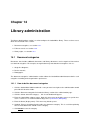
The process for writing Python scripts is described in the following sections:
1. Python reports, see Section 16.1
2. Python script configuration, see Section 16.2
3. Python scripts, see Section 16.3
4. How to write a Python script, see Section 16.4
5. Sample Python script, see Section 16.5
16.1
Python reports
16.1.1
Create a new Python report
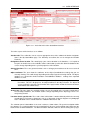
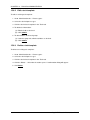
To create a new Python report:
1. Go to Administration tab > Python reports.
2. Under the “Create report” section, enter the name of the report as desired and click Create. A
table with all the information related to this report will appear.
3. Optional: Enter a “Description”.
4. Optional: Enter a “Category” to group related reports.
5. Optional: Select the “Visible” tick box for report to be visible to StationWare users under the Report
tab. Otherwise, click Execute. . . to test the script locally.
6. Under the section “Python script”, click the Edit. . . link to write the actual Python script. Please
refer to Section 16.4 for more information.
7. Under the section “Layouts”, click the appropriate Create links to write the PDF and HTML layout
related scripts. Please refer to Section 16.4 for more information.
DIgSILENT StationWare 4, User Manual
121