1
EFI SHELL
10.1.9
VX3030 AMI BIOS User Manual
dh
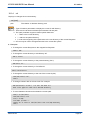
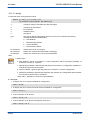
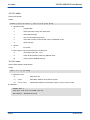
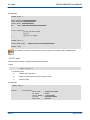
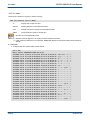
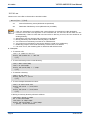
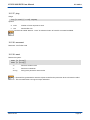
Displays EFI handle information.
DH [-l lang] [handle | -p prot_id] [-d] [-v]
handle
Handle number in hexadecimal format
-p
Protocol ID
-d
Display EFI Driver Model related information
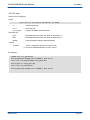
-l
-v
Display information in the specified ISO 639-2 language
Display verbose information
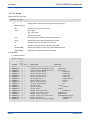
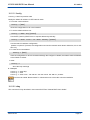
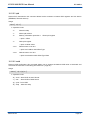
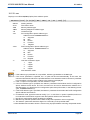
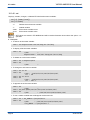
1. When neither 'handle' nor 'prot_id' is specified, a list of all the device handles in the EFI environment
is displayed.
2. The '-d' option displays EFI Driver Model related information including parent handles, child handles,
all drivers installed on the handle, etc.
3. The '-v' option displays verbose information for the specified handle including all the protocols on the
handle and their details.
4. If the '-p' option is specified, all handles containing the specified protocol will be displayed. Otherwise,
the 'handle' parameter has to be specified for display. In this case, the '-d' option will be enabled
automatically if the '-v' option is not specified.
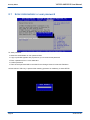
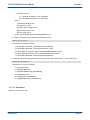
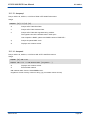
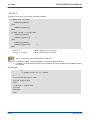
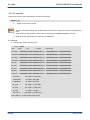
> Examples:
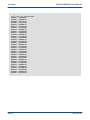
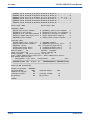
4 To display all handles one screen at a time:
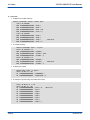
Shell> dh -b
Handle dump
1: Image(DXE Core)
2: FwVol FwFileSys FwVolBlk DevPath(MemMap(11:1B50000-1D4FFC8))
3: Image(Ebc)
4: DevPath(MemMap(11:1CA0000-1CB0000))
5: Image(WinNtThunk)
6: WinNtThunk DevPath(..76F3-11D4-BCEA-0080C73C8881))
7: Image(WinNtBusDriver) DriverBinding
...
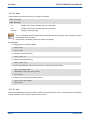
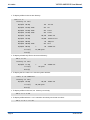
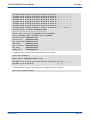
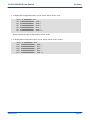
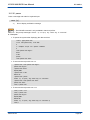
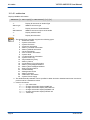
4 To display detailed information for handle 0x30:
Shell> dh 30
Handle 30 (01AF5308)
IsaIo
ROM Size......: 00000000
ROM Location..: 00000000
Page 60
SD.DT.F81-5e