1
IBM System p HPC Clusters Fabric Guide using InfiniBand Hardware
5.9 Hints on using iba_report
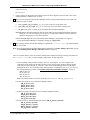
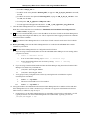
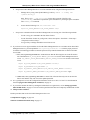
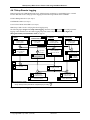
While under most monitoring circumstances you can rely on health checks as in Health Checks, on page 151, you
may have occasion to do some more advanced monitoring using iba_report on the fabric management server.
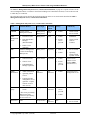
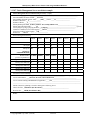
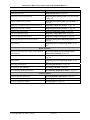
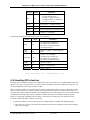
Some suggested parameters are in the following table. You can use these parameters of iba_report to get detailed
information. Some examples of a few uses of iba_report follow the table. This is not meant to provide exhaustive
coverage of iba_report. Instead it provides a few examples intended to illustrate how iba_report might be used for
detailed monitoring of cluster fabric resources. Much more detail is available in the QLogic’s Fast Fabric Users
Guide, which you should read before using iba_report.
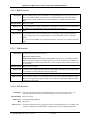
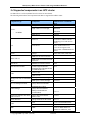
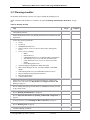
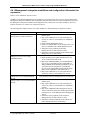
Parameter
Description
-d 10
This provides quite a bit of extra detail that you would not see at the
default detail level of 2.
You may find it useful to experiment with the detail level when
developing a query. Quite often –d 5 is the most detail that you can
extract from a given command.
-s
This includes statistics counters in the report.
-i [seconds]
This will cause a query to statistics counters after waiting the number
of seconds specified in the parameter. Quite often this is used along
with the –C to clear the counters. This implies the –s parameter
-F [focus info]
You can focus iba_report on a single resource or group of resources
that match the filter described in the focus info.
See the Fast Fabric Users Guide for details on the many different
filters that you can use, like:
- portguid
- nodeguid
- nodepat = for patterns to search for
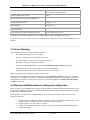
-h [hca] and –p [port]
Used in conjunction these point the tool to do the query on a specific
subnet connected to the indicated hca and port on the fabric
management server. The default is the first port on the first HCA.
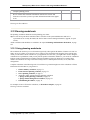
-o slowlinks
To look for links slower than expected
-o errors
To look for links exceeding the allowed error threshold. See the Fast
Fabric Users Guide for details on error thresholds.
Note: The LinkDown counter in the IBM GX/GX+ HCAs will be
reset as soon as the link goes down. This is part of the recovery
procedure. While this is not optimal, the connected switch
port’s LinkDown counter will provide an accurate count of the
number of LinkDowns for the link.
-o misconnlinks
Summary of links connected with mismatched speed
-o links
Summary of links, including to what they are connected
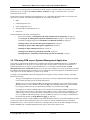
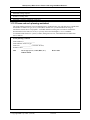
Note: iba_report is run on a subnet basis. If you wish to gather data from all subnets attached to a fabric
management server, a typical technique is to use nested for loops to address the subnets via the appropriate HCAs
and ports to reach all subnets. For example:
for h in 1 2; do for p in 1 2; do iba_report –o errors –F
“nodepat:SilverStorm*”; done; done
© Copyright IBM Corp. 2008 (7/22/08)
163 of 238