1
IBM System p HPC Clusters Fabric Guide using InfiniBand Hardware
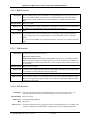
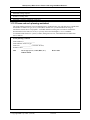
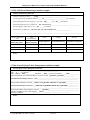
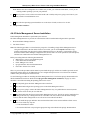
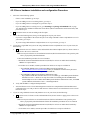
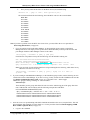
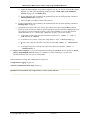
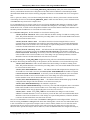
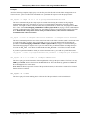
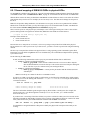
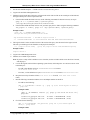
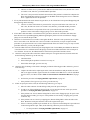
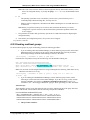
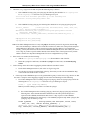
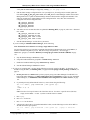
>dsh -v -N AIXNodes 'ibv_devinfo | grep –B1 "0002:5500:103a:72" |
grep ehca'
hca_id: ehca0
e.
The server is in the first field and the adapter number is in the last field.
(c924f1ec10.ppd.pok.ibm.com and iba0 in AIX, or ehca0 in Linux)
f.
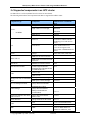
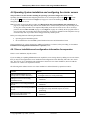
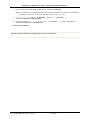
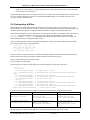
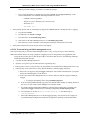
To find the physical location of the logical switch port, use the logical switch number and iba device found
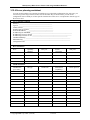
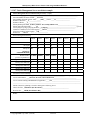
above with the Table 25: IBM GX HCA physical port mapping: from iba device and logical switch, on
page 187.
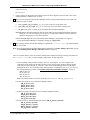
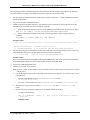
Example Results:
iba0/ehca0 and logical switch 1 map to C65-T1
Therefore, c924f1ec10: C65-T1 is attached to port 3 of SilverStorm 9024 DDR
GUID=0x00066a00d90003d3
7.
This procedure ends here.
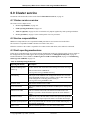
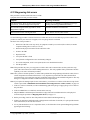
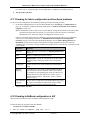
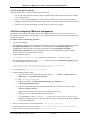
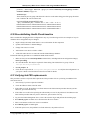
6.9.5 Finding devices based on a known ib interface (ibX/ehcaX)
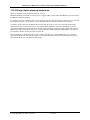
Use this procedure if the ib interface number is known and the physical HCA port and attached physical switch port
must be determined. This applies to IBM GX HCAs. For more information on the architecture of IBM GX HCAs
and logical switches within them, see IBM GX/GX+ HCA, on page 21.
Note: This procedure has some steps that are specific to operating system type (AIX or Linux). This has to do with
querying the HCA device from the operating system. For AIX, the adapter is called ibaX; where X is a
number 0 through 3. For Linux, the adapter is call ehcaX; where X is a number 0 through 3.
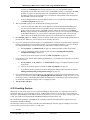
For example, if there is a problem with ib0, use the following procedure to determine the physical HCA port and
physical switch port associated with the problem.
1.
Record the ib interface number and server: For example: ib1 on c924f1ec09
2.
Logon to the server with the ib interface of interest.
3.
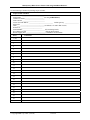
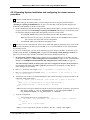
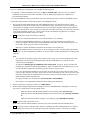
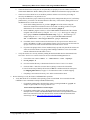
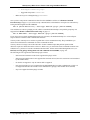
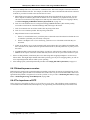
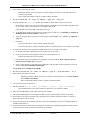
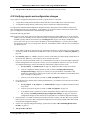
From netstat, get the Logical HCA GUID associated with the ib interface:
-
For AIX use: netstat –I [ib interface]; you will need to add leading zeroes to bytes that are
returned with single digits. You need the last 8 bytes of the Address.
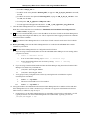
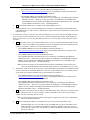
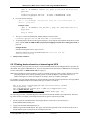
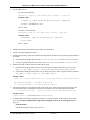
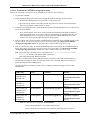
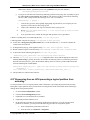
Example results:
> netstat –I ib1
Name
Coll
ib1
65
ib1
0
Mtu
65532
0
65532
Network
link#3
7
0
192.168.9
Address
Ipkts Ierrs
Opkts Oerrs
0.0.0.b.fe.80.0.0.0.0.0.1.0.2.55.0.10.24.d9.1
0
192.168.9.65
65
0
7
0
GUID = 0.2.55.0.10.24.d9.1 = 00.02.55.00.10.24.d9.01
-
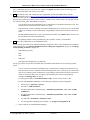
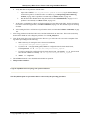
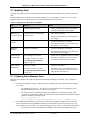
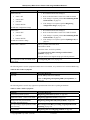
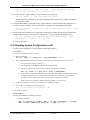
For Linux use: ifconfig [ib interface];
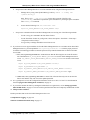
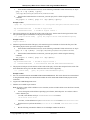
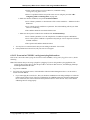
Example results:
> ifconfig ib0 | grep inet6
inet6 addr: fe80::202:5500:1024:d900/64 Scope:Link
GUID = 02:5500:1024:d900 => add the leading zeroes to get 0002:5500:1024:d900
© Copyright IBM Corp. 2008 (7/22/08)
185 of 238