1
OneCommand™ Manager
Command Line Interface
Version 6.3
User Manual
P009403-01A Rev. A
Emulex Connects™ Servers, Storage and People
2
Copyright © 2007–2013 Emulex. All rights reserved worldwide. No part of this document may be reproduced by any
means or translated to any electronic medium without the prior written consent of Emulex.
Information furnished by Emulex is believed to be accurate and reliable. However, no responsibility is assumed by
Emulex for its use; or for any infringements of patents or other rights of third parties which may result from its use. No
license is granted by implication or otherwise under any patent, copyright or related rights of Emulex.
Emulex, the Emulex logo, AutoPilot Installer, AutoPilot Manager, BlockGuard, Connectivity Continuum,
Convergenomics, Emulex Connect, Emulex Secure, EZPilot, FibreSpy, HBAnyware, InSpeed, LightPulse, MultiPulse,
OneCommand, OneConnect, One Network. One Company., SBOD, SLI, and VEngine are trademarks of Emulex. All
other brand or product names referenced herein are trademarks or registered trademarks of their respective
companies or organizations.
Emulex provides this manual "as is" without any warranty of any kind, either expressed or implied, including but not
limited to the implied warranties of merchantability or fitness for a particular purpose. Emulex may make
improvements and changes to the product described in this manual at any time and without any notice. Emulex
assumes no responsibility for its use, nor for any infringements of patents or other rights of third parties that may
result. Periodic changes are made to information contained herein; although these changes will be incorporated into
new editions of this manual, Emulex disclaims any undertaking to give notice of such changes.
Emulex, 3333 Susan Street
Costa Mesa, CA 92626
OpenSolaris DHCHAP Notice. Contains portions of Covered Software subject to the Common Development and
Distribution License (CDDL) Version 1.0. Such portions of Covered Software in Source Code form may be obtained
from the website www.opensolaris.org, or by contacting online support from the website www.emulex.com. Derived
from the RSA Data Security, Inc. MD5 Message-Digest Algorithm. Copyright (C) 1991-2, RSA Data Security, Inc.
Created 1991. All rights reserved.
OneCommand Manager Command Line Interface Version 6.3 User Manual
P009403-01A Rev. A
Table of Contents
Table of Contents
1. Introduction ................................................................................... 10
Overview .............................................................................................. 10
Compatibility .....................................................................................11
Abbreviations ........................................................................................ 11
OneCommand Manager Secure Management .................................................. 13
Overview ..........................................................................................13
OCM Secure Management Configuration Requirements ........................................ 15
Secure Management Installation...............................................................15
Linux and Solaris ..................................................................................... 16
Windows ............................................................................................... 16
Using OneCommand Manager with Secure Management Enabled ........................16
2. Installing and Uninstalling the CLI ........................................................ 17
Linux ................................................................................................... 17
Citrix ...............................................................................................17
Installing in Linux Without an Existing OneCommand CLI Kit .............................17
Installing in Linux With an Existing OneCommand CLI Kit .................................18
Updating (Preserving Existing Settings) .......................................................... 19
Performing a Clean Install (Removing Existing Settings)....................................... 19
Uninstalling in Linux.............................................................................19
Uninstalling Older HBAnyware Kits in Linux .................................................20
Solaris ................................................................................................. 20
Installing in Solaris...............................................................................20
Uninstalling in Solaris ...........................................................................21
VMware ESX/ESXi .................................................................................... 22
Installing in a New VMware ESX Server .......................................................22
Installing in a VMware ESX Server with an Existing HBAnyware or
OneCommand Manager CLI .....................................................................22
Uninstalling in a VMware ESX Server..........................................................23
Uninstalling an Older HBAnyware or a OneCommand Manager Kit in a
VMware ESX Server ..............................................................................23
Installing the CIM Provider for VMware ESXi Hosts .........................................23
Windows............................................................................................... 24
Installing in Windows ............................................................................24
Attended Installation................................................................................ 24
Unattended Installation............................................................................. 24
Uninstalling in Windows.........................................................................26
OneCommand Manager Command Line Interface Version 6.3 User Manual
P009403-01A Rev. A
3
Table of Contents
Uninstalling through the Control Panel........................................................... 26
Uninstalling through the Command Line ......................................................... 26
Starting and Stopping Daemon Processes ...................................................... 27
Linux and Solaris .................................................................................27
VMware ESX Server ..............................................................................27
3. Updating to the OneCommand Manager Application Enterprise Kit ............... 28
Linux ................................................................................................... 28
Solaris ................................................................................................. 28
Windows............................................................................................... 29
4. CLI Client Command Usage ................................................................. 30
Overview .............................................................................................. 30
HbaCmd Syntax Usage .............................................................................. 30
Secure Management CLI Interface ............................................................... 32
Device Management Using the Secure Management Interface............................32
Syntax Rules for the Secure Management Interface........................................32
CIM Interface ......................................................................................... 32
Device Management Using the CIM Interface ................................................33
Syntax Rules for the CIM Interface ............................................................33
Syntax Options and Setting CIM Credentials ..................................................... 33
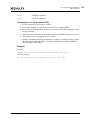
Example of Using the CIM Interface to Display Adapters ...................................... 34
CLI Client Commands Supported in CIM Interface ..........................................35
CIM Provider 3.0 ..................................................................................... 37
CIM Provider 3.1 ..................................................................................... 37
CIM Provider 3.2 ..................................................................................... 38
CIM Provider 3.4.4 ................................................................................... 38
CIM Provider 3.5 ..................................................................................... 38
Commands Supported in Target-Mode Ports................................................... 38
Unsupported Commands per Operating System............................................... 39
Linux ...............................................................................................39
RHEL, SLES, and Oracle ............................................................................. 39
Citrix ................................................................................................... 40
Solaris..............................................................................................40
VMWare ESX.......................................................................................41
Windows ...........................................................................................42
5. CLI Client Command Descriptions......................................................... 43
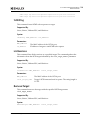
Help .................................................................................................... 48
Adapter License Management Commands ...................................................... 51
OneCommand Manager Command Line Interface Version 6.3 User Manual
P009403-01A Rev. A
4
Table of Contents
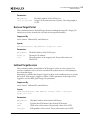
InstallAdapterLicense ...........................................................................51
ShowAdapterLicenseFeatures ..................................................................52
ShowAdapterLicenseID ..........................................................................52
Attributes Commands .............................................................................. 53
HbaAttributes ....................................................................................53
PortAttributes ....................................................................................53
PortStatistics .....................................................................................53
ServerAttributes .................................................................................54
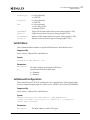
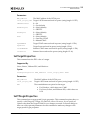
SetPfcThrottle....................................................................................54
SetPhyPortSpeed .................................................................................55
SetPortEnabled ...................................................................................56
Authentication Commands ........................................................................ 56
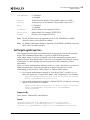
AuthConfigList....................................................................................56
DeleteAuthConfig ................................................................................57
GetAuthConfig....................................................................................57
GetAuthStatus ....................................................................................57
InitiateAuth .......................................................................................58
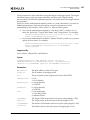
SetAuthConfig ....................................................................................58
SetPassword ......................................................................................59
Boot Commands...................................................................................... 60
EnableBootCode..................................................................................60
GetBootParams...................................................................................61
SetBootParam ....................................................................................61
CEE Commands....................................................................................... 62
Channel Management Commands ................................................................ 62
CMGetParams.....................................................................................62
CMMode............................................................................................63
CMSetBW ..........................................................................................64
DCB Commands ...................................................................................... 65
GetDCBParams ...................................................................................65
GetPGInfo .........................................................................................66
SetCnaPGBW ......................................................................................66
SetDCBParam .....................................................................................67
SetDCBPriority....................................................................................68
Diagnostic Commands .............................................................................. 70
EchoTest ..........................................................................................70
GetBeacon ........................................................................................70
GetXcvrData ......................................................................................71
OneCommand Manager Command Line Interface Version 6.3 User Manual
P009403-01A Rev. A
5
Table of Contents
LoadList ...........................................................................................71
LoopBackTest.....................................................................................72
LoopMap ...........................................................................................73
PciData ............................................................................................73
PostTest ...........................................................................................74
SetBeacon .........................................................................................74
SetCableNVP ......................................................................................75
TDRTest ...........................................................................................75
Wakeup ............................................................................................76
Driver Parameter Commands ..................................................................... 76
DriverConfig ......................................................................................77
GetDriverParams .................................................................................77
GetDriverParamsGlobal .........................................................................77
SaveConfig ........................................................................................78
SetDriverParam...................................................................................78
SetDriverParamDefaults ........................................................................79
Dump Commands .................................................................................... 79
DeleteDumpFiles .................................................................................79
Dump...............................................................................................80
GetDumpDirectory ...............................................................................80
GetDumpFile......................................................................................81
GetDumpFileNames..............................................................................82
GetRetentionCount ..............................................................................82
SetDumpDirectory ...............................................................................82
SetRetentionCount...............................................................................83
FCoE Commands ..................................................................................... 84
GetFCFInfo ........................................................................................84
GetFIPParams.....................................................................................84
SetFIPParam ......................................................................................85
iSCSI Commands ..................................................................................... 85
AddARPTableEntry ...............................................................................86
AddRouteTableEntry ............................................................................86
AddTarget .........................................................................................87
AddTargetPortal .................................................................................88
CleariSNSServer ..................................................................................89
DelARPTableEntry................................................................................90
DelRouteTableEntry .............................................................................90
DiscoveriSNSServer ..............................................................................90
ExportiSCSI........................................................................................91
OneCommand Manager Command Line Interface Version 6.3 User Manual
P009403-01A Rev. A
6
Table of Contents
GetInitiatorProperties...........................................................................91
GetiSCSILuns ......................................................................................91
GetiSCSIPortStats ................................................................................92
GetNetworkConfiguration ......................................................................92
GetSessionInfo....................................................................................92
ImportiSCSI........................................................................................93
iSCSIPing...........................................................................................94
ListSessions .......................................................................................94
RemoveTarget ....................................................................................94
RemoveTargetPortal.............................................................................95
SetBootTargetSession ...........................................................................95
SetInitiatorProperties ...........................................................................96
SetiSCSIBoot ......................................................................................97
SetNetworkConfiguration .......................................................................97
SetTargetLoginProperties.......................................................................98
SetTargetProperties .............................................................................99
SetTPLoginProperties ...........................................................................99
ShowARPTable.................................................................................. 101
ShowiSNSServer ................................................................................ 101
ShowRouteTable ............................................................................... 101
ShowTarget ..................................................................................... 102
ShowTargetPortal .............................................................................. 102
TargetLogin ..................................................................................... 102
TargetLogout ................................................................................... 104
UpdateiSNSServer .............................................................................. 104
LUN Masking Commands ..........................................................................105
GetLunList ...................................................................................... 105
GetLunUnMaskByHBA .......................................................................... 105
GetLunUnMaskByTarget....................................................................... 106
RescanLuns...................................................................................... 106
SetLunMask ..................................................................................... 106
Miscellaneous Commands.........................................................................107
AddHost ......................................................................................... 107
CnaClearEventLog ............................................................................. 107
CnaGetEventLog ............................................................................... 108
Download........................................................................................ 108
ExportSANInfo .................................................................................. 109
GetCimCred..................................................................................... 109
GetElxSecInfo................................................................................... 110
OneCommand Manager Command Line Interface Version 6.3 User Manual
P009403-01A Rev. A
7
Table of Contents
GetQoSInfo...................................................................................... 110
GetVPD .......................................................................................... 110
ListHBAs ......................................................................................... 111
RemoveHost .................................................................................... 111
Reset............................................................................................. 112
SetCimCred ..................................................................................... 112
SRIOVEnable .................................................................................... 113
TargetMapping ................................................................................. 113
Version........................................................................................... 114
Persistent Binding Commands ...................................................................115
AllNodeInfo ..................................................................................... 115
BindingCapabilities ............................................................................ 115
BindingSupport ................................................................................. 116
PersistentBinding .............................................................................. 116
RemoveAllPersistentBinding.................................................................. 116
RemovePersistentBinding..................................................................... 117
SetBindingSupport ............................................................................. 117
SetPersistentBinding .......................................................................... 118
Personality Change Commands ..................................................................119
ChangePersonality ............................................................................. 119
ShowPersonalities.............................................................................. 120
UMC Commands.....................................................................................120
UmcEnable ...................................................................................... 121
UmcGetParams ................................................................................. 121
UmcSetBw....................................................................................... 122
UmcSetLPVID ................................................................................... 123
VPort Commands ...................................................................................125
CreateVPort..................................................................................... 125
DeleteVPort..................................................................................... 125
ListVFunctions .................................................................................. 126
ListVMs........................................................................................... 126
ListVPorts ....................................................................................... 127
VPortTargets.................................................................................... 127
WWN Management Commands ...................................................................128
ChangeWWN .................................................................................... 128
GetWWNCap .................................................................................... 129
ReadWWN ....................................................................................... 129
RestoreWWN .................................................................................... 129
OneCommand Manager Command Line Interface Version 6.3 User Manual
P009403-01A Rev. A
8
Table of Contents
Appendix A. OneCommand Manager Error Messages ................................... 131
OneCommand Manager Command Line Interface Version 6.3 User Manual
P009403-01A Rev. A
9
1. Introduction
Overview
1. Introduction
Overview
The OneCommand™ Manager Command Line Interface (CLI) utility is a
comprehensive management utility for Emulex host bus adapters (HBAs) and
universal converged network adapters (UCNAs). The CLI provides support for
commonly used commands without requiring installation of the OneCommand
Manager graphical user interface (GUI). The OneCommand Manager CLI console
application name is HbaCmd. A single operation is performed by entering “hbacmd”,
followed by a CLI client command and its possible parameters, at the command line.
Use the OneCommand Manager application to do any of the following:
OneCommand Manager Secure Management enhances active management
security by enabling administrators to define each user's privileges for
managing or viewing both local and remote adapters.
Provide increased flexibility in assigning protocols to individual ports on
adapters
View and configure Universal Multichannel (UMC) and view properties of
other multi-channel types
Discover local and remote Emulex and OEM branded Emulex adapters, as well
as hosts, targets, virtual ports, virtual machines and logical unit numbers
(LUNs) over FC or TCP/IP
Manage local, FC remote and TCP/IP-accessed adapters
Remote TCP/IP management of adapters on IPv6 hosts
Discover, log in to, and log out from iSCSI targets
Manage Emulex FC, iSCSI, FCoE and NIC-Only Universal Converged Network
Adapters (UCNAs)
Manage OneConnect OCe11100 series adapters (NIC and iSCSI only)
Manage adapters on VMware ESX servers through the Common Information
Model (CIM) interface
Manage a UCNA’s DCB (Data Center Bridging) settings
Manage a UCNA’s Fibre Channel over Ethernet (FCoE) Initialization Protocol
(FIP)
Manage adapter licenses
Manage protocol personalities
Group hosts for easier parameter configuration and firmware download
Retrieve adapter dump files from remote hosts
Change an adapter’s World Wide Port Name (WWPN) and World Wide Node
Name (WWNN)
Reset FC ports
Configure persistent binding on FC targets
OneCommand Manager Command Line Interface Version 6.3 User Manual
P009403-01A Rev. A
10
1. Introduction
Abbreviations
Set FC/FCoE adapter driver parameters simultaneously to multiple adapters
using Batch Update
Update firmware and FC boot code (x86 BootBIOS, OpenBoot, or EFIBoot) on a
single adapter or multiple adapters using Batch Update
Set global FC/FCoE driver parameters
Enable or disable adapter boot (x86 BootBIOS, FCode, EFIBoot, or PXE Boot)
Run diagnostic tests on adapter ports
Locate adapter ports using beaconing
Mask and unmask FC LUNs
Create and delete FC virtual ports through N_Port_ID virtualization (NPIV)
View FC virtual ports and virtual machine mapping information
Configure FC boot from SAN
Modify an IP port number of the remote management agent
View vital product data (VPD) for the selected adapter port
View transceiver information for the selected adapter port
View iSCSI target session information
View vNIC data for supported adapters
Create and save reports about discovered SAN elements
Configure COMSTAR (COmmon Multiprotocol SCSI TARget) for Solaris 11
enabling the Emulex FC driver for Solaris (EMLXS) to make a host appear as a
target to the SAN. (COMSTAR ports are supported on Solaris 11 with
LightPulse FC HBAs only.)
Compatibility
The OneCommand Manager application can be installed on multiple operating
systems: Windows, Linux, Solaris, and VMware ESX and ESXi.
For VMware ESXi 4.1, ESXi 5.0, and ESXi 5.1 hosts, you can manage adapters using the
OneCommand Manager on Windows, but you must install and use the appropriate
Emulex CIM Provider on those VMware hosts.
Note: For VMware ESXi 5.0 and ESXi 5.1 hosts, when advanced adapter management
capabilities are required (for example, iSCSI Management and port disable), use
the OneCommand Manager for VMware vCenter software plug-in. For more
details, see the OneCommand Manager for VMware vCenter User Manual.
For supported versions of operating systems, platforms, and adapters, see the Emulex
website.
Abbreviations
ARP
address resolution protocol
ASIC
application-specific integrated circuit
BIOS
basic input-output system
OneCommand Manager Command Line Interface Version 6.3 User Manual
P009403-01A Rev. A
11
1. Introduction
Abbreviations
CEE
Converged Enhanced Ethernet
CHAP
Challenge Handshake Authentication Protocol
CIM
Common Interface Model
CIMOM
Common Information Model Object Manager
CIN
Cisco, Intel, Nuova (data center bridging exchange)
CLI
command line interface
COS
console operating system
CSV
comma-separated values
DAC
direct-attach copper
D_ID
destination ID
DCB
data center bridging
DCBX
data center bridging exchange
DH
Diffie-Hellman
DHCHAP
Diffie-Hellman Challenge Handshake Authentication Protocol
ETO
Extended TimeOut
FAT
File Allocation Table
FC
Fibre Channel
FCoE
Fibre Channel over Ethernet
FIP
FCoE Initialization Protocol
GUI
graphical user interface
HBA
host bus adapter
iBFT
iSCSI Boot Firmware Table
ICMP
Internet Control Message Protocol
IP
Internet Protocol
iSCSI
internet Small Computer System Interface
iSNS
internet Storage Name Server
LACP
Link Aggregation Control Protocol
LLDP
link layer discovery protocol
LPFC
LightPulse Fibre Channel
LPVID
Logical Port VLAN ID
LUN
logical unit number
MAC
media access control
MSI
message signaled interrupts
MTU
maximum transmission unit
NFS
network file system
NIC
network interface card (or controller)
NPVID
N_Port_ID virtualization
OneCommand Manager Command Line Interface Version 6.3 User Manual
P009403-01A Rev. A
12
1. Introduction
OneCommand Manager Secure Management
NVP
normal velocity of propagation
PFC
priority-based flow control
PGID
priority group ID
PGBW
priority group bandwidth
PHY
physical layer
POST
power-on self-test
PXE
Pre-boot Execution Environment
RHEL
Red Hat Enterprise Linux
RM
remote management
RPM
resource package manager
SAN
storage area network
SCSI
Small Computer System Interface
SFCB
Small Footprint CIM Broker
SFP
small form factor pluggable
SLES
SUSE Linux Enterprise Server
SR-IOV
single root I/O virtualization
SSH
Secure Shell
TCP
Transmission Control Protocol
TDR
time-domain reflectometer
UCNA
universal converged network adapter
UEFI
Unified Extensible Firmware Interface
UFP
Universal Fabric Port
UMC
Universal Multichannel
VPD
vital product data
VPort
virtual port
WWN
world wide name
WWNN
world wide node name
WWPN
world wide port name
VM
virtual machine
XML
extensible markup language
OneCommand Manager Secure Management
Overview
OneCommand Manager Secure Management gives system administrators the ability to
further enhance the active management security of their networks. Using Secure
Management, administrators can define each user's privileges for managing both local
OneCommand Manager Command Line Interface Version 6.3 User Manual
P009403-01A Rev. A
13
1. Introduction
OneCommand Manager Secure Management
and remote adapters. When running in Secure Management mode, users must log on
with their user name and password to run the OneCommand Manager application.
When users are authenticated, they can only perform the functions allowed by the
OneCommand Manager user group to which they belong. If your systems are running
in an LDAP or Active Directory domain, the OneCommand Manager application will
authenticate the user with those defined in that domain. For Linux and Solaris systems
this is done using PAM.
Note: OneCommand Manager Secure Management is supported on Linux, Solaris,
and Windows, but is not supported on VMware hosts.
Administrators set up user accounts such that a user belongs to one of the
OneCommand Manager application user groups. The user groups define the
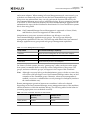
management capabilities for the user. The following table defines the OneCommand
Manager application user groups and each group's management capabilities.
Table 1-1 Secure Management User Privileges
Group Name
OneCommand Manager Capability
ocmadmin
Allows full active management of local and remote adapters.
ocmlocaladmin
Permits full active management of local adapters only
ocmuser
Permits read-only access of local and remote adapters
ocmlocaluser
Permits read-only access of local adapters.
On Linux or Solaris systems, the unix “getent group” utility can be run on the target
host system’s command shell to verify the correct configuration of the groups. The
groups, and users within the groups, will appear in the output of this command.
Note: Although a user may belong to the administrator group or be the root user, they
will not have full privileges to run OneCommand Manager unless they are also
a member of the ocmadmin group. Otherwise, when secure management is
enabled, a root user or administrator can only manage local adapters (similar to
the ocmlocaladmin user).
Remote management operations between two machines is allowed or denied
depending on the OneCommand Manager secure management status of the machines,
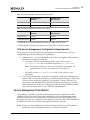
and the domains to which the machines belong. The following tables list the behavior
(assuming appropriate user credentials are used).
Table 1-2 Active Commands: machines on same domain
Remote Server
(Secure)
Remote Server
(Not Secure)
Client (Secure)
Allowed
Denied *
Client (Not Secure)
Denied
Allowed
OneCommand Manager Command Line Interface Version 6.3 User Manual
P009403-01A Rev. A
14
1. Introduction
OneCommand Manager Secure Management
Table 1-3 Active Commands: machines on different domain
Remote Server
(Secure)
Remote Server
(Not Secure)
Client (Secure)
Denied**
Denied *
Client (Not Secure)
Denied
Allowed
Table 1-4 Passive Commands: machines on any domain
Remote Server
(Secure)
Remote Server
(Not Secure)
Client (Secure)
Allowed
Allowed
Client (Not Secure)
Allowed
Allowed
* To inform you of an unsecured server that you may want to secure.
** Allowed if the username and password are the same on both domains.
OCM Secure Management Configuration Requirements
For systems to run in the OCM secure management environment, they need to be
configured to provide the following two capabilities:
Authentication - On Linux and Solaris, this is done through the PAM interface
and must be configured as follows:
On Solaris, place the correct setting in the “auth” section of the
/etc/pam.d/other file, or its earlier equivalent, /etc/pam.conf.
Note: For Solaris systems, you must use ‘useradd -G groupname’ for
authentication to work. You cannot use a lowercase ‘g’.
On Linux, it is the /etc/pam.d/passwd file “auth” section, or the
equivalent.
User Group Membership – From the host machine, OCM Secure Management
must be able to access the OCM group to which the user belongs. For Linux and
Solaris systems, it uses the ‘getgrnam’ and ‘getgrid’ C-library API calls. The
equivalent to the API calls can be obtained by typing “getent group” from the
shell command line. If the four OCM group names are listed with their member
users, the machine is ready to use OCM secure management.
Secure Management Installation
The enabling or disabling of the Secure Management feature is specified at OCM
installation time. This can be done either interactively or by using dedicated install
switches on Windows, Linux and Solaris. On Linux and Solaris, if the OCM groups
described above are not configured on the machine at the time of the OCM installation,
installation will fail when the secure management feature is selected.
Note: Only a user with Administrator/Root privileges is allowed to either enable or
disable the secure management feature on a local host machine.
OneCommand Manager Command Line Interface Version 6.3 User Manual
P009403-01A Rev. A
15
1. Introduction
OneCommand Manager Secure Management
Linux and Solaris
Interactive Installation
Enterprise OCM installations done in interactive mode will ask if OCM Secure
Management mode should be enabled. If the answer is yes, the other management
mode questions will be skipped. If the answer is no to the OCM Secure Management
mode question, then the management mode installation questions will follow.
Unattended Installation with Install Script Switch Option Support
Enterprise OCM installations done in unattended mode provides a switch option to
enable OCM Secure Management. If the OCM Secure Management switch is not used
with the installation, Secure Management will be disabled.
Windows
During OCM installations done in interactive mode, you will be presented with a
management mode window where you can select Secure Management as the
management mode.
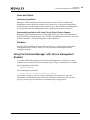
Using OneCommand Manager with Secure Management
Enabled
To run the HBACMD application when Secure Management is enabled, you must
include your user name and password each time you type a command. For example:
Secure Management disabled:
hbacmd <command>
Secure Management enabled:
hbacmd <m=sec> <userid><password><command>
User names and passwords are used to authenticate the commands. Once the
credentials are authenticated, the OCM will determine which one of the four user
groups you belong to and will allow command usage as appropriate.
OneCommand Manager Command Line Interface Version 6.3 User Manual
P009403-01A Rev. A
16
2. Installing and Uninstalling the CLI
Linux
2. Installing and Uninstalling the CLI
This chapter details prerequisites and procedures for installing and uninstalling the
OneCommand Manager CLI in the following operating systems: Linux, Solaris,
VMware ESX/ESXi, and Windows. It also describes the Secure Management capability
and the procedure for starting and stopping daemon processes.
Linux
Citrix
Citrix is based on CentOS Linux, however, for the OneCommand Manager CLI, Citrix
is more comparable to VMware – a hypervisor-style server for managing virtual
machines. The Citrix XenServer 6.1 operating system contains the OneCommand
Manager CLI application, and no additional installation is required. Citrix XenServer
5.6 SP2 and Citrix XenServer 6.0 operating systems will require OCM CLI installation if
it is needed.
Note: Updated versions of OneCommand Manager CLI for Citrix XenServer are
available as part of the Device Update Driver kit for Citrix XenServer 5.6 SP2
and Citrix XenServer 6.0. For the latest kit, see the Emulex website.
Installing in Linux Without an Existing OneCommand CLI Kit
Note: Prior to installation, OneCommand groups must be configured on the LDAP
network or the local host machine for Secure Management operation. See “OCM
Secure Management Configuration Requirements” on page 15 for configuration
instructions.
For new systems, before installing the OneCommand Manager CLI, install the specific
Linux driver rpm file.
Note: On RHEL 5.5 and later and RHEL 6 and later, the OneCommand Core rpm
file requires the “Libnl” library. This library is not installed by default, but
can be obtained from the operating system distribution media.
For i386 RHEL 5.5, RHEL 5.6, and RHEL 6, use the 32bit libnl library.
For x86_64 RHEL 5.5, RHEL 5.6, and RHEL 6, use the 64bit libnl library.
For ia64 RHEL 5.5, RHEL 5.6, and RHEL 6, use the 64bit libnl library.
For PPC RHEL 5.5, RHEL 5.6, and RHEL 6, use the 32bit libnl library.
For existing systems, before installing the OneCommand Manager CLI, download the
appropriate Linux driver from the Emulex website, and install it. If specified, also
download and install the appropriate library file. For example,
On OneConnect FCoE adapters:
For RHEL 5 and SLES 10 operating systems, use Linux driver version
8.2.0.33.3p, or later.
OneCommand Manager Command Line Interface Version 6.3 User Manual
P009403-01A Rev. A
17
2. Installing and Uninstalling the CLI
Linux
For RHEL 6 (and later versions) and SLES 11 SP1 (and later versions)
operating systems, use Linux driver version 8.3.5. Also, the RHEL 6
Enterprise kit requires the installation of the libstdc++-5.so library. This
library is available through the compat-libstdc++-33-3.2.3-68.<arch>.rpm or
later. The PPC64 and x86_64 builds require the 64-bit version installed,
which is installed in /usr/lib64.The i386 build requires the 32-bit version
installed which is installed in /usr/lib.
On OneConnect NIC adapters (including iSCSI-NIC and FCoE-NIC adapters),
use the NIC driver.
To install the OneCommand Manager CLI in Linux without an existing OneCommand
CLI:
1. Copy the applications kit tar file to a directory on the installation machine.
2. Change to the directory where you copied the tar file.
3. Untar the file:
tar zxvf elxocmcore-<supported_os>-<app_ver>-<rel>.tgz
4. Change to the core kit directory created in step 3.
cd elxocmcore-<supported_os>-<app_ver>-<rel>
5. Run the install.sh script.
./install.sh
The core kit consists of two or three rpm files for each supported architecture and each
supported version of Linux. For example:
elxocmlibhbaapi-*.rpm (on 64-bit platforms that support 32-bit applications,
there are two of these files)
elxocmcore-*.rpm
6. When prompted, choose whether or not to enable Secure Management for
OneCommand:
Do you want to enable Secure Management feature for OneCommand?
(s/u)
Enter 's' to select secure management. (LDAP/NIS OCM group
configuration required)
Enter 'u' to run without secure management (default).
Enter the letter 's' or 'u'.
Installing in Linux With an Existing OneCommand CLI Kit
Before installing the OneCommand Manager CLI, download the appropriate driver
from the Emulex website and install the driver. For example:
On OneConnect FCoE adapters:
For RHEL 5.5and later and SLES10 SP3 and later operating systems, use
Linux driver version 8.2.0.x.
For RHEL6 and later and SL11 SP1 and later operating systems, use Linux
driver version 8.3.5.x.
On OneConnect iSCSI adapters, use the iSCSI driver.
OneCommand Manager Command Line Interface Version 6.3 User Manual
P009403-01A Rev. A
18
2. Installing and Uninstalling the CLI
Linux
On OneConnect NIC adapters (including iSCSI-NIC and FCoE-NIC adapters),
use the Ethernet driver.
Note: The OneCommand Manager core kit cannot be installed if a previous version of
the HBAnyware utility is installed.
You have two options when installing the OneCommand Manager CLI on a Linux
system with an existing OneCommand CLI kit:
Updating an existing installation – preserve existing settings
Performing a clean install – overwrite existing settings
Updating (Preserving Existing Settings)
To update the OneCommand Manager CLI and preserve settings, you must install the
current core kit as detailed in “Installing in Linux Without an Existing OneCommand
CLI Kit” on page 17. The “.rpm” file handles the configuration file update. The install
script executes an rpm update (rpm -U *.rpm) to update the installed version of the core
kit to the current version.
Note: There is no update path from an HBAnyware 4.x or 3.x core kit to a
OneCommand Manager 5.1 or later core kit. You must un-install previous
versions of the HBAnyware utility before installing a OneCommand Manager
core kit. For information on uninstalling older versions of HBAnyware, see
“Uninstalling Older HBAnyware Kits in Linux” on page 20.
Performing a Clean Install (Removing Existing Settings)
1. Uninstall the existing OneCommand Manager CLI using the uninstall script
included in the tar file or in /usr/sbin/ocmanager/scripts directory. Your
configuration files are backed up by rpm with an “.rpmsave” extension.
Note: If an HBAnyware CLI or enterprise kit is installed, follow the procedure for
“Uninstalling Older HBAnyware Kits in Linux” on page 20.
2. Install the specific rpm file for your driver for Linux version. For information on
installing the rpm file, see “Installing in Linux Without an Existing OneCommand
CLI Kit” on page 17.
Uninstalling in Linux
To uninstall the OneCommand Manager CLI in Linux:
1. Log in as “root”.
2. Do one of the following:
Run the uninstall_ocmanager.sh script located in
/usr/sbin/hbanyware/scripts.
Run the uninstall.sh script located in the installation tar file.
OneCommand Manager Command Line Interface Version 6.3 User Manual
P009403-01A Rev. A
19
2. Installing and Uninstalling the CLI
Solaris
Uninstalling Older HBAnyware Kits in Linux
Uninstalling an Older HBAnyware Core Kit
1. Run the following command to remove the core kit.
rpm -e elxlinuxcorekit
Uninstalling an Older HBAnyware Enterprise Kit
1. Do one of the following:
Run the uninstall script located in /usr/sbin/hbanyware/scripts to remove the
enterprise kit.
Run the uninstall script located in the tar file to remove the enterprise kit.
If the HBAnyware Security Configurator is installed, you must uninstall it before
uninstalling the HBAnyware configuration utility. You must use the uninstall script
that shipped with the version of OneCommand Security Configurator you want to
remove and proceed to step 2. If the Security Configurator is not installed, proceed
to step 3.
2. If the HBAnyware Security Configurator is installed, follow these steps:
a. Log on as “root”.
b. Change to the directory containing the tar file.
c. Extract the tar file using the tar -xvf command.
d. Change to the newly created directory.
e. Run the uninstall script with the ssc parameter specified. Type
./uninstall ssc
3. Uninstall the HBAnyware utility and the Application Helper module:
a. Log on as “root”.
b. Change to the directory containing the tar file.
c. Extract the tar file using the tar -xvf command.
d. Change to the newly created directory.
e. Uninstall any previously installed versions. Type
./uninstall
Solaris
Installing in Solaris
Note: Prior to installation, OneCommand groups must be configured on the LDAP
network or the local host machine for Secure Management operation. See “OCM
Secure Management Configuration Requirements” on page 15 for configuration
instructions.
OneCommand Manager Command Line Interface Version 6.3 User Manual
P009403-01A Rev. A
20
2. Installing and Uninstalling the CLI
Solaris
Before installing the OneCommand Manager CLI, install the appropriate driver:
The Solaris FC/FCoE inbox driver version emlxs 2.80.8.0 or later or the out of
box driver version elxfc 2.85.xx.xx must be installed for FC/FCoE management.
The NIC inbox driver version oce 4.4.173.9.3S or later or the out of box driver
version elxnic 4.1.xx.xx must be installed for UCNA management.
Note: If Emulex OneConnect UCNAs are installed on the system, the NIC
driver must be installed and reporting all NIC ports. Otherwise, the
OneCommand Manager application cannot manage UCNAs.
To install the OneCommand Manager CLI in Solaris:
1. Copy the OneCommand Manager core kit to a temporary directory on the system.
2. Untar the core kit by typing
tar xvf elxocmcore-solaris-<kit version>.tar
3. Change to the newly created elxocmcore-solaris-<kit version> directory:
cd ./elxocmcore-solaris-<kit version>/
4. Run the install script and follow the instructions.
./install
If any of the following are already present on the system, the install script attempts
to remove them first:
HBAnyware utility
OneCommand Manager core kit
OneCommand Manager application enterprise kit
Solaris driver utilities
5. When prompted, choose whether or not to enable Secure Management for
OneCommand:
Do you want to enable Secure Management feature for OneCommand?
(s/u)
Enter 's' to select secure management. (LDAP/NIS OCM group
configuration required)
Enter 'u' to run without secure management (default).
Enter the letter 's' or 'u'.
Uninstalling in Solaris
To uninstall the OneCommand Manager CLI in Solaris:
1. Log in as “root”.
2. Do one of the following:
Run /opt/ELXocm/scripts/uninstall.
Run the uninstall script located in the installation tar file.
Enter the command pkgrm ELXocmcore.
OneCommand Manager Command Line Interface Version 6.3 User Manual
P009403-01A Rev. A
21
2. Installing and Uninstalling the CLI
VMware ESX/ESXi
VMware ESX/ESXi
For installing and uninstalling the OneCommand Manager in VMware ESX, only
VMware ESX 4.1 is supported.
For VMware ESXi 4.1, VMware ESXi 5.0, and ESXi 5.1 hosts, you must install and use
the appropriate Emulex CIM Provider. See “Installing the CIM Provider for VMware
ESXi Hosts” on page 23.
Installing in a New VMware ESX Server
To install the OneCommand Manager CLI in a new VMware ESX system, install the
specific rpm file for the driver for your VMware ESX version.
The prerequisites for installation include the following:
To manage FCoE adapters, the LPFC driver version 8.2, or later, must be loaded.
To manage NIC, FCoE, or iSCSI adapters, driver version 2.102.440.0, or later,
must be loaded.
To manage iSCSI adapters, the iSCSI driver must be loaded.
To install the OneCommand Manager CLI:
1. Log in to the VMware ESX server COS.
2. Copy the elxocmcore-esxNN-<kit version>.<arch>.rpm file to a directory on the
install machine.
“NN” is the VMware ESX version. It is “41” for VMware ESX 4.1.
<kit version> represents the complete version.
<arch> is “x86_64” and is applicable to x64 or x86 architectures.
3. Change to the directory where you copied the rpm file.
4. Install the rpm file by typing
rpm -Uvh elxocmcore-esxNN-<kit version>.<arch>.rpm
See the VMware ESX version, <kit version>, and <arch> parameter descriptions
in step 2.
The rpm contents are installed in /usr/sbin/ocmanager. The OneCommand Manager
CLI is also located in this directory.
Installing in a VMware ESX Server with an Existing
HBAnyware or OneCommand Manager CLI
To install the OneCommand Manager CLI:
1. Install the rpm file:
# rpm -Uvh elxocmcore-esxNN-<kit version>.<arch>.rpm
“NN” is the VMware ESX version. It is “41” for VMware ESX 4.1.
<kit version> represents the complete version.
<arch> is “x86_64” and is applicable to x64 or x86 architectures.
OneCommand Manager Command Line Interface Version 6.3 User Manual
P009403-01A Rev. A
22
2. Installing and Uninstalling the CLI
VMware ESX/ESXi
Uninstalling in a VMware ESX Server
To uninstall the OneCommand Manager CLI from a VMware ESX server:
1. Log in to the ESX server COS.
2. Type
rpm -e elxocmcore-esxNN-<kit version>
“NN” is the VMware ESX version. It is “41” for a VMware ESX 4.1.
Uninstalling an Older HBAnyware or a OneCommand
Manager Kit in a VMware ESX Server
To uninstall an older HBAnyware or OneCommand Manager from a VMware server:
1. Log in to the ESX server COS.
2. Type
rpm -qa | grep elx
Locate either of the following rpm files:
elxvmwarecorekit-<kit version>
elxocmcore-esxNN-<kit version>
“NN” is the VMware ESX version. It is “41” for VMware ESX 4.1.
3. Type one of the following:
rpm -e elxvmwarecorekit-<kit version>
rpm -e elxocmcore-esxNN-<kit version>
“NN” is the VMware ESX version. It is “41” for VMware ESX 4.1.
Installing the CIM Provider for VMware ESXi Hosts
For VMware ESXi 4.1, ESXi 5.0, and VMware ESXi 5.1 hosts, you can manage adapters
using the OneCommand Manager on Windows, but you must install and use the
appropriate Emulex CIM Provider.
VMware ESXi comes with an inbox Emulex CIM Provider. The inbox Emulex CIM
Provider enables you to manage Emulex LightPulse adapters, but not Emulex UCNAs.
To manage Emulex UCNAs, you must install the out-of-box Emulex CIM Provider.
The Emulex CIM Provider is available as an offline bundle in ESXi platforms. VMware
recommends using the offline bundle to update software on VMware platforms. For
more information about the ESX Patch Management activities, see the VMware
website.
To install the Emulex CIM Provider in a VMware ESXi 4.1 hypervisor environment, use
the esxupdate command line utility and perform the following steps:
1. Enable Secure Shell (SSH) on the VMware Visor host.
2. Transfer the Emulex CIM Provider zip file to the VMware hypervisor host.
3. Log into the VMware hypervisor host, and execute the following command all on
one line:
OneCommand Manager Command Line Interface Version 6.3 User Manual
P009403-01A Rev. A
23
2. Installing and Uninstalling the CLI
Windows
esxupdate
--bundle=vmware-esx-provider-emulex-cim-provider-410.3.6.10.1-23578
6.zip --nosigcheck --maintenancemode update
To install the Emulex CIM Provider in a VMware ESXi 5.0 or ESXi 5.1 hypervisor
environment, use the esxli command line utility and perform the following steps:
1. Copy the CIM provider zip file to /var/log/vmware.
2. Log into the VMware hypervisor host, and execute the following command all on
one line:
esxcli software vib update -d
vmware-esx-provider-emulex-cim-provider-50.3.6.11.1-01.zip
--no-sig-check --maintenance-mode
3. Reboot the system.
Windows
Installing in Windows
There are two ways to install the OneCommand Manager CLI in Windows:
Attended installation – you are present during the installation. You will be
prompted for more information for the installation to continue.
Unattended installation – you do not need to be present during the installation.
Installation will complete on its own. Installation progress may be displayed as
an option.
Attended Installation
To install the OneCommand Manager CLI, run the installation.exe file for a core
Windows driver kit that does not include the OneCommand Manager GUI, and follow
the installer directions.
Use the following syntax for the installation executable file:
elxocmcore-windows-<arch>-<kit version>.exe
<arch> is either “x64” or “x86”.
<kit version> represents the complete kit version.
For example, at the command prompt, type
elxocmcore-windows-x64-5.0.2.14-1.exe
Note: For Itanium 64 systems, install the x86 kit.
Unattended Installation
To install the OneCommand Manager CLI in Windows unattended, use the following
procedure:
1. From the Emulex website, download the x64 or x86 OneCommand Manager Core
Kit installation file to your system.
OneCommand Manager Command Line Interface Version 6.3 User Manual
P009403-01A Rev. A
24
2. Installing and Uninstalling the CLI
Windows
2. Use the following syntax for the installation executable file:
elxocmcore-windows-<arch>-<kit version>.exe <option>
3. Activate the kit with switch /q or /q2.
The /q switch displays progress reports.
The /q2 switch does not display progress reports.
4. You can enable Secure Management Mode by adding the sec=1 argument or disable
it by sec=0. If the sec argument is not entered, Secure Management is disabled by
default. See “OneCommand Manager Secure Management” on page 13 for more
information.
To enable Secure Management, at the command prompt type
elxocm-windows-x64-5.01.00.10-4.exe sec=1 /q2
To disable Secure Management, at the command prompt type
elxocm-windows-x64-5.01.00.10-4.exe sec=0 /q2
5. You can select a Management Mode by adding the mmode argument and the
ability to change that Management Mode by adding the change argument with
selected values as in the example below.
Note: If you enabled Secure Management in Step 4, you cannot enter an mmode
value. Doing so will result in a 'conflicting parameters' error.
For example, at the command prompt type
elxocm-windows-x64-5.01.00.10-4.exe mmode=3 achange=1 /q2
The following are the possible mmode values:
1 – Local Only Management Mode
2 – Local Plus Management Mode
3 – Full Management Mode
4 – Local Plus Management Mode and Read Only
5 – Full Management Mode and Read Only
6 – Management host
The following are the possible achange values:
0 – Do not allow Management Mode to change
1 – Allow Management Mode to change
You can also set the following optional parameters:
MHost – This optional switch allows a non-management-host user to select
a Management Host with which to register. If this switch is not specified, the
default value of 0 will be used and the capability will be disabled. If the
switch is specified, the value can be a host name or an IP address which will
be validated by the installer. An error message appears if /mmode is set as
Local Only or Management Host.
excl – This optional switch allows the non-management-host user to select
whether the OneCommand Manager application will process requests
OneCommand Manager Command Line Interface Version 6.3 User Manual
P009403-01A Rev. A
25
2. Installing and Uninstalling the CLI
Windows
exclusively from the Management Host specified by the MHost switch. This
option is only accepted if accompanied by a valid MHost value; otherwise
an error message appears. If this switch is not specified, the default value of
0 will be used. If the switch is specified, the valid values are:
0 – Remotely managed by other hosts.
1 – Remotely managed by Management Host ONLY.
Mtcp – This optional switch allows you to enable or disable remote
management and to specify the TCP/IP port number over which
management will occur. If this switch is not specified, the default TCP/IP
port number 2333 will be used.
If the management host option is selected, you must either select the default
port number or enter a valid TCP/IP port number on the command line. A
value of 0 will not be accepted.
If one of the non-management host options is selected, you can enter the
TCP/IP port number on the command line.
Uninstalling in Windows
There are two ways to uninstall the OneCommand Manager CLI in Windows:
Through the control panel
Through the command line
Uninstalling through the Control Panel
To uninstall the OneCommand Manager CLI in Windows through the control panel:
1. In Windows 2008 and Windows 2008 R2, select Start > Control Panel > Programs >
Uninstall a Program.
2. If present, select Emulex Common SAN Management [version], and click Remove
or Uninstall. Click Yes.
The Emulex Common SAN Management components are removed from the
system.
3. Select Emulex OCManager CLI[version] and click Remove or Uninstall.
Uninstalling through the Command Line
To uninstall the OneCommand Manager CLI in Windows through the command line:
1. Change to the appropriate uninstall directory:
cd <Install Location>\Emulex\Util\Uninstall
2. Type
uninstall_OCManager_Core.bat
OneCommand Manager Command Line Interface Version 6.3 User Manual
P009403-01A Rev. A
26
2. Installing and Uninstalling the CLI
Starting and Stopping Daemon Processes
Starting and Stopping Daemon Processes
Linux and Solaris
On Linux and Solaris machines, you can stop and start the OneCommand Manager
daemon processes using the “stop_ocmanager” and “start_ocmanager” scripts
respectively. These are found in the following OneCommand Manager installation
directories:
Linux – /usr/sbin/ocmanager
Solaris – /opt/ELXocm
There are two basic daemon processes, included with OneCommand Manager CLI, that
are affected by these scripts. They are:
elxhbamgrd – Remote management daemon which services requests from
OneCommand Manager clients running on remote host machines.
mili2d – MILI daemon that routes major portions of the local OneCommand
Manager client UCNA management requests.
The daemon processes start at system boot time.
VMware ESX Server
Starting Daemon Processes
To start the OneCommand Manager daemon in VMware ESX 4.1:
1. Log in as “root”.
2. Change to the OneCommand Manager directory:
cd /usr/sbin/ocmanager/
3. Start the OneCommand Manager daemon:
./start_ocmanager
Stopping Daemon Processes
To stop the OneCommand Manager daemon in VMware ESX 4.1:
1. Log in as “root”.
2. Go to the OneCommand Manager directory:
cd /usr/sbin/ocmanager/
3. Stop the OneCommand Manager daemon:
./stop_ocmanager
OneCommand Manager Command Line Interface Version 6.3 User Manual
P009403-01A Rev. A
27
3. Updating to the OneCommand Manager Application Enterprise Kit
Linux
3. Updating to the OneCommand Manager
Application Enterprise Kit
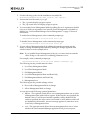
Note: The full-featured OneCommand Manager application enterprise kit is not
supported on Citrix XenServer 5.6 SP2, Citrix XenServer 6.0, or VMware ESX
server.
This chapter details procedures for updating the OneCommand Manager CLI to the
OneCommand Manager Application Enterprise kit in Linux, Solaris, and Windows
operating systems. An update can be performed only if the version of the
OneCommand Manager application enterprise kit is the same or later than the
OneCommand Manager CLI version.
Note: You cannot update a OneCommand Manager CLI with a previous version of
the OneCommand Manager application enterprise kit.
When the OneCommand Vision Sensor software is installed on production servers with
Emulex adapters, the Sensor software may load and use some of the software
components included in the OneCommand Manager application or HBAnyware utility
software stacks. It is essential that the OneCommand Vision Sensor software be
stopped before performing any updates to the OneCommand Manager application or
HBAnyware software stack components. For information on stopping the
OneCommand Vision Sensor, see the latest Emulex OneCommand Vision Installation and
Configuration Manual.
Linux
To update from the OneCommand Manager CLI to the full-featured OneCommand
Manager application enterprise kit in Linux, run the install.sh script of the
OneCommand Manager application enterprise kit.
The install script executes an rpm update (rpm -U *.rpm) to update the installed core kit
to an enterprise kit.
Solaris
To update from the OneCommand Manager CLI to the full-featured OneCommand
Manager application enterprise kit in Solaris:
1. Download the OneCommand Manager application enterprise kit to a temporary
directory on your system.
2. Untar the OneCommand Manager application enterprise kit tar file:
tar xvf elxocm-solaris-<kit version>.tar
3. Change to the newly created elxocm-<kit version> directory:
cd ./elxocm-solaris-<kit version>/
4. Run the install script and follow the instructions:
./install
OneCommand Manager Command Line Interface Version 6.3 User Manual
P009403-01A Rev. A
28
3. Updating to the OneCommand Manager Application Enterprise Kit
Windows
Windows
To update from the OneCommand Manager CLI to the full-featured OneCommand
Manager application enterprise kit in Windows:
1. From the desktop, run the “elxocm-windows--<kit version>.exe” file that contains
the full application kit.
Running this executable file removes the OneCommand Manager CLI and installs a
full-featured version of the OneCommand Manager application that includes the
CLI and the GUI.
OneCommand Manager Command Line Interface Version 6.3 User Manual
P009403-01A Rev. A
29
4. CLI Client Command Usage
Overview
4. CLI Client Command Usage
Overview
The CLI Client component of the OneCommand Manager application provides access
to the capabilities of the Remote Management library or the CIM interface from a
console command prompt to get the management information. The CLI Client is
intended for use in scripted operations from within shell scripts or batch files. The CLI
Client is a console application named HbaCmd. A single operation is performed by
entering “hbacmd”, followed by a CLI client command and its possible parameters, at
the command line. For example:
hbacmd <command> [parameters]
Note: To run the HBACMD application when Secure Management is enabled, you
must include your user name and password each time you type a command.
For example:
Secure Management disabled:
hbacmd <command>
Secure Management enabled:
hbacmd <m=sec> <userid><password><command>
User names and passwords are used to authenticate the commands. Once the
credentials are authenticated, the OCM will determine which one of the four
user groups you belong to and will allow command usage as appropriate. See
“OneCommand Manager Secure Management” on page 13 for more
information.
When the specified operation is completed, the command prompt is displayed. For a
majority of commands, the first parameter following the command is the WWPN or
MAC address of the port that the command is to act upon.
CLI in Read-Only Mode May Cause Error Message
Note: The CLI does not allow the execution of certain commands when it is
configured for read-only mode. The following error message is returned if such
a command is attempted:
Error: Read-only management mode is currently set on this host.
The requested command is not permitted in this mode.
HbaCmd Syntax Usage
The following syntax rules and usage are applicable for the HbaCmd application:
Parameters denoted within angle brackets < > are required.
Parameters denoted within square brackets [ ] are optional.
OneCommand Manager Command Line Interface Version 6.3 User Manual
P009403-01A Rev. A
30
4. CLI Client Command Usage
HbaCmd Syntax Usage
For Linux, Solaris, and VMware ESX (which are case-sensitive), program names
must be in lowercase letters, therefore, the command line must begin with
“hbacmd” (rather than “HbaCmd”). Windows is not case-sensitive, so the
program name is not required to be in all lowercase letters.
An optional IP address or host name can be specified using the “h” option with
the following syntax:
hbacmd [h=IP_Address[:port] | Hostname[:port]] <command> [parameters]
If the “h” option is omitted, the command is run on the local host.
If the “h” option is specified, the command is sent to the specified remote
host (assuming it is specified correctly, the remote host is up, and the remote
host is running the OneCommand Manager remote management agent.
The “:port” option is optional. If omitted, the OneCommand Manager
remote management protocol uses the default TCP port. If specified, it uses
the user-specified TCP port.
Examples:
Using the IP address:
hbacmd h=138.239.91.121 ListHBAs
Using the host name:
hbacmd h=cp-hp5670 ListHBAs
The “h” option is available for all commands except for the AddHost
(page 107), RemoveHost (page 111), and the Version (page 114) commands.
For FC ports, the WWPN of the adapter must be specified. Where the WWPN is
specified, each pair of numbers within the WWPN is separated by colons (:) or
spaces ( ). When using space separators, the entire WWPN must be enclosed in
quotes (“ ”). For example, the following command displays the port attributes
for the adapter with the specified WWPN:
hbacmd PortAttributes 10:00:00:00:c9:20:20:20
For iSCSI and NIC ports, the MAC address must be specified. Where a MAC
address is specified, each pair of numbers within the MAC address is separated
by a dash (-). For example, the following command sets the target properties for
the UCNA port with the specified MAC address with an extended timeout
value of “1”:
hbacmd SetTargetProperties 00-11-22-33-44-55 iscsiTarget 1
For NIC ports, only the permanent MAC address is supported for the port
address parameter on an HbaCmd command line.
Normally, for a UCNA port, the port’s permanent MAC address and current
MAC address parameters are equal. However, it is possible to set a
user-specified (current) MAC Address that is different from the permanent
MAC address. Also, for some implementations, it is possible to have multiple
UCNA ports with the same current MAC addresses, but with unique
permanent MAC addresses. Therefore, to ensure that the OneCommand
Manager can access the correct port, only the permanent MAC address is
supported. Note that both the permanent MAC address and the current MAC
address are displayed by using the ListHBAs command. See “ListHBAs” on
page 111.
OneCommand Manager Command Line Interface Version 6.3 User Manual
P009403-01A Rev. A
31
4. CLI Client Command Usage
Secure Management CLI Interface
Secure Management CLI Interface
Supported By
Linux, Solaris, and Windows
Note: Users with “root” or “Administrator” privileges on the local machine will retain
full OCM CLI configuration capability without the use of credentials (local
machine only).
Device Management Using the Secure Management
Interface
To run the HBACMD CLI client application when the Secure Management feature is
enabled, each invocation must include a user name and password. The user name and
password options are added to the existing hbacmd command in a similar fashion as is
currently done for CIM commands, except the <m=CIM> option is replaced by the
<m=SEC> option (to distinguish it from a CIM command). For example:
Without Secure Management (or if running as ‘root’ or ‘Administrator’):
hbacmd
<cmd>
With Secure Management (as non-Root or non-Administrator User):
hbacmd
<m=SEC> <u=userid> <p=password> <cmd>
Syntax Rules for the Secure Management Interface
For the secure management interface, all of the syntax rules in “HbaCmd Syntax
Usage” on page 30 apply. Additionally, the “m=sec” parameter is required in the
command for all users without ‘root’ or ‘Administrator’ privileges.
Usage Example
In Windows, to display a list of adapters managed for a specified host using the secure
management interface, run the following command:
hbacmd <h=192.168.1.122> m=sec u=jsmith p=<joepassword> download
00-12-34-56-78-9A oc11-4.6.96.2.ufi
CIM Interface
Notes:
In Linux and Solaris, you cannot use hbacmd as a CIM client.
The OneCommand Manager CLI running on the VMware ESX 4.1 COS does not
support the management of adapters using the CIM interface.
OneCommand Manager Command Line Interface Version 6.3 User Manual
P009403-01A Rev. A
32
4. CLI Client Command Usage
CIM Interface
Device Management Using the CIM Interface
VMware on the hypervisor-based ESXi platforms use the CIM as the only standard
management mechanism for device management.
For VMware ESXi 4.1,VMware ESXi 5.0, and VMware ESXi 5.1 hosts, you can manage
adapters using the OneCommand Manager on Windows, but you must install and use
the appropriate Emulex CIM Provider. For installation, see “Installing the CIM
Provider for VMware ESXi Hosts” on page 23.
Note: For VMware ESXi 5.0 and 5.1 hosts, when advanced adapter management
capabilities are required (for example, iSCSI Management and port disable), use
the OneCommand Manager for VMware vCenter software plug-in. For more
details, see the OneCommand Manager for VMware vCenter User Manual.
Syntax Rules for the CIM Interface
For the CIM interface, all the syntax rules in section “HbaCmd Syntax Usage” on
page 30 apply, except that the “h” option is required. Additionally, the “m=cim”
parameter is required in the command line for getting the data from the ESXi host. For
example:
hbacmd <h=IP_Address[:port]> m=cim u=root p=<password> n=<namespace>
InstallAdapterLicense 00-12-34-56-78-9A K:\lf1324.lic
Note: If you specify the parameter “m=cim”, the CLI uses the CIM interface to talk to
the CIM server running on ESXi to get the management information. If you do
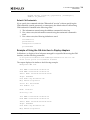
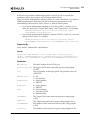
not specify the parameter “m=cim”, the CLI uses the RM interface to talk to the
RM server to get the management information.
Syntax Options and Setting CIM Credentials
For issuing CIM-based commands, two main syntax options are available.
Option A
hbacmd <h=IP_Address[:port]> m=cim [u=userid] [p=password]
[n=root/emulex] <command> <WWPN>
Option B
hbacmd <h=IP_Address[:port]> <m=cim> <command>
Before using the option B syntax, you must set the CIM credentials by doing one of
the following:
Set the default CIM credentials using the SetCimCred command (see
page 112). This command sets only the CIM credentials. Once you have set
them, subsequent HbaCmd commands do not require you specify the CIM
credentials on the command line. For example:
hbacmd SetCimCred <username> <password> <namespace>
<portnum>
Add the host IP address with CIM credentials using the AddHost
command. For example:
OneCommand Manager Command Line Interface Version 6.3 User Manual
P009403-01A Rev. A
33
4. CLI Client Command Usage
CIM Interface
hbacmd <m=cim> [u=userid] [p=password] [n=namespace]
AddHost <IP_Address>
Default CIM Credentials
If you specify the command with the CIM method “m=cim” without specifying the
CIM credentials (userid, password, or namespace), the default value for the missing
CIM credential is obtained in the following order:
1. The information entered using the addhost command is looked up.
2. If no values exist, the information entered using the setcimcred command is
used.
3. If no values exist, the following defaults are used:
username=root
password=root
namespace=root/emulex
portnum=5988
Example of Using the CIM Interface to Display Adapters
In Windows, to display a list of adapters managed for a specified host using the CIM
interface, run the following command:
C:\Program Files\Emulex\Util\OCManager>hbacmd h=10.192.113.128
m=cim u=root p=root n=root/emulex listhbas
The output displayed is similar to the following example:
Manageable HBA List
Port WWN: 10:00:00:00:c9:6b:62:2b
Node WWN: 20:00:00:00:c9:6b:62:2b
Fabric Name: 00:00:00:00:00:00:00:00
Flags: 00000000
Host Name: eng.ma.emulex.com
Mfg: Emulex Corporation
Serial No.: BG73539764
Port Number: n/a
Mode: Initiator
Discovery: cim
Port WWN: 10:00:00:00:c9:6b:62:59
Node WWN: 20:00:00:00:c9:6b:62:59
Fabric Name: 00:00:00:00:00:00:00:00
Flags: 00000000
Host Name: eng.ma.emulex.com
Mfg: Emulex Corporation
OneCommand Manager Command Line Interface Version 6.3 User Manual
P009403-01A Rev. A
34
4. CLI Client Command Usage
CIM Interface
Serial No.: BG73539764
Port Number: n/a
Mode: Initiator
Discovery: cim
C:\Program Files\Emulex\Util\OCManager>hbacmd h=10.192.113.128
m=cim u=root p=root n=root/emulex portattributes
10:00:00:00:c9:6b:62:2b
Port Attributes for 10:00:00:00:c9:6b:62:2b
Node WWN: 20 00 00 00 c9 6b 62 2b
Port WWN: 10 00 00 00 c9 6b 62 2b
Port Symname:
Port FCID: 0000
Port Type: Fabric
Port State: Unknown
Port Service Type: 12
vNIC Name:
vNIC Outer VLAN ID:
vNIC Min. Bandwidth:
vNIC Max. Bandwidth:
Port Supported FC4: 00 00 01 20 00 00 00 01
00 00 00 00 00 00 00 00
00 00 00 00 00 00 00 00
00 00 00 00 00 00 00 00
Port Active FC4: 00 00 01 00 00 00 00 01
00 00 00 00 00 00 00 00
00 00 00 00 00 00 00 00
00 00 00 00 00 00 00 00
Max Frame Size: 2048
OS Device Name:
Num Discovered Ports: 0
Fabric Name: 00 00 00 00 00 00 00 00
For a list of HbaCmd commands supported through the CIM interface, see “CLI Client
Commands Supported in CIM Interface” on page 35.
CLI Client Commands Supported in CIM Interface
Following is a list of HbaCmd commands supported through the CIM interface.
AddHost
AllNodeInfo
CEEDownload
OneCommand Manager Command Line Interface Version 6.3 User Manual
P009403-01A Rev. A
35
4. CLI Client Command Usage
CIM Interface
ChangePersonality
ChangeWWN
CMGetParams
CMMode
CMSetBW
DeleteDumpFiles
Download
Dump
EnableBootCode
GetBeacon
GetDCBParams
GetDriverParams
GetDriverParamsGlobal
GetDumpDirectory
GetDumpFile
GetDumpFileNames
GetFCFInfo
GetFIPParams
GetLunList
GetPGInfo
GetQosInfo
GetRetentionCount
GetVPD
GetWWNCap
GetXcvrData
HbaAttributes
InstallAdapterLicense
ListHBAs
LoadList
LoopBackTest
PciData
PortAttributes
PortStatistics
ReadWWN
RemoveHost
Reset
RestoreWWN
ServerAttributes
SetBeacon
OneCommand Manager Command Line Interface Version 6.3 User Manual
P009403-01A Rev. A
36
4. CLI Client Command Usage
CIM Interface
SetCnaPGBW
SetDCBParam
SetDCBPriority
SetDriverParam
SetDriverParamDefaults
SetDumpDirectory
SetFIPParam
SetPFCthrottle
SetPhyPortSpeed
SetRetentionCount
ShowAdapterLicenseFeatures
ShowLicenseAdapterID
ShowPersonalities
UmcEnable
UmcGetParams
UmcSetBw
UmcSet LPVD
TargetMapping
Version
CIM Provider 3.0
CIM Provider 3.0 supports the following commands:
Download
ChangeWWN
GetWWNCap
GetXcvrData
LoadList
Loopbacktest
GetBeacon
SetBeacon
ReadWWN
Reset
RestoreWWN
CIM Provider 3.1
CIM Provider 3.1 supports the following commands:
All the commands listed in the previous section for “CIM Provider 3.0” on
page 37.
Dump
OneCommand Manager Command Line Interface Version 6.3 User Manual
P009403-01A Rev. A
37
4. CLI Client Command Usage
Commands Supported in Target-Mode Ports
GetDCBParams
GetDumpDirectory
GetDumpFile
GetDumpFileNames
GetFCFInfo
GetFipParams
GetRetentionCount
GetPGInfo
SetDCBParam
SetCnaPgBw
SetDCBPriority
SetDumpDirectory
SetFIPParam
SetRetentionCount
CIM Provider 3.2
CIM Provider 3.2 supports the following commands:
All the commands listed in the previous section for “CIM Provider 3.1” on
page 37.
ChangePersonality
InstallAdapterLicense
ShowAdapterLicenseFeatures
ShowLicenseAdapterID
ShowPersonalities
CIM Provider 3.4.4
CIM Provider 3.4.4 supports the following commands:
All the commands listed in the previous section for “CIM Provider 3.2” on
page 38.
SetCableNVP
CIM Provider 3.5
CIM Provider 3.5 supports the following commands:
All the commands listed in the previous section for “CIM Provider 3.4.4” on
page 38.
SetPhyPortSpeed
Commands Supported in Target-Mode Ports
The following HbaCmd commands are supported for managing target-mode ports:
OneCommand Manager Command Line Interface Version 6.3 User Manual
P009403-01A Rev. A
38
4. CLI Client Command Usage
Unsupported Commands per Operating System
CreateVPort
DeleteDumpFiles
DeleteVPort
Download
DriverConfig
ExportSanInfo
GetDriverParams
GetDriverParamsGlobal
GetDumpDirectory
GetDumpFile
GetRetentionCount
GetVPD
GetXcvrData
HbaAttributes
ListHbas
ListVPorts
PortAttributes
PortStatistics
Reset
SaveConfig
ServerAttributes
SetDriverParam
SetDriverParamDefaults
SetPortEnabled
SetRetentionCount
Unsupported Commands per Operating System
For a list of all the supported commands, see Table 5-1, CLI Client Command
Reference, on page 43.
Linux
RHEL, SLES, and Oracle
RHEL, SLES, and Oracle do not support the following CLI commands:
BindingCapabilities
BindingSupport
GetCimCred
GetLunUnMaskByHBA
GetLunUnMaskByTarget
OneCommand Manager Command Line Interface Version 6.3 User Manual
P009403-01A Rev. A
39
4. CLI Client Command Usage
Unsupported Commands per Operating System
ListVMs
PersistentBinding
RemoveAllPersistentBinding
RemovePersistentBinding
SetBindingSupport
SetCimCred
SetDumpDirectory
SetLunMask
SetPersistentBinding
Citrix
Citrix (acting as a hypervisor-style server for OneCommand Manager CLI) does not
support the following CLI commands:
AuthConfigList
BindingCapabilities
BindingSupport
CreateVPort
DeleteVPort
GetAuthConfig
GetAuthStatus
GetCimCred
GetElxSecInfo
GetLunList
GetLunUnMaskByHBA
GetLunUnMaskByTarget
InitiateAuth
PersistentBinding
RemoveAllPersistentBinding
RemovePersistentBinding
RescanLuns
SetAuthConfig
SetBindingSupport
SetCimCred
SetPersistentBinding
SetLunMask
SetPassword
Solaris
Solaris does not support the following CLI commands:
OneCommand Manager Command Line Interface Version 6.3 User Manual
P009403-01A Rev. A
40
4. CLI Client Command Usage
Unsupported Commands per Operating System
CnaClearEventLog
CnaGetEventLog
DriverConfig
GetCimCred
GetElxSecInfo
ListVMs
SetCimCred
SetDumpDirectory
VMWare ESX
VMWare ESX does not support the following CLI commands:
AuthConfigList
BindingCapabilities
BindingSupport
CreateVPort
DeleteAuthConfig
DeleteVPort
GetAuthConfig
GetAuthStatus
GetCimCred
GetElxSecInfo
GetLunList
GetLunUnMaskByHBA
GetLunUnMaskByTarget
GetProtocolInfo
ImportSCSI
InitiateAuth
PersistentBinding
RemoveAllPersistentBinding
RemovePersistentBinding
RescanLuns
SetAuthConfig
SetBindingSupport
SetCimCred
SetLunMask
SetPersistentBinding
SetPassword
SetPortProtocol
OneCommand Manager Command Line Interface Version 6.3 User Manual
P009403-01A Rev. A
41
4. CLI Client Command Usage
Unsupported Commands per Operating System
Windows
Windows does not support the following CLI commands:
SetDumpDirectory
ListVMs
OneCommand Manager Command Line Interface Version 6.3 User Manual
P009403-01A Rev. A
42
5. CLI Client Command Descriptions
5. CLI Client Command Descriptions
A check mark () designates a supported command for a particular operating system,
CIM interface, and some CIM provider versions.
Table 5-1 CLI Client Command Reference
CIM Provider
Command
Linux Solaris
VMWare
ESX
Windows CIM 3.0 3.1 3.2 3.4.4 3.5 Page
AddARPTableEntry
86
AddHost
AddRouteTableEntry
86
AddTarget
87
AddTargetPortal
88
AllNodeInfo
AuthConfigList
56
BindingCapabilities
115
BindingSupport
116
107
115
ChangePersonality
ChangeWWN
CleariSNSServer
CMGetParams
62
CMMode
63
CMSetBW
64
CnaClearEventLog
107
CnaGetEventLog
108
CreateVPort
125
DelARPTableEntry
90
DeleteAuthConfig
57
DelRouteTableEntry
90
DeleteDumpFiles
DeleteVPort
DiscoveriSNSServer
Download
DriverConfig
Dump
119
128
89
79
125
90
OneCommand Manager Command Line Interface Version 6.3 User Manual
108
77
80
P009403-01A Rev. A
43
5. CLI Client Command Descriptions
Table 5-1 CLI Client Command Reference (Continued)
CIM Provider
Command
Linux Solaris
VMWare
ESX
Windows CIM 3.0 3.1 3.2 3.4.4 3.5 Page
EchoTest
EnableBootCode
ExportSANInfo
109
ExportiSCSI
91
GetBeacon
GetAuthConfig
57
GetAuthStatus
57
GetBootParams
61
109
GetCimCred
70
60
70
GetDCBParams
GetDriverParams
77
GetDriverParamsGlobal
77
GetDumpDirectory
80
GetDumpFile
81
GetDumpFileNames
82
GetElxSecInfo
GetFCFInfo
84
GetFIPParams
84
GetInitiatorProperties
91
GetiSCSILuns
91
GetiSCSIPortStats
92
GetLunList
GetLunUnMaskByHBA
105
GetLunUnMaskByTarget
106
92
110
105
GetNetwork
Configuration
GetPGInfo
GetQosInfo
GetRetentionCount
GetSessionInfo
GetVPD
OneCommand Manager Command Line Interface Version 6.3 User Manual
65
66
110
82
92
110
P009403-01A Rev. A
44
5. CLI Client Command Descriptions
Table 5-1 CLI Client Command Reference (Continued)
CIM Provider
Command
Linux Solaris
VMWare
ESX
Windows CIM 3.0 3.1 3.2 3.4.4 3.5 Page
GetWWNCap
129
GetXcvrData
71
HbaAttributes
Help
48
ImportiSCSI
93
InitiateAuth
58
InstallAdapterLicense
iSCSIPing
ListHBAs
ListSessions
94
ListVFunctions
126
ListVMs
ListVPorts
127
VPortTargets
127
LoadList
LoopBackTest
72
LoopMap
73
PciData
PersistentBinding
53
94
111
126
51
71
73
116
PortAttributes
53
PortStatistics
53
PostTest
ReadWWN
74
129
RemoveAllPersistent
Binding
116
RemovePersistent
Binding
117
RemoveHost
RemoveTarget
94
RemoveTargetPortal
95
RescanLuns
106
Reset
OneCommand Manager Command Line Interface Version 6.3 User Manual
111
112
P009403-01A Rev. A
45
5. CLI Client Command Descriptions
Table 5-1 CLI Client Command Reference (Continued)
CIM Provider
Command
Linux Solaris
VMWare
ESX
Windows CIM 3.0 3.1 3.2 3.4.4 3.5 Page
RestoreWWN
SaveConfig
ServerAttributes
SetAuthConfig
SetBeacon
SetBindingSupport
78
54
58
129
74
117
SetBootParam
61
SetBootTargetSession
95
SetCableNVP
SetCnaPGBW
SetCimCred
75
66
112
SetDCBParam
67
SetDCBPriority
68
SetDriverParam
78
SetDriverParamDefaults
79
SetDumpDirectory
82
85
SetFIPParam
SetInitiatorProperties
96
SetiSCSIBoot
97
106
97
SetLunMask
SetNetwork
Configuration
SetPassword
59
118
SetPersistentBinding
SetPfcThrottle
SetPhyPortSpeed
SetPortEnabled
SetRetentionCount
SetTargetLogin
Properties
98
SetTargetProperties
99
SetTPLoginProperties
99
OneCommand Manager Command Line Interface Version 6.3 User Manual
54
55
56
83
P009403-01A Rev. A
46
5. CLI Client Command Descriptions
Table 5-1 CLI Client Command Reference (Continued)
CIM Provider
Command
Linux Solaris
VMWare
ESX
Windows CIM 3.0 3.1 3.2 3.4.4 3.5 Page
ShowAdapterLicenseFeatures
ShowARPTable
101
ShowiSNSServer
101
ShowLicenseAdapterID
52
ShowPersonalities
120
ShowRouteTable
101
ShowTarget
102
ShowTargetPortal
102
SRIOVEnable
113
TargetLogin
102
TargetLogout
104
TargetMapping
TDRTest
UmcEnable
121
UmcGetParams
121
UmcSetBw
122
UmcSetLPVID
123
UpdateiSNSServer
Version
VPortTargets
127
Wakeup
76
OneCommand Manager Command Line Interface Version 6.3 User Manual
52
113
75
104
114
P009403-01A Rev. A
47
5. CLI Client Command Descriptions
Help
Help
The Help command displays command information for the HbaCmd application.
Without using its optional parameters, the Help command lists all the commands in
their respective groups. Using the optional parameter, GroupName, it lists the
commands in a group. Using the optional parameter, CmdName, it shows the details
for a specific command.
Supported By
Linux, Solaris, VMware ESX, and Windows
Syntax
Help [GroupName] [CmdName]
Parameters
GroupName
This optional parameter lists the commands in a particular group.
CmdName
This optional parameter shows the details for a particular CLI command.
Example 1
This help command example lists all the commands in their respective groups:
hbacmd help
The example output:
Usage: hbacmd version
or hbacmd { h=IPv4 Address{:port} | Hostname{:port} } <Command>
or hbacmd { h={[}IPv6 Address{]:port} <Command>
Note: When specifying IPv6 address with port option, it must be
enclosed in []. Example: [fe80::6445:80e9:9878:a527]:9876
Use the following syntax for issuing CIM based commands (IPv4 only):
A> hbacmd <h=IPv4 {:port}> <m=CIM> [u=userid][p=password][n=namespace] <cmd>
B> hbacmd <h=IPv4 {:port}> <m=CIM> <cmd>
Before specifying syntax B, the user should do one of the following:
1. Add the host IP with CIM credentials using the AddHost command.
e.g. hbacmd <m=CIM> [u=userid] [p=password] [n=namespace] AddHost <ip>
2. Set the default CIM credentials using the SetCimCred command.
e.g. hbacmd SetCimCred <u=userid> <p=password> <n=namespace> <o=port>
Command Summary
Help Commands
Help <Group>
Group: {AdapterLicense, Attributes, Authentication, Boot, CEE,
Channel Management, DCB,Diagnostics, DriverParams, Dump,
eAdapterManagement, eLunManagement, eLunMigration, FCoE, iSCSI,
KeyManagerClientManagement, LUNMasking, Miscellaneous,
PersistentBinding, Personality, PolicyManagement,
OneCommand Manager Command Line Interface Version 6.3 User Manual
P009403-01A Rev. A
48
5. CLI Client Command Descriptions
Help
ServerKeyManagement, ServerLicenseManagement,UMC,VPort, WWN
Adapter License Management Commands
ShowLicenseAdapterID, InstallAdapterLicense, ShowAdapterLicenseFeatures
Attributes Commands
HbaAttributes, PortAttributes, PortStatistics, ServerAttributes,
SetPhyPortSpeed SetPortEnabled
Authentication Commands
AuthConfigList, DeleteAuthConfig, GetAuthConfig, GetAuthStatus,
InitiateAuth, SetAuthConfig, SetPassword
Boot Commands
EnableBootCode, GetBootParams, SetBootParam
CEE Commands (LP21000 series only)
CEEDownload, GetCEEParams, SetCEEParam
Channel Management Commands
CMGetParams, CMMode, CMSetBW
DCB Commands
GetDCBParams, SetDCBParam, GetPGInfo, SetDCBPriority, SetCnaPGBW
Diagnostic Commands
EchoTest, GetBeacon, GetXcvrData, LoadList, LoopBackTest, LoopMap,
PciData, PostTest, SetBeacon, SetCableNVP, TDRTest, Wakeup
Driver Parameter Commands
DriverConfig, GetDriverParams, GetDriverParamsGlobal, SaveConfig,
SetDriverParam, SetDriverParamDefaults
Dump Commands
DeleteDumpFiles, Dump, GetDumpDirectory, SetDumpDirectory,
GetRetentionCount, SetRetentionCount, GetDumpFileNames, GetDumpFile
FCoE Commands
GetFIPParams, SetFIPParam, GetFCFInfo
iSCSI Commands
AddARPTableEntry, AddRouteTableEntry, AddTarget, AddTargetPortal,
CleariSNSServer, DelARPTableEntry, DelRouteTableEntry, DiscoveriSNSServer,
ExportiSCSI, GetInitiatorProperties, GetiSCSILuns, GetiSCSIPortStats,
GetNetworkConfiguration, GetSessionInfo, ImportiSCSI, iSCSIPing,
ListSessions, RemoveTarget, RemoveTargetPortal, SetBootTargetSession,
SetInitiatorProperties, SetiSCSIBoot, SetNetworkConfiguration,
SetTargetLoginProperties, SetTargetProperties, SetTPLoginProperties,
OneCommand Manager Command Line Interface Version 6.3 User Manual
P009403-01A Rev. A
49
5. CLI Client Command Descriptions
Help
ShowARPTable, ShowRouteTable, ShowTarget, ShowTargetPortal, TargetLogin,
ShowiSNSServer, TargetLogout, UpdateiSNSServer
LUN Masking Commands
GetLunList, GetLunUnmaskByHba, GetLunUnmaskByTarget, RescanLuns,
SetLunMask
Miscellaneous Commands
AddHost, CnaGetEventLog, CnaClearEventLog, Download, SRIOVEnable,
ExportSANInfo, GetCimCred, GetElxSecInfo, GetQoSInfo, GetVPD, ListHBAs,
ListVFunctions, RemoveHost, Reset, SetCimCred, SetPfcThrottle,
TargetMapping
Persistent Binding Commands
AllNodeInfo, BindingCapabilities, BindingSupport, PersistentBinding,
RemoveAllPersistentBinding, RemovePersistentBinding, SetBindingSupport,
SetPersistentBinding
Personality Management Commands
ShowPersonalities, ChangePersonality
Universal Multichannel Commands
UmcEnable, UmcGetParams, UmcSetBw, UmcSetLPVID
Virtual Port “VPort” Commands
CreateVPort, DeleteVPort, ListVFunctions, ListVPorts,
VPortTargets, ListVMs
WWN Management Commands
ChangeWWN, GetWWNCap, ReadWWN, RestoreWWN
Example 2
This help command example shows the details for the SetDCBParam command:
hbacmd help setdcbparam
The example output:
SetDCBParam <WWPN|MAC> <Param> <Value>
WWPN : World Wide Port Name of FCoE Port
MAC : MAC address of iSCSI or NIC port
Param: Parameter Name
Value: Parameter Value
Note:
1. For FCoEPriority and iScsiPriority, the valid range is 0 to 7.
A single priority must be specified.
2. For the following parameters, the valid values are 0 and 1:
DcbxState, DcbxMode
TxState, RxState, TxPortDesc, TxSysDesc, TxSysName, TxSysCap,
OneCommand Manager Command Line Interface Version 6.3 User Manual
P009403-01A Rev. A
50
5. CLI Client Command Descriptions
Adapter License Management Commands
PfcEnable, PfcPriority
3. PfcPriority comma separated list where multiple PFC priorities supported.
4. Specifying "defaults" for the Param argument sets all DCB parameters
(including Priority Groups) to their default values.
Ex: SetDCBParams <WWPN|MAC> defaults
Adapter License Management Commands
Notes:
Adapter License Management commands are supported on OneConnect
adapters only. These commands are not available on LP1600x adapters.
These commands are not available on OCe11101-EM/EX or OCe11102-EM/EX
adapters. The following error message will be returned:
There are no license features for this adapter
In these commands, the WWPN or MAC address argument specifies the adapter the
command is acting upon. The the HbaCmd application uses the WWPN or MAC
address to identify the adapter, but this does not mean that the command works
successfully on the specified port.
InstallAdapterLicense
This command installs the license keys from a license file to enable specific features on
the adapter.
Supported By
Linux, Solaris, VMware ESX, and Windows
Syntax
InstallAdapterLicense <WWPN|MAC> <LicenseFile>
Parameters
WWPN
The FCoE port WWPN of the adapter.
MAC
The NIC or iSCSI port address of the adapter.
License File
The path to the license key file containing the license keys obtained
from the Emulex License website.
Examples
For non-VMware ESX/ESXi hosts:
hbacmd InstallAdapterLicense 00-12-34-56-78-9A K:\lf1324.lic
For VMware ESX/ESXi hosts:
hbacmd h=<IP_Address> m=cim u=root p=<password> n=<namespace>
InstallAdapterLicense 00-12-34-56-78-9A K:\lf1324.lic
OneCommand Manager Command Line Interface Version 6.3 User Manual
P009403-01A Rev. A
51
5. CLI Client Command Descriptions
Adapter License Management Commands
ShowAdapterLicenseFeatures
This command displays the list of licensed and licensable features, as well as, features
that are already licensed. The output is a list of features with an indication of whether
or not the feature has been licensed.
Supported By
Linux, Solaris, VMware ESX, and Windows
Syntax
ShowAdapterLicenseFeatures <WWPN|MAC>
Parameters
WWPN
The FCoE port WWPN of the adapter.
MAC
The NIC or iSCSI port address of the adapter.
Examples
For non-VMware ESX/ESXi hosts:
hbacmd ShowAdapterLicenseFeatures
00-12-34-56-78-9A
For VMware ESX/ESXi hosts:
hbacmd h=<IP_Address> m=cim u=root p=<password> n=<namespace>
ShowAdapterLicenseFeatures 00-12-34-56-78-9A
ShowAdapterLicenseID
This command returns the adapter ID used for enabling licensed features. The adapter
ID and the entitlement code are used to obtain license keys which enable various
features on the adapter.
Supported By
Linux, Solaris, VMware ESX, and Windows
Syntax
ShowLicenseAdapterID <WWPN|MAC>
Parameters
WWPN
The FCoE port WWPN of the adapter.
MAC
The NIC or iSCSI port address of the adapter.
Examples
For non-VMware ESX/ESXi hosts:
hbacmd ShowLicenseAdapterID 00-12-34-56-78-9A
OneCommand Manager Command Line Interface Version 6.3 User Manual
P009403-01A Rev. A
52
5. CLI Client Command Descriptions
Attributes Commands
For VMware ESX/ESXi hosts:
hbacmd h=<IP_Address> m=cim u=root p=<password> n=<namespace>
ShowLicenseAdapterID 00-12-34-56-78-9A
Attributes Commands
HbaAttributes
This command shows a list of all adapter attributes for all ports on the adapter. The
type of information listed may vary according to the adapter model.
Supported By
Linux, Solaris, VMware ESX, and Windows
Syntax
HbaAttributes <WWPN>
Parameters
h
The IP address of the host.
WWPN
The WWPN of the adapter.
PortAttributes
This command shows a list of port attributes for the adapter. The type of information
listed may vary according to the adapter model.
Supported By
Linux, Solaris, VMware ESX, and Windows
Syntax
PortAttributes <WWPN|MAC>
Parameters
h
The IP address of the host.
WWPN
The WWPN of the adapter.
MAC
The MAC address of the NIC or iSCSI port.
PortStatistics
This command shows all port statistics for the adapter. The type of information listed
may vary according to the adapter model.
OneCommand Manager Command Line Interface Version 6.3 User Manual
P009403-01A Rev. A
53
5. CLI Client Command Descriptions
Attributes Commands
Supported By
Linux, Solaris, VMware ESX, and Windows
Syntax
PortStatistics <WWPN>
Parameters
WWPN
The WWPN of the adapter.
ServerAttributes
This command shows a list of server attributes for the adapter. The type of information
listed may vary according to the adapter model.
Supported By
Linux, Solaris, VMware ESX, and Windows
Syntax
ServerAttributes <WWPN|MAC>
Parameters
WWPN
The WWPN of the adapter.
MAC
The MAC address of the NIC or iSCSI port.
SetPfcThrottle
This command returns the PFC Throttle state as enabled or disabled.
Note: The PFC Throttle state returns when using the PortAttributes command for
OneConnect OCe10102 adapters. However, for OneConnect adapters with
older firmware that does not support PfcThrottle and for non-OneConnect
adapters, the PFC Throttle state does not return when using the PortAttributes
command.
Supported By
Linux, Solaris, VMware ESX, and Windows
Syntax
SetPfcThrottle <WWPN> <0|1>
Parameters
WWPN
The WWPN of the adapter.
OneCommand Manager Command Line Interface Version 6.3 User Manual
P009403-01A Rev. A
54
5. CLI Client Command Descriptions
Attributes Commands
The PFC throttle state:
0 = Disabled
1 = Enabled
0|1
SetPhyPortSpeed
This command sets the port speed on OneConnect OCe11100-series adapters only.
Supported By
Linux, Solaris, VMware ESX, and Windows
Syntax
SetPhyPortSpeed <WWPN|MAC> <Mode> [Speed [Length]]
Parameters
WWPN
The WWPN of the FCoE port.
MAC
The MAC address of the CNA port.
Mode
The Mode number:
0 = Default
1 = Auto-negotiate; requires the <Speed> argument.
2 = Force; requires the <Speed> and <Length> arguments.
Speed
The Speed string.
When <Mode> is 1 or 2, the <Speed> argument is required. When <Mode> is
0, the <Speed> argument is ignored.
The speed of the PHY port. Some valid string values include “100Mb”, “1Gb”,
and “10Gb”. The PortAttributes command lists all the valid speeds in
Auto-negotiate and Force modes.
Length The length of the direct attach copper cable in meters. Valid values are 0–10. A
<Length> value is required when using a 10Gb SFP Plus transceiver.
When <Mode> is 2, the <Length> argument is required. When <Mode> is 0 or
1, the <Length> argument is ignored.
Examples
The following example configures the PHY port to a forced speed of 1 Gb/sec with a
cable length of two meters:
hbacmd setphyportspeed 00-00-c9-ad-ad-ac 2 1Gb 2
The following example tries to configure the PHY port to a forced speed of 100 Mb/sec:
hbacmd setphyportspeed 00-00-c9-a9-41-88 2 100Mb
This command results in an error because you must include a <Length> value
when <Mode> is 2:
ERROR: <431>: Cable length required for force mode and interface
type
OneCommand Manager Command Line Interface Version 6.3 User Manual
P009403-01A Rev. A
55
5. CLI Client Command Descriptions
Authentication Commands
SetPortEnabled
This command enables or disables the FC or UCNA port.
Notes:
Ensure that all I/Os on the port are stopped before disabling the port.
Only OneConnect adapters do not require a reset when the adapter port is
enabled or disabled. For all other adapters, when the SetPortEnabled command
disables an FC port, the adapter must be reset to activate the new setting.
Supported By
Linux, Solaris, VMware ESX, and Windows
Syntax
SetPortEnabled <WWPN|MAC> <PortEnable>
Parameters
WWPN
The WWPN of the adapter.
MAC
The MAC address of the NIC or iSCSI port.
PortEnabled
The port-enabled state:
0 = Disabled
1 = Enabled
Authentication Commands
Note: Authentication commands are supported on FC adapter ports only. These
commands are not available on LP1600x adapters.
AuthConfigList
This command returns the list of WWPNs that have an authentication connection
configuration with the specified adapter.
Supported By
Linux, Solaris, and Windows
Syntax
AuthConfigList <WWPN>
Parameters
WWPN
The WWPN of the adapter.
OneCommand Manager Command Line Interface Version 6.3 User Manual
P009403-01A Rev. A
56
5. CLI Client Command Descriptions
Authentication Commands
DeleteAuthConfig
This command deletes the authentication configuration on the adapter.
Supported By
Linux, Solaris, and Windows
Syntax
DeleteAuthConfig <WWPN1> <WWPN2> <PasswordType> <Password>
Parameters
WWPN1
The WWPN of the adapter.
WWPN2
Use “ff:ff:ff:ff:ff:ff:ff:ff” for a switch or use the WWPN for a target.
PasswordType 1 = ASCII
2 = Hex (binary)
3 = Password not yet defined
The current password value.
Password
GetAuthConfig
This command retrieves the authentication configuration for the adapter.
Supported By
Linux, Solaris, and Windows
Syntax
hbacmd GetAuthConfig <WWPN1> <WWPN2>
Parameters
WWPN1
The WWPN of the adapter.
WWPN2
Use “ff:ff:ff:ff:ff:ff:ff:ff” for a switch or use the WWPN for a target.
GetAuthStatus
This command returns the current status for the authentication connection specified by
WWPN 1 and WWPN2 (adapter and the switch). It includes the current authentication
state (connected or failed). Currently authenticated connections specify the hash
algorithm and DH group used in the DHCHAP associated with this connection. Failed
status includes the failure reason.
Supported By
Linux, Solaris, and Windows
OneCommand Manager Command Line Interface Version 6.3 User Manual
P009403-01A Rev. A
57
5. CLI Client Command Descriptions
Authentication Commands
Syntax
GetAuthStatus <WWPN1> <WWPN2>
Parameters
WWPN1
The WWPN of the adapter.
WWPN2
Use “ff:ff:ff:ff:ff:ff:ff:ff” for a switch or use the WWPN for a target.
InitiateAuth
This command initiates the authentication configuration on the adapter.
Supported By
Linux, Solaris, and Windows
Syntax
InitiateAuth <WWPN1> <WWPN2>
Parameters
WWPN1
The WWPN of the adapter.
WWPN2
Use “ff:ff:ff:ff:ff:ff:ff:ff” for a switch or use the WWPN for a target.
SetAuthConfig
This command sets the authentication configuration for the adapter.
Supported By
Linux, Solaris, and Windows
Syntax
SetAuthConfig <WWPN1> <WWPN2> <PasswordType> <Password> <Param> <Value>
Note: Where multiple parameters and values are used, separate them using commas.
Parameters
WWPN1
The WWPN of the adapter.
WWPN2
Use “ff:ff:ff:ff:ff:ff:ff:ff” for a switch or use the WWPN for a target.
PasswordType
1 = ASCII
2 = Hex (binary)
3 = Password not yet defined
Password
The current password value.
OneCommand Manager Command Line Interface Version 6.3 User Manual
P009403-01A Rev. A
58
5. CLI Client Command Descriptions
Authentication Commands
The parameter names:
Param
Mode
Timeout
Bi-directional
Hash-priority
DH-priority
Re-authentication
Re-authentication-interval
The value is based on the type of <Param>:
Value
Mode: disabled, enabled, or passive
Timeout: time in seconds
Bi-directional = disabled or enabled
Hash-priority: md5 or sha1 (md5 = first md5, then sha1;
sha1 = first sha1, then md5)
DH-priority: 1, 2, 3, 4, 5; any combination up to 5 digits
Re-authentication: disabled or enabled
Re-authentication-interval: 0, 10– 3600
SetPassword
This command sets the password for the adapter.
Supported By
Linux, Solaris, and Windows
Syntax
SetPassword <WWPN1> <WWPN2> <Flag> <Cpt> <Cpw> <Npt> <Npw>
Parameters
WWPN1
The WWPN of the adapter.
WWPN2
Must be “ff:ff:ff:ff:ff:ff:ff:ff” for a switch or the actual WWPN for a target.
Flag
1 = Local (password used by the adapter when the adapter authenticates
to the switch)
2 = Remote (password used by the adapter when the switch authenticates
to the adapter)
Cpt
Current password type
1 = ASCII
2 = Hex (binary)
3 = Password not yet defined
Cpw
Current password value.
OneCommand Manager Command Line Interface Version 6.3 User Manual
P009403-01A Rev. A
59
5. CLI Client Command Descriptions
Boot Commands
Npt
New password type
1 = ASCII
2 = Hex (binary)
Npw
New password value.
Boot Commands
EnableBootCode
This command is used to perform either of the following:
Enable or disable network boot for UCNA NIC ports. If network boot is being
enabled, it is necessary to select the specific network boot type. The supported
network boot types are PXE and iBFT. Note that iBFT is not supported on all
UCNA types.
Enable/disable the boot code for an FC adapter port. If the boot code is disabled
on the FC adapter, the adapter does not boot from the SAN, regardless of the
value for the EnableBootFromSan boot parameter. If the boot code is enabled on
the FC adapter, the adapter boots from the SAN if the EnableBootFromSan
parameter is also enabled.
Supported By
Linux, Solaris, VMware ESX, and Windows
Syntax
EnableBootCode <WWPN|NIC MAC> <Flag> <NetworkBootMethod>
Parameters
WWPN
World Wide Port Name of FC port
NIC MAC
MAC address of the NIC port.
Flag
D = Disable the boot code.
E = Enable the boot code.
NetworkBootMethod Network boot method to be used by the NIC (“PXE” or “iBFT”.
The network boot types supported on the specific NIC may be
found in the Available Network Boot Methods string displayed
by the HbaAttributes command. This parameter is not required
for FC or FCoE ports, and is only specified when enabling
network boot.
Examples
The following example enables iBFT for a NIC:
C:\Program Files\Emulex\Util\OCManager>HBACMD
00-00-c9-11-22-33 e iBFT
OneCommand Manager Command Line Interface Version 6.3 User Manual
EnableNetworkBoot
P009403-01A Rev. A
60
5. CLI Client Command Descriptions
Boot Commands
The following example disables network boot:
C:\Program Files\Emulex\Util\OCManager>HBACMD
00-00-c9-11-22-33 d
EnableNetworkBoot
GetBootParams
This command shows the boot parameters. If any arguments are missing or invalid, a
suitable error is reported. If all arguments are correct, the data is displayed in tabular
form.
Supported By
Linux, Solaris, VMware ESX, and Windows
Syntax
GetBootParams <WWPN> <Type>
Parameters
WWPN
The WWPN of the adapter.
Type
X86, OpenBoot, or UEFI
SetBootParam
This command changes the boot parameters. You can change adapter parameters and
boot device parameters for x86, OpenBoot, and UEFI boot.
When changing adapter parameters, omit the BootDev keyword and value;
otherwise, an error is reported.
When changing boot device parameters for OpenBoot, omit the BootDev
keyword and value; otherwise, an error is reported.
For boot device parameters for X86 or UEFI, you must provide the BootDev
keyword and value.
Supported By
Linux, Solaris, VMware ESX, and Windows
Syntax
SetBootParam <WWPN> <Type> <Param> <Value1> [BootDev <Value2>]
Parameters
WWPN
The WWPN of the adapter.
Type
Possible values are X86, OpenBoot, or UEFI
Param
The parameter name.
Value1
The parameter value.
BootDev
The boot device.
OneCommand Manager Command Line Interface Version 6.3 User Manual
P009403-01A Rev. A
61
5. CLI Client Command Descriptions
CEE Commands
The boot device entry number: 0–7
Value2
CEE Commands
Three CEE commands are listed when you run the help command; however, the
commands are only applicable for a discontinued product and should be ignored.
Channel Management Commands
These commands enable and disable channel management of CNA adapters and the
setting of channel properties.
Each adapter’s physical port can be partitioned into a maximum of four isolated
channels providing a converged conduit for network and storage traffic. Each channel
has its own unique MAC address. Depending on the type of channel management in
effect, each channel provides various traffic management and provisioning capabilities,
such as enabling and disabling, minium and maximum transmit rates, and VLAN ID
(in UMC for untagged packets, also called the LPVID).
OCM allows the enabling and disabling of channel management and in the case of
UMC/vNIC2, the setting of each channel’s properties. For the vNIC1 and UFP channel
management types, OCM will display the channel properties, but not allow
modification.
Notes:
For IBM adapters, UMC mode may be referred to as “vNIC2”.
There are OCM CLI commands for UMC management that are still available for
backward compatibility with existing UMC scripts. They cannot be used to
manage other channel management types. See “UMC Commands” on page 120
for information on UMC management.
CMGetParams
This command shows the current channel management configuration for an adapter’s
physical port. For UMC configurations, the UMCGetParams command can still be
used.
The command’s output is the active (booted) channel management state for the
adapter, the configured state, the configured management mode (not applicable if the
configured state is disabled) and the available channel management modes. This is
followed by a table showing the port’s channels along with their channel properties.
The Type column shows the protocol that is running on each channel.
Note: For some adapters, three channels will be shown instead of four because the
physical port will only support three.
Supported By
Linux, Solaris, VMware, and Windows
OneCommand Manager Command Line Interface Version 6.3 User Manual
P009403-01A Rev. A
62
5. CLI Client Command Descriptions
Channel Management Commands
Syntax
hbacmd CMGetParams <WWPN | MAC Address>
Parameters
WWPN
: WWPN of an FCoE function on the physical port
Type
: MAC address of any NIC function on the physical adapter port
Example
>hbacmd CMGetParams 00-00-c9-12-34-56
Active state:
Disabled
Configured mode:
None
Available modes:
vNIC1, vNIC2, UFP
>hbacmd CMGetParams 00-00-c9-12-34-56
Active state:
Enabled
Configured mode:
UMC
Available modes:
vNIC1, vNIC2, UFP
Func# Type
MAC Address
LPVID
Min BW
Max BW
----- ----
-----------------
-----
------
------
0
NIC
00-00-c9-bb-cc-aa
2
25
50
1
NIC
00-00-c9-bb-cc-ab
3
0
50
2
NIC
00-00-c9-bb-cc-ac
4
25
50
3
NIC
00-00-c9-bb-cc-ad
5
50
75
CMMode
This command enables a channel management mode or disables channel management.
For UMC configurations, the UMCEnable command can still be used (to enable UMC
only).
This command sets the channel management type at the adapter level. A system reboot
is required to make the change take effect.
Supported By
Linux, Solaris, VMware ESX, and Windows
Syntax
hbacmd CMMode <WWPN | MAC Address> <None | Type>
Parameters
WWPN
: WWPN of an FCoE function on the physical port
OneCommand Manager Command Line Interface Version 6.3 User Manual
P009403-01A Rev. A
63
5. CLI Client Command Descriptions
Channel Management Commands
MAC
: MAC address of any NIC function on the physical adapter port
Type
: Specify “None” to disable channel management or a channel
management type (see CMGetParams) to enable channel management
Example
>hbacmd CMMode 00-00-c9-bb-cc-aa None
This example disables channel management on an adapter containing a NIC function
with a MAC address of 00-00-c9-ad-ad-aa.
CMSetBW
This command sets the minimum and maximum bandwidths for each channel (up to
four) on the physical port. For UMC configurations, this command can also be used to
enable or disable a channel. For UMC, the UMCSetBW command can still be used
instead of this command.
The total of the minimum bandwidths must add up to 100. The maximum bandwidths
must be greater than or equal to the minimum bandwidth and has a maximum of 100.
A reboot is not required to make these changes take effect (when channel management
is enabled).
For UMC mode, you can disable a channel (logical link state down) by setting the
minimum bandwidth (and maximum) to 0. Setting the minimum bandwidth to a value
greater than 0 will enable the channel if it was previously disabled.
Note: This command will fail if the current channel management mode is vNIC1 or
UFP.
Supported By
Linux, Solaris, VMware ESX, and Windows
Syntax
hbacmd CMSetBW <WWPN | MAC Address> <Min0,Max0> <Min1,Max1> <Min2,Max2>
[Min3,Max3]
Parameters
MAC Address
: MAC address of any NIC function on the physical adapter port
WWPN
: WWPN of an FCoE function on the physical port
Min0, Max0
: minimum and maximum bandwidths for channel 0
Min1, Max1
: minimum and maximum bandwidths for channel 1
Min2, Max2
: minimum and maximum bandwidths for channel 2
Min3, Max3
: minimum and maximum bandwidths for channel 3
Examples
>hbacmd CMSetBW 00-00-c9-bb-cc-aa 25,50 50,75 0,0 25,100
OneCommand Manager Command Line Interface Version 6.3 User Manual
P009403-01A Rev. A
64
5. CLI Client Command Descriptions
DCB Commands
For a port with a channel with the specified MAC address, this command:
Sets channel 0’s minimum bandwidth to 25% and maximum to 50%
Sets channel 1’s minimum bandwidth to 50% and maximum to 75%
Disables channel 2 (if UMC)
Sets channel 3’s minimum bandwidth to 25% and maximum to 100%
If UMC, channels 0, 1 and 3, would be enabled if their previous bandwidths were 0.
DCB Commands
This command shows the internal host PFC flag value and DCBX mode (DCB version),
as well as the LLDP state for iSCSI, FCoE, and NIC UCNAs.
Notes:
DCB commands are for DCB management of OneConnect adapters only.
DCB or parts of DCB may not always be available on an adapter, depending on
its configuration. For example, when UMC is enabled, priority groups are not
available. Therefore, the SetCNAPGBW and SetDCBPriority commands would
not be available.
These commands are not available on Ce11101-EM/EX or OCe11102-EM/EX
adapters. The following error message will be returned:
ERROR: <222>: DCB not available
GetDCBParams
This command shows the internal host PFC flag value and DCBX mode (DCB version),
as well as the LLDP state for iSCSI, FCoE, and NIC UCNAs.
Supported By
Linux, Solaris, VMware ESX, and Windows
Syntax
GetDCBParams <WWPN|MAC>
Parameters
WWPN
The WWPN of the adapter.
MAC
The MAC address of the NIC or iSCSI port.
Example
hbacmd h=10.192.203.154 getdcbparams 00-00-c9-93-2f-d8
OneCommand Manager Command Line Interface Version 6.3 User Manual
P009403-01A Rev. A
65
5. CLI Client Command Descriptions
DCB Commands
GetPGInfo
This command shows the bandwidth percentages for all the priority groups for the
port. Additionally, this command displays the number of priority groups supported by
an adapter.
Supported By
Linux, Solaris, VMware ESX, and Windows
Syntax
GetPGInfo <WWPN|MAC>
Parameters
WWPN
The WWPN address of the FCoE port.
MAC
The MAC address of the NIC or iSCSI port.
Example
hbacmd h=10.192.203.154 getpginfo 00-00-c9-93-2f-d8
SetCnaPGBW
This command sets the bandwidth percentage of a priority group according to the
following rules:
1. Bandwidths (BW0–BW7) for priority groups 0–7 (PG0–PG7) must total 100 (for
100%).
2. Bandwidth can be assigned to a priority group that has priorities.
Supported By
Linux, Solaris, VMware ESX, and Windows
Syntax
SetCnaPGBW <WWPN|MAC> <BW0–BW7>
Parameters
WWPN
The WWPN of the adapter.
MAC
The MAC address of the NIC or iSCSI port.
BW0–BW7
The bandwidths allocated for the priority groups 0–7.
Example
This command sets the bandwidth of PG0 to 50%, PG1 to 50%, and PG2–PG7 to 0%.
hbacmd SetCnaPGBW 10:00:00:00:c9:3c:f7:88 50 50 0 0 0 0 0 0
OneCommand Manager Command Line Interface Version 6.3 User Manual
P009403-01A Rev. A
66
5. CLI Client Command Descriptions
DCB Commands
SetDCBParam
This command configures the DCB and LLDP settings on the OneConnect adapter.
Supported By
Linux, Solaris, VMware ESX, and Windows
Syntax
SetDCBParam <WWPN|MAC> <Param> <Value>
Parameters
WWPN
The WWPN of the adapter.
MAC
The MAC address of the NIC or iSCSI port.
Param
The parameter name. See the following “DCB Settings for <Param> and
<Value>” and “LLDP Settings for <Param> and <Value>” sections.
Value
The parameter value. See the following “DCB Settings for <Param> and
<Value>” and “LLDP Settings for <Param> and <Value>” sections.
DCB Settings for <Param> and <Value>
<Param>
Description and <Value>
DCBXState
The DCBX protocol state.
0 = Disabled
1 = Enabled
DCBXMode
The DCBX mode: DCB or CIN.
0 = CIN
1 = DCB
The <DCBXmode> also configures the FIP mode. If
<DCBXmode> = DCB, FIP is enabled. If <DCBXmode> = CIN, FIP
is disabled.
PFCEnable
Flow control in both directions (transmit and receive).
0 = Disabled
1 = Enabled
FCoEPriority
This parameter is applicable for FCoE adapters only. A single
priority must be specified. The range of valid values is 0-7.
iSCSIPriority This parameter is applicable for iSCSI adapters only. A single
priority must be specified. The range of valid values is 0-7.
PFCPriority
A list of comma-separated values where multiple PFC priorities
supported. The comma-separated list can contain up to seven
values ranging from 0-7.
defaults
Use to set the UCNA DCB parameters (including priority groups)
to their default values. For example:
hbacmd SetDCBParam <WWPN|MAC> defaults
OneCommand Manager Command Line Interface Version 6.3 User Manual
P009403-01A Rev. A
67
5. CLI Client Command Descriptions
DCB Commands
LLDP Settings for <Param> and <Value>
<Param>
Description and <Value>
TxState
Transmit State: DCBX uses LLDP to exchange parameters
between two link peers. For the DCBX protocol to operate
correctly, both LLDP Rx and Tx must be enabled. If either Rx or
Tx is disabled, DCBX is disabled.
0 = Disabled
1 = Enabled
RxState
Receive State: DCBX uses LLDP to exchange parameters between
two link peers. For the DCBX protocol to operate correctly, both
LLDP Rx and Tx must be enabled. If either Rx or Tx is disabled,
DCBX is disabled.
0 = Disabled
1 = Enabled
TxPortDesc
Transmit Port Description: provides a description of the port in an
alpha-numeric format.
0 = Disabled
1 = Enabled
TxSysDesc
Transmit System Description: provides a description of the
network entity in an alpha-numeric format.
0 = Disabled
1 = Enabled
TxSysName
Transmit System Name: provides the system’s assigned name in
an alpha-numeric format.
0 = Disabled
1 = Enabled
TxSysCap
Transmit System Capabilities:
0 = Disabled
1 = Enabled
Example
hbacmd h=10.192.203.151 m=cim u=root p=Swamiji001 n=root/emulex
setdcbparam 00-00-c9-3c-f7-88 fcoepriority 3
SetDCBPriority
This command sets the priorities for a priority group. The values must be set according
to the following rules:
1.
2.
3.
4.
The priorities range from 0 to 7.
The PGIDs range from 0 to 7.
A priority can exist in only one priority group.
All priorities must appear once in any of the eight priority groups (PG0–PG7).
OneCommand Manager Command Line Interface Version 6.3 User Manual
P009403-01A Rev. A
68
5. CLI Client Command Descriptions
DCB Commands
5.
6.
7.
8.
9.
10.
11.
Each set of priorities for a group must be separated by a space.
Specify multiple priorities for the same group by a comma-separated list.
To specify “none”, use “-’ for the argument.
The same priority values cannot be specified to different groups.
All priorities (0–7) must be assigned to some PGID.
Not all PGIDs must be assigned a priority.
Not all adapters support two PFC priorities and eight priority groups. For
adapters, if you exceed the PFC priorities or priority groups, an error message
appears.
The following rules are specific to FCoE adapters:
1. A minimum of one and a maximum of two PFC priorities can be configured.
2. One of the PFC priorities must match the FCoE priority.
3. The additional PFC priority must be assigned to a priority group that has no
other priorities.
4. The FCoE priority must be assigned to a priority group that has no other
priorities.
The following rules are specific to iSCSI adapters:
1. A minimum of one and a maximum of two PFC priorities can be configured.
2. One of the PFC priorities must match the iSCSI priority.
3. The additional PFC priority must be assigned to a priority group that has no
other priorities.
4. The iSCSI priority must be assigned to a priority group that has no other
priorities.
The following rules are specific to NIC adapters:
1. Only one PFC priority can be configured.
2. The PFC priority must be assigned to a priority group that has no other
priorities.
Supported By
Linux, Solaris, VMware ESX, and Windows
Syntax
hbacmd SetDCBPriority <WWPN|MAC> <PFC Priorities> <Priorities of PGID0>
<Priorities of PGID1>...<Priorities of PGID7>
Parameters
WWPN
The WWPN of the adapter.
MAC
The MAC address of the NIC or iSCSI port.
PFCPriorities
The PFC priority that is a comma-separated list of up to seven
values, ranging from 0–7.
OneCommand Manager Command Line Interface Version 6.3 User Manual
P009403-01A Rev. A
69
5. CLI Client Command Descriptions
Diagnostic Commands
Priorities of
PGID
Priority group membership that is a comma-separated list of
priorities ranging from 0–7. Each set of priorities for a group must
be separated by a space. All priorities (0–7) must be assigned to
some PGID.
Example
hbacmd h=10.192.203.151 m=cim setdcbpriority 10:00:00:00:c9:3c:f7:88 3
0,1,2,4,5,6,7 3 0 0 0 0 0 0
Diagnostic Commands
EchoTest
This command runs the echo test on adapters.
Notes:
This command is not supported for OneConnect adapters.
Support for remote adapter is TCP/IP access only. The EchoTest command fails
if the target WWPN does not support the ECHO ELS command.
Supported By
Linux, Solaris, VMware ESX, and Windows
Syntax
EchoTest <WWPN Source> <WWPN Destination> <Count> <StopOnError>
<Pattern>
Parameters
WWPN Source
The WWPN of the originating adapter.
WWPN Destination
The WWPN of the destination (echoing) adapter.
Count
The number of times to run the test. Use “0” to run the test
indefinitely.
StopOnError
Checks if the test must be halted on error:
0 = No halt.
1 = Halt on error.
Pattern
Hexadecimal data pattern to transmit (up to 8 characters).
GetBeacon
This command shows the current beacon state (either “on” or “off”).
Supported By
Linux, Solaris, VMware ESX, and Windows
OneCommand Manager Command Line Interface Version 6.3 User Manual
P009403-01A Rev. A
70
5. CLI Client Command Descriptions
Diagnostic Commands
Syntax
GetBeacon <WWPN|MAC>
Parameters
WWPN
The WWPN of the adapter.
MAC
The MAC address of the NIC or iSCSI port.
GetXcvrData
Note: GetXcvrData is not supported for OneConnect OCe11100 series adapters.
This command shows transceiver data such as vendor name and serial number.
Supported By
Linux, Solaris, VMware ESX, and Windows
Syntax
GetXcvrData <WWPN|MAC> [Type]
Parameters
WWPN
The WWPN of the adapter.
MAC
The MAC address of the NIC or iSCSI port.
Type
The type of SFP data to display:
1 = Formatted data
2 = Raw data
Example
C:\Program Files\emulex\Util\OCManager>hbacmd h=10.192.203.154 m=cim
u=root p=Swamiji001 n=root/emulex getxcvrdata 00-00-c9-93-2f-d6
LoadList
Note: Not supported for OneConnect adapters.
This command shows the flash memory load list data for the adapter.
Supported By
Linux, Solaris, VMware ESX, and Windows
Syntax
LoadList <WWPN>
OneCommand Manager Command Line Interface Version 6.3 User Manual
P009403-01A Rev. A
71
5. CLI Client Command Descriptions
Diagnostic Commands
Parameters
WWPN
The WWPN of the adapter.
LoopBackTest
This command runs the loop test on the adapter specified by the WWPN or MAC
address. Only PHY loopback test and MAC loopback tests are enabled for OneConnect
adapters.
Note: Loopback tests can be run on FC ports being managed locally or remotely
through TCP/IP-based management.
Supported By
Linux, Solaris, VMware ESX, and Windows
Syntax
LoopBackTest <WWPN|MAC> <Type> <Count> <StopOnError> [Pattern]
Parameters
WWPN
The WWPN of the FC or FCoE port.
MAC
The MAC address of the NIC or iSCSI port.
Type
The type of loopback test to run:
Count
0 = PCI loopback test. Not supported for OneConnect UCNAs.
1 = Internal loopback test. Not supported for OneConnect
UCNAs.
2 = External loopback test (requires loopback plug)
3 = DMA loopback test. Only supported for OneConnect
UCNAs. This DMA loopback test is not supported via the CIM
interface.
4 = PHY loopback test. Only supported for OneConnect UCNAs.
5 = MAC loopback test. Only supported for OneConnect
UCNAs.
Number of times to run the test. Possible values are 1–99,9999. To run
the test infinitely, use 0.
StopOnError Checks if the test must be halted on error.
0 = No halt
1 = Halt
Pattern
An optional parameter that specifies 1–8 hexadecimal bytes to use for
loopback data (for example: 1a2b3c4d).
Example
hbacmd h=10.192.193.154 m=cim u=root p=Swamiji001 n=root/emulex
loopbacktest 00-00-c9-93-2f-9f 4 120 0
OneCommand Manager Command Line Interface Version 6.3 User Manual
P009403-01A Rev. A
72
5. CLI Client Command Descriptions
Diagnostic Commands
LoopMap
Note: Supported for FC ports only.
This command shows the arbitrated loop map data.
Supported By
Linux, Solaris, and Windows
Syntax
LoopMap <WWPN>
Parameters
WWPN
The WWPN of the adapter.
PciData
This command shows the PCI configuration data.
The PCI registers displayed are specific to the function referenced in the OneCommand
Manager CLI. For example, if you specify the WWPN for the FCoE function, the PCI
registers for that FCoE function return. If you specify the MAC address for the NIC
function on that same physical port, the PCI registers for that NIC function return. Only
the base PCI registers return. The extended PCI registers are not available on a UCNA.
Supported By
Linux, Solaris, VMware ESX, and Windows
Syntax
PciData <WWPN|MAC>
Parameters
WWPN
The WWPN of the adapter’s port.
MAC
The MAC address of the NIC or iSCSI port.
Example
C:\Program Files\emulex\Util\OCManager>hbacmd h=10.192.203.154
m=cim u=root p=Swamiji001 n=root/emulex pcidata 00-00-c9-93-2f-d6
The example output:
Vendor ID:
0x19A2
Device ID:
0x0700
Command:
0x0406
Status:
0x0010
Revision ID:
0x02
Prog If:
0x00
Subclass:
0x00
Base Class:
0x02
Cache Line Size:
0x10
Latency Timer:
0x00
OneCommand Manager Command Line Interface Version 6.3 User Manual
P009403-01A Rev. A
73
5. CLI Client Command Descriptions
Diagnostic Commands
Header Type:
0x80
Built In Self Test: 0x00
Base Address 0:
0x00000000
Base Address 1:
0xDF478000
Base Address 2:
0xDF480004
Base Address 3:
0x00000000
Base Address 4:
0xDF4A0004
Base Address 5:
0x00000000
CIS:
0x00000000
SubVendor ID:
0x10DF
SubSystem ID:
0xE622
ROM Base Address:
0x00000000
Interrupt Line:
0x00
Interrupt Pin:
0x01
Minimum Grant:
0x00
Maximum Latency:
0x00
Capabilities Ptr: 0x40
PostTest
Note: Not supported for OneConnect adapters.
This command runs the POST on the adapter. Support for a remote adapter is through
TCP/IP access only.
Supported By
Linux, Solaris, VMware ESX, and Windows
Syntax
PostTest <WWPN>
Parameters
WWPN
The WWPN of the adapter.
SetBeacon
This command turns the beacon on or off.
Supported By
Linux, Solaris, VMware ESX, and Windows
Syntax
SetBeacon <WWPN|MAC> <BeaconState>
Parameters
WWPN
The WWPN of the FC port.
MAC
The MAC address of the NIC or iSCSI port.
BeaconState Indicates the state of the beacon to be set to:
0 = Off
1 = On
OneCommand Manager Command Line Interface Version 6.3 User Manual
P009403-01A Rev. A
74
5. CLI Client Command Descriptions
Diagnostic Commands
SetCableNVP
Note: This command supports only OneConnect OCe11100 series adapters.
This command sets the NVP required for the TDRTest command, for the cable that
connects to the physical port associated with the WWPN or MAC.
Supported By
Linux, Solaris, VMware ESX, and Windows
Syntax
SetCableNVP <WWPN|MAC> <NVP>
Parameters
WWPN
The WWPN of the FC port.
MAC
The MAC address of the NIC or iSCSI port.
NVP
A percentage value between 1 and 100. Consult your cable
documentation to obtain the proper NVP value.
TDRTest
Note: This command is supported on OneConnect adapters only.
The TDR test attempts to determine if any cable faults are compromising the integrity
of the link.
For each twisted pair cable (labeled A, B, C, or D):
If a fault cannot be detected, the test output displays “OK” and an estimated
cable length (in meters), if possible. If the length cannot be determined, the
estimated length is displayed as “invalid”.
If one of two faults (a short or an open connection) is detected, the test output
displays the fault type (“Shorted” or “Open”) and the distance to the fault (in
meters).
Supported By
Linux, Solaris, VMware ESX, and Windows
Syntax
TDRTest <MAC_Address>
Parameters
MAC_Address The MAC address of the NIC or iSCSI port.
Example
hbacmd TDRTest <MAC>
OneCommand Manager Command Line Interface Version 6.3 User Manual
P009403-01A Rev. A
75
5. CLI Client Command Descriptions
Driver Parameter Commands
The example output:
Pair A: OK. Cable Length Estimation: 50m.
Pair B: OK. Cable Length Estimation: invalid.
Pair C: Open. Distance to Fault: 38m.
Pair D: Shorted. Distance to Fault: 36m.
Wakeup
Note: Not supported for OneConnect adapters.
This command wakes up the adapter.
Supported By
Linux, Solaris, VMware ESX, and Windows
Syntax
Wakeup <WWPN>
Parameters
The WWPN of the adapter.
WWPN
Driver Parameter Commands
Notes:
Supported for FC and FCoE ports only.
Driver parameters that are set to temporary or global values (using the “T” and
“G” flags, respectively) must be read using the GetDriverParams command to
view the current value of the parameter. The GetDriverParamsGlobal command
returns only permanently set driver parameter values.
Additionally, if temporary and global values have been set for one or more
driver parameters, the “SaveConfig” command must be run with the “N” flag
(using the “N” flag is analogous to the GetDriverParams command) to force the
driver parameter values for the specified adapter to be saved. Inaccurate values
may be saved if the “G” flag is used for this command.
The DriverConfig and SetDriverParamDefaults commands are not supported
for Solaris.
OneCommand Manager Command Line Interface Version 6.3 User Manual
P009403-01A Rev. A
76
5. CLI Client Command Descriptions
Driver Parameter Commands
DriverConfig
This command sets all driver parameters to the values in the .dpv file type. The .dpv
file’s driver type must match the driver type of the host platform adapter.
Supported By
Linux, VMware ESX, and Windows
Syntax
DriverConfig <WWPN> <FileName> <Flag>
Parameters
WWPN
The WWPN of the adapter.
FileName
The name of the .dpv file, which is stored in the Emulex Repository
directory.
Flag
G = Make change global (all adapters on this host).
N = Make change non-global (adapter-specific).
GetDriverParams
This command shows the name and values of each parameter.
Supported By
Linux, Solaris, VMware ESX, and Windows
Syntax
GetDriverParams <WWPN>
Parameters
WWPN
The WWPN of the adapter.
GetDriverParamsGlobal
This command shows the name and the global value of each driver parameter.
Supported By
Linux, Solaris, VMware ESX, and Windows
Syntax
GetDriverParamsGlobal <WWPN>
Parameters
WWPN
The WWPN of the adapter.
OneCommand Manager Command Line Interface Version 6.3 User Manual
P009403-01A Rev. A
77
5. CLI Client Command Descriptions
Driver Parameter Commands
SaveConfig
This command saves the specified adapter’s driver parameters to a file. The resulting
file contains a list of driver parameter definitions in ASCII file format with definitions
delimited by a comma. Each definition has the following syntax:
<parameter-name>=<parameter-value>.
The command saves either the values of the global set, or those specific to the adapter
in the Emulex Repository directory.
Supported By
Linux, Solaris, VMware ESX, and Windows
Syntax
SaveConfig <WWPN> <FileName> <Flag>
Parameters
WWPN
The WWPN of the adapter.
FileName
Name of the file that contains the driver parameters list.
Flag
G = Save the global parameter set.
N = Save the local (adapter-specific) parameter set.
SetDriverParam
This command changes a driver parameter and designates the scope of the change.
Supported By
Linux, Solaris, VMware ESX, and Windows
Syntax
SetDriverParam <WWPN> <Flag1> <Flag2> <Param> <Value>
Parameters
WWPN
The WWPN of the adapter.
Flag1
L = Make change local for this adapter only.
G = Make change global (all adapters on this host).
Flag2
P = Make change permanent (persists across reboot).
T = Make change temporary.
Param
Name of the parameter to modify.
Value
New parameter value, decimal or hexadecimal (0xNNN).
OneCommand Manager Command Line Interface Version 6.3 User Manual
P009403-01A Rev. A
78
5. CLI Client Command Descriptions
Dump Commands
SetDriverParamDefaults
This command changes all values to the default for the adapter(s).
Supported By
Linux, VMware ESX, and Windows
Syntax
SetDriverParamDefaults <WWPN> <Flag1> <Flag2>
Parameters
WWPN
The WWPN of the adapter.
Flag1
L = Make change local for this adapter only.
G = Make change global (applies to all adapters on this host).
Flag2
P = Make change permanent (the change persists across reboot).
T = Make change temporary.
Dump Commands
The diagnostic dump feature enables you to create a “dump” file for a selected adapter.
Dump files contain information such as firmware version, driver version, and
operating system information. This information is useful when troubleshooting an
adapter, but is unavailable in read-only mode.
Caution:
Disruption of service can occur if a diagnostic dump is run during I/O
activity.
The dump files created are text files (“.txt” extension) and binary files. The extension
for binary files depends on the adapter type:
OneConnect UCNAs (Enhanced FAT Dump) – “.edf” extension
OneConnect UCNAs (Core Dump) – “.core” extension
16-Gb HBAs – “.bin” extension
Legacy and LightPulse™ adapters – “.dmp” extension
DeleteDumpFiles
This command deletes all diagnostic dump files for the adapter.
Supported By
Linux, Solaris, VMware ESX, and Windows
Syntax
DeleteDumpFiles <WWPN|MAC>
OneCommand Manager Command Line Interface Version 6.3 User Manual
P009403-01A Rev. A
79
5. CLI Client Command Descriptions
Dump Commands
Parameters
WWPN
The WWPN of the adapter.
MAC
The MAC address of the UCNA port.
Dump
This command creates a diagnostic dump file in the HbaCmd dump file directory.
Note: In some cases, a core dump can be performed on an inoperative OneConnect
UCNA. To view inoperable UCNAs on the local host, use the “ListHBAs down”
command. See “ListHBAs” on page 111.
Note: For OneConnect UCNAs, if the “core” optional parameter is not specified, an
Enhanced FAT Dump is performed by default.
Supported By
Linux, Solaris, VMware ESX, and Windows
Syntax
Dump <WWPN|MAC> [core [Options]]
Parameters
WWPN
The WWPN of the adapter.
MAC
The MAC address of the UCNA port.
core
Perform a core dump on a OneConnect UCNA.
Options
For available Options, contact Emulex technical support.
GetDumpDirectory
This command shows the dump file directory for the adapters in the host.
Note: The dump directory can be set on VMware ESX hosts only.
Note: The dump directory applies to all adapters in the server. There is not a separate
dump directory for each adapter.
Supported By
Linux, Solaris, VMware ESX, and Windows
Syntax
GetDumpDirectory <WWPN|MAC>
OneCommand Manager Command Line Interface Version 6.3 User Manual
P009403-01A Rev. A
80
5. CLI Client Command Descriptions
Dump Commands
Parameters
WWPN
The WWPN of the adapter.
MAC
The MAC address of the UCNA port.
GetDumpFile
This command gets the dump file. For dump file retrieval over FC/FCoE, the WWPN
of a remote FC/FCoE port is required to access the remote host. This command gets the
user-specified dump file to the local client’s dump directory. The dump directory (local
and remote) is named Dump, and is placed under the OneCommand Manager
installation directory. The dump files are copied from the Dump directory of the
remote host to the Dump directory of the local host. Therefore, specifying a local port
identifier for this command returns the following error, since the source and
destination directory is the same.
ERROR: HBACMD_GetDumpFile: RM_GetDumpFile call failed (2)
ERROR: <2>: Not Supported
Dump directory:
For Windows – C:\Program Files\Emulex\Util\Dump
For Linux – /usr/sbin/ocmanager/Dump
For Solaris – /opt/ELXocm/Dump
For VMware ESX – The dump directory set using the SetDumpDirectory
command.
Supported By
Linux, Solaris, VMware ESX, and Windows
Syntax
GetDumpFile <WWPN|MAC> <filename>
Parameters
WWPN
The WWPN of the adapter.
MAC
The MAC address of the UCNA port.
filename
The name of the dump file to be copied from the remote host.
Example
hbacmd h=10.192.193.154 m=cim u=root p=Swamiji001 n=root/emulex
getdumpfile BG-HBANYWARE-15_10000000c97d1314_20100120-032820421.dmp
OneCommand Manager Command Line Interface Version 6.3 User Manual
P009403-01A Rev. A
81
5. CLI Client Command Descriptions
Dump Commands
GetDumpFileNames
This command gets the names of the files in the remote host’s dump directory.
Supported By
Linux, Solaris, VMware ESX, and Windows
Syntax
GetDumpFileNames <WWPN|MAC>
Parameters
WWPN
The WWPN of the adapter.
MAC
The MAC address of the UCNA port.
Example
hbacmd h=10.192.193.154 m=cim u=root p=Swamiji001 n=root/emulex
getdumpfilenames
GetRetentionCount
This command shows the maximum number of diagnostic dump files to keep.
Supported By
Linux, Solaris, VMware ESX, and Windows
Syntax
GetRetentionCount <WWPN|MAC>
Parameters
WWPN
The WWPN of the adapter.
MAC
The MAC address of the UCNA port.
SetDumpDirectory
This command sets the dump directory for the VMware ESX/ESXi hosts only.
Supported By
VMware ESX
To use the SetDumpDirectory command, you must have a directory (which must be a
“Storage” partition) mapped under /vmfs/volumes where the files will be dumped.
This directory points to the internal hard disk or an external storage area and can also
be mapped using the vSphere Client utility from VMware.
The application checks for the dump directory and creates the dump files in that
location.
OneCommand Manager Command Line Interface Version 6.3 User Manual
P009403-01A Rev. A
82
5. CLI Client Command Descriptions
Dump Commands
Notes:
The dump directory applies to all adapters in the server. There is no separate
dump directory for each adapter.
In a remote environment, you can use the SetDumpDirectory command from a
host running any operating system (including Linux, Solaris, and Windows),
but only to a remote host that is running VMware ESX/ESXi.
Syntax
For VMware ESX using the RM interface:
hbacmd h=IP_Aaddress[:port] setdumpdirectory <DumpDirectoryName>
For VMware ESX/ESXi using the CIM interface:
hbacmd h=<IP_Address> m=cim [u=<username>] [p=<password>]
[n=<namespace>] setdumpdirectory <DumpDirectoryName>
Parameters
DumpDirectoryName The directory under /vmfs/volumes that you created to store
the dump files.
The IP address of the host.
h
Example
This example shows the dump directory set to /vmfs/volumes/ocm-datastore:
hbacmd h=10.192.203.173 m=cim u=root p=Swamiji001 n=root/emulex
setdumpdirectory 10:00:00:00:c9:61:f2:64 ocm-datastore
SetRetentionCount
This command specifies the maximum number of diagnostic dump files for the
adapter. When the count reaches the limit, the next dump operation deletes the oldest
file.
Note: The retention count applies to all adapters in the server.
Supported By
Linux, Solaris, VMware ESX, and Windows
Syntax
SetRetentionCount <WWPN|MAC> <Value>
Parameters
WWPN
The WWPN of the adapter.
MAC
The MAC address of the UCNA port.
Value
The number of dump files to retain.
OneCommand Manager Command Line Interface Version 6.3 User Manual
P009403-01A Rev. A
83
5. CLI Client Command Descriptions
FCoE Commands
Example
hbacmd h=10.192.193.154 m=cim u=root p=Swamiji001 n=root/emulex
SetRetentionCount 00-00-c9-93-2f-9f 6
FCoE Commands
Note: These commands are supported only on OneConnect FCoE ports.
GetFCFInfo
This command shows the FCF information of the OneConnect adapter in FCoE mode.
Supported By
Linux, Solaris, VMware ESX, and Windows
Syntax
GetFCFInfo <WWPN>
Parameters
WWPN
The WWPN of the adapter.
Example
hbacmd getfcfinfo 10:00:00:00:c9:3c:f7:88
GetFIPParams
This command gets the FIP parameters of the OneConnect adapter in FCoE mode.
Supported By
Linux, Solaris, VMware ESX, and Windows
Syntax
GetFIPParams <WWPN>
Parameters
WWPN
The WWPN of the adapter.
Example
hbacmd getfipparams 10:00:00:00:c9:5b:3a:6d
OneCommand Manager Command Line Interface Version 6.3 User Manual
P009403-01A Rev. A
84
5. CLI Client Command Descriptions
iSCSI Commands
SetFIPParam
This command sets the FIP parameters of the OneConnect adapter in FCoE mode.
Supported By
Linux, Solaris, VMware ESX, and Windows
Syntax
SetFIPParam <WWPN> <Param> <Value>
Parameters
WWPN
The WWPN of the adapter.
Param
The FIP parameter name:
Value
pfabric
pswitch
vlanid
fcmap
cinvlanid
The value based on the FIP parameter name:
pfabric: 8-byte fabric name (format XX:XX:XX:XX:XX:XX:XX:XX)
pswitch: 8-byte switch name (format XX:XX:XX:XX:XX:XX:XX:XX)
vlanid: 2-byte VLAN ID [0-4095] or “any” for any VLANID
fcmap: 3-byte FC_map, 0x0EFCxx
cinvlanid: 2-byte VLAN_ID [0-4095]
Example
hbacmd setfipparam 10:00:00:00:c9:5b:3a:6d fcmap 0x0efc99
iSCSI Commands
The commands in this section support the iSCSI interface in the OCM CLI.
Note: iSCSI commands are supported only on OneConnect iSCSI ports.
The MAC address <MAC_Address> of the UCNA port must be passed to each
command as the first argument.
OneCommand Manager Command Line Interface Version 6.3 User Manual
P009403-01A Rev. A
85
5. CLI Client Command Descriptions
iSCSI Commands
Some commands require values to be set in a format similar to: “option_name=value”.
Type the full option name or the abbreviated option name (shown in Table 5-2, Option
Names) and enter the value. The abbreviations are not case sensitive.
Table 5-2 Option Names
Option Name
Abbreviation
Example
Auth
au
au=1
DataDigest
dd
dd=1
DHCP
dh
dh=1
HeaderDigest
hd
hd=1
ImmediateData
id
id=1
Initiator_Alias
ia
ia=”initiator_alias”
Initiator_Name
in
in=”initiator_name”
Priority
pr
pr=1
VLAN_ENABLED
ve
ve=1
VLAN_ID
vi
vi=1
AddARPTableEntry
This command adds an ARP table entry.
Supported By
Linux, Solaris, VMware ESX, and Windows
Syntax
AddARPTableEntry <MAC_Address> <Dest_MAC_Address> <Dest_IP_Address>
Parameters
MAC_Address
The MAC address of the UCNA port.
Dest_MAC_Address
The destination MAC address to add to the ARP table.
Dest_IP_Address
The destination IP address to add to the ARP table.
AddRouteTableEntry
This command adds a new route table entry to the route table of the specified port.
Supported By
Linux, Solaris, VMware ESX, and Windows
OneCommand Manager Command Line Interface Version 6.3 User Manual
P009403-01A Rev. A
86
5. CLI Client Command Descriptions
iSCSI Commands
Syntax
AddRouteTableEntry <MAC_Address> <Dest_IP_Address> <Subnet_Mask>
<Gateway>
Parameters
MAC_Address
MAC address of the UCNA port.
Dest_IP_Address
Destination IP address to add to the route table.
Subnet_Mask
Subnet Mask to add to the route table.
Gateway
Gateway to add to the route table.
AddTarget
This command adds a target to the list of targets seen by the initiator and logs into the
target once it has been successfully created. This command requires that you specify a
valid target IP <Target_IP>, port number <Port>, and iSCSI name <iscsi_target_name>.
If you do not specify the remaining options, these options are set to their default values.
When you set the authentication method <Auth> to a value other than 0, you must set
additional parameters. Each string should be enclosed in quotations to avoid
mishandling by the Windows, Linux, Solaris, or VMware shell’s parser.
If you set the authentication method to “One-Way CHAP” (<Auth>=1), you
must also specify the “Target CHAP Name” and “Target Secret.” For example:
hbacmd AddTarget 00-11-22-33-44-55 192.168.1.1 8000
iscsitarget Auth=1 "TgtCHAPName" "TargetSecret1"
If you set the authentication method to “Mutual CHAP” (<Auth>=2), you must
specify all four values. For example:
hbacmd AddTarget 00-11-22-33-44-55 192.168.1.1 8000
iscsitarget Auth=1 "TgtCHAPName" "TargtSecret1"
"InitCHAPName" "InitialSecret1"
Supported By
Linux, Solaris, VMware ESX, and Windows
Syntax
AddTarget <MAC_Address> <Target_IP> <Port> <iscsi_target_name>
[ImmediateData=<0|1>] [HeaderDigest=<0|1>] [DataDigest=<0|1>]
[Boot=<0|1>] [Login=<0|1>] [Auth=<0|1|2> "TgtCHAPName" "TgtSecret"
"InitCHAPName" "InitSecret"]
Parameters
MAC_Address
The MAC address of the UCNA port.
Target_IP
IP address of the target portal.
Port
Port number of the target portal (value: 102–65535).
iscsi_target_name
Target’s iSCSI name enclosed in quotes (string length: 11–255).
OneCommand Manager Command Line Interface Version 6.3 User Manual
P009403-01A Rev. A
87
5. CLI Client Command Descriptions
iSCSI Commands
ImmediateData
0 = No
1 = Yes (default)
HeaderDigest
0 = None (default)
1 = CRC32C
DataDigest
0 = None (default)
1 = CRC32C
Boot
This optional parameter specifies whether the added target is a
boot device:
0 = Added target is not a boot device.
1 = Added target is a boot device.
This optional parameter specifies whether to log in to the target
after it has been added:
Login
0 = Do not log in to the target.
1 = Specify log in to the target.
If the Login parameter is omitted, the default is 1.
Auth
0 = None (default)
1 = One-Way CHAP
2 = Mutual CHAP
TgtCHAPNam
Target CHAP name enclosed in quotes (string length: 1–256).
TgtSecret
Target Secret enclosed in quotes (string length: 12–16).
InitCHAPName
Initiator CHAP name enclosed in quotes (string length: 1–256).
InitSecret
Initiator Secret enclosed in quotes (string length: 12–16).
AddTargetPortal
This command adds a new SendTarget Portal for the initiator and runs a target
discovery once the SendTarget Portal is created. This command requires that you
specify a valid portal IP address <Target_IP> and a valid port number <Port>. If you
do not specify the remaining options, these options are set to their default values.
When you set the authentication method <Auth> to a value other than 0, you must set
additional parameters. Each string should be enclosed in quotations to avoid
mishandling by the Windows, Linux, Solaris, or VMware shell’s parser.
If you set the authentication method to “One-Way CHAP” (<Auth>=1), you
must also specify the “Target CHAP Name” and “Target Secret.” For example:
hbacmd AddTargetPortal 00-11-22-33-44-55 10.0.0.1 8000 Auth=1
"TgtCHAPName" "TargetSecret1"
If you set the authentication method to “Mutual CHAP” (<Auth>=2), you must
specify all four values. For example:
hbacmd AddTargetPortal 00-11-22-33-44-55 10.0.0.1 8000 Auth=2
"TgtChapName" "TargetSecret1" "InitCHAPName" "InitialSecret1"
You must specify either the TSIH value or the ISID qualifier. If you specify the ISID
qualifier, you must also specify the Target’s ID address.
OneCommand Manager Command Line Interface Version 6.3 User Manual
P009403-01A Rev. A
88
5. CLI Client Command Descriptions
iSCSI Commands
Supported By
Linux, Solaris, VMware ESX, and Windows
Syntax
AddTargetPortal <MAC_Address> <Target_IP> <Port> [ImmediateData=<0|1>]
[HeaderDigest=<0|1>] [DataDigest=<0|1>] [Auth=<0|1|2> "TgtCHAPName"
"TgtSecret" "InitCHAPName" "InitSecret"]
Parameters
MAC_Address
The MAC address of the UCNA port.
Target_IP
IP address of the target portal.
Port
Port number of the target portal (value: 1024-65535).
ImmediateData
0 = No
1 = Yes (default)
HeaderDigest
0 = None (default)
1 = CRC32C
DataDigest
0 = None (default)
1 = CRC32C
Auth
0 = None (default)
1 = One-Way CHAP
2 = Mutual CHAP
TgtCHAPNam
Target CHAP name enclosed in quotes (string length: 1-256).
TgtSecret
Target Secret enclosed in quotes (string length: 12-16).
InitCHAPName
Initiator CHAP name enclosed in quotes (string length: 1-256).
InitSecret
Initiator Secret enclosed in quotes (string length: 12-16).
CleariSNSServer
This command clears the configured iSNS server and disables iSNS target discovery. If
no iSNS server is currently configured, this command does nothing.
Supported By
Linux, Solaris, VMware ESX, and Windows
Syntax
CleariSNSServer <MAC_Address>
Parameters
MAC_Address
The MAC address of the UCNA port.
OneCommand Manager Command Line Interface Version 6.3 User Manual
P009403-01A Rev. A
89
5. CLI Client Command Descriptions
iSCSI Commands
DelARPTableEntry
This command removes an ARP table entry.
Supported By
Linux, Solaris, VMware ESX, and Windows
Syntax
DelARPTableEntry <MAC_Address> <Dest_MAC_Address> <Dest_IP_Address>
Parameters
MAC_Address
The MAC address of the UCNA port.
Dest_MAC_Address
The destination MAC address to remove from the ARP table.
Dest_IP_Address
The destination IP address to remove from the ARP table.
DelRouteTableEntry
This command removes a route table entry from the specified port.
Supported By
Linux, Solaris, VMware ESX, and Windows
Syntax
DelRouteTableEntry <MAC_Address> <Dest_IP_Address> <Subnet_Mask>
<Gateway>
Parameters
MAC_Address
MAC address of the UCNA port.
Dest_IP_Address
Destination IP address to delete from the route table.
Subnet_Mask
Subnet Mask to delete from the route table.
Gateway
Gateway to delete from the route table.
DiscoveriSNSServer
This command discovers an iSNS server address through DHCP. If the DHCP server
returns an iSNS server address, it replaces the configured iSNS server and can be
viewed using the ShowiSNSServer command.
Supported By
Linux, Solaris, VMware ESX, and Windows
Syntax
DiscoveriSNSServer <MAC_Address>
OneCommand Manager Command Line Interface Version 6.3 User Manual
P009403-01A Rev. A
90
5. CLI Client Command Descriptions
iSCSI Commands
Parameters
MAC_Address
The MAC address of the UCNA port.
ExportiSCSI
This command outputs iSCSI target information in XML format. The output can be
redirected to a specified file.
Supported By
Linux, Solaris, and Windows
Syntax
ExportiSCSI
Example
In this example, the command exports all the iSCSI targets of all the adapters on the
host. The output is re-directed to the file “targets.xml”.
hbacmd exportiscsi > targets.xml
GetInitiatorProperties
This command shows all the initiator login options for the specified port.
These properties are set as the target portal’s login properties to be used when
discovering the targets on the target portal. The discovered targets inherit these
properties.
Supported By
Linux, Solaris, VMware ESX, and Windows
Syntax
GetInitiatorProperties <MAC_Address>
Parameters
MAC_Address
The MAC address of the UCNA port.
GetiSCSILuns
This command shows all the LUNs and their information for a specified target. The
command gathers the information from the iSCSI target indicated by the
<iscsi_target_name> parameter.
Supported By
Linux, Solaris, VMware ESX, and Windows
OneCommand Manager Command Line Interface Version 6.3 User Manual
P009403-01A Rev. A
91
5. CLI Client Command Descriptions
iSCSI Commands
Syntax
GetiSCSILuns <MAC_Address> <iscsi_target_name>
Parameters
The MAC address of the UCNA port.
MAC_Address
iscsi_target_name Target’s iSCSI name enclosed in quotes (string length: 11-255)
GetiSCSIPortStats
This command shows all the port statistics for a specified port.
Supported By
Linux, Solaris, VMware ESX, and Windows
Syntax
GetiSCSIPortStats <MAC_Address>
Parameters
MAC_Address
The MAC address of the UCNA port.
GetNetworkConfiguration
This command lists a port’s TCP/IP information.
Supported By
Linux, Solaris, VMware ESX, and Windows
Syntax
GetNetworkConfiguration <MAC_Address>
Parameters
MAC_Address
The MAC address of the UCNA port.
GetSessionInfo
This command lists all session information for a specified session.
You must specify the <iscsi_target_name> and either the <TSIH> of the session or the
session’s ISID Qualifier <ISID_Qual> and the target’s IP address <Target_IP>. These
parameters tell the command to gather the information from the specified target and
session. You can find the TSIH and ISID qualifier by running the ListSessions
command.
OneCommand Manager Command Line Interface Version 6.3 User Manual
P009403-01A Rev. A
92
5. CLI Client Command Descriptions
iSCSI Commands
Supported By
Linux, Solaris, VMware ESX, and Windows
Syntax
GetSessionInfo <MAC_Address> <iscsi_target_name> <TSIH | <ISID_Qual
Target_IP>>
Parameters
MAC_Address
The MAC address of the UCNA port.
iscsi_target_name
Target’s iSCSI name enclosed in quotes (string length: 11–255).
TSIH
TSIH value of the session (value: 1–65535).
ISID_Qual
ISID qualifier of the session (value: 0–65535).
Target_IP
The Target's IP address.
ImportiSCSI
This command imports iSCSI targets from a file to the iSCSI ports on the host.
Supported By
Linux, Solaris, and Windows
Syntax
ImportiSCSI <Import_File> [clean]
Parameters
Import_File
The name of XML file containing import information that was
generated by the ExportiSCSI command (see “ExportiSCSI” on
page 91).
clean
Erases entire iSCSI configuration on all iSCSI ports before
importing targets.
Note: This command fails if the system is booted from an iSCSI
target.
Example
In this example, the command imports the iSCSI targets found in the targets.xml file to
the iSCSI ports found on the host, and erases the iSCSI configuration (including targets)
of all iSCSI ports on these host before importing the targets.
hbacmd importiscsi targets.xml clean
The example output:
All existing targets have been removed.
Added target iqn.2006-01.com.openfiler:target121-000.on.port.00-00-c9-be-1a-24
Added target iqn.2006-01.com.openfiler:target121-001.on.port.00-00-c9-be-1a-24
OneCommand Manager Command Line Interface Version 6.3 User Manual
P009403-01A Rev. A
93
5. CLI Client Command Descriptions
iSCSI Commands
Added target iqn.2006-01.com.openfiler:target122-000.on.port.00-00-c9-2f-45-1b
Added target iqn.2006-01.com.openfiler:target122-001.on.port.00-00-c9-2f-45-1b
iSCSIPing
This command issues ICMP echo requests to a target.
Supported By
Linux, Solaris, VMware ESX, and Windows
Syntax
iSCSIPing <MAC_Address> <IP_Address>
Parameters
MAC_Address
The MAC address of the UCNA port.
IP_Address
IP address of target to send ICMP echo request.
ListSessions
This command lists all the sessions on a specified target. The command gathers the
information from the iSCSI target indicated by the <iscsi_target_name> parameter.
Supported By
Linux, Solaris, VMware ESX, and Windows
Syntax
ListSessions <MAC_Address> <iscsi_target_name>
Parameters
MAC_Address
The MAC address of the UCNA port.
iscsi_target_name
Target’s iSCSI name enclosed in quotes. The string length is
11–255.
RemoveTarget
This command removes the target with the specified iSCSI target name
<iscsi_target_name>.
Supported By
Linux, Solaris, VMware ESX, and Windows
Syntax
RemoveTarget <MAC_Address> <iscsi_target_name>
OneCommand Manager Command Line Interface Version 6.3 User Manual
P009403-01A Rev. A
94
5. CLI Client Command Descriptions
iSCSI Commands
Parameters
MAC_Address
The MAC address of the UCNA port.
iscsi_target_name
Target’s iSCSI name enclosed in quotes. The string length is
11–255.
RemoveTargetPortal
This command removes the SendTarget Portal containing the target IP <Target_IP>
and the port <Port> from the list of portals for the specified initiator.
Supported By
Linux, Solaris, VMware ESX, and Windows
Syntax
RemoveTargetPortal <MAC_Address> <Target_IP> <Port>
Parameters
MAC_Address
The MAC address of the UCNA port.
Target_IP
The target’s IP address.
Port
The port number of the target portal. The possible values are
1024–65535.
SetBootTargetSession
This command enables and disables a iSCSI target’s session as a boot session. If a
session is enabled as a boot session, and when the system reboots, it will attempt to
boot from that target.
Depending on whether the target is logged in, there are two different ways to specify
the session. If the target is logged in, use the <TSIH> parameter. If the target is not
logged in, use the <ISID_Qual Target_IP> parameter.
Supported By
Linux, Solaris, VMware ESX, and Windows
Syntax
SetBootTargetSession <MAC Address> <Target> <TSIH | <ISID_Qual
Target_IP>> <0|1>
Parameters
MAC_Address
The MAC address of the desired iSCSI port.
Target
Specifies the iSCSI name of the desired iSCSI target.
TSIH
TSIH value of the session. The possible values are 1–65535.
ISID_Qual
ISID qualifier of the session. The possible values are 0–65535.
OneCommand Manager Command Line Interface Version 6.3 User Manual
P009403-01A Rev. A
95
5. CLI Client Command Descriptions
iSCSI Commands
Specifies the state of the BootProperty for the target:
0|1
0 = Disabled
1 = Enabled
SetInitiatorProperties
This command sets the initiator properties for the specified port. It allows you to
specify an initiator name <Initiator_Name> and an initiator alias <Initiator_Alias>. If
you opt not to specify these fields, a default iSCSI name is assigned.
Except for the <Initiator_Name> and <Initiator_Alias> properties, these properties are
set as the target portal’s login properties to be used when discovering the targets on the
target portal. The targets inherit the target portal's properties when they are
discovered. The discovered target's login properties can be changed using the
SetTargetProperties command.
When you set the authentication method <Auth> to a value other than 0, you must set
additional parameters. Each string should be enclosed in quotations to avoid
mishandling by the Windows, Linux, Solaris, or VMware shell’s parser. Additionally,
these properties are used for iSNS target discovery to set the discovered target's login
properties.
If you set the authentication method to “One-Way CHAP” (<Auth>=1), you
must also specify the “Target CHAP Name” and “Target Secret.” For example:
hbacmd SetInitiatorProperties 00-11-22-33-44-55 Auth=1
"TgtChapName" "TargetSecret1"
If you set the authentication method to “Mutual CHAP” (<Auth>=2), you must
specify all four values. For example:
hbacmd SetInitiatorProperties 00-11-22-33-44-55 Auth=2
"TgtChapName" "TargetSecret1" "InitCHAPName" "InitialSecret1"
Supported By
Linux, Solaris, VMware ESX, and Windows
Syntax
SetInitiatorProperties <MAC_Address> [Initiator_Name="initiator_name"]
[Initiator_Alias="initiator_alias"] [ImmediateData=<0|1>]
[HeaderDigest=<0|1>] [DataDigest=<0|1>] [Auth=<0|1|2> "TgtCHAPName"
"TgtSecret" "InitCHAPName" "InitSecret"]
Parameters
MAC_Address
The MAC address of the UCNA port.
Initiator_Name
Initiator iSCSI name enclosed in quotes (string length: 1–224).
Initiator_Alias Initiator iSCSI alias enclosed in quotes (string length: 0–32).
ImmediateData
0 = No
1 = Yes (default)
OneCommand Manager Command Line Interface Version 6.3 User Manual
P009403-01A Rev. A
96
5. CLI Client Command Descriptions
iSCSI Commands
HeaderDigest
0 = None (default)
1 = CRC32C
DataDigest
0 = None (default)
1 = CRC32C
Auth
0 = None (default)
1 = One-Way CHAP
2 = Mutual CHAP
TgtCHAPNam
Target CHAP name enclosed in quotes (string length: 1–256).
TgtSecret
Target Secret enclosed in quotes (string length: 12–16).
InitCHAPName
Initiator CHAP name enclosed in quotes (string length: 1–256).
InitSecret
Initiator Secret enclosed in quotes (string length: 12–16).
SetiSCSIBoot
This command defines whether a specific iSCSI function’s Boot ROM is active.
Supported By
Linux, Solaris, VMware ESX, and Windows
Syntax
SetiSCSIBoot <MAC_Address> <0|1>
Parameters
MAC_Address
The MAC address of the desired iSCSI port.
0|1
Specifies the iSCSI boot ROM state:
0 = Disabled
1 = Enabled
SetNetworkConfiguration
This command sets the TCP/IP configuration on a specified port. The required fields
for this command depend upon the values set for <DHCP> and <VLAN_ENABLED>.
Supported By
Linux, Solaris, VMware ESX, and Windows
Syntax
SetNetworkConfiguration <MAC_Address> <VLAN_ENABLED=<0|1>
[<VLAN_ID=<0-4096>> <Priority=<0-7>>] <DHCP=<0|1>> [<IP_Address>
<Subnet_Mask> [Gateway]]
Parameters
MAC_Address
The MAC address of the UCNA port.
OneCommand Manager Command Line Interface Version 6.3 User Manual
P009403-01A Rev. A
97
5. CLI Client Command Descriptions
iSCSI Commands
VLAN_ENABLED
0 = Disabled
1 = Enabled
VLAN_ID
VLAN ID of the interface. The possible values are 0–4095.
Priority
VLAN priority of the interface. The possible values are 0–7.
DHCP
0 = Disabled
1 = Enabled
IP_Address
New IP address. For example: 10.192.1.1.
Subnet_Mask
Subnet Mask. For example: 255.255.255.0.
Gateway
Gateway. For example: 10.192.1.1.
Note: VLAN_ID and Priority are required only if VLAN_ENABLED is enabled;
otherwise, these values should be omitted.
Note: IP_Address and Subnet_Mask are required only if DHCP is disabled; otherwise
these values should be omitted.
SetTargetLoginProperties
This command sets the login and authentication properties associated with a specific
target. This command requires that you specify a valid iSCSI target name
<iscsi_target_name>. If you do not specify some of the remaining properties, these
options are set to their default values. However, if no properties are changed, an error
is generated. You must change at least one property for this command to return
successfully.
When you set the authentication method <Auth> to a value other than 0, you must set
additional parameters. Each string should be enclosed in quotations to avoid
mishandling by the Windows, Linux, Solaris, or VMware shell’s parser.
If you set the authentication method to “One-Way CHAP” (<Auth>=1), you
must also specify the “Target CHAP Name” and “Target Secret.” For example:
hbacmd SetTargetLoginProperties 00-11-22-33-44-55 iscsitarget
Auth=1 "TgtCHAPName" "TargetSecret1"
If you set the authentication method to “Mutual CHAP” (<Auth>=2), you must
specify all four values. For example:
hbacmd SetTargetLoginProperties 00-11-22-33-44-55 iscsitarget
Auth=2 "TgtChapName" "TargetSecret1" "InitCHAPName"
"InitialSecret1"
Supported By
Linux, Solaris, VMware ESX, and Windows
Syntax
SetTargetLoginProperties <MAC_Address> <iscsi_target_name>
[ImmediateData=<0|1>] [HeaderDigest=<0|1>] [DataDigest=<0|1>]
[Auth=<0|1|2> "TgtCHAPName" "TgtSecret" "InitCHAPName" "InitSecret"]
OneCommand Manager Command Line Interface Version 6.3 User Manual
P009403-01A Rev. A
98
5. CLI Client Command Descriptions
iSCSI Commands
Parameters
MAC_Address
The MAC address of the UCNA port.
iscsi_target_name Target’s iSCSI name enclosed in quotes (string length: 11–255).
ImmediateData
0 = No
1 = Yes (default)
HeaderDigest
0 = None (default)
1 = CRC32C
DataDigest
0 = None (default)
1 = CRC32C
Auth
0 = None (default)
1 = One-Way CHAP
2 = Mutual CHAP
TgtCHAPNam
Target CHAP name enclosed in quotes (string length: 1–256).
TgtSecret
Target Secret enclosed in quotes (string length: 12–16).
InitCHAPName
Initiator CHAP name enclosed in quotes (string length: 1–256).
InitSecret
Initiator Secret enclosed in quotes (string length: 12–16).
SetTargetProperties
This command sets the ETO value of a target.
Supported By
Linux, Solaris, VMware ESX, and Windows
Syntax
SetTargetProperties <MAC_Address> <iscsi_target_name> <ETO>
Parameters
MAC_Address
The MAC address of the UCNA port.
iscsi_target_name
Target’s iSCSI name enclosed in quotes (string length: 11–255)
ETO
The extended timeout option for the target:
For Windows, valid values are 0–3600.
For Linux, Solaris, and VMware ESX, valid values are
0–30.
SetTPLoginProperties
This command sets a target portal’s login properties. This command requires that you
specify a valid Target IP <Target_IP> and Port <Port>. However, if you specify no
options other than the Target IP and Port, no changes are made. You must change at
least one of the optional parameters for this command to make any changes to the
target portal's login properties.
OneCommand Manager Command Line Interface Version 6.3 User Manual
P009403-01A Rev. A
99
5. CLI Client Command Descriptions
iSCSI Commands
These properties are used when discovering the targets on the target portal. The targets
inherit the target portal's properties when they are discovered. Targets already
discovered do not inherit the updated properties, only newly discovered targets inherit
the properties.
When you set the authentication method <Auth> to a value other than 0, you must set
additional parameters. Each string should be enclosed in quotations to avoid
mishandling by the Windows, Linux, Solaris, or VMware shell’s parser.
If you set the authentication method to “One-Way CHAP” (<Auth>=1), you
must also specify the “Target CHAP Name” and “Target Secret.” For example:
hbacmd SetTPLoginProperties 00-11-22-33-44-55 10.192.1.1 5050
Auth=1 "TgtChapName" "TargetSecret1"
If you set the authentication method to “Mutual CHAP” (<Auth>=2), you must
specify all four values. For example:
hbacmd SetTPLoginProperties 00-11-22-33-44-55 10.192.1.1 5050
Auth=2 "TgtChapName" "TargetSecret1" "InitCHAPName"
"InitialSecret1"
Supported By
Linux, Solaris, VMware ESX, and Windows
Syntax
SetTPLoginProperties <MAC_Address> <Target_IP> <Port>
[ImmediateData=<0|1>] [HeaderDigest=<0|1>] [DataDigest=<0|1>]
[Auth=<0|1|2> TgtCHAPName TgtSecret InitCHAPName InitSecret]
Parameters
MAC_Address
The MAC address of the UCNA port.
Target_IP
The IP address of the target portal.
Port
The port number of the target portal (value: 1024–65535).
ImmediateData
0 = No
1 = Yes (default)
HeaderDigest
0 = None (default)
1 = CRC32C
DataDigest
0 = None (default)
1 = CRC32C
Auth
0 = None (default)
1 = One-Way CHAP
2 = Mutual CHAP
TgtCHAPNam
The Target CHAP name enclosed in quotes (string length: 1–256).
TgtSecret
The Target Secret enclosed in quotes (string length: 12–16).
InitCHAPName
The Initiator CHAP name enclosed in quotes (string length: 1–256).
InitSecret
The Initiator Secret enclosed in quotes (string length: 12–16).
OneCommand Manager Command Line Interface Version 6.3 User Manual
P009403-01A Rev. A
100
5. CLI Client Command Descriptions
iSCSI Commands
ShowARPTable
This command shows the current ARP table for the specified port.
Supported By
Linux, Solaris, VMware ESX, and Windows
Syntax
ShowARPTable <MAC_Address>
Parameters
MAC_Address
The MAC address of the UCNA port.
ShowiSNSServer
This command shows the currently configured Internet Storage Name Server. This
command also indicates whether or not iSNS discovery is enabled.
Supported By
Linux, Solaris, VMware ESX, and Windows
Syntax
ShowiSNSServer <MAC_Address>
Parameters
MAC_Address
The MAC address of the UCNA port.
ShowRouteTable
This command shows the route table for a specific port.
Supported By
Linux, Solaris, VMware ESX, and Windows
Syntax
ShowRouteTable <MAC_Address>
Parameters
MAC_Address
The MAC address of the UCNA port.
Example
hbacmd h=10.192.203.240 showroutetableentry 00-00-c9-a0-ce-77
OneCommand Manager Command Line Interface Version 6.3 User Manual
P009403-01A Rev. A
101
5. CLI Client Command Descriptions
iSCSI Commands
ShowTarget
This command shows the properties for a specified target. If you do not specify the
iSCSI target name <iscsi_target_name>, all targets and their associated properties
return. If you specify <refreshtargets> in place of the <iscsi_target_name>, all targets
are refreshed before returning the information. If you do not provide a
<iscsi_target_name> or <refreshtargets> value, only the targets from the last refresh are
displayed.
Supported By
Linux, Solaris, VMware ESX, and Windows
Syntax
ShowTarget <MAC_Address> [<iscsi_target_name> | refreshtargets]
Note: Only one command option can be specified with this command. That is, you can
only specify either <iscsi_target_name> or <refreshtargets>.
Parameters
MAC_Address
The MAC address of the UCNA port.
iscsi_target_name
The target’s iSCSI name enclosed in quotes (string length:
11–255).
refreshtargets
Refresh all targets before displaying the information.
ShowTargetPortal
This command shows the properties for a specified SendTarget Portal. If the
<Target_IP> and <Port> are not specified, all SendTarget Portals and their associated
properties return.
Supported By
Linux, Solaris, and Windows
Syntax
ShowTargetPortal <MAC_Address> [<Target_IP> <Port>]
Parameters
MAC_Address
The MAC address of the UCNA port.
Target_IP
IP address of the target portal.
Port
Port number of the target portal.
TargetLogin
This command logs in to a target. The iSCSI target name <iscsi_target_name> is the
only mandatory option. The <target_portal> and <port> information are optional and
OneCommand Manager Command Line Interface Version 6.3 User Manual
P009403-01A Rev. A
102
5. CLI Client Command Descriptions
iSCSI Commands
if they are not provided a default target portal is used. If you do not specify the
remaining options, these options are set to their default values.
When you set the authentication method <Auth> to a value other than 0, you must set
additional parameters. Each string should be enclosed in quotations to avoid
mishandling by the Windows, Linux, Solaris, or VMware shell’s parser.
If you set the authentication method to “One-Way CHAP” (<Auth>=1), you
must also specify the “Target CHAP Name” and “Target Secret.” For example:
hbacmd TargetLogin 00-11-22-33-44-55 iscsitarget Auth=1
"TgtChapName" "TargetSecret1"
If you set the authentication method to “Mutual CHAP” (<Auth>=2), you must
specify all four values. For example:
hbacmd TargetLogin 00-11-22-33-44-55 iscsitarget Auth=2
"TgtChapName" "TargetSecret1" "InitCHAPName" "InitialSecret1"
Supported By
Linux, Solaris, VMware ESX, and Windows
Syntax
TargetLogin <MAC_Address> <iscsi_target_name> [target_portal_ip
<port>] [ImmediateData=<0|1>] [HeaderDigest=<0|1>] [DataDigest=<0|1>]
[Auth=<0|1|2> "TgtCHAPName" "TgtSecret" "InitCHAPName" "InitSecret"]
Parameters
MAC_Address
The MAC address of the UCNA port.
iscsi_target_name The target’s iSCSI name enclosed in quotes (string length:
11–255).
Port
The port number of the target portal. The possible values are
1024–65535.
ImmediateData
0 = No
1 = Yes (default)
HeaderDigest
0 = None (default)
1 = CRC32C
DataDigest
0 = None (default)
1 = CRC32C
Auth
0 = None (default)
1 = One-Way CHAP
2 = Mutual CHAP
TgtCHAPNam
The Target CHAP name enclosed in quotes (string length:
1–255).
TgtSecret
The Target Secret enclosed in quotes (string length: 12–16).
InitCHAPName
The Initiator CHAP name enclosed in quotes (string length:
1–255).
InitSecret
The Initiator Secret enclosed in quotes (string length: 12–16).
OneCommand Manager Command Line Interface Version 6.3 User Manual
P009403-01A Rev. A
103
5. CLI Client Command Descriptions
iSCSI Commands
TargetLogout
This command logs out of a target.
You must specify the iSCSI target name <iscsi_target_name> and either the TSIH
<TSIH> of the session, or the session’s ISID Qualifier <ISID_Qual> and the target’s IP
address <Target_IP>.
Supported By
Linux, Solaris, VMware ESX, and Windows
Syntax
TargetLogout <MAC_Address> <iscsi_target_name> <TSIH | <ISID_Qual
Target_IP>>
Parameters
MAC_Address
The MAC address of the UCNA port.
iscsi_target_name
The target’s iSCSI name enclosed in quotes (string length:
11–255).
TSIH
The TSIH value of the session. The possible values are 1–65535.
ISID_Qual
The ISID qualifier of the session. The possible values are
0–65535.
Target_IP
The target's IP address.
UpdateiSNSServer
This command updates the configured iSNS server. This command requires the server
IP <Server_IP> and port number <Port> of the iSNS server to be available to respond to
the iSNS requests.
Supported By
Linux, Solaris, VMware ESX, and Windows
Syntax
UpdateiSNSServer <MAC_Address> <Server_IP> <Port>
Parameters
MAC_Address
The MAC address of the UCNA port.
Server_IP
IP address of the iSNS server to configure.
Port
Port number of the iSNS server to configure (value: 1024–65535).
OneCommand Manager Command Line Interface Version 6.3 User Manual
P009403-01A Rev. A
104
5. CLI Client Command Descriptions
LUN Masking Commands
LUN Masking Commands
Notes:
Supported for FC/FCoE ports only.
Linux does not support the GetLunUnMaskByHBA, GetLunUnMaskByTarget,
and SetLunMask commands.
Solaris and VMware ESX do not support the GetLunUnMaskbyHBA,
GetLunUnMaskbyTarget, RescanLuns, and SetLunMask commands.
GetLunList
This command queries for the presence of any masked LUNs.
Supported By
Linux, Solaris, and Windows
Syntax
GetLunList <HBA WWPN> <Target WWPN> <Option>
Parameters
HBA WWPN
The WWPN of the adapter.
Target WWPN
The WWPN of the target.
Option
0 = Get information from the driver.
1 = Get information from the configuration.
GetLunUnMaskByHBA
This command queries for the presence of any unmasked LUNs by adapter.
Supported By
Solaris and Windows
Syntax
GetLunUnMaskByHBA <HBA WWPN> <Option>
Parameters
HBA WWPN
The WWPN of the adapter.
Option
0 = Get information from the driver.
1 = Get information from the configuration.
OneCommand Manager Command Line Interface Version 6.3 User Manual
P009403-01A Rev. A
105
5. CLI Client Command Descriptions
LUN Masking Commands
GetLunUnMaskByTarget
This command queries for any unmasked LUNs by target.
Supported By
Solaris and Windows
Syntax
GetLunUnMaskByTarget <HBA WWPN> <Target WWPN> <Option>
Parameters
HBA WWPN
The WWPN of the adapter.
Target WWPN
The WWPN of the target.
Option
0 = Get information from the driver.
1 = Get information from the configuration.
RescanLuns
This command rescans LUNs to find any new LUNs.
Supported By
Linux, Solaris, and Windows
Syntax
RescanLuns <HBA WWPN> <Target WWPN>
Parameters
HBA WWPN
The WWPN of the adapter.
Target WWPN
The WWPN of the target.
SetLunMask
This command masks the specified LUNs.
Supported By
Solaris and Windows
Syntax
SetLunMask <HBA WWPN> <Target WWPN> <Option> <Lun> <LunCount> <MaskOp>
Parameters
HBA WWPN
The WWPN of the adapter.
Target WWPN
The WWPN of the target.
OneCommand Manager Command Line Interface Version 6.3 User Manual
P009403-01A Rev. A
106
5. CLI Client Command Descriptions
Miscellaneous Commands
Option
0 = Get information from the driver.
1 = Get information from the configuration (make persistent).
2 = Send information to both.
Lun
The starting LUN number.
LunCount
The number of LUNs.
MaskOp
A = Mask LUN
B = Clear unmask target level
C = Clear unmask HBA level
D = Unmask LUN
E = Unmask target level
F = Unmask HBA level
Miscellaneous Commands
AddHost
This command adds a host to the hosts file for TCP/IP management in the
OneCommand Manager GUI. The adapters for these hosts are also presented by the
ListHBAs command.
Supported By
Linux, Solaris, VMware ESX, and Windows
Syntax
For the RM interface:
hbacmd AddHost host_address
Note: The “h=” option (for specifying an optional IP address or host name) after
“hbacmd” is not available for the AddHost command.
For VMware ESX/ESXi using the CIM interface:
hbacmd m=cim [u=<username>] [p=<password>] [n=<namespace>]addhost
<IP_Address>
If the username, password, and namespace are not specified, see “Default CIM
Credentials” on page 34.
Parameters
host_address
The IP address (using the IPv4 or IPv6 format) or the host name.
IP_Address
The IP address of the host.
CnaClearEventLog
Note: Supported for OneConnect adapters only.
OneCommand Manager Command Line Interface Version 6.3 User Manual
P009403-01A Rev. A
107
5. CLI Client Command Descriptions
Miscellaneous Commands
This command clears the UCNA event log specified by the WWPN or MAC address.
Supported By
Linux, VMware ESX, and Windows
Syntax
CnaClearEventLog <WWPN|MAC>
Parameters
WWPN
The WWPN of the UCNA FCoE port.
MAC
The MAC address of the NIC or iSCSI port of the UCNA.
CnaGetEventLog
Note: Supported for OneConnect adapters only.
This command shows the UCNA event log specified by the WWPN or MAC address.
Supported By
Linux, VMware ESX, and Windows
Syntax
CnaGetEventLog <WWPN|MAC>
Parameters
WWPN
The WWPN of the adapter port.
MAC
The MAC address of the NIC or iSCSI port.
Download
Loads the firmware image to the FC or UCNA port specified by the WWPN or MAC
address.
Notes:
For 16-Gb HBA firmware downloads, OneCommand Manager only accepts
“.grp” files.
For OneConnect and 16-Gb HBAs, while the WWPN or MAC address is used to
identify the adapter, the updated firmware applies to all ports on that adapter.
It is not necessary to download the firmware on all the adapter ports of a
OneConnect adapter or a 16-Gb HBA.
Supported By
Linux, Solaris, VMware ESX, and Windows
OneCommand Manager Command Line Interface Version 6.3 User Manual
P009403-01A Rev. A
108
5. CLI Client Command Descriptions
Miscellaneous Commands
Syntax
Download <WWPN|MAC> <FileName>
Parameters
WWPN
The WWPN of the adapter port.
MAC
The MAC address of the NIC or iSCSI port.
FileName The name and location of the firmware image (any file accessible to the CLI
client).
ExportSANInfo
For reporting purposes, this command captures the SAN information in “.xml” for
XML-formatted files and “.csv” for CSV-formatted files. Since this command can
output a large amount of information, Emulex recommends that you re-direct the
output to a file.
Note: Due to the amount of information that must be obtained and reported, this
command can take a long time on large SAN configurations.
Supported By
Linux, Solaris, VMware ESX, and Windows
Syntax
ExportSANInfo [format]
Note: The “h=” option (for specifying an optional IP address or host name) after
“hbacmd” is not available for the ExportSANInfo command.
Parameters
format
An optional parameter that specifies the format of the adapter information:
csv
xml
Note: Leaving the <format> blank shows the data in xml format (default).
GetCimCred
This command shows the default credentials set for the CIM client.
Note: The password is encrypted.
Supported By
Windows
OneCommand Manager Command Line Interface Version 6.3 User Manual
P009403-01A Rev. A
109
5. CLI Client Command Descriptions
Miscellaneous Commands
Syntax
GetCimCred
Parameters
None.
GetElxSecInfo
This command shows the version of the ElxSec system.
Supported By
Windows and Linux
Syntax
GetElxSecInfo
Parameters
None
GetQoSInfo
This command shows the QoS information for a specified NIC port.
Supported By
Linux, Solaris, VMware ESX, and Windows
Syntax
GetQoSInfo <MAC_Address>
Parameters
h
The IP address of name of the host.
WWPN
The WWPN of the adapter port.
MAC
The MAC address of the NIC or iSCSI port.
Example
C:\Program Files\emulex\Util\OCManager>hbacmd h=10.192.203.154 m=cim
u=root p=Swamiji001 n=root/emulex getqosinfo 00-00-c9-93-2f-d6
GetVPD
This command shows the port’s VPD.
Supported By
Linux, Solaris, VMware ESX, and Windows
OneCommand Manager Command Line Interface Version 6.3 User Manual
P009403-01A Rev. A
110
5. CLI Client Command Descriptions
Miscellaneous Commands
Syntax
GetVPD <WWPN|MAC>
Parameters
WWPN
The WWPN of the adapter.
MAC
The MAC address of the NIC or iSCSI port.
ListHBAs
This command shows a list of the manageable Emulex adapters found by local, remote
in-band (FC), and remote out-of-band (TCP/IP) discovery. For a NIC-only or iSCSI
adapter, the MAC address is displayed rather than the Port WWN. The Node WWN
and Fabric WWN are not displayed. The type of information listed may vary according
to the adapter model.
Supported By
Linux, Solaris, VMware ESX, and Windows
Syntax
listhbas [local] [m=model] [pt=type] [down]
Parameters
local
Only display local adapters.
m=model
Model filter. Append * to the end of the model name for a wildcard match.
For example:
LP9*
pt=type
The port type filter. Valid types are NIC, iSCSI, FC, and FCoE.
down
Display only the NIC functions of inoperative OneConnect UCNAs on the
local system.
RemoveHost
This command removes a host from the hosts file use for TCP/IP management in the
OneCommand Manager application GUI. The <host_address> can be an IP address,
using the IPv4 or IPv6 format, or a host name.
Supported By
Linux, Solaris, VMware ESX, and Windows
Syntax
For the RM interface:
hbacmd RemoveHost host_address
For VMware ESX/ESXi using the CIM interface:
OneCommand Manager Command Line Interface Version 6.3 User Manual
P009403-01A Rev. A
111
5. CLI Client Command Descriptions
Miscellaneous Commands
hbacmd m=cim removehost <IP_Address>
Note: The “h=” option (for specifying an optional IP address or host name) after
“hbacmd” is not available for the RemoveHost command.
Parameters
host_address
The host to remove.
IP_Address
The IP address of the host to remove.
Reset
This command resets the adapter. An adapter reset can require several seconds to
complete, especially for remote devices. When the reset is completed, the system
command prompt is displayed.
Notes:
Supported for FC and FCoE ports only.
For OneConnect FCoE ports, this command only resets the driver to update
changed driver parameters that require a driver reset. It does not cause a
hardware reset of the adapter port.
Supported By
Linux, Solaris, VMware ESX, and Windows
Syntax
Reset <WWPN>
Parameters
WWPN
The WWPN of the adapter.
SetCimCred
This command sets the default CIM credentials. You must specify all four credentials:
username, password, namespace, and port number. Default credentials are used if any
credential is not in the hbacmd command argument. Once the default credentials for a
host are set, any other command can be issued by specifying “m=cim”.
Supported By
Windows
Syntax
SetCimCred <username> <password> <namespace> <portnum>
OneCommand Manager Command Line Interface Version 6.3 User Manual
P009403-01A Rev. A
112
5. CLI Client Command Descriptions
Miscellaneous Commands
Note: Use this command to set only the CIM credentials. Once this is done,
subsequent hbacmd commands do not require you to specify the CIM
credentials in the command line.
Parameters
username
Login User ID of the VMware ESX.
password
The login password of the VMware ESX.
namespace The namespace where the Emulex provider is registered in the SFCB
CIMOM of VMware ESX, specifically “root/emulex”.
portnum
The port number of the SFCB CIMOM listening to, that is, 5988 (HTTP) or
5989 (HTTPS).
SRIOVEnable
This command enables or disables SR-IOV on a specified NIC port (that is, physical
function).
Note: This command is not available on OCe11101-EM/EX or OCe11102-EM/EX
adapters. The following error will be returned:
ERROR: <251>: Hardware or firmware does not support command.
Supported By
Linux, Solaris, VMware ESX, and Windows
Syntax
SRIOVEnable <MAC> <0|1>
Parameters
MAC
The MAC address of the port.
0|1
0 = Disables SR-IOV.
1 = Enables SR-IOV.
Example
The following command enables SR-IOV on NIC physical function with MAC address
00-00-c9-12-34-56:
hbacmd sriovenable 00-00-c9-12-34-56 1
TargetMapping
This command shows a list of mapped targets and the LUNs for the port.
Supported By
Linux, Solaris, VMware ESX, and Windows
OneCommand Manager Command Line Interface Version 6.3 User Manual
P009403-01A Rev. A
113
5. CLI Client Command Descriptions
Miscellaneous Commands
Syntax
TargetMapping <WWPN>
Parameters
WWPN
The WWPN of the adapter.
Version
This command shows the current version of the OneCommand Manager CLI Client.
Supported By
Linux, Solaris, VMware ESX, and Windows
Syntax
For the RM interface:
hbacmd Version
Note: The “h=” option (for specifying an optional IP address or host name) after
“hbacmd” is not available for the Version command.
For VMware ESX/ESXi using the CIM interface:
hbacmd h=<IP address> m=cim version
Parameters
None
OneCommand Manager Command Line Interface Version 6.3 User Manual
P009403-01A Rev. A
114
5. CLI Client Command Descriptions
Persistent Binding Commands
Persistent Binding Commands
Notes:
These commands are supported for FC/FCoE ports only.
The following persistent binding commands are not supported on Linux or
VMware ESX:
BindingCapabilities
BindingSupport
PersistentBinding
RemoveAllPersistentBinding
RemovePersistentBinding
SetPersistentBinding
SetBindingSupport
In a remote environment, you can perform persistent bindings operations from
a host running any operating system (including Linux or VMware ESX), but
only to a remote host that is running Windows or Solaris.
For a binding to take effect immediately (that is, SetPersistentBinding
parameter: Scope = I or B), the <SCSIBus> and <SCSITarget> parameters must
match the SCSI bus and SCSI target to which the FC target is already
automapped. If automapping is disabled, the binding takes effect immediately
if the FC target is not already persistently bound, and the specified <SCSIBus>
and <SCSITarget> parameters are available to be persistently bound. Also, the
<BindType> parameter must match the currently active bind type. Otherwise,
you are notified that you must reboot the system to cause the persistent binding
to become active.
AllNodeInfo
This command shows target node information for each target accessible by the adapter.
Supported By
Linux, Solaris, VMware ESX, and Windows
Syntax
AllNodeInfo <WWPN>
Parameters
WWPN
The WWPN of the adapter.
BindingCapabilities
This command shows the binding capabilities of the adapter. If a binding is configured,
it is maintained across reboots.
OneCommand Manager Command Line Interface Version 6.3 User Manual
P009403-01A Rev. A
115
5. CLI Client Command Descriptions
Persistent Binding Commands
Supported By
Solaris and Windows
Syntax
BindingCapabilities <WWPN>
Parameters
WWPN
The WWPN of the adapter.
BindingSupport
This command shows the binding support for the adapter.
Supported By
Solaris and Windows
Syntax
BindingSupport <WWPN> <Source>
Parameters
WWPN
The WWPN of the adapter.
Source
C = Configuration support
L = Live support
PersistentBinding
This command specifies which set of persistent binding information (configuration or
live state) is requested.
Supported By
Solaris and Windows
Syntax
PersistentBinding <WWPN> <Source>
Parameters
WWPN
The WWPN of the adapter.
Source
C = Configuration support
L = Live support
RemoveAllPersistentBinding
This command removes all persisting bindings for the adapter.
OneCommand Manager Command Line Interface Version 6.3 User Manual
P009403-01A Rev. A
116
5. CLI Client Command Descriptions
Persistent Binding Commands
Supported By
Solaris and Windows
Syntax
RemoveAllPersistentBinding <WWPN>
Parameters
WWPN
The WWPN of the adapter.
RemovePersistentBinding
This command removes persistent binding between an FC target and a SCSI Bus and
target. The binding to be removed can be to a target WWPN, target WWNN, or target
D_ID.
Supported By
Solaris and Windows
Syntax
RemovePersistentBinding <WWPN> <BindType> <ID> <SCSIBus> <SCSITarget>
Parameters
WWPN
The WWPN of the adapter.
BindType
P = Remove binding by WWPN.
N = Remove binding by WWNN.
D = Remove binding by D_ID.
ID
The type of ID based on <BindType>:
Target WWPN if <BindType> = P
Target WWNN if <BindType> = N
Target D_ID if <BindType> = D
SCSIBus
The bus number of the SCSI device.
SCSITarget
The target number of the SCSI device.
SetBindingSupport
This command enables and sets the binding support(s) for the adapter.
Supported By
Solaris and Windows
Syntax
SetBindingSupport <WWPN> <BindFlag>
OneCommand Manager Command Line Interface Version 6.3 User Manual
P009403-01A Rev. A
117
5. CLI Client Command Descriptions
Persistent Binding Commands
Parameters
WWPN
The WWPN of the adapter.
BindFlag The type of binding support for the adapter:
D = Binding by D_ID (not available for Storport Miniport driver)
P = Binding by WWPN
N = Binding by WWNN (not available for Storport Miniport driver)
A = Binding by automap (not available for Storport Miniport driver)
DA = Binding by D_ID and automap
PA = Binding by WWPN and automap
NA = Binding by WWNN and automap
SetPersistentBinding
This command sets a persistent binding between an FC target and a SCSI Bus target.
The binding can be to a target WWPN, target WWNN, or target D_ID.
Supported By
Solaris and Windows
Syntax
SetPersistentBinding <WWPN> <Scope> <BindType> <TargetId> <SCSIBus>
<SCSITarget>
Parameters
WWPN
The WWPN of the adapter.
Scope
P = Permanent binding (survives reboot).
I = Immediate binding.
B = Binding is both permanent and immediate.
BindType
P = Enable binding by WWPN
N = Enable binding by WWNN
D = Enable binding by D_ID
TargetId
If BindType = P, Target WWPN
If BindType = N, Target WWNN
If BindType = D, Target D_ID
SCSIBus
The bus number of the SCSI device.
SCSITarget
The target number of the SCSI device.
OneCommand Manager Command Line Interface Version 6.3 User Manual
P009403-01A Rev. A
118
5. CLI Client Command Descriptions
Personality Change Commands
Personality Change Commands
The OneCommand Manager application enables you to change the personality or
protocol running on OneConnect adapters. When you change the personality of the
adapter and reboot the host, the adapter starts running the new personality or protocol.
The personalities that the OneConnect adapters currently run are NIC-only, NIC +
FCoE, and NIC + iSCSI. In some cases, the adapters are pre-configured to support
multiple personalities. In other cases, you must install a license key before the adapter
can support multiple personalities. See “Adapter License Management Commands” on
page 51 for more information.
Notes:
The three different personalities may not always be available on an adapter. For
example, a NIC + FCoE adapter can change to a NIC-only or a NIC + iSCSI
adapter, but an iSCSI adapter may not be able to change to a NIC + FCoE
adapter.
It is possible to install one (or more) driver kits for the current personality, then
change the personality and no longer have the drivers necessary to run the
adapter. If you change personalities you must install the appropriate drivers.
The appropriate drivers are available on the Emulex website.
These commands are not available on LP1600x adapters.
ChangePersonality
This command changes the personality on the adapter. After successful change, a
reboot is required.
Supported By
Linux, Solaris, VMware ESX, and Windows
Syntax
ChangePersonality <WWPN|MAC> <personality_type>
Parameters
WWPN
The WWPN of the UCNA.
MAC
The MAC address of the NIC or iSCSI port.
Personality Type
The available values are nic, iscsi, and fcoe.
Example
For non-ESXi hosts:
hbacmd ChangePersonality 00-12-34-56-78-9A fcoe
For ESXi hosts:
hbacmd h=<IP_Adress> m=cim u=root p=<password> n=<namespace>
ChangePersonality 00-12-34-56-78-9A fcoe
OneCommand Manager Command Line Interface Version 6.3 User Manual
P009403-01A Rev. A
119
5. CLI Client Command Descriptions
UMC Commands
ShowPersonalities
This command displays the list of personalities available on the adapter. The
personality type is displayed as either NIC, iSCSI, or FCoE.
Supported By
Linux, Solaris, VMware ESX, and Windows
Syntax
ShowPersonalities <WWPN|MAC>
Parameters
WWPN
The WWPN of the UCNA.
MAC
The MAC address of the NIC or iSCSI port.
Example
For non-ESXi hosts:
hbacmd ShowPersonalities 00-12-34-56-78-9A
For ESXi hosts:
hbacmd h=<IP_Address> m=cim u=root p=<password> n=<namespace>
showpersonalities 00-12-34-56-78-9A
UMC Commands
The adapter’s physical ports provide a converged conduit for network and storage
traffic. Each channel has its own unique MAC address. Each channel provides traffic
management capabilities such as enabling and disabling, minium and maximum
transmit rates, and VLAN ID (for untagged packets). For additional information on
UMC, refer to the Emulex Universal Multichannel Reference Guide.
The CLI’s UMC commands allow viewing of the UMC configuration, enabling and
disabling of the UMC at the adapter level, and the modification of some of the channel
properties. The UMC commands cannot be used to manage other channel management
types; see “Channel Management Commands” on page 62 for more information.
Notes:
The UMC command “UmcSetChanLink” is no longer available. Its functionality
can be done by the “UmcSetBw” command.
Properties for all channels on a port can be viewed and modified with the UMC
commands even when UMC is disabled. This allows enabling and configuration
of UMC (on all channels), and rebooting and running UMC without further
configuration.
For IBM adapters, UMC mode may be referred to as “vNIC2”.
OneCommand Manager Command Line Interface Version 6.3 User Manual
P009403-01A Rev. A
120
5. CLI Client Command Descriptions
UMC Commands
The UMC commands are not available on OCe11101-EM/EX or
OCe11102-EM/EX adapters. The following error will be returned:
ERROR: <251>: Hardware or firmware does not support command.
UmcEnable
This command enables or disables UMC at the adapter level. A system reboot is
required to make the change take effect.
Notes:
The UmcEnable command will enable UMC channel management only, but it
will disable any channel management type in effect when it is used.
The CMMode command can also be used to enable UMC or other channel
management modes.
Supported By
Linux, Solaris, VMware ESX, and Windows
Syntax
hbacmd UmcEnable <WWPN | MAC Address> <0 | 1>
Parameters
WWPN
WWPN of the FCoE function on the physical port
MAC Address
MAC address of any NIC function on the adapter port
0
Disable UMC
1
Enable UMC
Example
>hbacmd UmcEnable 00-00-c9-bb-cc-aa 1
UmcGetParams
Shows the current UMC configuration for an adapter’s physical port.
The command’s output is the current UMC state for the adapter, and also a table
showing the port’s channels along with their UMC properties. On some adapters, only
three channels will be shown instead of four because that is all the physical port
supports. Also, the channel Type property shows the protocol that is running on the
channel. This is controlled by the CLI’s “ChangePersonality” command (not the UMC
commands).
Supported By
Linux, Solaris, VMware ESX, and Windows
OneCommand Manager Command Line Interface Version 6.3 User Manual
P009403-01A Rev. A
121
5. CLI Client Command Descriptions
UMC Commands
Syntax
UmcGetParams <WWPN | MAC Address>
Parameters
WWPN
WWPN of an FCoE function on the physical port
MAC Address
MAC address of any NIC function on the adapter port
Example
All NIC
>hbacmd UmcGetParams 00-00-c9-bb-cc-aa
Active UMC State:
Enabled
Configured UMC State:
Enabled
Func# Type
MAC Address
LPVID
Min BW
Max BW
----- ----
-----------------
-----
------
------
0
NIC
00-00-c9-bb-cc-aa
2
25
50
1
NIC
00-00-c9-bb-cc-ab
3
0
0
2
NIC
00-00-c9-bb-cc-ac
4
25
50
3
NIC
00-00-c9-bb-cc-ad
5
50
75
NIC Plus Storage
>hbacmd UmcGetParams 00-00-c9-bb-cc-aa
Active UMC State:
Enabled
Configured UMC State:
Enabled
Func# Type
MAC Address
LPVID
Min BW
Max BW
----- ----
-----------------
-----
------
------
0
NIC
00-00-c9-bb-cc-aa
1001
20
50
1
FCoE
00-00-c9-bb-cc-ab
n/a
50
100
2
NIC
00-00-c9-bb-cc-ac
1002
20
50
3
NIC
00-00-c9-bb-cc-ad
1003
10
75
UmcSetBw
This command sets the minimum and maximum bandwidths for each channel (up to
four) on the physical port. The total of the minimum bandwidths must add up to 100.
The maximum bandwidth must be greater than or equal to the minimum bandwidth
and has a maximum value of 100. Setting the minimum bandwidth of a channel to 0
will disable the channel, and setting it to a non-zero value with enable the channel. This
command can also be used to disable the link on a channel by setting the minimum and
maximum bandwidths of that channel to 0.
OneCommand Manager Command Line Interface Version 6.3 User Manual
P009403-01A Rev. A
122
5. CLI Client Command Descriptions
UMC Commands
Supported By
Linux, Solaris, VMware ESX, and Windows
Syntax
UmcSetBW <WWPN | MAC Address> <Min0,Max0> <Min1,Max1> <Min2,Max2>
[Min3,Max3]
Parameters
MAC Address
MAC address of any NIC function on the adapter port
WWPN
WWPN of the FCoE function on the physical port
Min0,Max0
minimum and maximum bandwidths for channel 0
Min1,Max1
minimum and maximum bandwidths for channel 1
Min2,Max2
minimum and maximum bandwidths for channel 2
Min3,Max3
minimum and maximum bandwidths for channel 3
Example
>hbacmd UmcSetBW 00-00-c9-bb-cc-aa 25,50 0,50 50,75 25,100
Considerations
This command is not supported on 1 Gb ports.
When only three channels are available, specifying Min3,Max3 will cause an
error.
If UMC is disabled when this command is executed, a warning message will be
displayed indicating that UMC is currently disabled and must be enabled for
these changes to take effect.
UmcSetLPVID
This command sets the LPVID for each channel on a physical port. A reboot is not
required to make these changes take effect (when UMC is enabled).
Supported By
Linux, Solaris, VMware ESX, and Windows
Syntax
UmcSetLPVID <WWPN | MAC Address> <LPVID0> <LPVID1> <LPVID2> [LPVID3]
Parameters
WWPN
WWPN of the FCoE function on the physical port
MAC Address
MAC address of any NIC function on the adapter port
LPVID0
LPVID for channel 0
LPVID1
LPVID for channel 1
OneCommand Manager Command Line Interface Version 6.3 User Manual
P009403-01A Rev. A
123
5. CLI Client Command Descriptions
UMC Commands
LPVID2
LPVID for channel 2
LPVID3
LPVID for channel 3
Considerations for Using UmcSetLPVID:
LPVID values are in the range of 2-4094.
Every NIC channel on a physical port must have a unique LPVID.
For FCoE and iSCSI channels, ‘0’ must be entered since LPVIDs cannot be set for
storage channels.
When only three channels are available, specifying LPVID3 will cause an error.
This command is not supported on 1 Gb ports.
If UMC is disabled when this command is executed, a warning message will be
displayed indicating that UMC is currently disabled and must be enabled for
these changes to take effect.
Examples
All NIC
>hbacmd UmcSetLPVID 00-00-c9-bb-cc-aa 1001 1002 1003 1004
NIC Plus Storage
>hbacmd UmcSetLPVID 00-00-c9-bb-cc-aa 1001 0 1002 1003
OneCommand Manager Command Line Interface Version 6.3 User Manual
P009403-01A Rev. A
124
5. CLI Client Command Descriptions
VPort Commands
VPort Commands
Note: Supported by FC and FCoE adapter ports only.
This command creates a virtual port with an automatically-generated WWPN or a
user-specified virtual WWPN on the specified physical port. If you specify “auto”, the
virtual WWPN is generated automatically. Otherwise, you must specify the virtual
WWPN for this parameter. If creation is successful, the WWPN is displayed as part of
the output from the command. The [vname] optional parameter can be specified for the
virtual port’s name.
Note: In Linux, VPorts do not persist across system reboots.
CreateVPort
Supported By
Linux, Solaris, and Windows
Syntax
CreateVPort <physical WWPN> auto [vname]
-orCreateVPort <physical WWPN> <virtual WWPN> <virtual WWNN> [vname]
Parameters
physical WWPN
The WWPN of the object adapter.
auto
The virtual WWPN is automatically generated for the virtual port.
vname
The virtual port’s name (optional).
virtual WWPN
The virtual WWPN to create.
virtual WWNN
The virtual WWNN to create.
DeleteVPort
This command deletes the virtual port specified by a physical and virtual WWPN.
Supported By
Linux, Solaris, and Windows
Syntax
DeleteVPort <physical WWPN> <virtual WWPN>
OneCommand Manager Command Line Interface Version 6.3 User Manual
P009403-01A Rev. A
125
5. CLI Client Command Descriptions
VPort Commands
Parameters
physical WWPN
The WWPN of the adapter.
virtual WWPN
The WWPN of the virtual port
ListVFunctions
This command lists the virtual functions on a specified NIC port (that is, physical
function).
Supported By
Linux, Solaris, VMware ESX, and Windows
Syntax
ListVFunctions <MAC>
Parameters
The MAC address of the port.
MAC
Example
hbacmd ListVFunctions 00-00-c9-12-34-56
The example output:
Virtual Functions for 00-00-c9-12-34-56:
MAC Address
: 00-00-c9-12-34-ab
VLADID
: 10
Transmit Rate
: 100 Mbit/sec.
MAC Address
: 00-00-c9-12-34-cd
VLADID
: 10
Transmit Rate
: 100 Mbit/sec.
MAC Address
: 00-00-c9-12-34-ef
VLADID
: 10
Transmit Rate
: 1 bbit/sec.
MAC Address
: 00-00-c9-13-34-01
VLADID
: 20
Transmit Rate
: 1 Gbit/sec.
ListVMs
This command lists all virtual machines and their information for all manageable ports.
OneCommand Manager Command Line Interface Version 6.3 User Manual
P009403-01A Rev. A
126
5. CLI Client Command Descriptions
VPort Commands
If you specify the host with the “h=<host>” option or provide the physical WWPN,
only the virtual machines for that host are returned. If you specify the physical port and
the virtual port, only the virtual machine for the specified virtual port are returned.
The virtual machine name is only displayed if the virtual port is associated with a
virtual machine on VMware ESX 4.1. If you are running this command on any other
server that has virtual ports, you will not see the virtual machine name.
Supported By
Linux and VMware ESX
Syntax
ListVMs <physical WWPN> <virtual WWPN>
Parameters
physical WWPN
The WWPN of the adapter.
virtual WWPN
The WWPN of the virtual port.
ListVPorts
This command lists virtual ports on the specified physical port. Leaving the physical
WWPN parameter blank lists all virtual ports on all manageable hosts that support
virtual ports.
Supported By
Linux, Solaris, VMware ESX, and Windows
Syntax
ListVPorts <physical WWPN>
Parameters
physical WWPN
The WWPN of the adapter.
VPortTargets
This command lists targets visible to the specified virtual port.
Supported By
Linux, Solaris, VMware ESX, and Windows
Syntax
VPortTargets <physical WWPN> <virtual WWPN>
OneCommand Manager Command Line Interface Version 6.3 User Manual
P009403-01A Rev. A
127
5. CLI Client Command Descriptions
WWN Management Commands
Parameters
physical WWPN
The WWPN of the adapter.
virtual WWPN
The WWPN of the virtual port.
WWN Management Commands
Notes:
Supported for FC/FCoE adapter ports only.
WWN Management validates WWNs carefully to avoid name duplication.
Therefore, you may see error and warning messages if a name duplication is
detected. Emulex strongly recommends that the activation requirement be
fulfilled after each WWN change or restore. When running with “pending
changes”, some diagnostic and maintenance features are not allowed.
ChangeWWN
This command changes the volatile state of WWNs. If the volatile change is requested
on an adapter that does not support volatile WWNs, it returns a “not supported” error.
Notes:
When a volatile change is supported, a reboot is required to activate the new
setting. Volatile names are active until system power-down or adapter
power-cycle.
For VMware ESX:
After changing the WWN of an adapter, update your zoning settings before
you reboot your ESX server. If the zoning is not updated before your reboot,
the subsequent boot may take a long time.
After changing the WWN of an adapter, you must reboot the ESX system
before trying to access the adapter on that system. For information on
rebooting the ESX system, refer to the VMware documentation.
For ESX COS:
If you are using the CIM interface to access adapters, after changing the WWN
of an adapter, you must restart the CIMOM (that is, SFCB) on the ESX COS
system before trying to access the adapter on that system. For information on
restarting the CIMOM, refer to the VMware documentation.
Supported By
Linux, Solaris, VMware ESX, and Windows
Syntax
ChangeWWN <WWPN> <New WWPN> <New WWNN> <Type>
OneCommand Manager Command Line Interface Version 6.3 User Manual
P009403-01A Rev. A
128
5. CLI Client Command Descriptions
WWN Management Commands
Parameters
WWPN
The WWPN of the adapter.
New WWPN
The WWPN of the new adapter.
New WWNN
The WWNN of the new adapter.
Type
0 = Volatile
1 = Non-Volatile
GetWWNCap
This command shows if volatile change is supported for the WWPN.
Supported By
Linux, Solaris, VMware ESX, and Windows
Syntax
GetWWNCap <WWPN>
Parameters
WWPN
The WWPN of the adapter.
ReadWWN
This command reads different types of WWNs.
Supported By
Linux, Solaris, VMware ESX, and Windows
Syntax
ReadWWN <WWPN> <Type>
Parameters
WWPN
The WWPN of the adapter.
Type
0 = Volatile
1 = Non-Volatile
2 = Factory Default
3 = Current
4 = Configured
RestoreWWN
This command changes the WWNs to the factory default or non-volatile values. The
change is non-volatile.
OneCommand Manager Command Line Interface Version 6.3 User Manual
P009403-01A Rev. A
129
5. CLI Client Command Descriptions
WWN Management Commands
Notes:
A reboot is required to activate the new setting.
For VMware ESX: After changing the WWN of an adapter, you must reboot the
ESX system before trying to access the adapter on that system. For information
on rebooting the ESX system, see the VMware documentation.
For ESX COS: If you are using the CIM interface to access adapters, after
changing the WWN of an adapter, you must restart the CIMOM (that is, SFCB)
on the ESX COS system before trying to access the adapter on that system. For
information on restarting the CIMOM, see the VMware documentation.
Supported By
Linux, Solaris, VMware ESX, and Windows
Syntax
RestoreWWN <WWPN> <Type>
Parameters
WWPN
The WWPN of the adapter.
Type
0 = Restore Default WWNs.
1 = Restore NVRAM WWNs.
OneCommand Manager Command Line Interface Version 6.3 User Manual
P009403-01A Rev. A
130
Appendix A. OneCommand Manager Error Messages
Appendix A. OneCommand Manager Error
Messages
Table A-1 contains a list of some of the error messages that may be encountered during
an OCM session.
Table A-1 OneCommand Manager Error Messages
Error Message
Command(s)
The CLI does not allow the
execution of certain commands
when it is configured for read-only
mode. See “CLI in Read-Only Mode
May Cause Error Message” on
page 30.
Error: Read-only management mode
is currently set on this host. The
requested command is not permitted
in this mode.
ChangeWWN
Not supported.
Description
If a volatile change is requested
on an adapter that does not
support volatile WWNs, it returns
a “not supported” error.
See “ChangeWWN” on page 128.
There are no license features for
this adapter
ShowLicenseAdapterID
InstallAdapterLicense
ShowAdapterLicenseFeatures
Adapter License Management
commands are not available on
Ce11101-EM/EX or
OCe11102-EM/EX adapters. See
“Adapter License Management
Commands” on page 51.
ERROR: HBACMD_GetDumpFile:
RM_GetDumpFile call failed (2)
ERROR: <2>: Not Supported
GetDumpFile
Dump files are copied from the
Dump directory of the remote
host to the Dump directory of the
local host. Specifying a local port
identifier for this command
returns an error, since the source
and destination directory are the
same. See “GetDumpFile” on
page 81.
ERROR: <180>:
User unknown
All
The specified username is not
valid or could not be
authenticated by the system. See
“OneCommand Manager Secure
Management” on page 13 for more
information.
All
The specified username and
password are valid and the user is
a member of an OCM group,
however the OCM group does not
have sufficient privileges to
execute the specified command.
See “OneCommand Manager
Secure Management” on page 13
for more information.
Authentication:
ERROR: <181>: Authentication:
Insufficient credentials
OneCommand Manager Command Line Interface Version 6.3 User Manual
P009403-01A Rev. A
131
Appendix A. OneCommand Manager Error Messages
Table A-1 OneCommand Manager Error Messages (Continued)
Error Message
Command(s)
Description
ERROR: <183>: Secure Mgmt: user
not a member of OCM group
All
The specified username and
password could be authenticated,
but the user is not a member of an
OCM group. See “OneCommand
Manager Secure Management” on
page 13 for more information.
ERROR: <206>: Authentication
Failed
All
This indicates either a valid
username, but invalid password,
or a general user authentication
error. See “OneCommand Manager
Secure Management” on page 13
for more information.
ERROR: <222>: DCB not available
GetDCBParams
These commands are not available
on Ce11101-EM/EX or
OCe11102-EM/EX adapters. See
“DCB Commands” on page 65.
SetDCBParam
GetPGInfo
SetDCBPriority
SetCnaPGBW
ERROR: <251>: Hardware or firmware SRIOVEnable
does not support command.
UmcGetParams
UmcEnable
UmcSetLPVID
These commands are not available
on Ce11101-EM/EX or
OCe11102-EM/EX adapters. See
“SRIOVEnable” on page 113, and
“UMC Commands” on page 120.
UmcSetBW
Error: <431> Cable length required SetPhyPortSpeed
for force mode and interface type
This error is displayed when a
length value is not included when
the mode is set to 2.
Example:
hbacmd setphyportspeed
00-00-c9-a9-41-88 2 100Mb
See “Examples” on page 55.
OneCommand Manager Command Line Interface Version 6.3 User Manual
P009403-01A Rev. A
132