1
SPM 32 User’s Manual
Menu Functions
After viewing the new data page, this item can be selected and the displayed will revert to the
data page prior to the latest processing step. Only one step can be undone. All previous image
processing steps are lost so the undo process must be called immediately if the user wishes to
revert to the previous data.
Settings
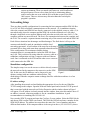
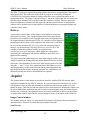
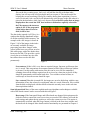
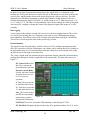
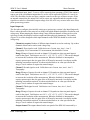
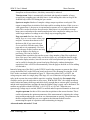
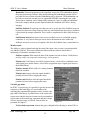
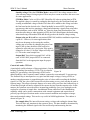
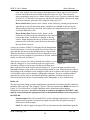
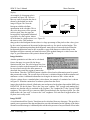
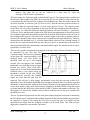
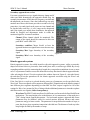
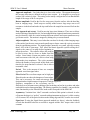
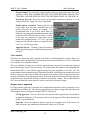
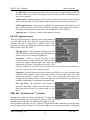
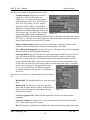
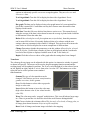
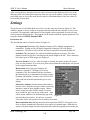
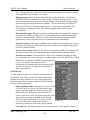
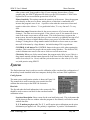
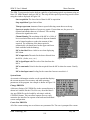
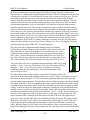
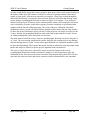
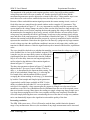
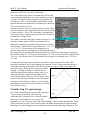
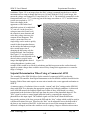
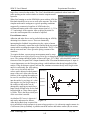
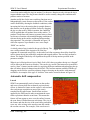
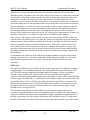
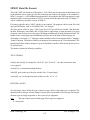
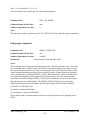
The preferences of each individual user can be set in the entry box shown in Figure 94. This
window contains a variety of tabs to set options that help make the user interface as easy to use
as possible. The appearance and behavior of the program can be customized for each user and
saved in separate parameter files. The program can be started with these separate parameter files
using the command SPM32 filename.PRM.
Preferences tab
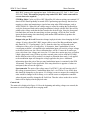
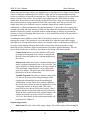
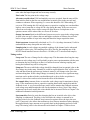
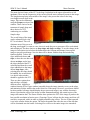
The first tab that can be accessed is shown in Figure 94.
Use angstroms Determines if the displayed images will be labeled in angstroms or
nanometers. Setting to ON will display angstroms. Setting to OFF will display
nanometers. This has no effect on how the data is acquired or stored in the data file.
Scale bars This determines if a scale bar should be displayed on images. The value
displayed in the bar for the X axis displays the actual length of the bar. This is similar to
how some types of SEM images are displayed.
Preserve Zoom If set to yes, when an image is zoomed, new plots, such as 3D, cursor
plots, are also zoomed. If set to no, new plots selected from the zoomed plot will go back
to the original unzoomed data.
Rotate mode Selects the type of display for
interactive rotation of 3-D images. For slower
computers (386, 486 without local bus) wireframe,
the fastest mode, is recommended. On faster systems
(Pentium, 486-66Mhz (or faster) with a VLB or PCI
video card) the mesh and solid modes give a nicer
display.
Interactive windows Sets the manner that windows
become active. Only the top-layer window can accept
interactive input or show graphics output. 'Mouse
select' means you must click the mouse in a lower
layer window to 'pop' it to the top of the stack. 'Auto
select' means windows will automatically pop to the Figure 94
top when the mouse enters. If you have a crowded
screen this choice will result in a lot of window movement.
Data acquisition delay During interactive data acquisition, SPM 32 will acquire scan
lines or spectra continuously when there is no mouse or keyboard input. When there is
mouse or keyboard input, the data acquisition halts while the program processes the new
RHK Technology, Inc.
Troy, MI
102