1
EZTEXT WRITE UTILITY
Using the EZText Write Utility
1.
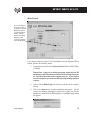
From the Welcome screen (shown above), click on the Existing
System button.
2.
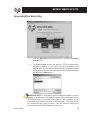
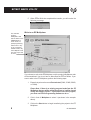
The Open Project window will appear. If EZText Programming
Software is installed on your system, the utility will default to the
Project folder. If the project you want to transfer is in another directory
and/or folder, navigate to where the project resides. Select the project
and click on the Open button.
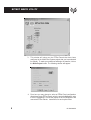
IMPORTANT NOTE: If, in the project you have selected to transfer, you have
changed or modified any of the tags, you must write the project to both the
EZMultiplexer and all connected EZText Panels. This is because all tag
information for the panels is stored in the EZ Multiplexer. If you write directly
to a connected panel (panel to panel), it will not write the changed tag
information stored in the EZ Multiplexer to the panel.
EZ-TEXTWRITE
5