1
EZTEXT WRITE UTILITY
6
3.
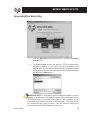
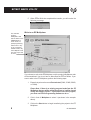
This window will show you the EZText Panels that have been
configured in the Multi-Panel System project that you have selected
for transfer. To make your selections and begin the transfer, click on
the Write Project button. The following window will appear.
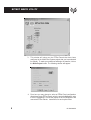
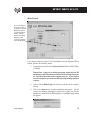
4.
From here you may choose to write an EZText Panel configuration
directly to a single EZText Panel; write the project’s Multiplexer code
to the EZ Multiplexer; or write the project to the EZ Multiplexer and
connected EZText Panels. Instructions for each option follow.
EZ-TEXTWRITE