1
Panzer Campaigns Main Program Help File
place the units on the map and keep the dialog open if there are more units to
place.
The Arrived Dialog is automatically displayed whenever there are units that
have arrived that have not been placed and the phase has been advanced.
Clicking Cancel will close the dialog and advance the phase.
Release Dialog
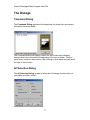
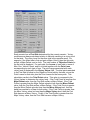
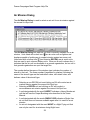
The Release Dialog is used to view Releases defined for Fixed units.
The Release Dialog displays a list of the Fixed unit releases in the current
scenario. Each release shows a time, date, probability that the release will
occur on that time and date, and the organization the release applies to. When
the probability is followed by the letter T, it indicates that the release can also
be triggered whenever a unit in the specified organization becomes Spotted.
When an asterisk (*) precedes the release, it indicates that the release did not
occur on the time and date specified. Selecting an entry in the list of Releases
will Highlight the affected units on the map. Double clicking an entry or clicking
OK will close the dialog and leave the units Highlighted. Clicking Cancel will
close the dialog and remove the Highlighting.
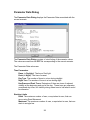
Strength Dialog
The Strength Dialog is used to display the total strength of all units.
21