1
Panzer Campaigns Main Program Help File
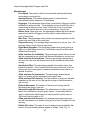
screen resolutions, this will cause the toolbar to wrap thereby reducing the
amount of space available to display the map.
Selecting the Alternative Highlighting option causes Highlighted units to be
displayed with a white outline instead of the normal red outline.
Selecting the PBEM Encryption option causes the main program to prompt for
and verify passwords associated with Play-By-E-Mail games. See the Design
Notes in the User Manual for why this is not the default.
Selecting the PBEM File No Save option in conjunction with the PBEM
Encryption option will prevent PBEM games from being saved by the user
during a turn. The intent of this is to prevent a player from replaying a turn and
thereby obtaining an advantage.
Selecting the Ask Before Advancing option causes the main program to
prompt you before advancing the current turn or phase. Use this option if you
find yourself inadvertently advancing the turn or phase by accident.
Selecting the Continuous Action option causes the game to not stop during
reports, but to continue after displaying the report for a moment.
Selecting the Alt Label Style option causes labels on the map to be displayed
with an alternative style that improves their appearance but with some reduced
legibility.
Selecting the 3D Counters option causes the program to display units on the
map using counter graphics rather than unit graphics when the program is in a
3D view mode.
Selecting the Alternative Scrolling option causes the program to use an
alternative method for scrolling the map that may be slower, but may correct a
video display problem that some users have.
Selecting the On Map Results option causes the program to display combat
results on the map rather than in a separate dialog box. This also results in
the A/I not using a dialog box for reporting. To pause the A/I under this option,
press the Escape key.
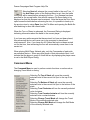
Selecting Initial View displays the Initial View Submenu described below.
Selecting Hex Info Area displays the Hex Info Area Submenu described
below.
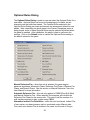
Selecting Optional Rules causes the Optional Rules Dialog to be displayed so
that Optional Rules for the current battle can be reviewed.
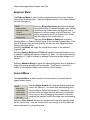
The Initial View Submenu is used to establish the initial map view that is
displayed when the main program is run.
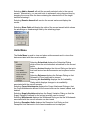
Selecting Last View causes the main program to come up
in whatever map display mode it was last in.
Selecting 2D Magnified View, 2D Normal View, 2D Zoom-
15