1
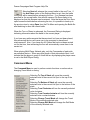
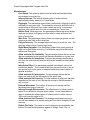
Selecting Save Movement Costs will preallocate enough Movement Points so
the unit will not use so many Movement Points in movement that it will be
unable to fire, or in the case of limbered towed artillery, unable to deploy.
Doing this before moving a unit allows you to move the unit to the full extent of
their available movement points knowing that you will still have enough
Movement Points at the end of the movement to fire or unlimber.
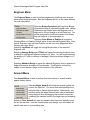
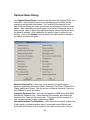
Selecting Toggle Digging-In will toggle the Digging-In status of the selected
units. Digging-In is used to construct Improved Positions and Trenches.
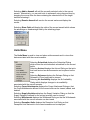
Selecting Damage Rail will cause the first selected unit to damage any rail
lines in the current Hot Spot hex.
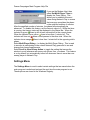
Select Combine/Breakdown to combine the selected units into a single
Combined Unit or to breakdown a Combined Unit into a subunit. Note: holding
down the Alt key when selecting this option will cause all possible units in the
current hex to be Combined regardless of which units you have selected.
Selecting Recon Spotting requires that the Recon Spotting Optional Rule first
be enabled. Then with one or more recon units selected, this command will
attempt to spot enemy units within the Line-of-Sight of the selected units at the
cost of 1/3 of the movement allowance of the units. The probability of spotting
the enemy units will depend on the distance from the recon unit to the enemy
unit, the terrain that the enemy unit is in, the strength of the recon unit, and its
quality and fatigue. Note: Recon units are designated as such in the alternate
Unit Box display.
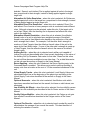
Selecting Go On Foot will convert selected Mechanized or Motorized Infantry
units to the On Foot status where they will be treated as foot infantry.
Selecting the Toggle Patrolling option will toggle the Patrolling state of the
selected units.
Selecting Remove From Map will remove the selected units from the map.
This can only be done from a boundary hex on the map. This function is most
often used in conjunction with Exit Objectives.
Selecting Artillery Dialog causes the Artillery Dialog to be displayed.
Selecting Air Mission is used when you want to conduct an Air Mission in the
current Hot Spot hex. You will be prompted for the air unit to use for this
mission. Air Missions can be combat missions that attempt to destroy enemy
units in the Hot Spot hex, or recon missions using recon aircraft.
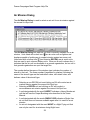
Selecting Undo Last Movement will undo the last move made and return the
units that were moved to their starting location. Note to avoid information
leaks, this function is not available when Fog of War is in effect.
4