1
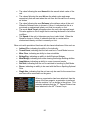
Combined Unit or breakdown a Combined Unit into a subunit. Note: holding
down the Alt key when selecting this option will cause all possible units in the
current hex to be Combined regardless of which units you have selected.
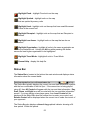
Resolve – resolve current Assault.
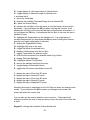
Arrived Units – display Arrived Dialog.
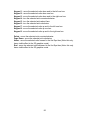
A/I – activate A/I processing.
Zoom-In – increase map display scale.
Zoom-Out – decrease map display scale.
Normally the screen is recentered on the Hot Spot hex when you change
zoom modes. If you hold down the Alt key when you change zoom modes,
the screen will retain the current view.
Divisional Markings – display units with Divisional Markings.
Units – toggle the display of units on the map.
Bases – toggle the display of unit bases in 3D graphics mode.
Objectives – toggle the display of Objectives on the map.
Visible Hexes – toggle the display of hexes visible from the current Hot
Spot hex.
Reachable Hexes – toggle the display of hexes within the movement
range of the selected unit.
Contours – toggle the display of elevation contours on the map.
Full-Screen – toggle the display of the full screen map display.
Jump Dialog – display the Jump Dialog.
Next Stack – advance the Hot Spot hex to the next stack to be
considered in the current turn or phase. If you hold down the Alt key
when invoking this function, it will advance the Hot Spot to the next unit that
has not been active and select it.
52