1
Panzer Campaigns Main Program Help File
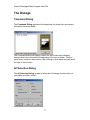
File Selection Dialog
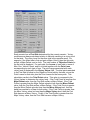
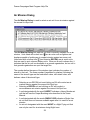
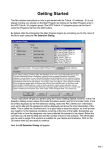
The File Selection Dialog is displayed when the main program is run if the
Prompt for Scenario Option has been selected (see the Settings Menu ).
The File Selection Dialog allows you to select the mode of play and
associated game file.
• Select New (by Name) to show the list of all scenarios sorted by
filename.
• Select New (by Length) to show the list of all scenarios sorted by
number of turns.
• Select Old (by Name) to show a list of previous battles sorted by
filename.
• Select Old (by Date) to show a list of previous battles sorted by date
with the most recent files listed first.
Select one of the given play modes such as Normal for play against the
computer. Finally, select one of the displayed files either by double clicking on
the filename, or selecting the filename and clicking on OK. Note: when Direct
Play Caller is selected, no files are displayed since file selection is the
responsibility of the Direct Play Host in this case.
Select Delete after you have selected to list Old files to delete the selected file.
35