1
Australian Securities Exchange
ASX Clear (Futures) Margin Control
7.3 Appendix 3 – Troubleshooting
7.3.1 Browser-related Issues
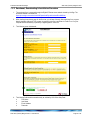
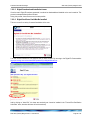
7.3.1.1 This website only supports Internet Explorer 7, 8 and 9 Issue
Why do I get the error message, “This website only supports Internet Explorer 7, 8 and 9; Please check your
browser”?
The application will automatically check your browser for compatibility. You will need to try a different browser version
if you try to access the site and get the message
Please note that the current implementation does not support Internet Explorer 6.
7.3.1.2 HTTP 403 Forbidden Issue
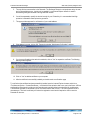
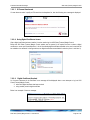
Why do I get the error message, “HTTP 403 Forbidden”?
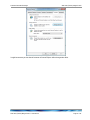
This can happen if there is not a valid digital certificate stored on the computer. You can check your certificate in
Internet Explorer by going to Tools-> Internet Options -> Content -> Certificates>Personal. The certificate issued
should match your login name.
7.3.1.3 JavaScript Issue
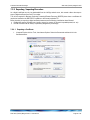
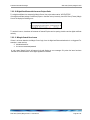
Why do I get the error message, “JavaScript must be enabled to use this site. Please enable JavaScript in your
browser and try again”?
The application checks to see if JavaScript is enabled before it renders the pages in full. If JavaScript is not enabled,
you will not be able to enter any data.
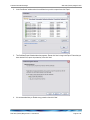
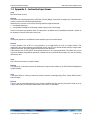
It should be possible to enable JavaScript through the ‘Internet Options>Programs>Manage add-ons>Toolbars and
Extensions section of your browser. Consult Internet Explorer Help for more information on how to do this for your
browser version.
ASX Clear (Futures) Margin Control – User Manual
Page 30 of 37