1
DX-Plus User Manual
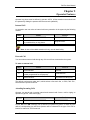
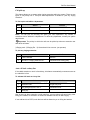
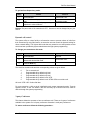
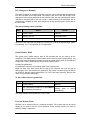
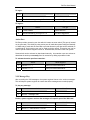
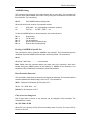
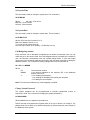
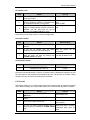
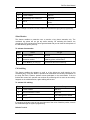
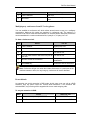
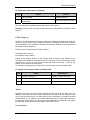
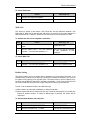
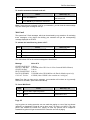
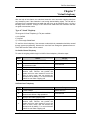
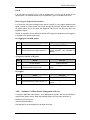
To enable the beep tone:
Step
Action
You get
1.
Lift the handset.
You get System Dial Tone
2.
Get into own supervisory mode followed by 60.
Confirmation tone
3.
Press the RLS key to hang up.
Note: For queued calls (trunk), beep can be enabled or disabled on the subscriber’s
extensions through system programming also.
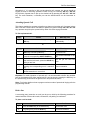
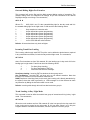
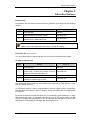
Hold a line
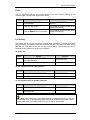
A conversing party (extension or trunk) can be put on hold by the following procedure for
onward activities such as call consult, call transfer, call parking or conference.
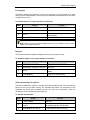
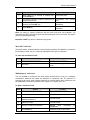
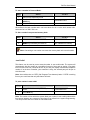
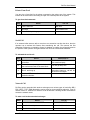
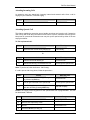
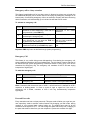
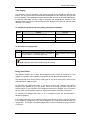
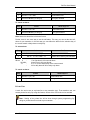
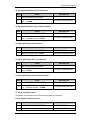
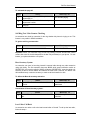
To place a call on hold:
Step
Action
You Get
1.
Press the FLASH key on SLT.
Confirmation tone
2.
Press the HOLD key on KTS.
Confirmation tone
The calling part would be placed on hold and will hear the HOLD on Music.
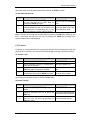
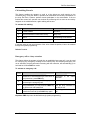
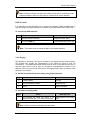
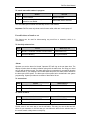
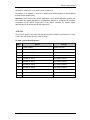
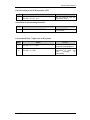
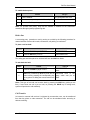
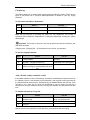
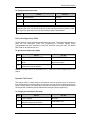
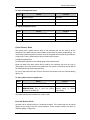
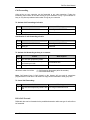
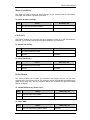
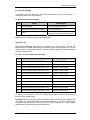
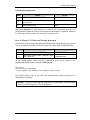
To take back the held:
Step
Action
You Get
1.
Press the FLASH key again on SLT.
Held line will be connected
back.
2.
From KTS, if a line is put on hold by pressing
HOLD key followed by RLS key that can be
taken back by pressing the corresponding key
on key phone or dialing the access code for the
line.
Connected back to the
party, which was put on
Hold.
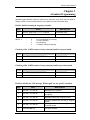
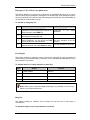
Note-: This type of held call can be taken back by pressing the HOLD key (while you are
free). If more than one call is put on hold, on pressing the HOLD key for taking back,
system will provide the calls randomly.
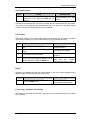
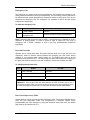
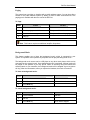
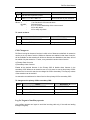
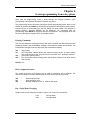
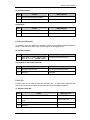
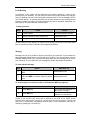
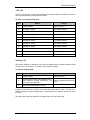
Call Transfer
An internal or external call received / originated by an extension user, can be transferred
from that key phone to other extension. The call can be transferred after screening or
without screening.
Coral Telecom Ltd.
51