1
DX-Plus User Manual
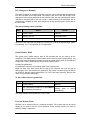
Voice Paging
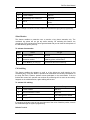
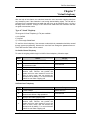
Any extension user for activating a key phone remotely for an internal call can use this
feature. The key phone user can activate the speakerphone of the called key phone & start
the conversation. The speakerphone gets disconnected as soon as the caller disconnects.
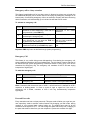
In case the caller does not get a reply on activating the speakerphone, because of the
absence of the user, then he can revert back to the ringing mode in order to draw the users
attention if he is nearby.
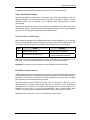
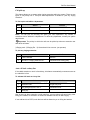
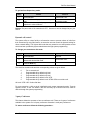
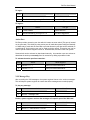
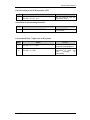
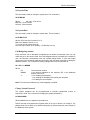
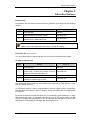
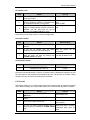
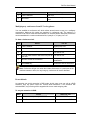
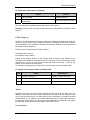
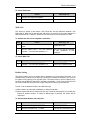
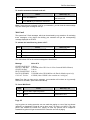
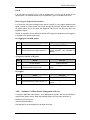
To activate the speakerphone when dialing a Key Phone extension:
Step
Action
You get
1.
Lift the handset.
Dial tone.
2.
Dial the extension number.
Ring back tone.
3.
Dial ‘2’.
Start conversation.
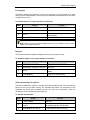
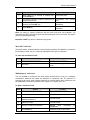
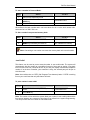
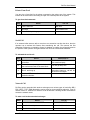
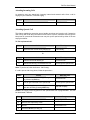
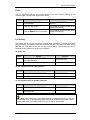
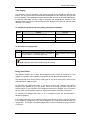
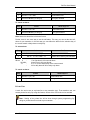
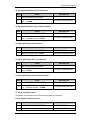
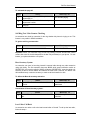
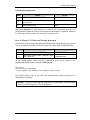
To revert back to ringing mode:
Step
Action
What happens
1.
On activating the called key phone, if no answer
is found, dial ‘1’, to revert to ring mode.
Called extension start ringing
again.
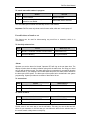
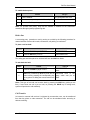
Note: Operator cannot be activated using this feature.
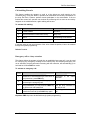
Background Music
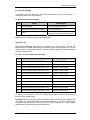
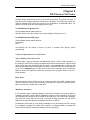
This feature enables you to listen the background music, which is connected to your
system. The speaker of the operator key telephone set will play the background music.
The background music source can be a CD player or any other music player, which can be
connected as the external music.
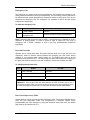
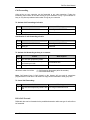
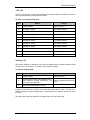
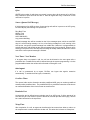
On activating the background music, if you are key phone user, external music will be
played on the speaker of your key phone. When an incoming call (both internal and
external) lands on your extension, the background music will be stopped & your key phone
will ring. After the conversation, when you replace the handset, the music will continue.
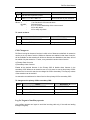
On activating the background music on SLT, background music will be terminated, if
handset is replaced.
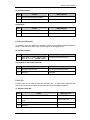
If an analog extension user is listening the back ground music & there is one call in queue
to this extension, background music will be stopped & SLT user will get RBT & caller also
will get RBT. This feature is programmable & does not work if someone Is trying to transfer
a trunk call.
Coral Telecom Ltd.
61