1
How to use AVR Studio 4 to program the ATmega128
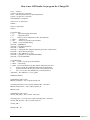
build: elf hex eep lss sym
elf: $(TARGET).elf
hex: $(TARGET).hex
eep: $(TARGET).eep
lss: $(TARGET).lss
sym: $(TARGET).sym
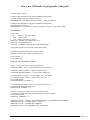
# Eye candy.
# AVR Studio 3.x does not check make's exit code but relies on
# the following magic strings to be generated by the compile job.
begin:
@echo
@echo $(MSG_BEGIN)
finished:
@echo $(MSG_ERRORS_NONE)
end:
@echo $(MSG_END)
@echo
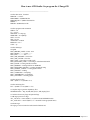
# Display size of file.
HEXSIZE = $(SIZE) --target=$(FORMAT) $(TARGET).hex
ELFSIZE = $(SIZE) -A $(TARGET).elf
sizebefore:
@if [ -f $(TARGET).elf ]; then echo; echo $(MSG_SIZE_BEFORE); $(ELFSIZE); echo; fi
sizeafter:
@if [ -f $(TARGET).elf ]; then echo; echo $(MSG_SIZE_AFTER); $(ELFSIZE); echo; fi
# Display compiler version information.
gccversion :
@$(CC) --version
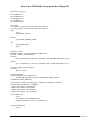
# Program the device.
program: $(TARGET).hex $(TARGET).eep
$(AVRDUDE) $(AVRDUDE_FLAGS) $(AVRDUDE_WRITE_FLASH)
$(AVRDUDE_WRITE_EEPROM)
# Convert ELF to COFF for use in debugging / simulating in AVR Studio or VMLAB.
COFFCONVERT=$(OBJCOPY) --debugging \
--change-section-address .data-0x800000 \
--change-section-address .bss-0x800000 \
--change-section-address .noinit-0x800000 \
--change-section-address .eeprom-0x810000
coff: $(TARGET).elf
@echo
@echo $(MSG_COFF) $(TARGET).cof
$(COFFCONVERT) -O coff-avr $< $(TARGET).cof
extcoff: $(TARGET).elf
@echo
BJ Furman | ME 106 Intro to Mechatronics | Using AVRStudio 4.doc | 24FEB2007
Page 9 of 11