1
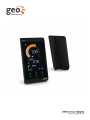
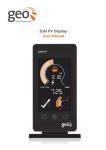
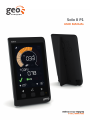
Welcome to geo’s energy management
service. You’ll find everything you need
here to gain visibility and control of your
consump on. Your new Solo II P1 will help
you manage, regulate and visualise your
energy use – suppor ng you as you learn
more and more about energy efficiency.
In this guide you’ll find everything you
need to quickly and simply set up and start
using your display. You’ll also find more
informa on about how the monitor works
and how it can help you. In consump on
mode you can use the display to help you
reduce CO₂ and save money by giving
you real- me, visual feedback on your
energy consump on.
Microgenera on and
consump on modes
The Solo II P1 can measure either
consump on (default) or microgenera on
– but not at the same me. Please note
that when you have chosen either of
these modes then it is not advisable to
switch to the other. If you do, you will lose
the data you have been collec ng (from
whichever mode you had previously set
up). If you choose to switch modes, the
display will reset to day one.
SAFETY INFORMATION
Keep the display away from water
Clean with a so , dry cloth
If any of the components appear
damaged, contact us
This is a self-installing display. There
is no need for you to connect or
disconnect any cabling – and you
won’t need access to your electricity
meter
Do not fit rechargeable ba eries
To protect the environment, please
take your ba eries to a recycling
centre for safe disposal
You will also have access to energynote,
our online energy management service
that presents all your data in greater
detail. There is no limit to the amount
of data you can upload. See, analyse and
explore for years to come.
For use in a dry, indoor
environment only
Please only use the power
supply provided
This product is RoHS compliant and
CE approved
You should find everything you need in
this guide, but if you don’t, get in touch
and we’ll be happy to help.
Solo II P1
3