1
TABLE OF CONTENTS
1
INTRODUCTION ............................................................................................................................................ 4
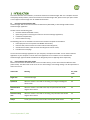
1.1
Overview of Cameramanager 360° ..............................................................................................................4
1.2
Cameramanager 360° video modes .............................................................................................................4
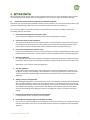
2
GETTING STARTED ........................................................................................................................................ 5
2.1
Connect and activate Cameramanager 360° by automatic installation .......................................................5
2.2
Connect and activate Cameramanager 360° manually ................................................................................6
2.3
Start the online Java application ..................................................................................................................6
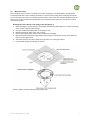
2.4
Mount the camera .......................................................................................................................................7
2.5
Select a location for the camera ..................................................................................................................8
3
CAMERAMANAGER APPLICATION FUNCTIONALITY ....................................................................................... 9
4
CONFIGURING THE CAMERA....................................................................................................................... 10
4.1
Default settings of the camera ...................................................................................................................10
4.2
Personalize the settings .............................................................................................................................11
4.2.1
General settings.................................................................................................................................11
4.3
Live View settings .......................................................................................................................................12
4.4
Footage settings .........................................................................................................................................13
4.4.1
4.5
SD-card ..............................................................................................................................................14
Pan, Tilt & Zoom presets ............................................................................................................................14
4.5.1
Set Pan, Tilt & Zoom presets .............................................................................................................14
4.5.2
Use Pan, Tilt & Zoom presets ............................................................................................................14
4.6
Adjust 360 image........................................................................................................................................14
4.7
Detection settings ......................................................................................................................................14
4.8
Planning & notifications .............................................................................................................................16
4.8.1
Create a schedule ..............................................................................................................................16
4.8.2
One time schedule for every day ......................................................................................................17
4.8.3
A different schedule for each day ................................................Fout! Bladwijzer niet gedefinieerd.
5
ADDITIONAL SETTINGS................................................................................................................................ 18
5.1
Add or remove a location ...........................................................................................................................19
5.1.1
Add a location to a camera:...............................................................................................................19
5.1.2
Remove a location .............................................................................................................................19
5.2
Manage sub-users ......................................................................................................................................19
Version September 17, 2014
2









![User Manual BS 15 [ASL]](http://vs1.manualzilla.com/store/data/005675346_1-422b291500c6ff99ebe2f8b515793259-150x150.png)