1
Starting a Sequence
Mass Spectra Data Extraction [Integration and QNT-Editor Views] _______________________________________
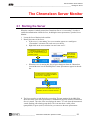
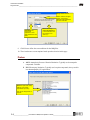
General Tab
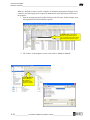
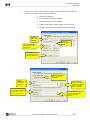
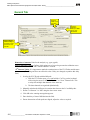
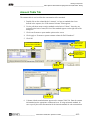
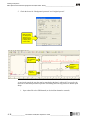
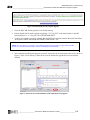
Enter the
units of your
standards
Leave the
calibration
settings at Total.
Check Auto
Recalibrate
Set the second
detector delay for
the offset of mass
spectra from UV/
CD data.
General Tab
Dimension of amounts: Units for the analysis (e.g., ppm, µg/mL)
Global calibration settings: Defines which points are to be used to generate the calibration curve.
Leave as the default “Total” with “Auto Recalibrate” checked.
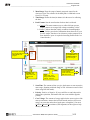
“2nd Detector” Delay: It is important to match the retention times of the UV/CD data and the mass
spectrometer. (The tubing and flow rate affect this value. If they are changed, reoptimize this delay
time.)
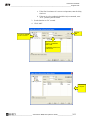
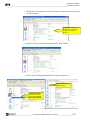
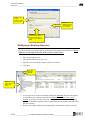
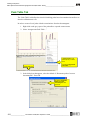
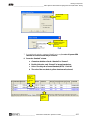
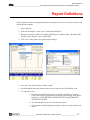
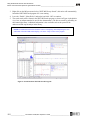
1. Overlay the UV/CD peak with the MS peak.
a. With the UV/CD data open, press and hold the “Ctrl” key on the keyboard
while using the mouse to click the “Previous” or “Next” Channel icon. This
overlays the multiple data channels of the same run.
b. The data channels are organized alphabetically.
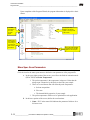
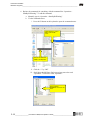
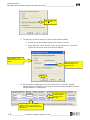
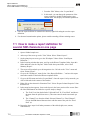
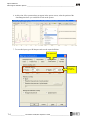
2. Manually calculate the difference in retention time between the LC and MS peaks.
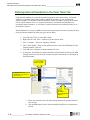
3. Define “2nd Detector” as “MS” using the down arrow menu.
4. Click OK to the warning message that appears.
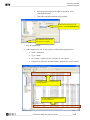
5. Enter the delay of time of MS data into the field.
6. Ensure the maxima of both peaks are aligned; adjust the value as required.
4-6 ___________________ Chromeleon / MSQ Plus Operator’s Guide __________________________