1
238
Workload Management
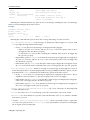
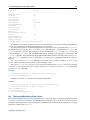
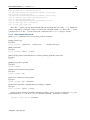
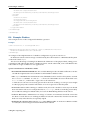
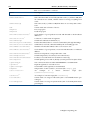
For example, the Torque workload manager uses the symlink 10-prolog-prejob within the
rc.d-style directory /cm/local/apps/torque/var/prologs/. The symlink links to the script
prolog-prejob within the main scripts directory /cm/local/apps/cmd/scripts/. In this
case, the script is expected to run prior to the job.
Epilog script paths follow the same pattern as prolog scripts, with “epilog” substituted in the path
name for “prolog”. However, the only suffix form allowed in the rc.d-style directory is -cmsub.
The Torque/PBS Pro and Slurm prolog and epilog scripts are global in effect.
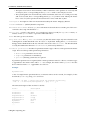
Workload Manager Package Configuration For Prolog And Epilog Scripts
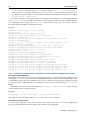
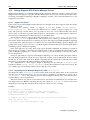
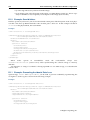
Each workload manager package configures prolog- and epilog-related scripts or links during installation, as follows:
• Slurm
– prolog-prejob: in the main scripts directory, is assigned to PrologSlurmctld in /etc/
slurm/slurm.conf. It runs by default during job execution, and is executed with slurm
user permissions.
– prolog:
in the main scripts directory,
is assigned to the variable
Prolog in /etc/slurm/slurm.conf.
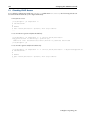
The script executes the <number>-prolog{-cmsub|-mic|-michost|-prejob} scripts located in the rc.d-style
directory, if they exist. By default, none exist. The epilog script in the main scripts directory
follows the same pattern, with the appropriate name changes.
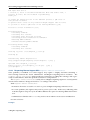
– slurm.epilog.clean: in the /etc/slurm/ directory, is an example epilog script. To enable it, it can be placed in the rc.d-style /cm/local/apps/slurm/var/epilogs/ directory and given a name with a suitable prefix and suffix.
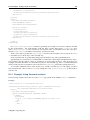
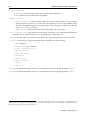
• SGE, LSF/openlava
– prolog:
in
the
main
scripts
directory,
executes
any
<number>-prolog{-cmsub|-mic|-michost|-prejob} scripts located in the rc.d-style
directory, if they exist.
It is set by default to execute 10-prolog-prejob in the rc.d-style directory. This in turn
is configured as a symlink to prolog-prejob in the main scripts directory, which is able
to handle the execution of scripts in a general manner. Any further scripts in the rc.d-style
directories, whether for prologs or epilogs, are then also processed
• PBS Pro/Torque
– mom_priv/prologue: (with the -ue ending) in the rc.d-style directory, is a symlink to prolog in the main scripts directory.
This in turn executes any <number>-prolog{-cmsub|-mic|-michost|-prejob} scripts located in the rc.d-style directory, if they exist. Similar to this are the epilogue scripts in the rc.d-style directory.
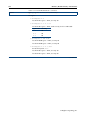
7.4
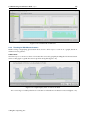
Enabling, Disabling, And Monitoring Workload Managers
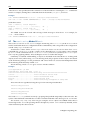
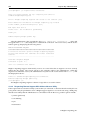
After a workload manager package is installed and initialized with wlm-setup (section 7.3), it can
also be enabled or (if already enabled) disabled, with wlm-setup. Enabling and disabling means the
workload management services start or stop.
Alternatively, a workload manager can be enabled or disabled by the administrator with cmgui or
cmsh. This is described further on in this section.
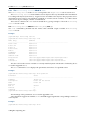
In Bright Cluster Manager 7.1, workload managers can even run concurrently. For example, Slurm,
SGE, and Torque can run at the same time in the cluster, for example with one workload manager
© Bright Computing, Inc.