1
RDP500 Remote Data Platform
WARNINGS
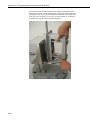
Care should be taken when handling the catch basin
and the lower cover of the rain gauge. Sideways
pressure applied to the supporting rod will damage the
flexures resulting in a need for their replacement.
The load cell is sensitive to shocks and overloading.
Handle with care.
To achieve the best possible performance, the rain
gauge must be level and firmly secured.
5. Software
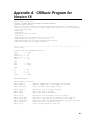
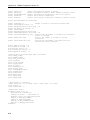
The RDP500 includes a datalogger pre-programmed to make the measurements
(see Appendix A). PC200W software is used to retrieve the measurements.
The operating system of the CR1000 may be updated using our Device
Configuration Utility (DevConfig).
5.1 PC200W Software
Obtain and install PC200W. PC200W is available on the Campbell Scientific
Resource CD or at www.campbellsci.com.
When PC200W is first opened, the EZSetup Wizard is launched. Click the
Next button and follow the prompts to select the CR1000, the COM port on
the computer that will be used for communications, 115200 baud, and PakBus
Address 1. When prompted with the option to Test Communications, click
the Finish button.
If a datalogger was not added with the Wizard, click the + (add) button to
invoke the Wizard.
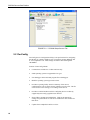
After exiting the EZSetup wizard, the Clock / Program tab is presented, as
shown in Figure 5.1-1. Current Datalogger Profile, Clock, and Datalogger
Program features are integrated into this tab. Tabs to the right are used to
select Monitor Data and Collect Data options. Buttons to the right of the tabs
are used to run Split, View, and Short Cut applications.
17