1
Introduction
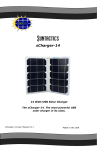
As you will soon find out, the sCharger-8 is a very unique high powered solar
charger. It is capable of charging USB tablets and other rechargeable devices
directly from the sun. It does not use any internal batteries. It will run a
smartphone directly from the sun and charge another at the same time. It is a
great companion for midsized tablet devices. It utilizes fairly complex circuitry
that makes it very simple to use. With proper use and care, the sCharger-8 will
provide many years of service.
Most USB devices now come with their own charge/sync cable. This is the
same cable that can be used to charge your device with the sCharger-8. We
have found that most of the new modern devices include a cable that have a
mini or micro USB connector on one end and a standard USB sized connector
on the other end. If you don’t have a cable, you should most likely be able to
find your USB cable on the internet or at a local store.
Getting Started
Simply unfold the sCharger-8 and place it in the sun with solar cells facing up.
The little box on the back has two female USB connectors with corresponding
LED indicators. The indicators should light up when the solar panel sees light.
The LEDs will light up even in the slightest sunlight. In order to get
maximum power, the panel should be in full sunlight. Simply plug your
USB device into one of the USB sockets on the back of the sCharger-8 using
your device’s charge cable. Either port will charge your device but each port
has a special function. If you are charging an iPad, start with using Port “A”.
Please read the USB Ports section for more info on port functionality
Also note, as the sun moves, the solar panel could eventually get blocked by an
obstruction like a tree or a building etc. Try and strategically place it where
there will be no obstructions.
1