1
3. FMUXGUI Configuration and Operation
3.1 Introduction
This chapter assumes that the FMUXGUI application has already been installed on
the workstation as in Chapter 1 and that the SNMP card has been correctly
configured as in Chapter 2. This chapter will detail the FMUXGUI configuration
and the operation of the software in monitoring and controlling the FMUX01
multiplexer.
3.2 Configuration
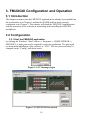
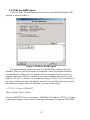
3.2.1 Start the FMUXGUI application
by clicking the Windows "Start" button => Programs => SNMP GUIMGR =>
FMUXGUI. A login password is required to enter the application. The password
set from initial installation of the software is "1021". The user password may be
changed via the "Config" pull down menu.
Figure 3.1 GUI manager login
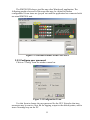
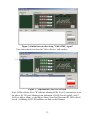
Figure 3.2 FMUXGUI first started
10