1
3.3.4 E1/T1 Card Options
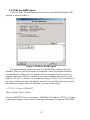
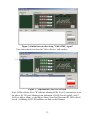
Click any of the channel buttons (A,B,C, or D) for any E1 or T1 port card.
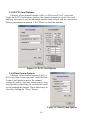
Under the E1/T1 Card Options window, the channel settings for service, line code
and loop back may be set, the individual channel status viewed, and the current and
history performance monitored. Click "Close" to close this window.
Figure 3.11 E1/T1 Card Options
3.3.5 Data Comm Options
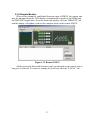
Click any of the channel buttons (A,B,C, or
D) for any Data Comm port card. Under the Data
Comm Card Options window, the channel
settings for service, data rate, timing source, loop
back and flow control may be viewed (Get) or set
for each individual channel. This window may be
closed by clicking the "Close" button.
Figure 3.12 Data Comm Options
16