1
Question 10
Have some fun writing simple “exploratory” or “demonstration” ladder-diagram PLC programs to
perform different functions. Feel free to explore the following instruction types:
•
•
•
•
•
Contacts and coils
Counters (up, down, up/down)
Timers (on-delay, off-delay, retentive)
Sequencing instructions
Math instructions (add, subtract, multiply, divide)
Identify some realistic applications for PLC programs using counters and timers. What sorts of real-life
processes might benefit from a PLC function where something turns on or off after a definite number of
counts applied to the PLC input, or after a certain amount of time has passed?
Note: this simple exercise may seem trivial, but it holds the key to self-instruction on
PLC programming! Having your very own PLC to work with in the classroom is a tremendously powerful
learning tool. Whenever you encounter a new programming instruction (e.g. a timer, a math instruction,
etc.) that you do not yet know how to use, you may explore that instruction’s properties and behavior
by creating a simple program in your PLC with nothing but that instruction. Your PLC’s User Manual
or Instruction Set reference manual will show you the basic syntax of the instruction, which you may copy
verbatim as an example. Once this simple program is loaded into your PLC’s memory, you can “play” with
it to see its live behavior while viewing the program online.
Once you have directly observed how the instruction works, your next step is to add comments to the
program describing how that instruction works in your own words. Be as detailed as possible here, treating
this activity as though you were asked to explain everything to someone who knew absolutely nothing about
the instruction. These comments will serve as notes to yourself later, when you need to refresh your memory
on how a particular instruction functions or what it is used for.
Do not be surprised if your instructor asks you to show your demonstration program(s) for particular
instructions in the future! If you experience difficulty using a particular instruction in a programming
assignment, your instructor may check to see if you have created and run a demonstration program to
learn how that instruction is supposed to function.
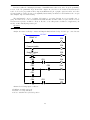
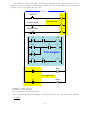
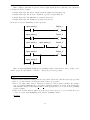
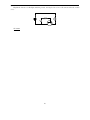
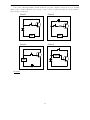
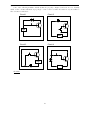
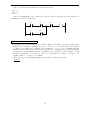
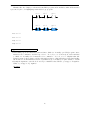
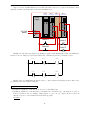
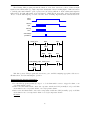
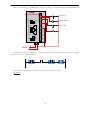
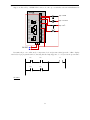
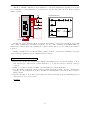
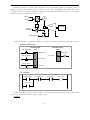
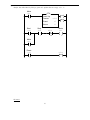
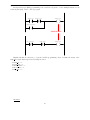
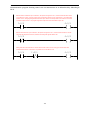
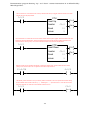
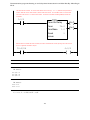
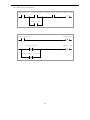
Refer to the “Answer” section of this question to see some examples of what such a demonstration
program might look like.
Suggestions for Socratic discussion
• A helpful tip when writing your own demonstration programs is to save each one with a filename that
makes it easy to locate on your personal computer. For example, you might wish to name each of your
demonstration programs beginning with the word “Demo” and using underscore characters to separate
descriptive words (or instruction names) in the rest of the filename. Some examples are shown here:
→ Demo contacts coils
→ Demo upcounter
→ Demo downcounter
→ Demo TOF timer
→ Demo TON timer
→ Demo ADD instruction
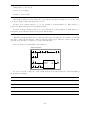
file i00120
32