1
The Ultimate Box User Manual
•
•
•
Manual
Installation Disk
Warranty Registration Card
Minimum System Requirements
•
•
•
•
•
•
•
IBM PC Compatible*
Pentium 166 MHz
RAM 32 Mb
Serial Port **
MS Windows 95/98/ME/2000/XP
Screen Resolution 800x600
Floppy Disk Drive or CD Rom.
* MAC users must have “Virtual PC” installed to work with The Ultimate Box
** USB port can be used with USB to Serial Converter. Contact manufacturer for currently
supported converter models.
Please, check often for FREE software upgrades at www.vikant-emb.com
Hardware Installation
1.
2.
3.
4.
5.
6.
Verify Package Contents
Connect Serial Cable to the The Ultimate Box
Attach the other side of the cable to a serial port of your Computer
Plug the power adapter into a 110V power outlet
Plug the power adapter cord into the The Ultimate Box
Insert The Ultimate Card
When the green light on the box is ON– proceed with software installation.
Important! Always remember to plug the power adapter into The Ultimate Box after the
computer cable is connected. When disconnecting, unplug power adapter first.
Software Installation
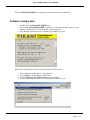
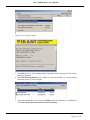
The following procedure will install Ultimate Box software to your computer and create a
shortcut.
1. Insert Installation disk into the drive.
2. Go to the Windows “My Computer”, select and open the drive.
3. Double click on UEsetup.EXE, follow the installation process.
Page 4 of 4