1
350
Alliance Builder
User Manual
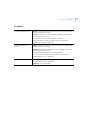
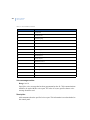
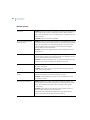
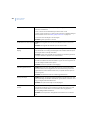
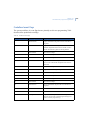
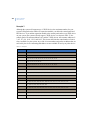
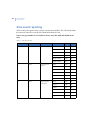
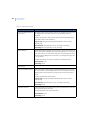
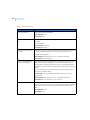
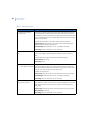
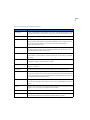
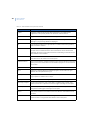
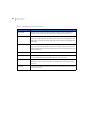
Table 57. Zone types (continued)
Number and name
Description
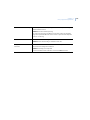
29. 24-hour alarm with
autoreset
Generates an alarm regardless of the status of the area. Resets
automatically when the zone returns to its normal state.
Example: Latching glassbreak detector
Disarmed flags: disarmed alarm, 24-hr., zone flag, camera flag
Armed flags: siren, armed alarm, 24-hr., zone flag
30. Emergency door with
autoreset
Generates a local alarm when the area is disarmed, but does not report it
to the central station. Resets automatically when the zone returns to its
normal state.
Example: Emergency door
Disarmed flags: disarmed alarm, 24-hr., zone flag, camera flag
Armed flags: siren, armed alarm, 24-hr., zone flag
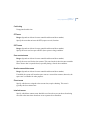
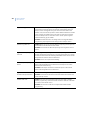
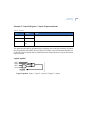
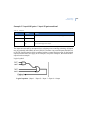
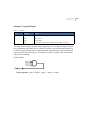
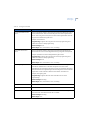
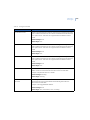
31. Latching keyswitch
Used to arm or disarm areas. When the zone switches to an active state,
the areas arm. Switching the zone to its normal state disarms the area.
This zone type uses an alarm group to perform the arm/disarm functions.
Program the required options in Alarm Group Programming and allocate
this alarm group number to the zone.
Disarmed flags: none
Armed flags: none
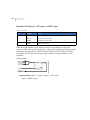
32. Armed zone to an event
flag
When the area is armed, and the zone is activated, opened, or shorted, the
zone event flag is activated. Does not perform any action when the area is
disarmed.
Example: Temperature alarm on a freezer that activates an audible
warning.
Disarmed flags: none
Armed flags: zone flag