1
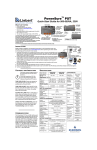
Celeb 401Q DMX Control Panel
A
B
C
D E
F
G
A) Kelvin Preset Buttons: Kelvin buttons come preset at the factory.
Factory defaults left to right are: 2700K, 3200K, 4500K, 5500K, 6500K.
User can also use these preset buttons to store custom Kelvin settings.
B) DMX ADDRESS – Use to set DMX address. The Celeb 401Q
automatically assigns 2 channels. First Channel controls Dimming;
Second Channel controls Kelvin.
C) KELVIN / DIM: In KELVIN mode, an amber light appears to the left of
the button and Kelvin is displayed. Press the button again to change to
DIM mode. In DIM mode, a green light will appear to the left of the button
and Dim level is displayed.
D) Display: Provides Kelvin, Dim level and software revision data.
E) LOCK / RESET: In LOCK mode, an amber light is displayed to the left
of the button. In RESET mode, the indicator light is green. To reset to
factory presets, hold the LOCK / RESET button for 5 seconds.
F) On / Off: On = Green light displayed. Off = Amber light displayed.
G) Kelvin / Dimmer Knob: Manually adjusts Kelvin or Dim levels.
Press the knob to toggle between fine and coarse adjustments.
Note: Each Celeb 401Q DMX fixture has an “AUTO TERMINATE” feature.
The last fixture that does not have an XLR cable attached to the
DMX “Out” port will automatically terminate.
IMPORTANT!
The dimmer board/light console should have its channel set to LINEAR light output
response. (LINEAR response is the default setting on most dimmer boards.)
3