1
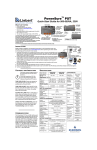
Reset Factory Settings
To reset factory settings,
press and hold the LOCK /
RESET button for 5 seconds.
The indicator light will turn
green and the settings will
reset to factory settings.
Lock Mode
Press the LOCK / RESET
button to lock the Kelvin
and Dim settings. An amber
indicator will display in
LOCK mode.
In LOCK mode, controls
are disabled and LOCK
will appear in the display.
To unlock, press the
LOCK / RESET button again.
The indicator light will turn
green.
In LOCK mode, you can
toggle back and forth on
the KELVIN / DIM button
and review your Kelvin and
Dim settings.
Note: When the power is
removed, the fixture will
reset to unlock.
7