1
IQA Cryopreservation Panel Procedure
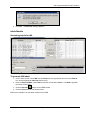
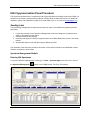
2. Type in the specimen number of the aliquot.
3. Click Run and click on a row to highlight a specimen and then click Select.
4. Highlight the specimen in the aliquot grid.
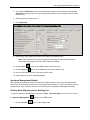
5. Right-click on the highlighted aliquot and select Test Setup from the menu.
6. From the Test Setup screen, highlight the Cryopreservation test in the Test Setup grid and click
Delete. The Delete Test message box appears.
7. Click Yes.
8. Click Done on the Test Setup screen to return to the Specimen Management screen.
Note: Deleting the test will not remove the specimen record from the LDMS Specimen
Management module
© 2012 Frontier Science Foundation
Page 12 of 12
Date Modified: 31 Jan 2012