1
IQA Cryopreservation Panel Procedure
Assay Module
Prior to shipping the samples to the IQA lab, each aliquot must be resulted in the Assay module.
Completing the Cryopreservation Data Entry Screen
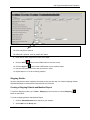
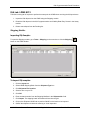
To open the Assays module, go to Tasks – Assays on the menu bar or click the Assay (
the LDMS toolbar.
) button on
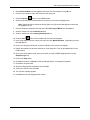
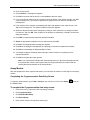
To complete the Cryopreservation Data Entry screen:
1. Click the plus (+) sign next to the Immunology category.
2. Click Cryopreservation.
3. Click New Run/Not Setup.
4. Click Select Assay.
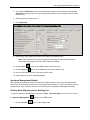
5. Enter the specimen Received Date in the From box, or create a query statement in the
Filters/Criteria tab.
Note: You may generate a pending specimen report from the Filters/Criteria tab by clicking the Report
button on the LDMS toolbar.
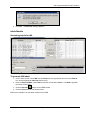
6. Click Find Specimens. The Specimens Found grid populates with specimens.
7. Select the IQA aliquots to be resulted and click Add to Run. The Results tab opens.
© 2012 Frontier Science Foundation
Page 6 of 12
Date Modified: 31 Jan 2012