1
Action URI
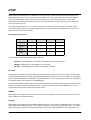
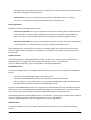
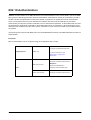
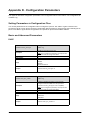
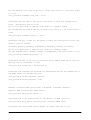
Opposite to action URL, action URI allows IP phones to interact with web server application by receiving and
handling an HTTP or HTTPS GET request. When receiving a GET request, the IP phone will perform the specified
action and respond with a 200 OK message. A GET request may contain variable named as “key” and variable
value, which are separated by “=”. The valid URI format is: http(s)://phone IPaddress/servlet?key=variable value.
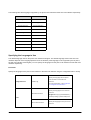
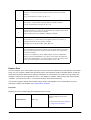
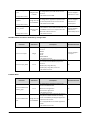
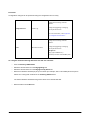
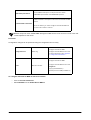
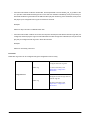
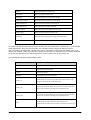
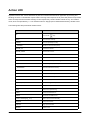
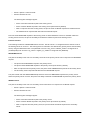
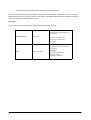
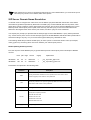
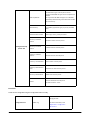
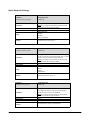
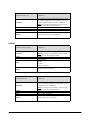
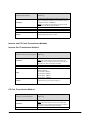
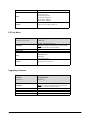
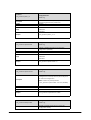
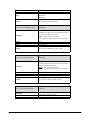
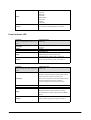
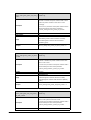
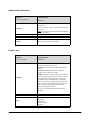
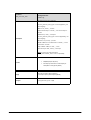
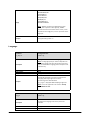
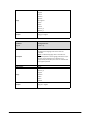
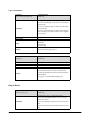
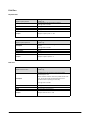
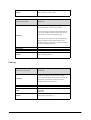
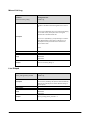
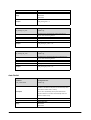
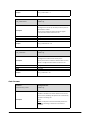
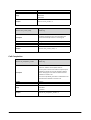
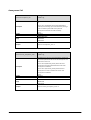
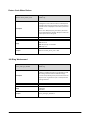
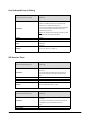
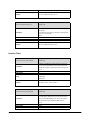
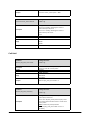
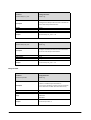
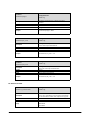
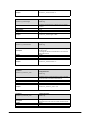
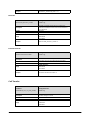
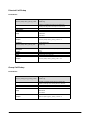
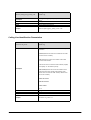
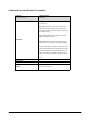
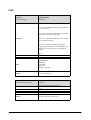
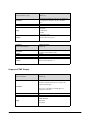
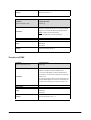
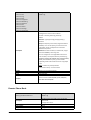
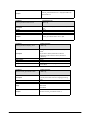
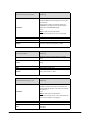
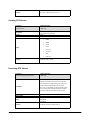
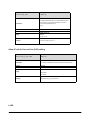
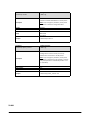
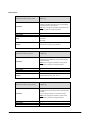
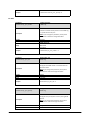
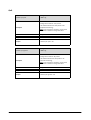
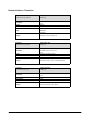
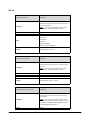
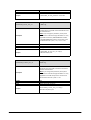
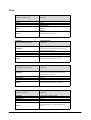
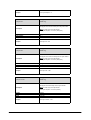
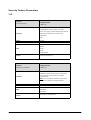
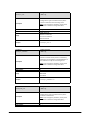
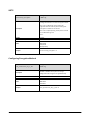
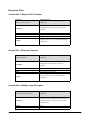
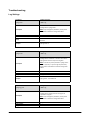
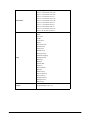
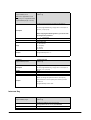
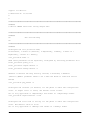
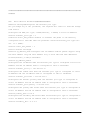
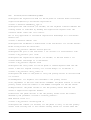
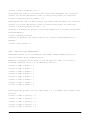
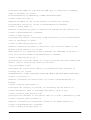
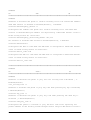
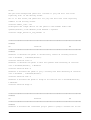
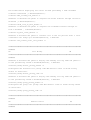
The following table lists pre-defined variable values:
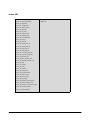
Variable Value
OK
Phone Action
Press the OK
key.
ENTER
Press the Enter soft key.
SPEAKER
Press the Speakerphone key.
F_TRANSFER
Transfers a call to another party.
VOLUME_UP
Increase the volume.
VOLUME_DOWN
Decrease the volume.
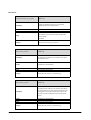
MUTE
Mute the call.
F_HOLD
Place an active call on hold.
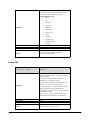
X
Cancel actions or reject incoming calls.
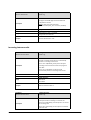
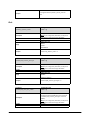
0‐9/*/POUND
Press the keypad (0‐9, * or #).
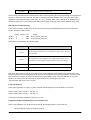
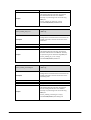
F_CONFERENCE
Press the Conference soft key.
F1‐F4
Press the soft keys.
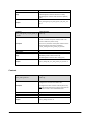
MSG
Press the MESSAGE key.
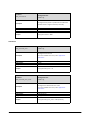
HEADSET
Press the HEADSET key.
RD
Press the RD key.
UP/DOWN/LEFT/RIGHT
Press the navigation keys.
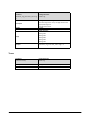
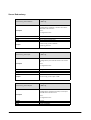
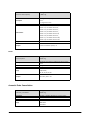
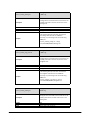
Reboot
Reboot the IP phone.
AutoP
Perform auto provisioning.
DNDOn
Activate the DND feature.
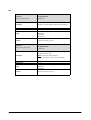
DNDOff
Deactivate the DND feature.
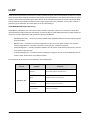
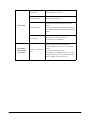
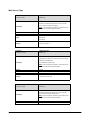
number=xxx&outgoing_uri=y
Place a call to xxx from SIP URI y.
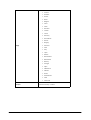
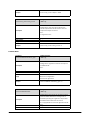
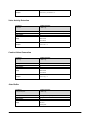
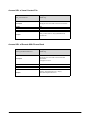
OFFHOOK
Pick up the handset.
ONHOOK
Hang up the handset.
ANSWER
Answer a call.
Matrix SPARSH VP110 User Guide
253