1
Real-Time Data Acquisition and Control on the PC
4
Real-Time Data
Acquisition and
Control on the PC
4.1
Introduction
This chapter explains how to use the standard Windmill software suite for
real-time data acquisition and control on your PC
You can use the Microlink 851 to monitor voltages. With additional
Microlink 59x units, you can also monitor currents, thermocouples and
strain gauge bridges. If you wish to measure resistance or pH, please contact Biodata for advice. Use the Windmill SetupIML program to specify
how each input or output channel is to be used.
Before starting Windmill make sure your 851 is plugged into the Ethernet
network and, if you are using a 59x unit, that it is plugged into the 851’s
analogue connector. You should also have used the ConfIML software to
add the 851 to your system, as detailed in the previous chapter.
4.2
Configuring Hardware Channels
with SetupIML
SetupIML is the Windmill program that lets you save libraries of setup files,
each holding details about how you want to use individual channels.
1
Start SetupIML and choose to create a new setup.
2
Type a name and description for your setup.
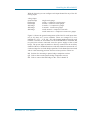
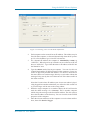
An 851 is shown as three devices in SetupIML: Analogue Inputs, Digital
Inputs and Counters. Choose one from SetupIML’s Device menu.
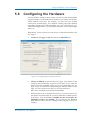
Double-click a channel to configure it. Full details of using SetupIML are in
its program Help.
Microlink 851 User Manual
4.1