1
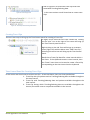
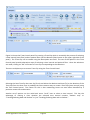
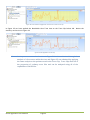
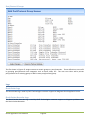
Figure 2: Pilot Console
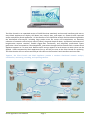
The Pilot Console is an expanded version of CACE Pilot that seamlessly and securely interfaces with one or
more Shark Appliances to display, drill down into, rewind, alert, and report on, network traffic captured
and/or analyzed by Shark Appliances. All the features of the CACE Pilot analysis tool have been migrated to
the distributed environment, including large packet trace file access and manipulation, an extensive
collection of network traffic analysis metrics (Views), drag and drop drill-down, visualization and analysis of
long-duration capture statistics, flexible trigger-alert mechanism, and simplified, professional report
generation. Once connected to a Shark Appliance, interaction through the Pilot Console with a remote Shark
Appliance appears as if it were local. Remote traffic sources appear as local sources to which Views can be
applied. Views computed by Shark Appliances (live or off-line) are sent to the Pilot Console for rendering.
The Pilot Console also can access and analyze live traffic on the Console’s local interfaces and trace files.
Together, the Pilot Console and Shark Appliance provide a seamless distributed network analysis,
visualization, monitoring, recording, and reporting solution.
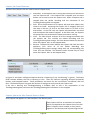
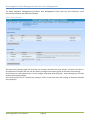
Figure 3: An Example Shark Distributed Monitoring System Deployment
Shark Appliance User Manual
Page 7