1
School Libraries and Information Literacy Unit - Teachers’ digital toolkit
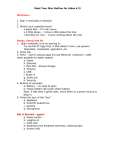
6. Let’s get your imagery: Choose to upload pictures from the folder
on your computer or select images from the collection.
7. In your folder, highlight all the selected pictures and click the open
command – this will import all the pictures at once.
Add more pictures; Spotlight favourite images; Close; Click done
8. Let’s choose some music: Choose upload from your computer to
import your MP3 music file from your folder. Save and continue.
9. Finalize your video: Choose the continue option. Write a title and
description and Animoto will create your video in the next 15
minutes. Share your slideshow’s URL with other people.
©School Libraries and Information Literacy Unit. NSW Department of Education and Training.