1
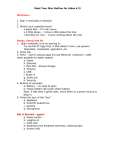
School Libraries and Information Literacy Unit - Teachers’ digital toolkit
Classtools.net overview
Create educational games, quizzes, activities and diagrams
1. Go to Classtools.net at <http://classtools.net> to discuss issues,
record main ideas, solve problems, analyse sources and create
notes after researching. Below are sample thinking tools and
graphic organisers from the site. No registration is required.
Completed graphic organisers can be saved and embedded in blogs
to record a class discussion or individual work. Teachers and
students can also create quizzes at the end of a unit.
2. Create a Post-it – Label parts of a creature or object
3. Create a Source Analyser – Evaluate the reliability of information
©School Libraries and Information Literacy Unit. NSW Department of Education and Training.