1
REQLESS- The Electronic, Web-Based Requisition Entry & Processing System
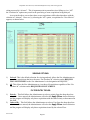
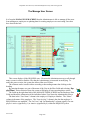
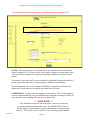
These account numbers and their distribution percentages will default to each line
item where the User has the option of changing the distribution percentages for the individual line items.
EXAMPLE: Assume the User enters four (4) account numbers on the
header and designates each account number with a 25% distribution. The
User will then be able to enter four line items with each line item assigned
one of the four account numbers with a distribution of 100% and the other
three 0%. This will be reviewed when the entry of line items is discussed.
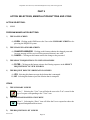
***USER NOTE***
Expense Codes will be entered at the time the line items are added. These
3-digit Expense codes are applicable only to each line item.
3)
4)
5)
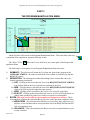
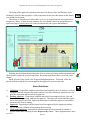
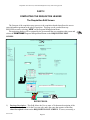
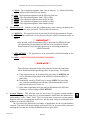
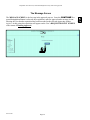
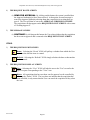
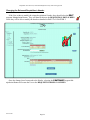
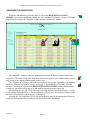
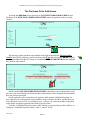
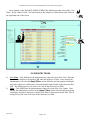
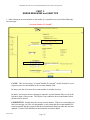
Suggested Source – This area allows the User to notify the purchasing office who they have
contacted concerning the requested products, from what catalog the part numbers have been
taken or the vendor that they know has the product(s). It is best to include a contact name
and phone number. If the User references specific part numbers, it is important the vendor
name is listed. Up to 150 characters are allowed.
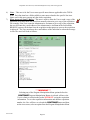
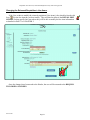
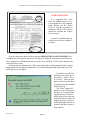
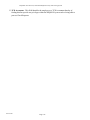
Attachments Being Forwarded – This check box notifies both the Approving Authority and
the Buyer that there are attachments associated with the requisition that must be reviewed
prior to approving or processing the requisition.
Attachments can be a complicated process. The User must note the requisition number
on the attachment(s) and forward them to the approving authority. It is suggested that the
User and the Approving Authority discuss such requisitions prior to submissions to determine whether or not the Approving Authority needs to see the attachments. If they do not
need to see the attachments, the attachments can be forwarded directly to the procurement
office.
If not properly identified, the attachments may never get matched with the requisition
and the procurement process may be slowed significantly.
The system allows the user to attach one or more files as an attachment to the purchase
order when the order is undergoing final review. The
exact procedures will be addressed at that time. The attached files will be sent to [email protected]
one of who will insure that the file(s) is(are) matched
with the requisition.
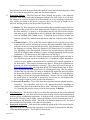
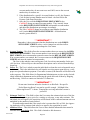
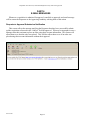
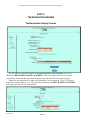
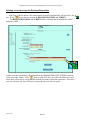
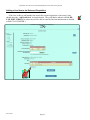
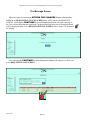
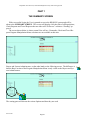
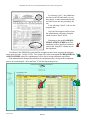
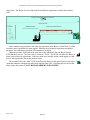
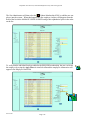
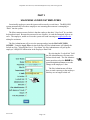
Date Wanted – this space allows the User to tell the
procurement office when the materials are required.
Please be realistic when entering the date. This will
help the buyer in prioritizing the order for more efficient processing of all their requisitions received. The
User may enter a specific date or click on the “Down”
icon to pull up the calendar and then select the date
wanted. The “Refresh” icon simply refreshes the date
so that another can be entered.
REV 06/2007
Page-25