1
REQLESS- The Electronic, Web-Based Requisition Entry & Processing System
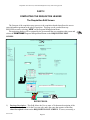
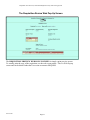
The Employee Data Fields Sub-Screen
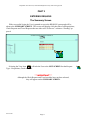
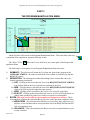
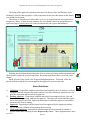
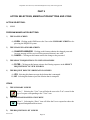
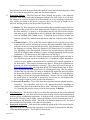
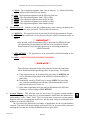
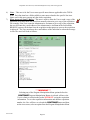
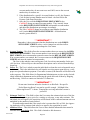
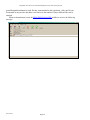
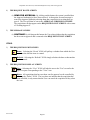
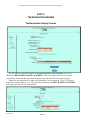
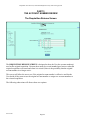
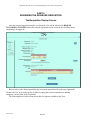
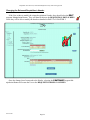
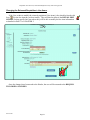
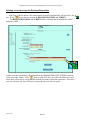
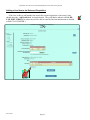
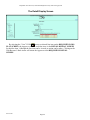
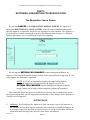
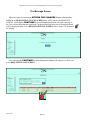
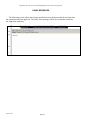
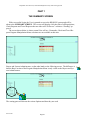
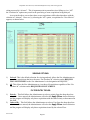
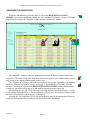
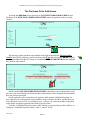
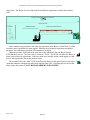
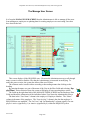
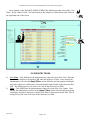
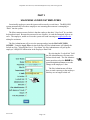
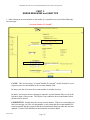
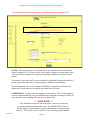
The EMPLOYEE DATA FIELDS SUB-SCREEN on the MANAGE USERS SCREEN detail the REQLESS-related data for the employee. The fields in this area have the following
meanings:
EMPLOYEE DATA FIELD
DESCRIPTIONS
1. User Name: This is the employee’s personal Employee
Number as related to accounting.
2. Name: This is, obviously, the
employee’s name.
3. Password: This is the password
assigned to the employee. The
Administrators cannot change that
password but can only view it.
This is helpful for those times
when the employee forgets his/her
password.
4. Site ID: this site identifies where
the employee is based. This is
important for REQLESS to differentiate between NOAO and Gemini employees and between
NOAO and Chile employees.
5. E-Mail: is the email address used
by REQLESS to send the activityrelated messages.
6. Is Active: A check in this field
identifies that the employee is active within REQLESS. A blank space indicated that the
employee is no longer active and prevents them from using REQLESS.
7. Locked Out: A check mark in this field identifies that the employee has been locked out
of the system. This normally occurs when the employee unsuccessfully try to enter
his/her password more than three times.
8. Administrator: This field identifies the employee as a REQLESS Administrator thereby
affording him/her special user privileges within the REQLESS system.
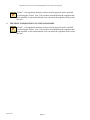
9. Director: This field identifies the employee as a Director thereby affording him/her special user privileges within the REQLESS system.
10. Site Administrator: This field identifies the employee as a REQLESS Site Administrator
thereby affording him/her special user privileges within the system.
11. Self Approve Travel: This field identifies the employee as an individual who can approve
his own Travel Requests. Most Manager and Directors do not have this privilege.
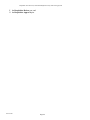
12. Buyer: This field identifies the employee as a Buyer thereby affording him/her special
user privileges within the REQLESS system such as viewing the Buyer Program Manipulations Menu items only viewable to Buyers.
REV 06/2007
Page-111