1
REQLESS- The Electronic, Web-Based Requisition Entry & Processing System
TABLE OF CONTENTS
CHAPTER 1: INTRODUCTION TO REQLESS............................................................... 7
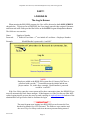
PART 1: LOGGING IN ...............................................................................................................................................8
The Log In Screen ..................................................................................................................................................8
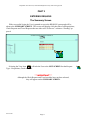
PART 2: ENTERING REQLESS .............................................................................................................................9
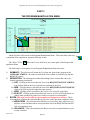
The Summary Screen ............................................................................................................................................9
PART 3: THE PROGRAM MANIPULATION MENU...........................................................................................10
PART 4: THE CHANGING THE PASSWORD.....................................................................................................12
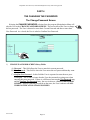
The Change Password Screen...........................................................................................................................12
PART 5: THE REQUISITION LIST SCREEN.......................................................................................................13
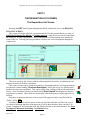
The Requisition List Screen ................................................................................................................................13
Status Definitions .............................................................................................................................................14
PART 6: SELECTING REQUISITIONS TO VIEW...............................................................................................16
The Select Requisitions to View Sub-Screen...................................................................................................16
PART 7: DELETING A REQUISITION..................................................................................................................17
The Request Delete Verification Screen...........................................................................................................17
PART 8: ACTION SELECTIONS, MANIPULATION BUTTONS AND ICONS..............................................18
Action Selections ..................................................................................................................................................18
Program Manipulation Buttons ...........................................................................................................................18
The Login Screen.............................................................................................................................................18
The Change Password Screen......................................................................................................................18
TheSelect Requisitions To View Sub-Screen..............................................................................................18
The Request Delete Verification Screen ......................................................................................................18
ICONs.....................................................................................................................................................................18
The Summary Screen .....................................................................................................................................18
The Program Manipulation Menu ..................................................................................................................18
The Requisition List Screen ...........................................................................................................................18
The Select Requisitions To View Sub-Screen.............................................................................................19
CHAPTER 2: CREATING A NEW REQUISITION ........................................................ 20
PART 1: CREATING A NEW REQUISITION.......................................................................................................21
The Requisition List Screen ................................................................................................................................21
PART 2: COMPLETING THE REQUISITION HEADER.....................................................................................22
The Requisition Edit Screen ...............................................................................................................................22
Entry Fields.......................................................................................................................................................22
PART 3: ENTERING THE LINE ITEM...................................................................................................................27
PART 3: The Detail Edit Screen.........................................................................................................................27
Entry Fields.......................................................................................................................................................27
PART 4: REVIEWING THE REQUISTION ...........................................................................................................29
REV 06/2007
Page-2