1
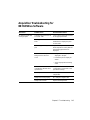
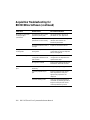
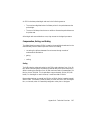
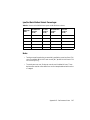
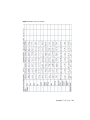
Acquisition Troubleshooting for
BD FACSDiva Software
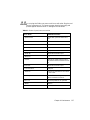
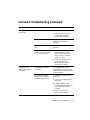
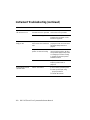
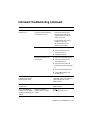
Observation
Possible Causes
Recommended Solutions
No events in plots after
clicking Acquire
Current Tube pointer not set
to current Tube
Click to move the pointer in front
of the appropriate Tube.
Viewing plots for a different
Tube
Double-click the current Tube in
the Browser to display the plots
for that Tube.
Incorrect population(s) in
plot
Right-click the plot and choose
Show Populations. Verify that the
appropriate populations are
displayed.
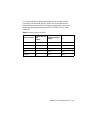
Event color matches plot
background or set to No
Color
• Assign a color to the population
displayed in the plot.
• Format the plot to display all
events.
• Verify the population drawing
order.
Current instrument
configuration different from
optical bench
Verify that the current instrument
configuration corresponds to the
optical bench setup.
No sample in tube
Add sample to tube or install new
sample tube.
Sample not mixed properly
Mix sample to suspend cells.
Sample tube cracked
Replace the sample tube.
Chapter 5: Troubleshooting
143