1
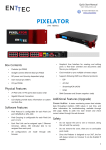
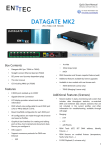
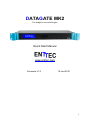
On the front panel, you will find :
• LCD screen
• 4 buttons (MENU, UP, DOWN and ENTER)
On the rear, you will find:
• IEC connector, you can insert any AC voltage source between 100 and 260
V and 50 to 60Hz
• 8 DMX output connectors
• 1 DMX input connector
• RJ45 connector for a 10/100/1000 Ethernet connection
• RS232 port
• 2 x USB ports
The unit has no power switch and can be left on continuously.
Physical Features
• 8 DMX ports isolated up to 1500V
• Gigabit Ethernet Connection
• LCD display provide network and status information
Software Features
•
•
•
•
•
DMX refresh rate configurable for each port (1Hz -> 44Hz) default 35Hz
Break time configurable for each DMX port
Mark After Break configurable for each DMX port
All configurations are made through web browser.
Graphical User Interface for creating and editing ports is flow-chart oriented
and documents data flow as you configure it.
• Supports numerous protocols for DMX over Ethernet
◦ ESP
◦ Art-Net
◦ KiNet
Additional Features Available by Upgrade
• Stream Auditor: A status monitoring screen that includes data throughput
statistics, un-matched DMX over Ethernet data streams (streams that are
not included in the current profile), and other information for troubleshooting,
available through web page
• Merging:
• HTP
• LTP
• A/B Priority
• RDM Tools (GET, SET DMX address, Identify Fixtures ...)
7