1
DGS-1510 Series Gigabit Ethernet SmartPro Switch CLI Reference Guide
1.
Introduction
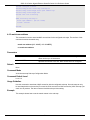
This manual’s command descriptions are based on the software release 1.00. The commands listed here
are the subset of commands that are supported by the DGS-1510 Series SmartPro Switch.
Audience
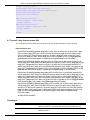
This CLI Reference Guide is intended for network administrators and other IT networking professionals
responsible for managing the switch by using the Command Line Interface (CLI). The CLI is the primary
management interface to the DGS-1510 Series SmartPro Switch, which will be generally be referred to
simply as “the Switch” within this manual. This manual is written in a way that assumes that you already
have the experience and knowledge of Ethernet and modern networking principles for Local Area
Networks.
Other Documentation
The documents below are a further source of information in regards to configuring and troubleshooting
the Switch. All the documents are available from the CD bundled with this switch, or from the D-Link
website. Other documents related to the Switch are:
•
•
DGS-1510 Series Gigabit Ethernet SmartPro Switch Hardware Installation Guide
DGS-1510 Series Gigabit Ethernet SmartPro Switch Web UI Reference Guide
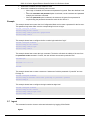
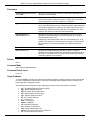
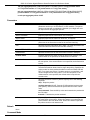
Conventions
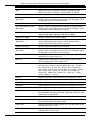
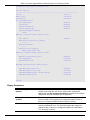
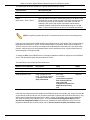
Convention
Description
Boldface Font
Commands, command options and keywords are printed in boldface.
Keywords, in the command line, are to be entered exactly as they are
displayed.
UPPERCASE ITALICS Font
Parameters or values that must be specified are printed in
UPPERCASE ITALICS. Parameters in the command line are to be
replaced with the actual values that are desired to be used with the
command.
Square Brackets [ ]
Square brackets enclose an optional value or set of optional
arguments.
Braces { }
Braces enclose alternative keywords separated by vertical bars.
Generally, one of the keywords in the separated list can be chosen.
Vertical Bar |
Optional values or arguments are enclosed in square brackets and
separated by vertical bars. Generally, one or more of the vales or
arguments in the separated list can be chosen.
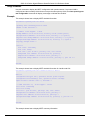
Blue Courier Font
This convention is used to represent an example of a screen console
display including example entries of CLI command input with the
corresponding output. All examples used in this manual are based on
the DGS-1510-28P switch.
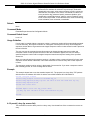
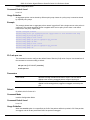
Notes, Notices, and Cautions
Below are examples of the three types of indicators used in this manual. When administering your switch
using the information in this document, you should pay special attention to these indicators. Each
example below provides an explanatory remark regarding each type of indicator.
1