1
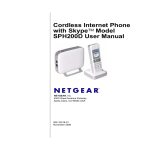
Cordless Internet Phone with Skype Model SPH200D User Manual
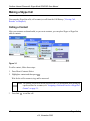
Making a Skype Call
You can make SkypeOut calls, call a contact, or call from the Call History (“Viewing Call
Records” in Chapter 6).
Calling a Contact
After your contacts are downloaded, or you create contacts, you can place Skype or SkypeOut
calls to contacts.
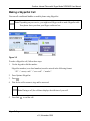
Figure 3-1
To call a contact, follow these steps:
1. Press Menu>Contacts>Select.
2. Highlight a contact and then press
.
Wait for the call to connect, ring, and be answered.
Note: The number is dialed out on the preferred line. For information about setting up
a preferred line for a contact, see “Assigning a Preferred Line for a SkypeOut
Contact” on page 3-1.
3. Press End
to end the call.
3-2
Skype Calling
v1.0, November 2006