1
Foreword
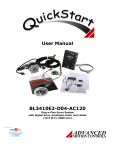
This startup guide will provide an overview of connection and basic setup instructions for
Advanced Motion Controls 300 series drives using the DriveWare 300 software. The
basic setup of a digital drive is designed to be analogous to the setup and tuning of an
analog amplifier. These instructions will walk you through the following steps necessary
to start up your drive and motor. All information within this document can be found in
the help files included with DriveWare 300. This document is intended for setting up the
drive. The help files contain more detailed information not included in this document.
The following major sections are covered:
1.
2.
3.
4.
Connecting to the Drive
Drive Parameter Configuration
Tuning and Commutation
Command Input and Scaling
3