1
Programming Software Getting Started Manual
Pr
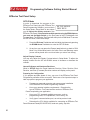
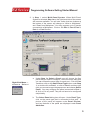
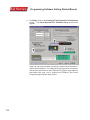
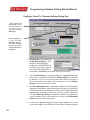
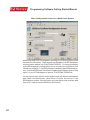
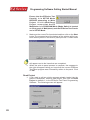
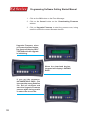
3. In Step 1, select Multi-Panel System. When Multi-Panel
System is selected, Step 1a on the right hand side of the screen
will become available. You will also notice that two buttons at
the bottom of the screen will change to “Write to Multiplexer”
and “Read from Multiplexer.” You may program up to 5 panels
connected to a Multiplexer. Click on the Port 1, Port 2, Port 3,
Port 4, or Port 5 button.
a.
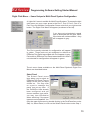
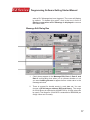
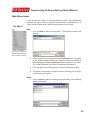
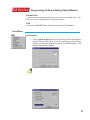
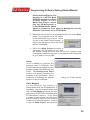
Under Step 1a, Select a Panel, you will choose the first
panel that you want to configure. There are three ways that
you can choose the panel type for each port. Click on Port
1 and then click on the Select Panel Type button under Step
1, or double click on Port 1, or click on Port 1 and then right
click your mouse to open the popup menu and choose Select
Panel. You may configure the panel connected to Port 1,
2, 3, 4, or 5 in any order. They do not have to be configured
sequentially.
b.
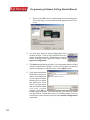
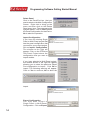
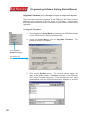
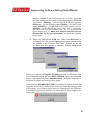
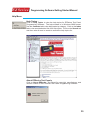
The Select Panel dialog box will open. Under Panel Type,
click on the panel type that is connected to that port. A
picture of the panel will appear under Panel Preview,
and key features of the panel are displayed under Panel
Attributes.
Right Click Menu —
choose Select
9