1
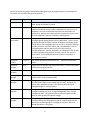
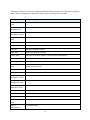
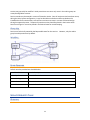
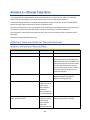
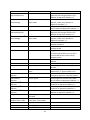
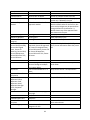
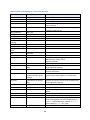
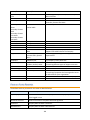
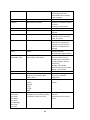
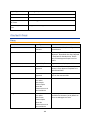
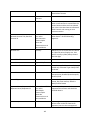
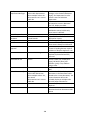
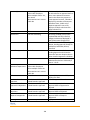
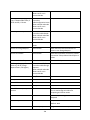
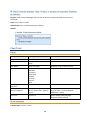
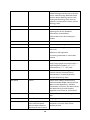
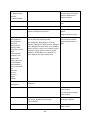
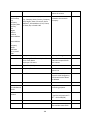
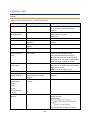
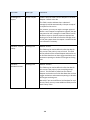
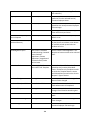
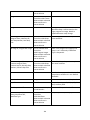
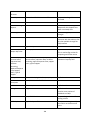
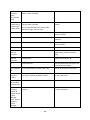
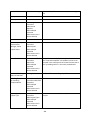
Priority
Choice
Required
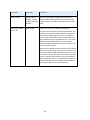
Publish to Knowledgebase
Choice: Yes/No
Visible if Status=Closed or Reopened , if
set to Yes, will be visible in the FAQ
interface for end users
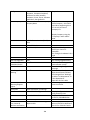
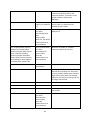
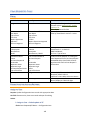
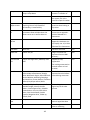
Resolution
Text, 20000
Holds the solution information about the
service request
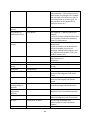
Service Category
Choice
The user first chooses this field, which
filters the available linked services to
those that include that category
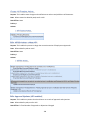
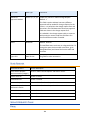
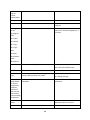
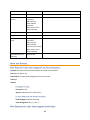
Solved within SLA
Choice: Yes/No
Visible if Status=Closed or Reopened,
Default value is Yes. It is set to No by a
rule if the total hours to close is greater
than the appropriate hours to close for
the criticality and the service (defined by
linked service and priority)
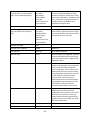
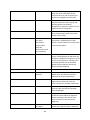
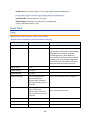
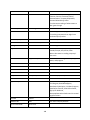
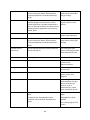
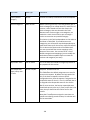
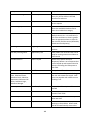
Spawning Incident ID
Long integer field
System field used to create link to related
incident
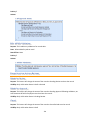
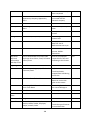
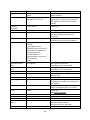
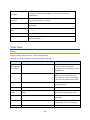
Staff Only Working Notes
Append Only Text
Field hidden from end users that can be
used for running notes on work done to
fulfill the SR
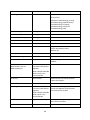
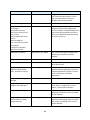
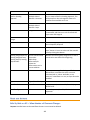
Standard Solution
Choice: Yes/No
Visible only if Status=Closed or
Reopened, defines a set of requests that
can be looked up and imported into the
solution field using the lookup next to
that field.
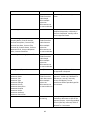
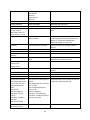
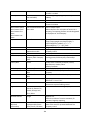
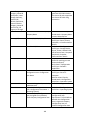
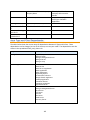
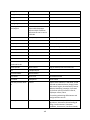
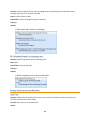
Status
Workflow
Set by the workflow editor
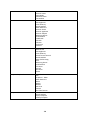
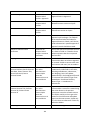
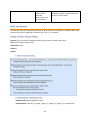
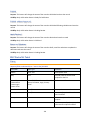
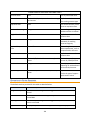
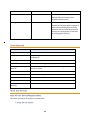
Submitter Name, Submitter
Team, Submitter Phone,
Submitter Email, Submitter
Department, Submitter Cell
Phone, Submitter Login,
Submitter Manager
Link to Contacts
Strict link to user of system defaulting to
the user who creates the record. Staff
users can populate with a different user
if taking a call.
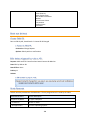
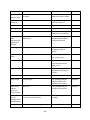
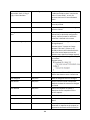
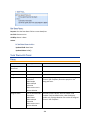
Summary
Short Text, 90
Required, brief description of the service
needed
Tasks
Related Table: Tasks
Visible if Additional Fields to Show
contains Tasks Table
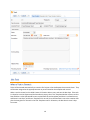
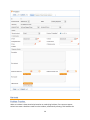
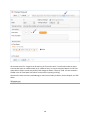
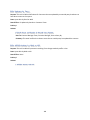
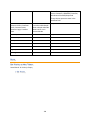
Time Description
short text: 255
To describe a particular time entry and
what was done
Time Spent
Elapsed Time
For technicians to enter time spent
working on the problem. When saved,
the SR will automatically convert that
185